


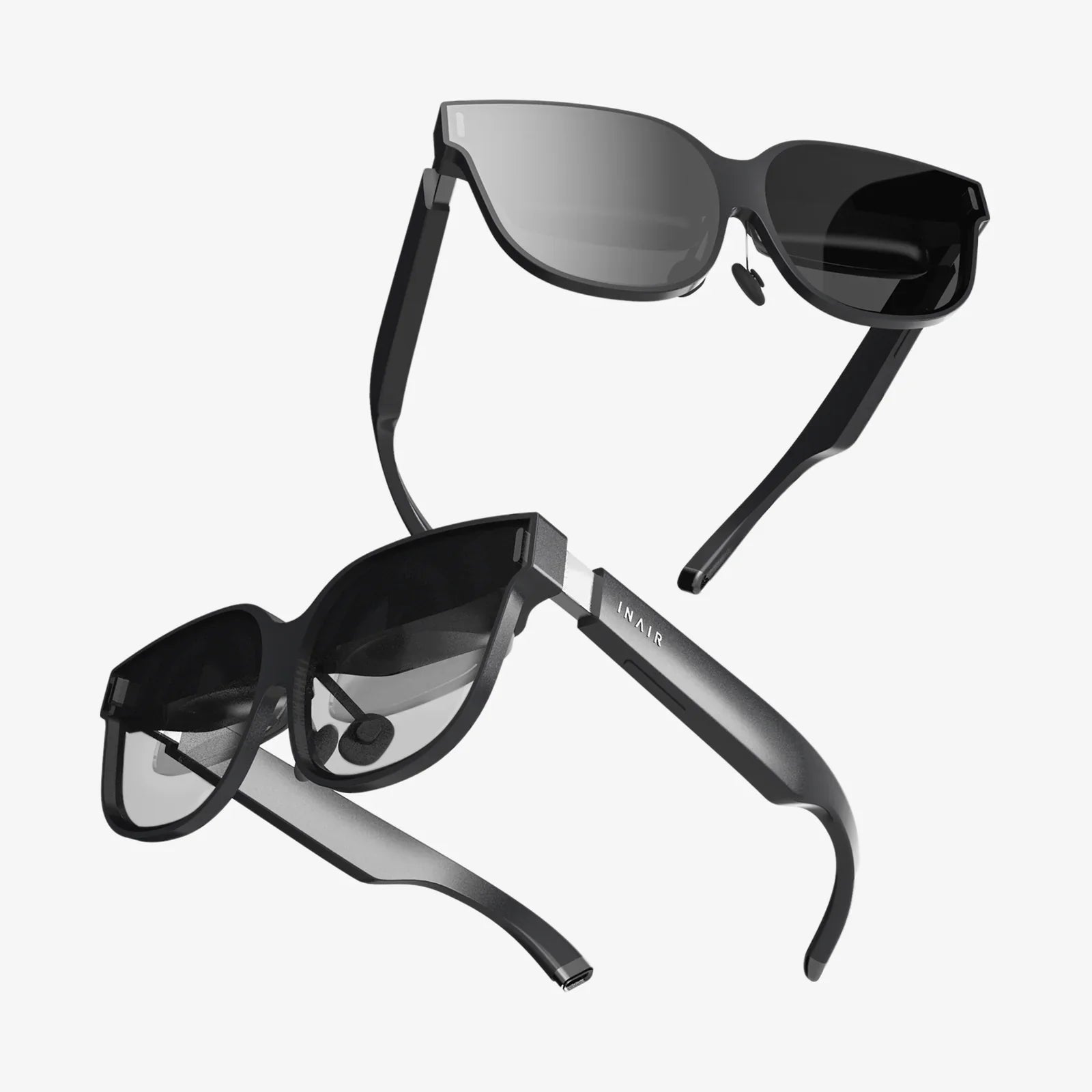
- by wangfred
iRacing VR Goggles: The Ultimate Immersion Guide for Sim Racing Enthusiasts
- by wangfred
Imagine the visceral roar of a V8 engine vibrating through your entire body, the sun glinting off the windshield as you crest the hill at Road Atlanta, your eyes instinctively darting to the side mirror to check for a closing opponent. This isn't a memory from a track day; this is the heart-pounding, sweat-inducing reality made possible by combining the world's premier racing simulation with the transformative power of modern virtual reality headsets. For the dedicated sim racer, the journey towards ultimate immersion has one clear destination: mastering iRacing with VR goggles. This isn't just an upgrade to your hardware; it's a passport to the cockpit.
While traditional triple-screen setups offer a wide field of view and a certain level of immersion, they remain a window into the virtual world. VR goggles, however, don't show you the world—they place you inside it. This fundamental difference is what makes the experience so compelling and, for many, utterly transformative.
The concept of depth perception and spatial awareness is revolutionized. Judging braking distances becomes more intuitive as you can truly perceive the three-dimensional space to the corner apex. You'll find yourself instinctively ducking your head to peek under the roll cage of a modified car or leaning into a corner, your body reacting to the visual cues as if the g-forces were real. This heightened sense of presence translates directly to performance. Many drivers report a significant improvement in car control, especially on the limit, as the ability to sense the car's rotation and weight transfer becomes almost second nature.
Embarking on the VR journey for iRacing requires careful consideration of your hardware. The market offers a spectrum of devices, each with its own strengths, but they all share key specifications that are critical for a smooth, believable experience.
The most crucial specification is resolution. Higher resolution displays, often referred to by their per-eye pixel count, dramatically reduce the "screen door effect" (the visible lines between pixels) and increase clarity. This is vital for spotting braking markers deep into a corner or reading the minute details on your opponent's car. Paired with resolution is the refresh rate, measured in Hertz (Hz). iRacing is a fast-paced sim where every millisecond counts. A high refresh rate (90Hz, 120Hz, or even 144Hz) ensures buttery-smooth motion, reducing perceived latency and the potential for sim sickness. It makes the virtual world feel solid and responsive to your inputs.
Another critical factor is the field of view (FOV). A wider FOV more closely mimics human vision, increasing the peripheral awareness that is so crucial in wheel-to-wheel racing. You'll be able to see a car pulling alongside you without having to turn your virtual head fully. Finally, consider the tracking technology. Inside-out tracking, where cameras on the headset itself map the environment, offers ease of setup. Outside-in tracking, using external base stations, can provide marginally higher precision and a larger play area, though this is less critical for the seated experience of sim racing.
iRacing is a famously demanding simulator, and rendering it twice—once for each eye—in high resolution at a blistering frame rate is one of the most strenuous tasks you can assign to a computer. Compromising on your PC build will compromise the experience, leading to lower frame rates, graphical artifacts, and potential discomfort.
The Graphics Processing Unit (GPU) is the undisputed king of VR performance. This component bears the immense burden of rendering two high-resolution viewpoints simultaneously. You will want the most powerful card you can reasonably afford, with a significant emphasis on VRAM capacity to handle the high-resolution textures. The Central Processing Unit (CPU) is equally important, especially in iRacing. The simulation's physics, the behavior of other cars, and the core game logic are all handled by the CPU. A modern, high-clock-speed processor with strong single-core performance is essential to avoid becoming a bottleneck and ensure a consistent experience.
Don't overlook your system memory (RAM). 16GB is considered the absolute minimum for a modern VR-ready system, but 32GB is rapidly becoming the sweet spot for ensuring smooth operation without background hiccups. Finally, everything is fed by the Power Supply Unit (PSU). A high-quality, efficient power supply with enough wattage to handle peak loads is a non-negotiable foundation for a stable system.
Once your hardware is assembled, the real magic begins: configuration. A haphazard setup will lead to a subpar experience, but a methodical approach will yield incredible results.
A perfect frame rate is just the beginning. True optimization involves tailoring the entire experience to your comfort and playstyle.
Managing Simulator Sickness: It's a common hurdle for new VR users. The best remedy is to start slowly. Begin with short, 15-minute sessions in slower, stable cars on familiar tracks. A cool fan blowing on your face can work wonders, providing a physical air flow sensation that helps trick your brain. Most importantly, stop immediately at the first sign of discomfort. Your "VR legs" will build over time.
Essential Peripherals: Your immersion is only as strong as your weakest peripheral. A direct-drive wheel base and load cell pedals are highly recommended to match the fidelity of the visual experience with equally high-fidelity force feedback and braking feel. Buttkickers or other tactile transducers mounted to your rig can complete the immersion by delivering the rumble of the engine and the crunch of curbs directly through your seat, grounding you in the experience.
Practical Considerations: Keep a microfiber cloth handy to manage lens fogging, especially during intense races. Consider using an open-ear headphone solution or carefully positioning your over-ear headphones to avoid interfering with the headset's strap. Stay hydrated!
The trajectory of both iRacing and VR technology points toward an even more deeply integrated and breathtaking future. We can anticipate continued advancements in headset resolution, making the virtual and real world nearly indistinguishable from a visual standpoint. Wider fields of view will further erase the goggles' boundaries, and varifocal displays may eventually simulate natural eye focus, reducing eye strain.
On the software side, iRacing's ongoing development of its rain and dynamic weather system will be a spectacle to behold in VR, with droplets realistically beading and streaking across the virtual windshield. Furthermore, the potential integration of more advanced physics for car damage and surface interaction will make the tactile and visual feedback even more convincing. The line between simulating a race and virtually being in one will continue to blur, offering an experience that is not just a game, but a genuine training tool and a profound source of excitement for motorsport fans everywhere.
The roar of the crowd is digital, the champagne is virtual, but the adrenaline coursing through your veins is undeniably real. Strap on a headset, fire up iRacing, and take your place on the grid—the most immersive seat in all of motorsport is waiting for you, and the green flag is about to drop.