


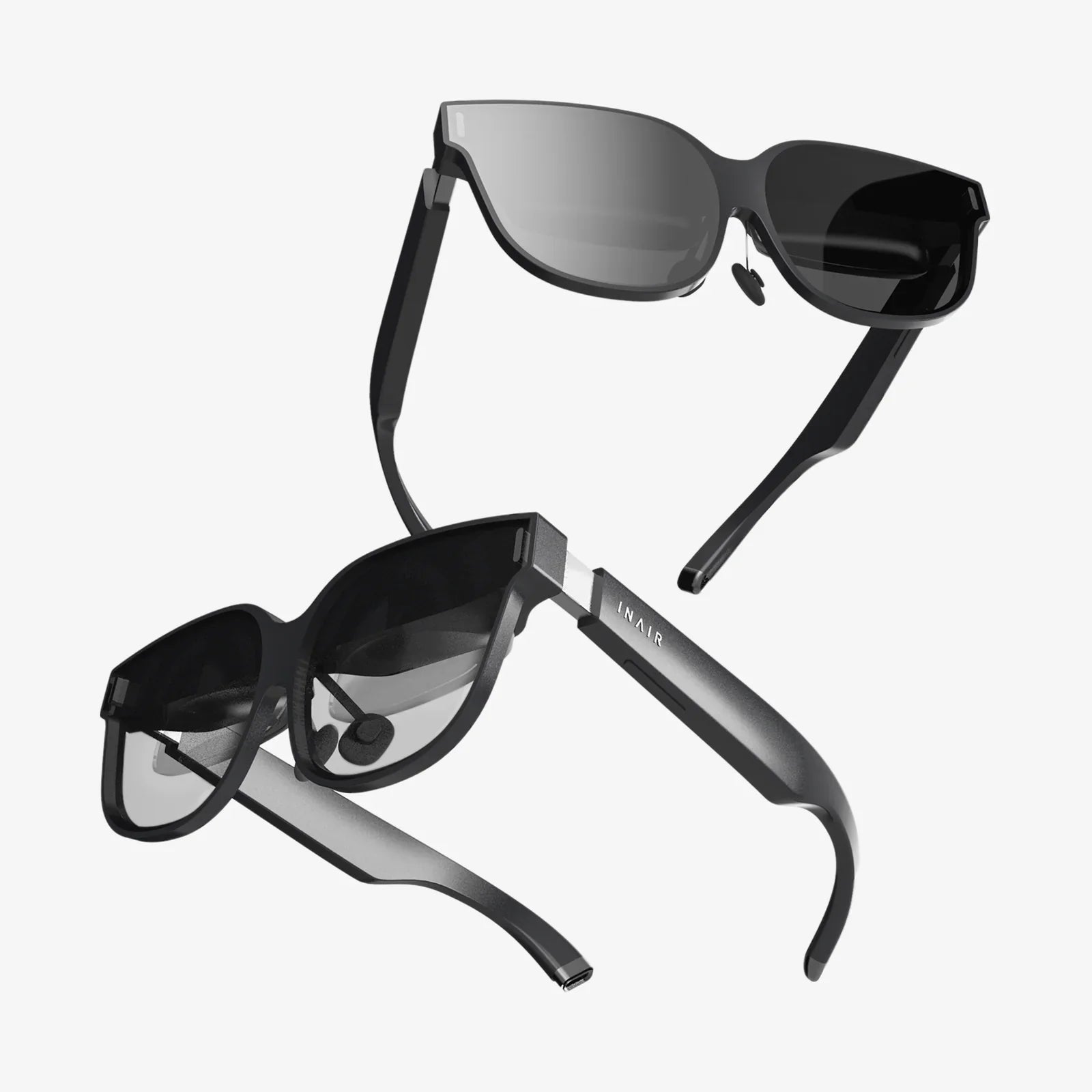
A lightweight VR headset can be the difference between a life-changing immersive experience and a dusty gadget forgotten on a shelf. If you have ever pulled off a bulky headset with a sore neck, foggy lenses, and a headache, you already know that weight and comfort are not minor details. They are the foundation of whether virtual reality feels magical or miserable, and understanding how to choose the right device can save you money, time, and frustration.
Today’s VR landscape is evolving fast. New devices promise clearer visuals, better tracking, and wireless freedom, but the smartest buyers are paying close attention to something more fundamental: how the headset feels on your head after 20, 40, or 90 minutes of use. A lightweight VR headset, thoughtfully designed, lets you stay immersed longer, move more naturally, and enjoy VR for gaming, fitness, work, and education without constant discomfort. This guide will walk you through what “lightweight” really means, why it matters, and how to evaluate all the critical specs before you spend your money.
Why Weight Matters More Than You Think
At first glance, the difference between a heavier and a lightweight VR headset might seem trivial—what are a few extra grams between friends? But once you strap a device to your face, those grams translate into pressure points, neck strain, and fatigue. Over a session, even small differences in weight distribution can dramatically change how your body feels.
Weight matters for several reasons:
- Neck and shoulder strain: A heavy front-loaded headset puts constant downward pressure on your neck, especially when you look around quickly or play active games.
- Facial pressure: Extra weight often means more force on your cheeks, forehead, and nose, leading to red marks and discomfort.
- Reduced play sessions: The more uncomfortable a device feels, the shorter your sessions become, and the less value you get from your investment.
- Immersion breaks: When you constantly adjust straps or shift the headset to relieve pressure, your sense of presence in the virtual world is interrupted.
Lightweight design does not just mean shaving off grams. It means balancing the headset so that the weight is distributed comfortably around the head, minimizing pressure on any single area. A well-balanced headset can feel lighter than a technically lighter one that is poorly designed.
What Counts as a Lightweight VR Headset?
There is no universal standard for what qualifies as “lightweight,” but some general ranges can help you evaluate options. Most modern consumer VR headsets fall into these rough categories:
- Ultra-light: Around 250–350 grams, often relying on external computing devices (like a PC or smartphone) to keep the headset itself minimal.
- Moderately light: Around 350–450 grams, common for standalone headsets that include built-in processors and batteries.
- Heavier: 450 grams and above, which may offer advanced features but can be more fatiguing during long sessions.
However, raw weight is only half the story. When considering a lightweight VR headset, also pay attention to:
- Front-back balance: Is the weight concentrated in the front, or is there a rear strap or battery pack to counterbalance?
- Strap design: Does it use a halo strap, soft straps, or rigid support? Different designs distribute weight differently.
- Padding quality: Better padding can make a slightly heavier headset feel more comfortable than a lighter one with poor cushioning.
Think of the headset as a helmet rather than glasses. The way it sits on your head, the shape of your skull, and even your hairstyle can affect perceived comfort. When possible, trying a headset in person or buying from a retailer with a good return policy can make a big difference.
Comfort: The Hidden Performance Metric
Performance is usually measured in resolution, refresh rate, and tracking accuracy, but comfort is an equally critical performance metric. A lightweight VR headset that you can wear for two hours without discomfort will deliver better real-world performance than a technically superior but uncomfortable device you can only tolerate for 20 minutes.
Key elements of comfort include:
- Head strap design: Halo-style straps rest on the forehead and back of the head, distributing weight more evenly. Soft straps are lighter but can dig into the head if not adjusted correctly.
- Face interface: The foam or silicone that touches your face needs to be breathable, soft, and shaped to avoid pressure on the nose and cheeks.
- Ventilation: Good airflow reduces sweat and lens fogging, which indirectly improves comfort and clarity.
- Adjustability: IPD (interpupillary distance) adjustment, strap length adjustment, and angle adjustment all help customize the fit to your unique face and head.
A truly lightweight VR headset experience comes from the combination of low weight, smart design, and fine-tuned fit. If any of these are missing, you may still experience discomfort even if the headset looks light on paper.
How a Lightweight VR Headset Improves Immersion
Immersion is the feeling of actually “being there” in a virtual environment. Weight interacts with immersion in several ways:
- Natural movement: A lighter headset lets you turn your head quickly, crouch, or lean without feeling like you are dragging a brick around.
- Longer sessions: The longer you can stay in VR comfortably, the deeper your sense of presence becomes.
- Reduced distraction: When you are not constantly aware of a heavy object on your face, your brain is freer to accept the virtual world as “real enough.”
Many people underestimate how much a heavy or poorly balanced headset pulls them out of the experience. They may blame motion sickness, visual artifacts, or game design when in reality, discomfort and physical strain are quietly sabotaging their enjoyment.
Key Technical Specs to Consider Beyond Weight
While weight and comfort should be high on your priority list, a lightweight VR headset still needs to deliver solid technical performance. Here are the main specifications to consider:
Resolution and Pixel Density
Resolution determines how sharp the image looks. Higher resolution means less visible pixelation and screen-door effect. When evaluating resolution, also consider pixel density (pixels per degree) and the type of display panel used.
- Higher resolution: Better for reading text, productivity apps, and detailed environments.
- Moderate resolution: Often sufficient for casual gaming and media consumption.
A lightweight VR headset with a crisp display can feel far more impressive than a heavier device with marginally better specs that you cannot wear for long.
Refresh Rate
Refresh rate, measured in Hertz (Hz), indicates how many times per second the screen updates. Common VR refresh rates include 72 Hz, 90 Hz, 120 Hz, and higher.
- Higher refresh rates: Smoother motion, reduced motion blur, and lower risk of motion sickness.
- Lower refresh rates: More affordable but can feel less fluid, especially in fast-paced games.
A lightweight VR headset with at least 90 Hz is generally recommended for comfortable, long-term use, especially if you are sensitive to motion.
Field of View (FOV)
Field of view describes how much of the virtual world you can see at once. A wider FOV feels more natural and less like looking through binoculars.
- Wider FOV: More immersive but can require more powerful hardware to render.
- Narrower FOV: Easier to drive but can feel more constrained.
Lightweight headsets sometimes trade a bit of FOV to keep the design compact. Decide how important FOV is for your use case versus overall comfort and portability.
Tracking System
Tracking determines how accurately the headset and controllers follow your movements. There are two main approaches:
- Inside-out tracking: Cameras on the headset track your environment and controllers. This is more portable and user-friendly.
- Outside-in tracking: External sensors or base stations track your position. This can be more precise but is less portable and often requires more setup.
A lightweight VR headset with reliable inside-out tracking is often ideal for most users, especially if you value quick setup and easy storage.
Standalone vs Tethered
Another major factor is whether the headset is standalone (self-contained) or tethered (connected to a PC or console).
- Standalone headsets: Contain all the processing and battery inside the headset. They are convenient and portable but may be slightly heavier and less powerful.
- Tethered headsets: Rely on an external device for processing, which can allow the headset itself to be lighter and more comfortable, but you are tied to a cable or wireless streaming setup.
Think about your primary use: casual gaming, fitness, productivity, or high-end simulation. A lightweight VR headset can exist in either category; the key is choosing the one that aligns with your needs and environment.
Use Cases Where Lightweight Design Really Shines
Almost every VR scenario benefits from lower weight, but some use cases gain especially large advantages from a lightweight VR headset.
Fitness and Active Games
If you plan to use VR for cardio, boxing, dance, or rhythm games, a lighter headset is almost mandatory. Active sessions can last 30–60 minutes or more, and every extra gram on your head becomes noticeable as you sweat and move.
Benefits in this scenario include:
- Less neck fatigue during intense movements
- Better stability while jumping, ducking, or lunging
- Reduced risk of the headset slipping or needing constant readjustment
Long Gaming Sessions
Adventure games, role-playing games, and social VR experiences often encourage long play sessions. A lightweight VR headset helps you stay immersed without frequent breaks, making story-driven experiences feel more continuous and engaging.
Work, Productivity, and Virtual Desktops
Some users now use VR for work: virtual monitors, design tools, meetings, and collaborative environments. In these cases, comfort is paramount. Spending hours in VR with a heavy device can lead to chronic strain.
A lighter headset with good ergonomics and clear visuals can transform VR from a novelty into a viable productivity tool, especially for remote workers or digital nomads.
Education and Training
Educational and training applications often involve extended sessions and repeated use by different people. A lightweight VR headset is easier to share, more comfortable for a wider range of head sizes, and less intimidating for first-time users.
In training contexts—such as medical simulations, engineering, or safety drills—reduced fatigue means learners can focus on content rather than physical discomfort.
Fitting and Adjusting Your Lightweight VR Headset
Even the best-designed headset needs proper fitting to feel truly comfortable. Follow these steps to get the most out of your lightweight VR headset:
- Adjust the head strap first: Loosen all straps, place the headset on your face, and tighten the rear strap until it feels snug but not tight.
- Balance the front and back: If the front feels heavy, slightly raise or lower the rear strap and adjust the top strap (if present) to offload some weight from your face.
- Fine-tune IPD: Adjust the lenses so that the image appears sharp and comfortable in both eyes. Incorrect IPD can cause eye strain and headaches.
- Check for light leaks: Small gaps around the nose are common, but excessive light leakage can be distracting. Adjust the face interface or consider alternate padding if available.
- Test different angles: Sometimes tilting the headset slightly up or down dramatically improves comfort and clarity.
Take 5–10 minutes at the start to dial in the fit. Those few minutes can easily add an extra hour of comfortable playtime.
Reducing Motion Sickness with a Lightweight VR Headset
Motion sickness in VR is influenced by many factors, including frame rate, tracking latency, and game design. However, weight and comfort play a surprisingly large role. When your head and neck are strained, your body is more sensitive to discomfort in general.
To minimize motion sickness:
- Use a headset with a high refresh rate and stable tracking.
- Ensure the headset is properly fitted so that the image is clear and stable.
- Start with shorter sessions and gradually increase duration as your body adapts.
- Prefer games with teleportation or smooth locomotion options you can tweak.
A lightweight VR headset cannot eliminate motion sickness for every person, but it can reduce the physical strain that often makes symptoms worse.
Accessories That Enhance Lightweight Comfort
One of the advantages of choosing a lightweight VR headset is that you can add accessories without making it unbearably heavy. A few carefully chosen add-ons can significantly improve comfort and usability.
- Alternative face pads: Different materials and shapes can improve airflow, reduce sweat, and better match your face shape.
- Counterweight straps: Small weights or battery packs at the back of the head can balance front-heavy designs, making the headset feel lighter.
- Head strap upgrades: More rigid or ergonomic straps can distribute weight more evenly, especially for long sessions.
- Lens inserts: If you wear glasses, prescription lens inserts can remove the need for glasses inside the headset, improving comfort and fit.
When adding accessories, always consider the trade-off between added weight and improved ergonomics. The goal is to maintain the benefits of a lightweight VR headset while tailoring the fit to your preferences.
Battery Life vs Weight: Finding the Sweet Spot
For standalone devices, battery life is closely tied to weight. Larger batteries last longer but add bulk. A lightweight VR headset typically aims for a balance that provides reasonable playtime without becoming too heavy.
Questions to consider:
- How long are your typical sessions? If you rarely play more than an hour at a time, a smaller battery may be fine.
- Are you willing to use an external battery pack or charging cable during long sessions?
- Do you value portability over all-day battery life?
Some users prefer a lighter headset with shorter battery life, relying on breaks or external power solutions. Others prioritize longer sessions even if it means a slightly heavier device. There is no one-size-fits-all answer, but being aware of this trade-off will help you choose wisely.
Evaluating Value: Price, Features, and Longevity
When shopping for a lightweight VR headset, price can vary widely. Instead of focusing only on the lowest cost, think in terms of value over time.
Consider:
- Comfort longevity: A more comfortable headset that you use regularly offers better value than a cheaper one that you avoid.
- Feature set: Does it support the platforms, games, and apps you care about? Does it have room for future updates?
- Build quality: Durable materials and solid construction can extend the lifespan of your headset.
- Upgrade path: Can you improve comfort or visuals later with accessories or better computing hardware?
A lightweight VR headset that strikes the right balance between comfort, performance, and price can serve you well for years, even as software and content continue to improve.
Future Trends in Lightweight VR Headset Design
The future of VR is moving toward devices that feel more like glasses than helmets. Several trends are driving the next generation of lightweight VR headset designs:
- Pancake lenses and compact optics: New lens designs allow headsets to be slimmer and lighter while maintaining or improving visual quality.
- More efficient processors: Smaller, cooler chips reduce the need for heavy cooling systems and large batteries.
- Advanced materials: Lightweight composites and improved plastics decrease weight without sacrificing durability.
- Hybrid AR/VR devices: Some headsets aim to combine virtual reality and augmented reality, offering more versatility in a single compact device.
As these innovations mature, the difference between a current-generation lightweight VR headset and future models will likely be even more dramatic. Expect devices that are easier to wear for hours, with better visuals and more natural ergonomics.
Practical Buying Checklist for a Lightweight VR Headset
To make your decision easier, here is a concise checklist you can use when evaluating options:
- Is the headset under a weight range you are comfortable with (for example, under 450 grams)?
- Does it have a strap design that suits your head shape and hair type?
- Are resolution and refresh rate sufficient for your preferred content?
- Does it provide inside-out tracking or an alternative you are comfortable setting up?
- Is it standalone, tethered, or capable of both, and which mode do you actually need?
- How long is the typical battery life, and does that match your session length?
- Are there accessories available to improve comfort if needed?
- Does it support the games, apps, or productivity tools you plan to use?
Answering these questions honestly will narrow your options and help you avoid overpaying for features you do not need or underestimating comfort you absolutely do need.
Getting the Most Out of Your Lightweight VR Headset
Once you have chosen your device, a few habits can help you maximize comfort and enjoyment over the long term:
- Take regular breaks: Even with a lightweight VR headset, short pauses every 30–45 minutes help your eyes and neck recover.
- Stretch your neck and shoulders: Gentle stretches before and after sessions reduce strain.
- Keep lenses clean: Smudges and dust can cause eye strain; use a microfiber cloth regularly.
- Adjust settings per game: Comfort options, locomotion settings, and graphics quality can all affect how your body feels.
- Store it properly: Use a stand or case to prevent damage and keep straps and padding in good shape.
These simple steps help preserve the benefits of a lightweight VR headset and keep your experiences enjoyable session after session.
A well-chosen lightweight VR headset does more than reduce neck strain; it opens the door to using virtual reality as a natural part of your daily life. When your device feels almost invisible on your head, you stop thinking about the hardware and start focusing on what really matters: the worlds you explore, the skills you build, and the people you connect with. If you are ready to make VR a long-term habit rather than a short-lived experiment, prioritizing comfort and lightweight design is the smartest move you can make.
Share:
Space Goggles And The Future Of Human Vision Beyond Earth
AR Workstation Design And Implementation For Next-Generation Productivity