


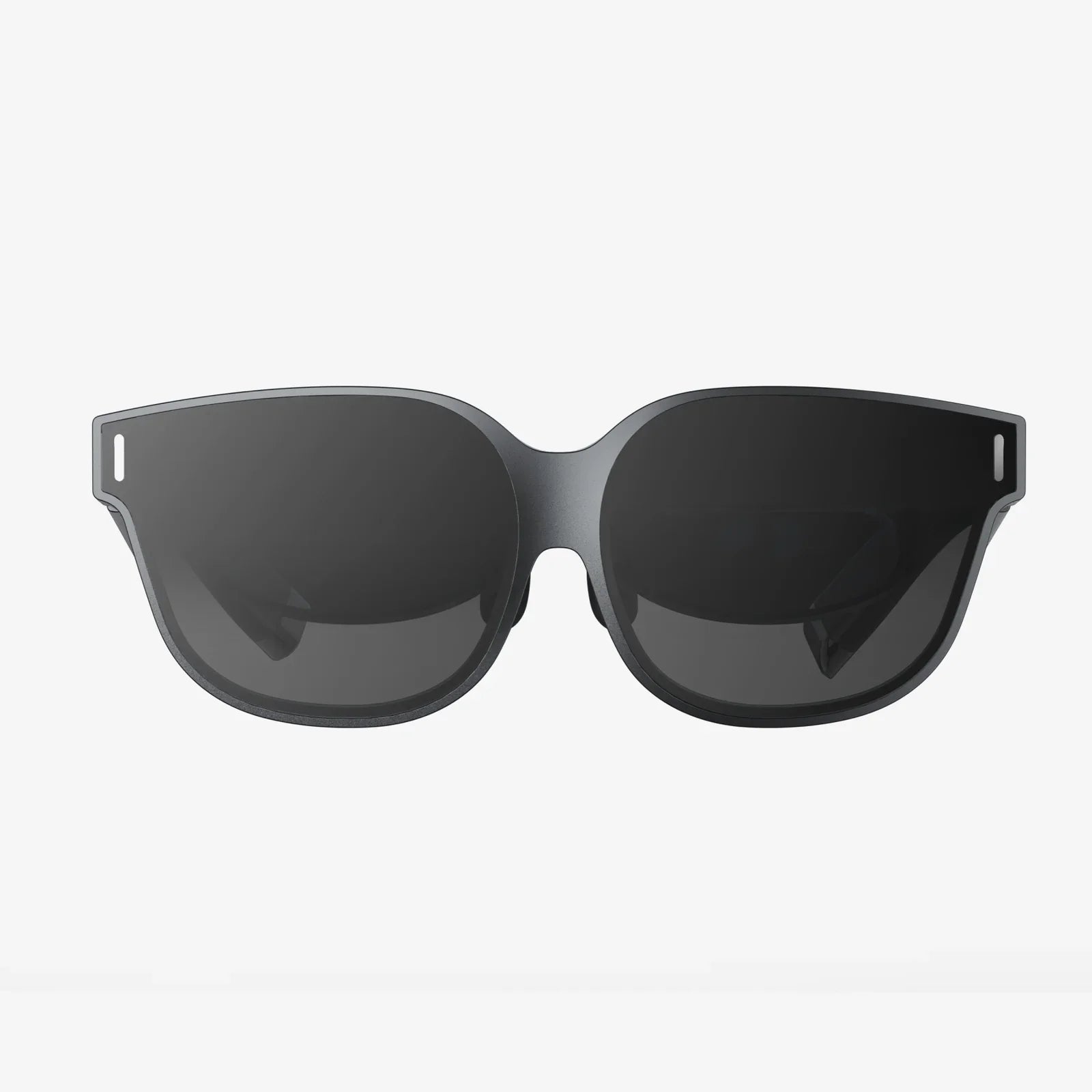
MR HMD technology is quietly rewriting the rules of how we work, play, and connect with the world, and the people who understand it now will have a serious advantage when it becomes mainstream. If you have ever imagined digital screens that float in your living room, training simulations that feel real but carry zero risk, or remote meetings where colleagues appear life-size in your space, mixed reality head-mounted displays are the bridge from imagination to reality.
Unlike earlier waves of technology that only upgraded our screens or processors, MR HMD devices fundamentally change where and how we interact with digital content. They move apps, data, and experiences off flat screens and into the physical spaces where we live and work. Whether you are a professional exploring new tools, a gamer looking for deeper immersion, or simply curious about what comes after smartphones, understanding MR HMD systems now will help you navigate the next decade of digital life.
What Is an MR HMD?
An MR HMD, or mixed reality head-mounted display, is a wearable device that places digital content into your view of the real world and lets you interact with it as if it were physically present. Instead of isolating you from your surroundings, an MR HMD blends virtual objects with the environment you see around you.
To understand MR HMD devices, it helps to compare them to other immersive technologies:
- Virtual Reality (VR) headsets block out the real world entirely and replace it with a fully digital environment.
- Augmented Reality (AR) devices overlay simple digital elements, like text or basic graphics, on top of your real-world view.
- Mixed Reality (MR) headsets go further by anchoring digital objects in the physical world and allowing them to interact with real surfaces, lighting, and movement.
An MR HMD typically includes advanced sensors, cameras, and processors that scan the physical environment, track head and hand movements, and render 3D content in real time. The result is a seamless fusion of digital and physical elements that feels more natural than traditional screens or even basic AR overlays.
Key Technologies Inside an MR HMD
MR HMD devices rely on a stack of technologies working together. Understanding these components helps explain why mixed reality feels so different from earlier interfaces.
Optics and Display
The display system is the core of any MR HMD. There are two common approaches:
- Optical see-through: Transparent lenses allow you to see the real world directly, with digital images projected onto the lenses.
- Video see-through: Cameras capture the real world and feed it to displays inside the headset, where digital content is composited into the video feed.
Both approaches aim to produce sharp, bright images that blend convincingly with real-world elements. Key display factors include resolution, field of view, brightness, contrast, and color accuracy. Higher resolution and wider field of view generally create more immersive experiences, but they also demand more processing power and battery capacity.
Spatial Mapping and Environmental Understanding
An MR HMD must understand the physical environment to place digital objects convincingly. This is where spatial mapping comes in. Using cameras and depth sensors, the device builds a 3D model of your surroundings, including walls, floors, furniture, and other obstacles.
With this spatial map, virtual objects can:
- Stay fixed in place as you move around them.
- Respect physical boundaries, such as sitting on a table instead of floating through it.
- Interact with real-world lighting and surfaces for more realism.
Accurate spatial mapping is one of the defining capabilities of an MR HMD and is essential for productive work, realistic training simulations, and convincing entertainment experiences.
Tracking and Input
For mixed reality to feel natural, the MR HMD must track your movements and input precisely. Common tracking and input methods include:
- Head tracking: Sensors monitor the position and rotation of your head so that digital content updates in real time as you look around.
- Hand and controller tracking: Cameras or external sensors track your hands or handheld controllers, allowing you to interact with holographic buttons, tools, and objects.
- Eye tracking: Some MR HMD models monitor your eye movements, enabling foveated rendering (higher resolution where you are looking) and more intuitive interfaces.
- Voice commands: Microphones and speech recognition let you control apps and content hands-free.
When these systems work together smoothly, the MR HMD feels less like a gadget and more like an extension of your body and senses.
Processing Power and Connectivity
Rendering 3D content, tracking movement, and processing sensor data in real time requires significant computing power. MR HMD devices may be:
- Standalone, with processors and batteries built into the headset.
- Tethered, connected to a computer or console for additional power.
- Hybrid, offloading some processing to external devices or cloud services.
Connectivity options such as Wi-Fi and Bluetooth allow MR HMD systems to access cloud content, collaborate with other users, and integrate with existing devices and workflows.
How MR HMD Changes Work and Productivity
While gaming often gets the spotlight, some of the most transformative MR HMD applications are in professional settings. By pulling digital information into the physical workspace, mixed reality can streamline tasks, reduce errors, and enhance collaboration.
Virtual Monitors and Infinite Desktops
One of the simplest yet powerful uses of an MR HMD is replacing physical monitors with virtual screens. Instead of being limited to one or two displays, you can pin multiple floating windows around your workspace. These virtual monitors can be resized, moved, and reorganized effortlessly.
Benefits include:
- Reduced clutter from physical hardware.
- Highly customizable workspaces tailored to specific tasks.
- Portability, since your setup can follow you wherever you use your MR HMD.
For remote workers, this can mean a full multi-monitor setup in any location, from a small apartment to a hotel room.
Remote Collaboration and Mixed Reality Meetings
Video calls have limitations—flat screens make it hard to read body language, share complex 3D content, or feel present with others. MR HMD systems can elevate remote collaboration by placing life-size avatars or participants in your space, along with shared 3D models, documents, and whiteboards.
In a mixed reality meeting, participants can:
- Walk around a 3D design and point to specific features.
- Annotate objects or documents in shared space.
- Use hand gestures and spatial cues that feel closer to face-to-face interaction.
This can significantly improve communication in fields such as engineering, architecture, product design, and media production.
Field Service and Remote Assistance
MR HMD devices can guide technicians and field workers by overlaying instructions directly onto equipment. Instead of flipping through manuals or calling for help, a worker can see step-by-step instructions anchored to the machinery they are repairing.
Additionally, an expert in another location can see what the onsite worker sees through the MR HMD and annotate the view in real time, drawing arrows or highlighting components. This reduces downtime, travel costs, and training overhead while improving safety and accuracy.
MR HMD in Education and Training
Education and training are areas where MR HMD technology can deliver dramatic benefits by making learning more immersive, interactive, and safe.
Interactive Classrooms and Laboratories
Imagine a biology class where students can explore a life-size 3D model of the human body, peel back layers, and examine organs from any angle. Or a physics lesson where abstract concepts like electromagnetic fields become visible in the classroom. With an MR HMD, complex topics can be visualized and manipulated in ways that traditional textbooks and videos cannot match.
In laboratory settings, mixed reality can overlay instructions and safety warnings, ensuring that students follow correct procedures while still gaining hands-on experience. Virtual lab equipment can supplement real tools, expanding what can be taught without requiring expensive or hazardous materials.
Simulation-Based Training
MR HMD devices shine in training scenarios where real-world practice would be risky, costly, or logistically difficult. Examples include:
- Medical training: Practitioners can rehearse procedures on detailed virtual patients anchored to physical mannequins or empty space.
- Industrial safety: Workers can practice emergency responses in realistic simulations without real danger.
- Aviation and transportation: Trainees can interact with virtual cockpit controls or complex machinery overlaid on training rigs.
Because MR can blend physical equipment with virtual overlays, trainees get both tactile feedback and visual guidance, improving retention and confidence.
Entertainment, Gaming, and Social Experiences
Entertainment is often the first point of contact for new technologies, and MR HMD systems open up new forms of play and social interaction that go beyond traditional gaming.
Spatial Gaming in Your Own Environment
With an MR HMD, your living room, office, or backyard can become part of the game world. Digital characters can hide behind your furniture, climb your walls, or interact with objects in your space. Because the MR HMD understands the layout of your environment, game designers can create experiences that adapt to each player’s surroundings.
Features that make MR gaming unique include:
- Persistent game elements that remain in the same spot between sessions.
- Co-op experiences where multiple players see and interact with the same virtual objects.
- Blended physical and digital props that enhance immersion.
Social Mixed Reality Spaces
Beyond traditional games, MR HMD devices can enable shared virtual spaces that feel more natural than text chats or video calls. Friends or colleagues can appear as avatars in your room, or you can join them in a shared virtual environment that still respects your physical boundaries.
Social MR experiences can include shared movie viewing, collaborative art creation, virtual concerts, or simply hanging out in digital spaces that merge with real-world locations. These experiences can help reduce the sense of isolation that sometimes accompanies remote work and online communication.
Design, Architecture, and Engineering with MR HMD
For designers, architects, and engineers, MR HMD tools offer a new way to visualize, iterate, and communicate ideas. Instead of relying on flat renderings, teams can walk around full-scale models and interact with them in context.
Full-Scale Visualization
In architecture and construction, an MR HMD can project a proposed building onto an empty lot or inside an existing structure. Stakeholders can walk through rooms, evaluate sightlines, and assess how designs fit into their surroundings. This reduces misunderstandings and costly changes later in the project.
Similarly, product designers can view life-size prototypes in mixed reality, testing ergonomics, proportions, and usability before any physical prototype is built. This accelerates development cycles and reduces material waste.
Collaborative Design Reviews
Design and engineering teams often span multiple locations. With MR HMD devices, team members can gather around the same virtual model, regardless of where they are physically. They can mark up designs, highlight issues, and test changes in real time.
Because everyone sees the same 3D content anchored in their space, misunderstandings are easier to resolve. This can be especially valuable for complex systems such as vehicles, industrial machinery, or large-scale infrastructure projects.
Healthcare and Therapy Applications
Healthcare is another sector where MR HMD technology shows strong potential, both for professionals and patients.
Surgical Planning and Guidance
Surgeons can use MR HMD devices to visualize patient-specific anatomy in 3D, based on medical imaging data. These holographic models can be overlaid on the patient’s body in the operating room, providing real-time guidance and enhancing situational awareness.
For complex procedures, this can improve precision and reduce the likelihood of complications. It also supports better communication within surgical teams and with patients, who can see visual explanations of their conditions and planned treatments.
Rehabilitation and Therapeutic Experiences
Mixed reality can make physical therapy and rehabilitation more engaging. Patients can perform guided exercises in gamified environments, with the MR HMD tracking their movements and providing feedback. This can improve adherence to treatment plans and motivate patients to push themselves safely.
In mental health, MR experiences can support exposure therapy, relaxation training, and stress reduction, providing controlled environments tailored to each patient’s needs.
Everyday Life: MR HMD in the Home
Beyond specialized professional and medical use, MR HMD devices are gradually finding their way into everyday life. As hardware becomes more comfortable and affordable, mixed reality could become as common as smartphones.
Home Organization and Smart Environments
Imagine walking into your kitchen and seeing digital labels hovering over containers, or recipe steps floating beside your stove. An MR HMD can overlay reminders, instructions, and data on top of household objects, turning your home into a smart environment without adding physical screens everywhere.
Smart home controls can also become spatial. Instead of navigating menus on a phone, you could simply look at a light, thermostat, or appliance and adjust it using gestures or voice commands through the MR HMD interface.
Learning, Hobbies, and Personal Projects
Whether you are learning a musical instrument, practicing a new language, or tackling a do-it-yourself project, mixed reality can provide on-the-spot guidance. Digital tutors can appear in your space, demonstrating techniques or correcting your form. Step-by-step instructions can be overlaid on objects you are working with, such as furniture, tools, or craft materials.
This contextual learning approach can make personal development more engaging and less frustrating, especially for skills that benefit from visual and spatial cues.
Challenges and Limitations of MR HMD Technology
Despite its promise, MR HMD technology still faces significant challenges that affect adoption and user experience.
Comfort and Wearability
For an MR HMD to be useful in daily life, it must be comfortable to wear for extended periods. Factors that influence comfort include:
- Weight and balance of the headset.
- Fit and adjustability for different head shapes and sizes.
- Ventilation and heat management.
- Compatibility with prescription glasses or built-in vision correction.
Heavy or poorly balanced devices can cause neck strain and fatigue, limiting how long users are willing to wear them. Advances in materials, optics, and miniaturization are gradually improving comfort, but it remains a critical design challenge.
Visual Fatigue and Motion Issues
Some users experience eye strain, headaches, or motion discomfort when using MR HMD devices, especially if frame rates are low or tracking is imprecise. Display quality, latency, and calibration all play a role in visual comfort.
Developers must also design experiences that respect human perception, avoiding rapid or unnatural movement that can cause discomfort. As best practices mature and hardware improves, these issues are becoming less common but are not fully solved.
Battery Life and Portability
Standalone MR HMD units rely on internal batteries, which must power displays, sensors, processors, and connectivity. Longer battery life is essential for all-day use, but larger batteries add weight and bulk.
Some systems address this by allowing hot-swappable batteries or external power packs, but these solutions can affect convenience. Finding the right balance between performance, battery life, and comfort is an ongoing engineering challenge.
Privacy and Security Concerns
MR HMD devices continuously scan and interpret the environment, capturing images and depth data of private spaces. They may also track eye movements, gestures, and biometric signals. This raises important questions about data privacy and security.
Users and organizations must consider:
- What data is collected and how long it is stored.
- Who has access to spatial maps of homes or workplaces.
- How sensitive information is protected from unauthorized access.
Clear policies, robust encryption, and transparent user controls are essential for building trust in MR HMD ecosystems.
How to Choose an MR HMD
If you are considering adopting mixed reality, selecting the right MR HMD depends on your goals, budget, and environment. Key factors to evaluate include:
Primary Use Cases
Start by clarifying what you want to do with the MR HMD:
- Professional productivity and remote collaboration.
- Design, engineering, and visualization.
- Training and education.
- Gaming and entertainment.
- Healthcare or specialized industry applications.
Different devices may prioritize certain capabilities, such as field of view, ruggedness, or integration with existing software tools.
Display Quality and Field of View
Evaluate resolution, brightness, contrast, and field of view. A wider field of view feels more natural and immersive but may come at a higher cost or require more powerful hardware.
For detailed design work and text-heavy tasks, higher resolution is particularly important. For training or entertainment, field of view and color quality may have greater impact on immersion.
Comfort and Ergonomics
Comfort is critical, especially for extended sessions. Consider:
- Weight distribution between front and back of the headset.
- Padding and strap design.
- Ease of putting on and taking off.
- Adjustability for different users.
If possible, test an MR HMD in person or read detailed user feedback focused on comfort rather than only features.
Tracking, Input, and Interaction
Assess how the MR HMD tracks head, hands, and controllers. Look for:
- Reliable inside-out tracking without external sensors when possible.
- Natural hand tracking for gesture-based interactions.
- Support for voice commands and possibly eye tracking.
The more natural the interaction, the more likely you and your team will adopt the device in daily workflows.
Software Ecosystem and Compatibility
An MR HMD is only as useful as the software that runs on it. Check:
- Available applications for your use cases.
- Developer tools and community support if you plan to build custom apps.
- Integration with existing platforms you rely on, such as productivity suites, design tools, or learning management systems.
A strong ecosystem can dramatically accelerate adoption and return on investment.
Budget and Total Cost of Ownership
Beyond the upfront price of the MR HMD, consider:
- Licensing or subscription fees for software.
- Maintenance and support costs.
- Training time for users and administrators.
For organizations, pilot projects with clear success metrics can help justify larger rollouts and ensure that the chosen MR HMD aligns with real-world needs.
The Future of MR HMD and Mixed Reality
MR HMD technology is still in its early chapters, but several trends suggest where it is heading.
Lighter, More Stylish Devices
As components shrink and displays become more efficient, MR HMD hardware is likely to move from bulky headsets toward more glasses-like designs. This will make mixed reality more socially acceptable in public spaces and more comfortable for everyday use.
Eventually, MR capabilities may be integrated into ordinary-looking eyewear, blurring the line between traditional glasses and immersive devices.
Deeper Integration with AI
Artificial intelligence will play a growing role in how MR HMD systems understand and respond to the world. AI can:
- Recognize objects and people in your environment.
- Anticipate your needs based on context and behavior.
- Generate adaptive content and personalized experiences.
Combined with MR, AI could turn your surroundings into a dynamic interface that responds intelligently to your goals, without requiring constant manual input.
From Niche to Everyday Tool
As costs decrease and software ecosystems mature, MR HMD devices are likely to move from specialized tools to everyday companions. Just as smartphones evolved from business devices to universal tools, mixed reality could become a standard way to interact with digital information.
In this future, checking messages, collaborating with colleagues, navigating cities, and learning new skills may all happen through MR HMD interfaces that feel as natural as glancing at a watch or opening a laptop today.
Why Now Is the Time to Pay Attention to MR HMD
MR HMD technology is at a tipping point where it is powerful enough to deliver real value, yet early enough that individuals and organizations can still gain a competitive edge by adopting it thoughtfully. The shift from flat screens to spatial computing will not happen overnight, but momentum is clearly building.
Whether you are an innovator looking for new ways to engage customers, an educator seeking more effective teaching tools, a professional aiming to boost productivity, or a curious early adopter, now is the time to explore what MR HMD devices can do. The people who learn to think and design in three dimensions today will be the ones shaping the experiences everyone else uses tomorrow.
If you start experimenting with MR HMD solutions now—testing workflows, building simple prototypes, or just getting comfortable with the interface—you will be ready when mixed reality moves from novelty to necessity. The next wave of digital transformation will not live on a screen in your pocket; it will live all around you, and MR HMD technology is your doorway into that world.
Share:
6DoF Tracking And The New Era Of Immersive Digital Experiences
Smart Glasses Technology And The Future Of Seamless Digital Living