


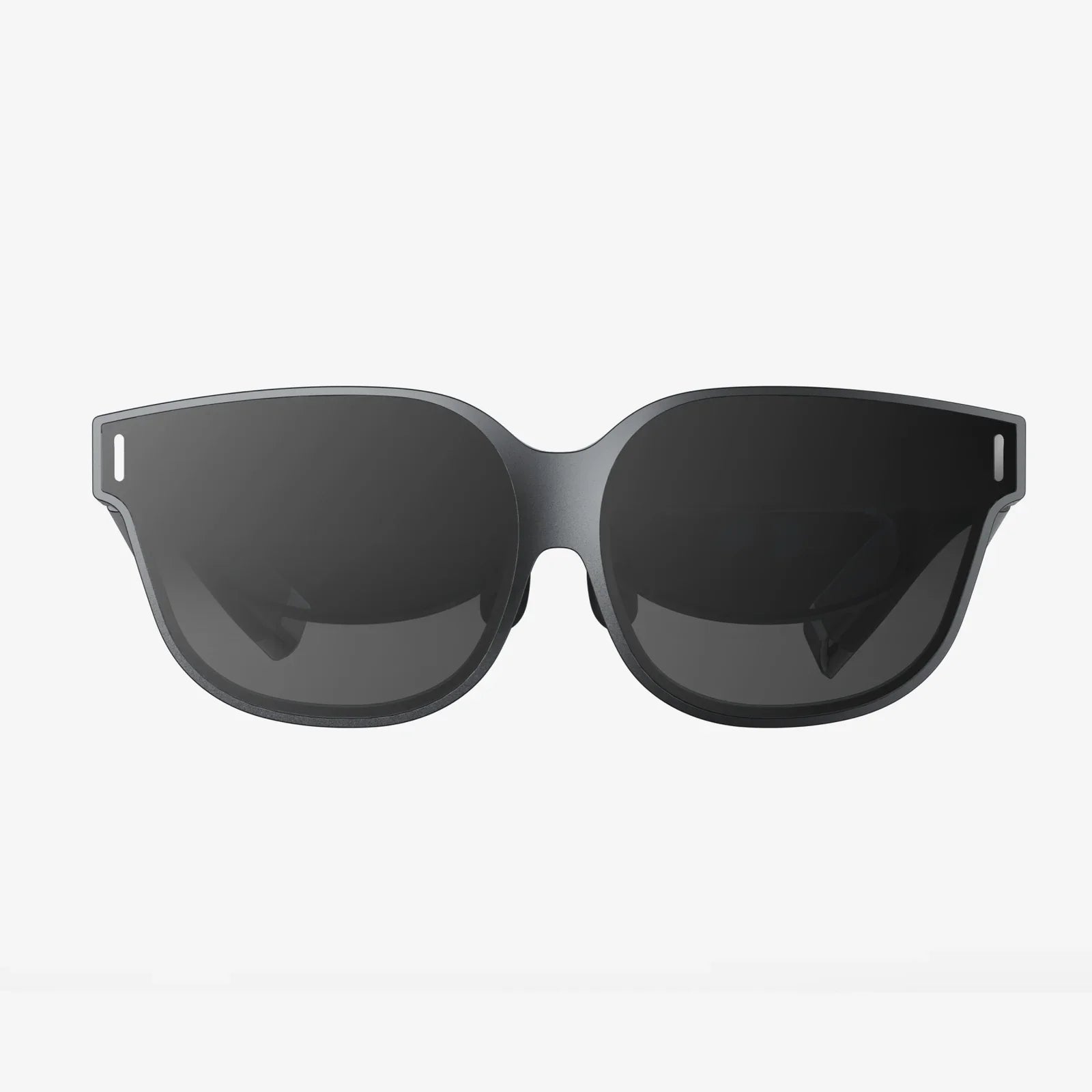
If you have ever ended a long workday with burning eyes, a dull headache, and blurry vision, you have probably wondered whether your everyday lenses are really the best option for your screen-heavy routine. Understanding single vision vs computer glasses is one of the most effective ways to cut through the confusion and finally choose lenses that match how you actually live, work, and relax in front of digital devices.
Most people assume that as long as their prescription is correct, any pair of glasses will work fine for computer use. In reality, the type of lenses you wear can dramatically change how hard your eyes work at different distances. That is where the comparison between single vision vs computer glasses becomes more than just technical jargon; it becomes the difference between powering through your day with clear, comfortable vision and dragging your eyes through hours of strain.
What Are Single Vision Lenses?
Single vision lenses are the most common type of corrective lens. They have one uniform prescription power across the entire lens surface. This means they are designed to correct vision for a single distance range:
- Distance single vision: For seeing clearly far away, such as driving, watching a movie screen, or recognizing faces across a room.
- Near single vision: For close work like reading, sewing, or using a smartphone at a short distance.
- Intermediate single vision: Sometimes prescribed for tasks like using a desktop computer, where the screen is neither very close nor very far.
Because the prescription is uniform, single vision lenses are simple, familiar, and often more affordable. They are an excellent choice when your visual needs are dominated by one primary distance. For example, a teenager who mainly needs help seeing the board at school or a driver with difficulty reading road signs will often do perfectly well with distance single vision lenses.
However, as soon as you start juggling multiple distances throughout the day, especially if you spend hours on computers and other screens, single vision lenses can start to feel limiting. You might find yourself leaning in toward the monitor, tilting your head, or constantly switching between different pairs of glasses.
What Are Computer Glasses?
Computer glasses are designed specifically to optimize vision at the distances most commonly used with digital screens. For most people, this is what eye care professionals call the intermediate range, typically around 20 to 28 inches from the eyes. Some designs also support near work, such as reading documents or using a smartphone.
Unlike basic single vision lenses, computer glasses often incorporate features tailored to digital use, such as:
- Intermediate-focused prescriptions: The lens power is optimized for the distance between your eyes and your main screen.
- Occupational or office-style designs: Some computer lenses provide a wider clear zone for near and intermediate distances, ideal for multi-monitor setups or desk work.
- Coatings that reduce reflections: These can help cut distracting glare from screens and overhead lighting.
- Tint options: Subtle tints can enhance contrast and comfort in certain lighting conditions.
Computer glasses are not just about comfort; they are also about posture and productivity. When your lenses are tuned to your working distance, you are less likely to crane your neck, hunch your shoulders, or lean forward to bring the screen into focus. Over a full workday, that can make a meaningful difference in how you feel when you finally step away from your desk.
Single Vision vs Computer Glasses: Core Differences
When comparing single vision vs computer glasses, it helps to break the differences down into a few key categories: distance range, visual comfort, posture, and flexibility for multitasking.
1. Distance Range and Focal Point
Single vision lenses are locked to one primary distance. If they are set for distance vision, everything far away looks clear, but your computer and reading material may not. If they are set for near work, your book or phone will look crisp, but the screen or the room around you may blur.
Computer glasses are set for the specific working distance of your screen or your typical desk setup. This means your monitor, keyboard, and often nearby documents are brought into sharp focus without your eyes having to constantly strain to adjust.
For people who spend many hours at a computer, that focal difference is crucial. A distance single vision lens may technically allow you to see the screen, but your eyes may be working harder than you realize to keep that image clear.
2. Visual Comfort and Eye Strain
Digital eye strain is a cluster of symptoms that can include:
- Tired or sore eyes
- Headaches, especially around the forehead or temples
- Blurred vision after prolonged screen use
- Difficulty refocusing from screen to distance or vice versa
- Dry or irritated eyes
With single vision lenses meant for distance, your eyes may need to accommodate constantly to keep an intermediate screen in focus. This continuous, low-level effort can contribute to fatigue over time, especially in adults over 40 whose natural focusing ability is already decreasing.
Computer glasses are built to minimize that effort at the screen distance. When your eyes do not have to work as hard just to maintain focus, you may experience fewer headaches and less visual fatigue, even during long sessions of computer work or gaming.
3. Posture and Body Comfort
Lens choice does not just affect your eyes; it can also affect your neck, shoulders, and back. With the wrong prescription for your primary task, you may unconsciously adjust your posture to bring the screen into focus.
For example, someone wearing distance single vision lenses might lean forward toward the monitor or tilt their head back slightly to look through a particular part of the lens. Over time, this can contribute to muscle tension and discomfort.
Computer glasses, especially those designed with a wide intermediate zone, allow you to sit upright and look straight ahead at your screen. This more natural posture can reduce strain on your neck and shoulders, which is especially important if you work at a desk for many hours each day.
4. Flexibility for Multitasking
Single vision lenses are straightforward but limited: they are excellent for one distance and less ideal for others. If you wear distance single vision lenses and spend your day switching between your computer, paperwork on your desk, and colleagues across the room, you may find yourself constantly compromising.
Some types of computer glasses, especially occupational designs, provide a broader range of clear vision at near and intermediate distances. They are not meant for driving or long-distance viewing, but they can be ideal for tasks like:
- Working on one or more computer monitors
- Reading printed documents on your desk
- Participating in video calls while viewing notes
- Using tablets and smartphones in a seated position
For office workers, designers, writers, and anyone who lives in front of screens, this multitasking flexibility can be a major advantage.
Who Benefits Most from Single Vision Lenses?
Despite the advantages of computer glasses for digital work, single vision lenses still have an important place. They are often the best choice in situations where one distance clearly dominates, or where simplicity is a priority.
Ideal Candidates for Single Vision Lenses
- Children and teenagers: Young eyes have strong natural focusing ability, so a distance single vision lens often works well for both classroom and casual screen use.
- People with primarily distance needs: If you spend most of your day driving, walking outdoors, or doing activities that require clear distance vision, distance single vision lenses are practical and effective.
- Dedicated readers: If you mainly need help with close-up tasks like reading books or doing crafts, near single vision lenses can provide a wide, comfortable reading zone.
- Those who rarely use computers: If screens are a minor part of your day, specialized computer glasses may not be necessary.
Single vision lenses are also a common choice as a backup pair of glasses. Many people who use more specialized lenses for work still keep a simple single vision pair for casual use or as a spare.
Who Benefits Most from Computer Glasses?
Computer glasses come into their own when screens are a central part of your life. The more time you spend at a computer, the more you stand to gain from lenses tuned to that environment.
Ideal Candidates for Computer Glasses
- Office and remote workers: Anyone who spends several hours a day on a desktop or laptop, especially for tasks that demand concentration.
- Professionals with multi-monitor setups: Programmers, designers, analysts, and others who use multiple screens benefit from a wide intermediate field of view.
- Adults over 40: As natural focusing ability decreases with age, it becomes harder to sustain clear vision at intermediate distances without strain. Computer glasses can compensate for this change.
- Gamers and content creators: Long sessions in front of a monitor are more comfortable when the lenses are optimized for that distance.
- People with frequent headaches or eye fatigue from screens: If your symptoms are linked to computer use, specialized lenses can be part of the solution.
For many people in these groups, computer glasses are not a luxury but a tool that supports productivity, comfort, and long-term visual health.
How Digital Eye Strain Fits into the Picture
When discussing single vision vs computer glasses, it is impossible to ignore digital eye strain. Screens have changed how we use our eyes, and our lenses need to keep up.
Digital eye strain is influenced by several factors:
- Viewing distance: Screens are often placed at an awkward distance that is neither truly near nor truly far.
- Blink rate: People tend to blink less while focusing on a screen, which can lead to dryness and irritation.
- Glare and reflections: Overhead lighting and bright screens can create visual noise that tires the eyes.
- Poor posture: Leaning forward or tilting your head to see better can strain neck and shoulder muscles.
While lens choice cannot fix every aspect of digital eye strain, it can address one of the most fundamental issues: the mismatch between your natural focus and the distance of your screen. Computer glasses aim to reduce that mismatch, making it easier for your eyes to maintain clear focus for extended periods.
Single vision lenses can work for screen use, especially if they are specifically prescribed for the intermediate distance. However, using distance-only single vision lenses for long computer sessions is often a compromise that may contribute to fatigue over time.
Practical Scenarios: Single Vision vs Computer Glasses in Real Life
To make the differences more concrete, consider a few everyday scenarios and how each lens type performs.
Scenario 1: The Full-Time Desk Worker
Imagine someone who spends eight hours a day at a desktop computer, with occasional breaks to read printed reports and attend video meetings.
- With distance single vision lenses: The monitor may appear slightly out of the ideal focus range, leading to subtle strain. The wearer might lean forward or squint during detailed work.
- With computer glasses: The monitor, keyboard, and documents on the desk are all clear at a comfortable posture, reducing both eye and neck strain.
Scenario 2: The Commuter and Occasional Laptop User
Consider someone who drives long distances daily and uses a laptop for an hour or two in the evening.
- With distance single vision lenses: Driving vision is excellent, and the laptop is usually manageable for short sessions, especially for younger adults.
- With computer glasses only: The laptop experience is great, but distance vision is not optimized, making them unsuitable as the only pair for driving.
In this case, distance single vision lenses may remain the primary pair, while computer glasses could be considered if evening screen time increases or becomes uncomfortable.
Scenario 3: The Over-40 Professional
Now imagine someone in their mid-40s or older who notices that focusing from screen to paper and back again is getting harder. They may already use reading glasses or multifocal lenses.
- With standard single vision reading lenses: Close-up text is clear, but the computer screen is often slightly too far away, causing blur or the need to lean in.
- With computer glasses: The screen and nearby materials are optimized, with less need for constant refocusing and fewer posture adjustments.
For this person, computer glasses can feel like a tailored solution that matches their daily tasks far better than a simple reading lens.
Key Factors to Consider When Choosing Between Single Vision and Computer Glasses
Deciding between single vision vs computer glasses is not just a technical choice; it is a lifestyle decision. To make the right call, consider these factors.
1. How Many Hours You Spend on Screens
If you use a computer or tablet for several hours every day, specialized computer glasses become more attractive. If your screen time is short and sporadic, single vision lenses may be sufficient.
2. Your Primary Activities
Think about where you need the clearest, most comfortable vision:
- If you drive, play sports, or spend a lot of time outdoors, distance single vision lenses will be a priority.
- If your main work happens at a desk or in front of monitors, computer glasses deserve serious consideration.
3. Your Age and Focusing Ability
Younger eyes can generally adapt more easily to different distances, even with lenses that are not perfectly tuned to the task. As you get older, particularly beyond 40, your natural focusing flexibility decreases. That is when the benefits of computer-specific lenses often become more noticeable.
4. Symptoms You Already Experience
If you are already dealing with headaches, eye fatigue, or blurry vision after screen use, that is a strong signal that your current lenses or setup may not be ideal. Computer glasses are one of several tools that can help address those symptoms, along with better lighting, proper screen distance, and regular breaks.
5. Whether You Are Willing to Use More Than One Pair
Some people prefer a single pair of glasses for everything, even if it is not perfect for every task. Others are comfortable having one pair for general use and another for computer work. If you are open to switching glasses based on what you are doing, you can fine-tune your vision for each situation more effectively.
How to Talk to an Eye Care Professional About Your Needs
Whether you are leaning toward single vision or computer glasses, the most important step is to discuss your daily routine in detail during your eye exam. A brief mention of “using a computer sometimes” does not capture the full picture if you actually spend six or more hours in front of screens.
To get lenses that truly match your life, be ready to explain:
- How many hours per day you spend on computers, tablets, and phones
- The approximate distance from your eyes to your main screen
- Whether you use one monitor or several
- Any symptoms you notice during or after screen use, such as headaches, blur, or dryness
- Whether you drive frequently or need sharp distance vision for specific tasks
With this information, an eye care professional can determine whether standard single vision lenses, intermediate single vision, or specialized computer glasses will serve you best. They may also suggest lens coatings or subtle design tweaks to further enhance comfort and clarity.
Can Single Vision Lenses Be Used as Computer Glasses?
One important nuance in the single vision vs computer glasses discussion is that single vision lenses can be prescribed specifically for the intermediate distance. In that case, they effectively function as computer glasses, even though they are technically still single vision lenses.
The difference is not always the lens type itself but the way it is prescribed. A single vision lens set for intermediate distance may be perfect for someone who uses a desktop computer all day and does not need that pair for driving or long-distance tasks.
The trade-off is that intermediate single vision lenses will not provide clear distance vision. That is why many people who choose this option keep a separate pair for driving or general outdoor use.
Tips to Maximize Comfort, Regardless of Lens Choice
Whether you end up with single vision or computer glasses, there are several habits that can make your screen time more comfortable and less tiring for your eyes.
- Follow the 20-20-20 rule: Every 20 minutes, look at something about 20 feet away for at least 20 seconds to relax your focusing muscles.
- Position your screen correctly: Aim to place the monitor about an arm’s length away, with the top of the screen at or slightly below eye level.
- Reduce glare: Adjust lighting, close blinds when necessary, and position screens to minimize reflections.
- Increase font size: Do not force your eyes to work harder than necessary by reading tiny text.
- Blink intentionally: Remind yourself to blink fully and frequently to combat dryness during intense focus.
These adjustments complement the benefits of well-chosen lenses and help protect your visual comfort over the long term.
Balancing Cost, Convenience, and Comfort
Cost and convenience inevitably factor into the choice between single vision vs computer glasses. Single vision lenses are often the most economical option, especially if you only want one pair of glasses. Computer-focused lenses or occupational designs may cost more, particularly if they include specialized features or coatings.
However, it is worth weighing that cost against the hours you spend in front of screens. If you work full-time at a computer, your lenses are not just a vision aid; they are part of your work environment, much like your chair or keyboard. Investing in lenses that reduce strain and support better posture can pay off in comfort and productivity.
Some people find that a single pair of well-chosen single vision lenses, prescribed with their primary distance in mind, is all they need. Others discover that adding a dedicated pair of computer glasses transforms their daily comfort. There is no one-size-fits-all answer, but understanding the trade-offs helps you make an informed decision.
Making Your Choice with Confidence
When you compare single vision vs computer glasses through the lens of your own life, the right choice often becomes clearer. If your days are dominated by driving, outdoor activities, or distance viewing, single vision lenses tailored for that distance may serve you perfectly well. If, on the other hand, your work and leisure revolve around screens, computer glasses can feel like moving from a generic tool to one designed specifically for your job.
Instead of accepting eye strain, headaches, or awkward posture as the price of modern life, you can choose lenses that support how you actually use your eyes. The next time you schedule an eye exam, bring your real routine into the conversation: how many hours you spend at a computer, how far your screen sits from your eyes, and what symptoms you notice by the end of the day.
By matching your lenses to your lifestyle, you turn your glasses from a simple prescription into a personalized solution. Whether that means refining single vision lenses for your most important distance or adding a dedicated pair of computer glasses, the payoff is the same: clearer, more comfortable vision when and where you need it most, and a daily routine that leaves your eyes feeling ready for tomorrow instead of begging for a break.
Share:
american screen and glass reviews for homeowners and property managers
apple watch series 4 44mm glass screen replacement guide for smart owners