


- by wangfred
Top Virtual Reality Glasses For Immersive Gaming And Beyond
- by wangfred
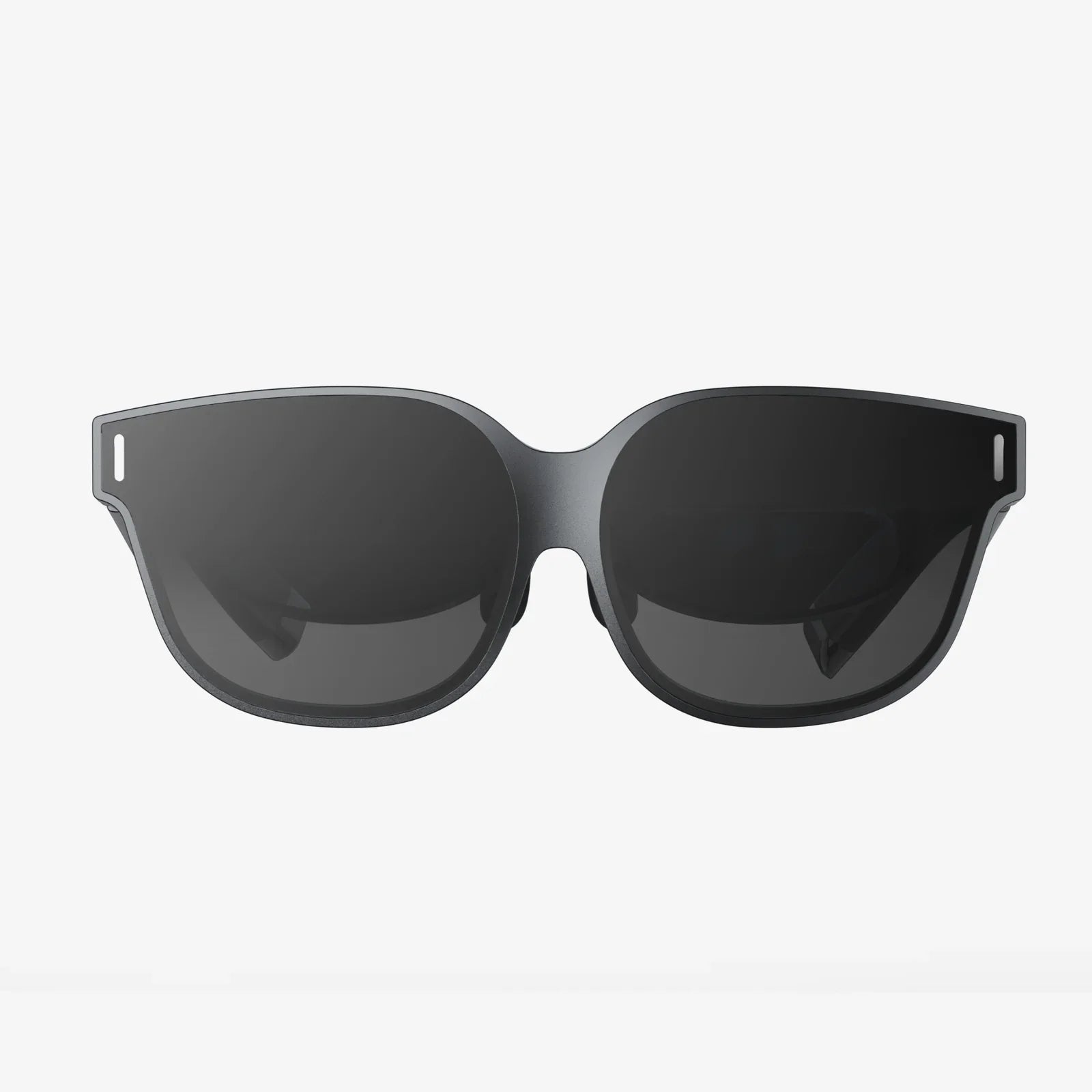
Top virtual reality glasses are no longer just futuristic toys for tech enthusiasts; they are becoming the next major way people play, work, learn, and connect. If you have ever wondered what it feels like to step inside a game, walk through a distant city from your living room, or collaborate with coworkers in a shared 3D space, the right VR headset can make that happen faster than you think. This guide walks you through everything you need to know before you invest, so you avoid expensive mistakes and pick a device that actually fits your life.
Virtual reality has grown from a niche hobby into a rapidly expanding ecosystem. Today’s top virtual reality glasses pack high-resolution displays, precise motion tracking, and surprisingly comfortable designs into standalone or PC-connected headsets. Yet the market is crowded and confusing: specs vary widely, accessories can be costly, and the wrong choice can leave you with motion sickness or a dusty headset sitting on a shelf. Understanding the core technologies and real-world use cases will help you find a headset that feels like a portal, not a gimmick.
When people talk about top virtual reality glasses, they usually mean head-mounted displays that cover your eyes and immerse you in a 3D digital world. These devices track your head movement and often your hands or full body, updating the scene in real time so it feels like you are actually inside the environment rather than just looking at a screen.
Modern devices fall into a few main categories:
The top virtual reality glasses typically offer at least 6 degrees of freedom (6DoF) tracking, meaning they track both rotation (look up, down, left, right) and position (move forward, backward, side to side). This is crucial for immersion and comfort, especially in games and interactive experiences.
To understand what separates truly top virtual reality glasses from average ones, it helps to break down the main technical and design elements that affect your experience.
Resolution is one of the first specs people notice. Higher resolution means sharper text, clearer images, and less of the “screen door effect” (visible gaps between pixels). Top virtual reality glasses often use high-resolution LCD or OLED panels, or dual displays (one for each eye) for improved clarity.
Important display factors include:
While numbers matter, overall optical design, lenses, and software optimization also play big roles in perceived clarity. Some headsets with similar resolutions can feel very different once you put them on.
Top virtual reality glasses rely on accurate tracking to keep you grounded in the virtual world. Poor tracking can cause lag, jitter, or misalignment, which breaks immersion and can cause motion sickness.
The main tracking systems include:
Hand controllers are another key piece. Top virtual reality glasses usually come with ergonomic controllers that track your hand position and orientation, with buttons, triggers, and touch sensors for natural interactions like grabbing, pointing, and throwing.
Some advanced systems add:
Comfort can make or break your VR experience. Even top virtual reality glasses will end up unused if they feel heavy, unbalanced, or cause pressure points on your face.
Key comfort factors include:
Top virtual reality glasses often offer multiple adjustment points so different users can achieve a secure, comfortable fit. If possible, trying a headset in person is extremely helpful for evaluating comfort.
Performance depends on whether your headset is standalone or tethered to a PC or console.
Top virtual reality glasses in each category aim to optimize performance so that games run smoothly with minimal latency. Low latency is crucial because delays between your movement and the visual response can cause discomfort.
Immersive visuals are only half of the experience. Audio plays a huge role in convincing your brain that you are somewhere else. Many top virtual reality glasses include built-in speakers near your ears or integrated audio solutions that provide spatial sound without needing separate headphones.
Look for features like:
Even the most advanced headset will feel underwhelming without compelling content. Top virtual reality glasses are supported by rich ecosystems of games, apps, and experiences.
When evaluating a headset, consider:
One of the biggest decisions is whether to go with standalone or PC-powered top virtual reality glasses. Each type has strengths and trade-offs.
Standalone headsets are self-contained: you put them on, power them up, and you are in VR. They are ideal for casual users, travelers, and anyone who values simplicity.
Advantages:
Limitations:
PC VR headsets connect to a computer via cable or wireless streaming. They can tap into powerful graphics cards for more detailed visuals and complex simulations.
Advantages:
Limitations:
If you are new to VR and want convenience, standalone top virtual reality glasses are often the best starting point. If you already own a strong gaming PC and want the most advanced visuals, a PC VR headset might be worth the investment.
Not everyone buys VR for the same reasons. Some people want intense gaming, while others are more interested in fitness, work, or creativity. Understanding your main use case will help you prioritize the right features.
Gaming remains the most popular reason people seek out top virtual reality glasses. VR games span a wide range of genres:
Gamers should prioritize:
VR fitness has exploded in popularity, turning workouts into engaging games and guided experiences. With top virtual reality glasses, you can box, dance, or follow full-body workouts without leaving your home.
For fitness-focused users, look for:
Many people find that VR workouts are more motivating than traditional routines because they feel like games rather than chores. The ability to compete with friends or global leaderboards adds extra motivation.
Top virtual reality glasses are increasingly used for remote work and collaboration. Virtual offices, meeting rooms, and shared whiteboards allow teams to feel more present and engaged than in standard video calls.
For productivity and collaboration, prioritize:
VR can simulate multiple large monitors, giving you a virtual workspace that feels much bigger than your physical desk. For digital nomads and remote teams, this can be a powerful tool.
Education is another area where top virtual reality glasses shine. VR can bring complex topics to life, from anatomy and chemistry to history and engineering.
Common educational uses include:
Schools, universities, and training centers often look for headsets that are durable, easy to manage in groups, and support multi-user experiences. Content libraries and management tools are especially important in educational settings.
Artists, designers, and engineers use top virtual reality glasses to sketch, sculpt, and prototype in 3D. VR allows you to walk around your creations, resize them instantly, and work at different scales.
Creative professionals may prioritize:
For architects and product designers, VR can shorten the feedback loop by letting clients experience spaces and objects at full scale before anything is built.
While top virtual reality glasses can be transformative, they also come with some health and safety considerations. Understanding these factors will help you use VR responsibly and comfortably.
Some users experience motion sickness, headaches, or eye strain in VR, especially when they are new to it. This usually happens when there is a mismatch between what your eyes see and what your body feels.
To reduce discomfort:
Because VR blocks your view of the real world, it is easy to bump into furniture or walls if you are not careful. Top virtual reality glasses often include boundary systems that warn you when you get too close to the edge of your play area.
For safe use:
Most manufacturers provide age recommendations for VR use, often suggesting that children under a certain age avoid extended sessions. While research is ongoing, it is wise to follow these guidelines and monitor any signs of discomfort.
To protect eye health:
With so many options, choosing among top virtual reality glasses can feel overwhelming. A structured approach can simplify the decision.
Set a realistic budget that includes not just the headset but also potential accessories and, if needed, a capable PC. Consider:
Decide what you care about most:
Your priorities will help you decide whether to emphasize display quality, tracking, comfort, or ecosystem.
Based on your budget and use case, decide whether standalone convenience, PC power, or console integration makes the most sense. For many new users, standalone top virtual reality glasses offer the best entry point with minimal hassle.
Look at key specs such as resolution, refresh rate, tracking method, and weight. Then, balance this with real-world feedback from users and reviewers who have tested comfort, reliability, and content libraries over time.
Pay attention to:
VR technology is evolving quickly, but you still want your investment to last. Look for signs that the platform will be supported for several years:
While you can enjoy VR with just the headset and included controllers, certain accessories can dramatically improve comfort, cleanliness, and immersion.
Accessories are not strictly necessary, but they can turn a good experience into a great one, especially if you use your headset frequently.
Proper care helps your headset last longer and ensures that every session looks and feels as good as the first.
Basic maintenance tips include:
Top virtual reality glasses are evolving rapidly, and the next few years will likely bring major improvements in comfort, realism, and accessibility.
Emerging trends include:
As hardware improves and content libraries expand, VR is likely to move from a niche hobby to an everyday tool for entertainment, learning, and communication. Early adopters already see this shift; the next generation of users may take it for granted.
Deciding whether to invest in top virtual reality glasses comes down to your interests, budget, and willingness to explore new ways of interacting with digital worlds. If you love immersive gaming, want more engaging workouts, or crave new forms of remote collaboration and learning, a well-chosen headset can feel like a game changer rather than a gadget.
The key is matching the device to your real-world needs. Think about how you will use it week after week, not just during the first few days of excitement. Evaluate comfort, content, and long-term support as carefully as you consider resolution and specs. When those elements line up, top virtual reality glasses stop being just screens strapped to your face and start becoming a doorway to experiences that are hard to find anywhere else.
Share:
ai uses in daily life that are quietly transforming your world
Top AI Productivity Tools That Will Transform Your Daily Workflow