


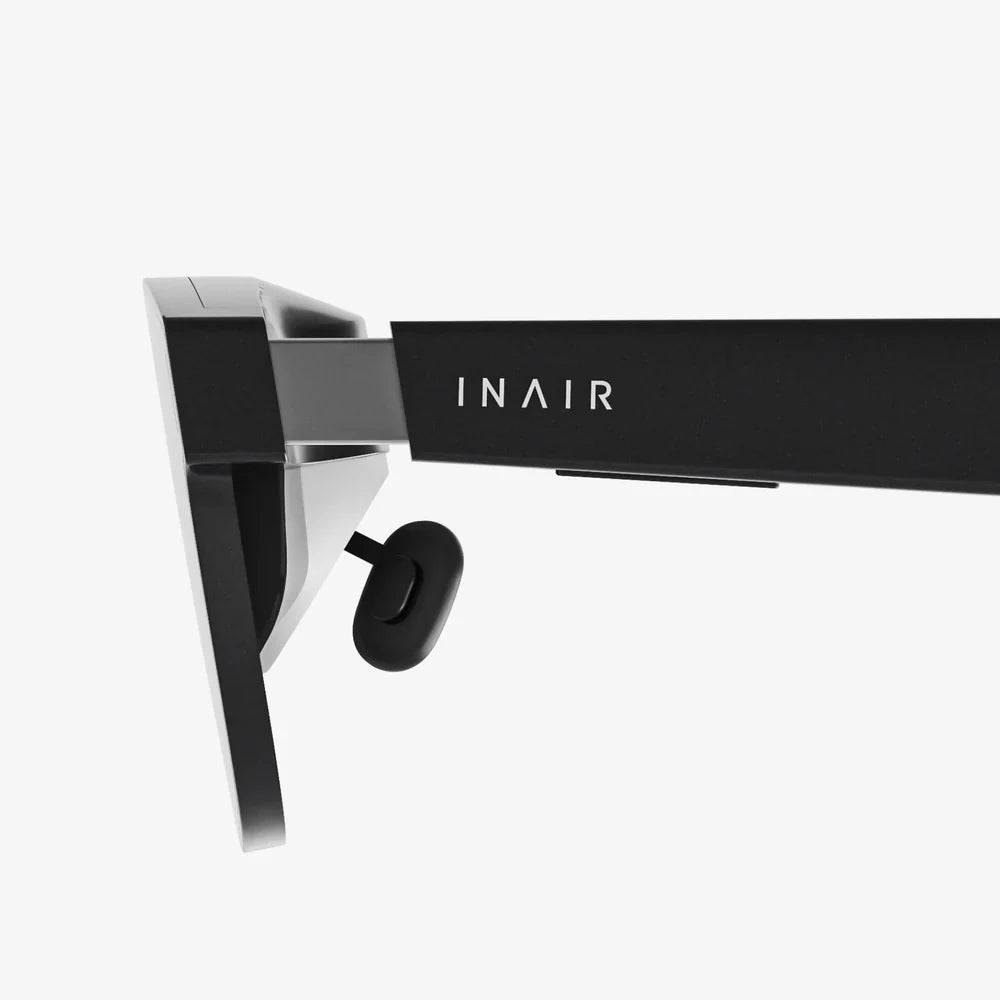
Turn any glasses into AR and you suddenly unlock a world where your everyday eyewear becomes a heads-up display, fitness coach, navigation assistant, and productivity tool all at once. Instead of bulky headsets and expensive smart glasses, a new wave of compact components and clever accessories is making it possible to upgrade the glasses you already own into powerful augmented reality devices.
If you have ever wished your glasses could show you directions, translate signs, or overlay workout data while you move, you are closer than you think. By combining miniature displays, sensors, and wireless connectivity, you can transform regular frames into an AR experience tailored to your needs, style, and budget. This guide walks you through the concepts, components, and practical steps that make this transformation realistic for everyday users.
Why Turn Any Glasses Into AR Instead of Buying New Ones?
Before diving into the technology, it is worth understanding why you might want to turn any glasses into AR instead of purchasing dedicated smart eyewear. Several advantages make upgrading your existing glasses a compelling option.
1. Cost Savings and Flexibility
Buying fully integrated AR glasses can be expensive, especially when you are not sure how much you will use them. By retrofitting your current frames, you can:
- Start with low-cost clip-on or snap-on modules.
- Upgrade components over time as your needs grow.
- Avoid paying for premium frames when you already own ones you like.
This modular approach means you can experiment with AR without committing to a single high-priced device.
2. Keep the Frames You Love
Eyeglasses are personal. They reflect your style, fit your face, and often contain prescription lenses. When you turn any glasses into AR using add-on components, you preserve:
- Your preferred frame shape and material.
- Existing prescription lenses and coatings.
- The comfort you are already used to for all-day wear.
This is especially important for people who rely on glasses full time. You avoid juggling between regular glasses and separate AR devices.
3. Discreet, Everyday Augmented Reality
Many people hesitate to wear large headsets or futuristic-looking smart glasses in public. Retrofitted AR modules can be:
- Compact enough to resemble standard eyewear.
- Detachable when you want a completely normal look.
- Easy to move between different pairs of glasses.
This makes AR more socially acceptable and practical for daily life, whether you are commuting, working, or socializing.
Core Technologies That Turn Any Glasses Into AR
To understand how you can turn any glasses into AR, it helps to break down the essential building blocks. Even if you never design hardware yourself, knowing how these pieces fit together will help you choose the right solutions.
1. Micro Displays and Waveguides
The visual magic of AR glasses comes from tiny displays that project images into your field of view. Common approaches include:
- Micro OLED or micro LED displays: Very small, high-resolution screens that can be bright enough for outdoor use.
- Waveguides: Transparent optical elements that guide light from the micro display into your eye, creating the effect of floating images.
- Prism or mirror-based optics: Small prisms or mirrors that reflect display content into your vision without blocking your surroundings.
Clip-on modules often use a small prism or waveguide attached near one lens, providing a monocular display that appears as a virtual screen in the corner of your vision.
2. Motion and Position Sensors
To make AR content stable and responsive, your glasses need to know how your head is moving. Typical sensors include:
- Gyroscopes: Measure rotational motion (turning your head).
- Accelerometers: Measure linear movement (walking, leaning, or nodding).
- Magnetometers: Help determine orientation relative to the Earth’s magnetic field.
These sensors are often combined in a single motion-sensing module and work together to keep virtual elements anchored in a consistent position relative to your view.
3. Cameras and Environmental Sensing
More advanced AR requires understanding the environment around you. To achieve this, systems may include:
- Front-facing cameras to capture the world for computer vision algorithms.
- Depth sensors to estimate the distance to surfaces and objects.
- Eye trackers to detect where you are looking (in high-end systems).
When you turn any glasses into AR using a smartphone as the main processor, the phone’s camera and sensors can also contribute to environmental awareness.
4. Connectivity and Processing Power
Most retrofit AR solutions rely on an external device to handle heavy computation. Common setups include:
- Smartphone-powered AR: The phone runs AR apps and streams content to the glasses via Bluetooth or cable.
- Compact processing modules: Small units clipped to your clothing or built into the glasses’ arms.
- Cloud-assisted processing: For tasks like object recognition or real-time translation, some workloads can be offloaded to online services.
This division lets your glasses stay light while still delivering rich AR experiences.
5. Power Management and Batteries
AR modules must balance performance with battery life and comfort. When you turn any glasses into AR, power solutions might include:
- Small batteries integrated into the temples of the glasses.
- External battery packs connected via thin cables.
- Low-power components and adaptive brightness to extend usage time.
The right configuration depends on whether you need all-day use or short, high-intensity AR sessions.
Practical Ways to Turn Any Glasses Into AR Today
There are several realistic paths to convert your existing eyewear into AR-enabled glasses. You can choose the approach that best fits your technical comfort, budget, and desired features.
1. Clip-On AR Modules
Clip-on modules are among the most user-friendly ways to turn any glasses into AR. These devices typically attach to one side of your frames and include:
- A small display and optical system.
- Basic motion sensors.
- A wireless connection to your phone.
Common uses include:
- Displaying navigation arrows while walking or cycling.
- Showing notifications, messages, or caller ID.
- Presenting workout metrics such as pace, distance, and heart rate.
Because they are detachable, you can share a single module between multiple pairs of glasses, or remove it when you want a completely normal look.
2. Smart Frames With Swappable Lenses
Another approach is to use smart frames that are designed to accept your own lenses. While this is not strictly retrofitting your existing frames, it still allows you to:
- Install your prescription lenses or tinted lenses into AR-capable frames.
- Maintain your visual needs while gaining AR functionality.
- Switch lenses for different activities (reading, sun protection, or sports).
For many users, this is a practical compromise between fully custom AR glasses and retrofitting their current pair.
3. DIY AR Projects Using Development Kits
If you are technically inclined, you can literally turn any glasses into AR using maker-friendly components and development platforms. A typical DIY setup might involve:
- A small micro display module with built-in optics.
- A microcontroller or single-board computer.
- Motion sensors and wireless connectivity modules.
- 3D-printed mounts or custom brackets that attach the hardware to your frames.
DIY projects allow for extreme customization, such as:
- Custom user interfaces tailored to your needs.
- Integration with personal projects or home automation systems.
- Experimental features like gaze-based control or gesture recognition.
This route demands time and technical skill, but it offers unmatched flexibility and learning opportunities.
4. Smartphone-Based AR With Optical Relays
Another emerging method to turn any glasses into AR uses your smartphone as both the display and the processor. In this setup:
- The phone screen displays AR content.
- A small optical relay or mirror system mounted on your glasses redirects part of the screen into your field of view.
- Tracking is performed by the phone’s camera and sensors.
This approach can reduce the cost of dedicated micro displays and leverage the powerful hardware you already own. However, it requires careful alignment and may be less discreet than self-contained modules.
Design Considerations When You Turn Any Glasses Into AR
Whether you buy a ready-made module or build your own, there are critical design factors to consider to ensure comfort, safety, and usability.
1. Weight and Balance
Adding hardware to your glasses can quickly make them uncomfortable if the weight is not well distributed. Keep in mind:
- Heavier components should be positioned close to the center of your head.
- Counterweights or dual-side modules can help balance asymmetry.
- Soft nose pads and adjustable temples can reduce pressure points.
Testing the setup for at least 30 minutes of continuous wear is a good way to check comfort before committing.
2. Field of View and Display Placement
AR displays must be visible without blocking your natural vision. Design choices include:
- Monocular displays placed near one eye, often in the upper corner of your field of view.
- Partial overlays that occupy a small region, ideal for notifications and data.
- Wider overlays that provide more immersive AR but require more complex optics.
For everyday use, a compact display that behaves like a floating dashboard is often the most practical option.
3. Visibility in Different Lighting Conditions
To be useful outdoors and indoors, your AR display should adapt to lighting conditions:
- High brightness for sunny environments.
- Lower brightness in dim settings to avoid eye strain.
- Automatic brightness adjustment using ambient light sensors, if available.
Some users also prefer slightly tinted lenses to enhance contrast between AR content and the real world.
4. Interaction Methods
How you control your AR interface is just as important as what you see. When you turn any glasses into AR, consider:
- Touch controls on the temples or a small remote.
- Voice commands for hands-free operation.
- Head gestures, such as nodding or turning, to trigger actions.
- Companion apps on your phone for more complex interactions.
Choosing intuitive controls will make your AR experience feel natural instead of distracting.
Everyday Use Cases When You Turn Any Glasses Into AR
Turning any glasses into AR is not just a technical experiment; it unlocks a wide range of practical, daily applications. Here are some scenarios where AR-enhanced eyewear can shine.
1. Navigation and Travel
Imagine walking through a new city with arrows and street names floating at the edge of your vision. AR glasses can:
- Provide turn-by-turn walking or cycling directions.
- Highlight points of interest, such as cafes or landmarks.
- Translate foreign-language signs in real time.
Because the information appears in your field of view, you spend less time looking down at your phone and more time staying aware of your surroundings.
2. Fitness and Outdoor Activities
When you turn any glasses into AR, your workouts can become more engaging and informative. Possible features include:
- Live stats during runs or rides, such as pace, distance, and elevation.
- Virtual coaching cues, like reminders to adjust your form or breathing.
- Route overlays showing upcoming hills or turns.
For cyclists and runners, having this data visible without needing to check a watch or phone can improve both safety and performance.
3. Productivity and Work
AR-enabled glasses are increasingly useful for work-related tasks. When you turn any glasses into AR, you can:
- View notifications without interrupting your workflow.
- Follow step-by-step instructions for technical tasks.
- Display reference materials while keeping your hands free.
From remote assistance in field service to quick access to checklists in warehouses, AR overlays can streamline complex workflows.
4. Learning and DIY Projects
Learning new skills becomes easier when instructions are right in front of your eyes. AR glasses can help you:
- Follow tutorials while working on electronics or home repairs.
- Overlay diagrams on real objects for better understanding.
- Practice language learning with real-world labels and prompts.
Turning any glasses into AR can transform your environment into a dynamic classroom where information appears exactly when and where you need it.
5. Accessibility and Assistance
AR-enhanced glasses can offer important accessibility benefits. Potential features include:
- Text-to-speech for reading signs or documents.
- Visual highlighting of obstacles or pathways.
- Real-time captioning for conversations.
By tailoring AR overlays to individual needs, this technology can help more people navigate the world with greater confidence and independence.
Safety, Privacy, and Social Considerations
As you turn any glasses into AR, it is crucial to think beyond the hardware and consider how this technology affects your surroundings and social interactions.
1. Visual Distraction and Situational Awareness
AR displays can be distracting if not carefully managed. To stay safe:
- Use minimal overlays while walking in busy areas or crossing streets.
- Avoid reading long text or watching videos in high-risk environments.
- Configure your AR apps to prioritize short, glanceable information.
Remember that the primary purpose of your glasses is still to help you see the real world clearly and safely.
2. Respecting Privacy and Social Norms
Some AR setups include cameras or sensors that may make people around you uncomfortable. To maintain trust and respect:
- Use visible indicators when cameras are active, if possible.
- Avoid recording in sensitive environments without permission.
- Be transparent with friends, family, and colleagues about what your AR glasses can and cannot do.
Social acceptance of AR eyewear will grow faster if users adopt mindful and respectful habits.
3. Data Security and Personal Information
Turning any glasses into AR often means connecting to cloud services, apps, and wireless networks. To protect your data:
- Use strong authentication on connected devices.
- Review app permissions and limit unnecessary data access.
- Keep firmware and software up to date to patch security vulnerabilities.
Because AR systems can capture both your environment and your behavior, good security practices are essential.
Step-by-Step Path to Turn Any Glasses Into AR
If you are ready to explore this transformation, you can follow a structured approach to reduce complexity and increase your chances of success.
Step 1: Define Your Primary Use Case
Start by deciding what you most want from AR. For example:
- Navigation and travel assistance.
- Fitness tracking and coaching.
- Work productivity and hands-free instructions.
- Learning, DIY, or accessibility support.
Your primary use case will guide hardware choice, app selection, and interaction design.
Step 2: Choose a Hardware Approach
Based on your needs and technical comfort, pick one of the main paths:
- Clip-on module for simplicity and portability.
- Smart frames if you are willing to switch to AR-ready eyewear.
- DIY build if you want full control and customization.
- Smartphone relay if you want to leverage your existing device.
Make sure the solution you choose is compatible with your frame style and lens type.
Step 3: Plan Mounting and Ergonomics
Turning any glasses into AR requires careful mounting of components. Consider:
- Attaching modules to the temples or bridge for stability.
- Using adjustable arms or hinges to position the display correctly.
- Adding soft padding where hardware contacts your skin.
Test different configurations to find the best balance between visibility and comfort.
Step 4: Configure Software and Apps
Once the hardware is in place, you will need software to drive your AR experience:
- Install compatible AR apps on your smartphone or processing unit.
- Customize display layouts, brightness, and notification settings.
- Set up voice commands or touch gestures according to your preferences.
Start with a small set of essential functions, then expand as you become more comfortable with the system.
Step 5: Test in Real-World Scenarios
Finally, test your AR glasses in the environments where you plan to use them most:
- Walk around your neighborhood using navigation overlays.
- Try a workout with live metrics displayed.
- Use AR instructions for a small DIY project.
Take notes on what works well and what feels awkward, then refine your hardware positioning and software settings accordingly.
The Future of Turning Any Glasses Into AR
The idea that you can turn any glasses into AR is becoming more realistic every year as components shrink, displays improve, and software becomes more intelligent. Several trends are likely to enhance this transformation further.
1. Smaller, More Efficient Displays
Advances in micro display technology are making it possible to embed high-resolution screens in extremely compact modules. This will lead to:
- Thinner, lighter clip-on AR devices.
- Wider fields of view without bulky optics.
- Better visibility in bright outdoor conditions.
As displays improve, the visual quality of retrofitted AR glasses will approach that of dedicated high-end devices.
2. Smarter, Context-Aware Software
Future AR software will better understand your context and intentions. This means:
- More relevant information shown at the right time and place.
- Automatic filtering of non-essential notifications.
- Adaptive interfaces that adjust based on your activity.
When you turn any glasses into AR with such software, the experience will feel more like a natural extension of your senses than a separate gadget.
3. Improved Power Solutions
Battery technology and power management techniques are steadily improving. Expect to see:
- Longer usage times from smaller batteries.
- More efficient processors designed specifically for AR tasks.
- Innovations in charging, such as magnetic connectors or portable docks.
As power constraints ease, retrofitted AR glasses will become more practical for all-day wear.
4. Better Integration With Everyday Services
AR glasses will increasingly connect with the services you already use, such as:
- Calendars and reminders that appear when relevant.
- Navigation apps that sync seamlessly with your eyewear.
- Health and fitness platforms that enrich your workouts.
Turning any glasses into AR will feel less like a separate project and more like a natural upgrade to your digital life.
Why Now Is the Time to Experiment
The ability to turn any glasses into AR is no longer an idea reserved for labs and tech enthusiasts. With compact displays, accessible development tools, and smartphone integration, everyday users can start exploring AR without discarding their favorite frames or investing in expensive headsets.
If you have ever wondered what it would be like to see your data, directions, or learning materials floating effortlessly in your field of view, this is your opportunity to find out. You can begin with a simple clip-on module, explore a smartphone-powered setup, or dive into a DIY build that reflects your creativity.
By taking the first step to turn any glasses into AR, you are not just upgrading your eyewear; you are reshaping how information fits into your daily life. The glasses you already own can become your personal heads-up display, your silent assistant, and your gateway into a more connected, informed, and immersive world.
Share:
Wirelessly Streaming HD Video: A Comprehensive Guide to Seamless, High-Definition Entertainment
Top 20 AI Tools for Productivity: Revolutionize Your Workflow in 2024