


- by wangfred
virtual display glasses for pc: A Deep Guide to Your Next Big Screen
- by wangfred
Imagine slipping on a lightweight pair of glasses and suddenly sitting in front of a massive, crisp, floating monitor that follows you wherever you go. That is the promise of virtual display glasses for pc, and it is the reason so many professionals, gamers, and frequent travelers are asking whether this technology can finally replace traditional screens. If you are wondering whether these futuristic glasses are ready for everyday work and play, this guide will walk you through everything you need to know before you buy.
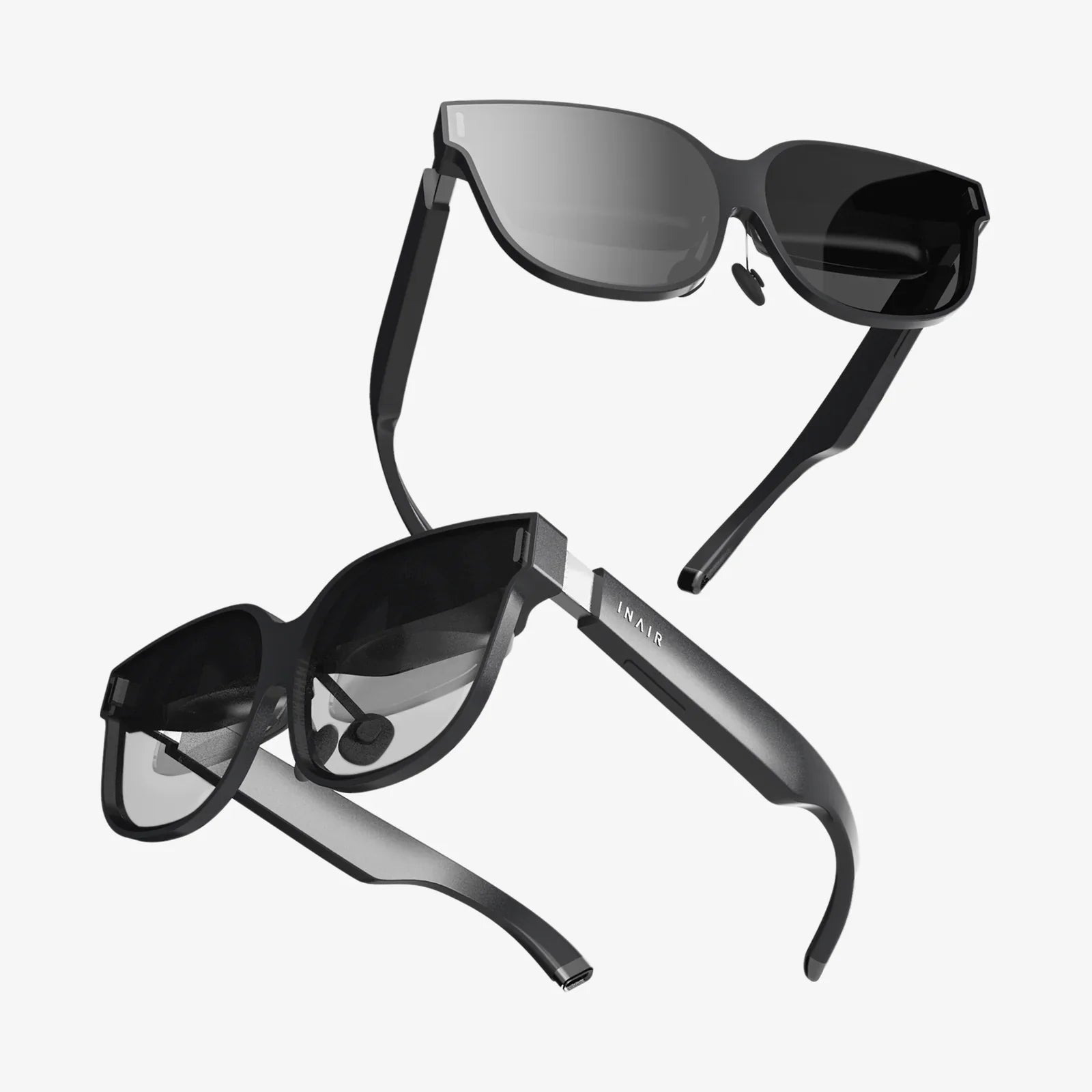
Virtual display glasses for pc are head-worn devices that connect to a computer and act as an external monitor, projecting a large virtual screen in front of your eyes. Instead of looking at a physical panel on your desk, you see a digital display that appears to float in space. This idea is not just about novelty; it is about reclaiming desk space, improving portability, and potentially changing how we interact with computers in the long term.
At their core, virtual display glasses for pc are wearable displays that take the place of a traditional monitor. They often resemble slightly bulky sunglasses or slim VR headsets and connect to your computer via cable or wireless link. Once connected, your operating system typically recognizes them as an external display, letting you mirror or extend your desktop onto a virtual screen that appears directly in front of you.
Unlike full virtual reality headsets, which immerse you in a fully digital environment, many virtual display glasses focus on providing a clear, monitor-like image while staying relatively lightweight and portable. Some models are closer to augmented reality, letting you see the real world with a virtual screen overlaid, while others block out your surroundings for a more immersive, cinema-like experience.
Although designs vary, most virtual display glasses for pc rely on a few core technologies:
Your PC sends a video signal to the glasses just as it would to a monitor. The glasses then render that signal on their internal displays. The optics make that small image appear like a much larger screen, often equivalent to a 100-inch or bigger display viewed from several feet away. To your operating system, it is simply another monitor; to your eyes, it is a personal theater or expansive workspace.
People are drawn to virtual display glasses for pc for a mix of practical and experiential reasons. The main benefits include:
One of the biggest selling points is the perceived screen size. Many glasses simulate a screen that feels like sitting in front of a 100-inch or larger display. For movie watching, gaming, or detailed creative work, this can feel far more immersive than a typical 24 or 27-inch monitor.
Traditional multi-monitor setups are stationary and heavy. With virtual display glasses for pc, you can carry a "giant monitor" in a small case or even a jacket pocket. This is especially powerful for:
Because the image is visible only to you, virtual display glasses for pc provide a level of privacy that is hard to match with regular monitors. This is useful for:
If you live in a small apartment or keep a minimalist desk, virtual display glasses for pc let you enjoy a huge screen without occupying physical space. No monitor stands, no cables sprawled across the desk, and no need for multiple screens.
When configured as an extended display, virtual display glasses for pc can give you a large workspace with multiple windows open side by side. For tasks like coding, data analysis, or creative editing, this can mirror the benefits of a dual or triple monitor setup without the hardware clutter.
Despite the appeal, virtual display glasses for pc are not perfect. Understanding their limitations will help you decide whether they are right for you.
Wearing a device on your face for hours is very different from glancing at a monitor. Potential issues include:
Long work sessions may require breaks, adjustments, or additional accessories like strap supports or nose pads for comfort.
Virtual display glasses for pc place screens very close to your eyes, even though the optics make the image appear distant. Some users experience:
Taking regular breaks, adjusting brightness, and ensuring correct fit can mitigate many of these issues, but they may still be more demanding on the eyes than a well-positioned monitor.
While many devices boast high resolution, the perceived clarity depends on pixel density, optics quality, and how the image is projected to your eyes. Potential drawbacks include:
For casual use, this may not be an issue, but professionals in design, photography, or video editing should pay close attention to display specs.
Some users are sensitive to virtual displays, especially if there is any lag between head movement and image stabilization. While virtual display glasses for pc are generally less intense than full VR systems, a small subset of people may still feel:
Testing a device before committing, if possible, is wise for those prone to motion-related discomfort.
Although most virtual display glasses for pc present themselves as standard monitors, some combinations of hardware and operating systems can introduce quirks, such as:
Checking compatibility with your specific laptop or desktop, especially graphics ports and operating system version, is essential.
When evaluating virtual display glasses for pc, you will encounter a variety of technical specifications. Here are the ones that matter most and what they mean for real-world use.
Resolution determines how sharp text and images appear. Common resolutions include:
The higher the resolution, the more comfortable it is to read small fonts and work with detailed content for long periods.
Field of view describes how large the virtual screen appears relative to your vision. A wider FOV feels more immersive, like sitting close to a huge cinema screen, while a narrower FOV feels more like a distant monitor. For productivity, you want a balance: large enough to see multiple windows comfortably, but not so large that you must constantly move your eyes or head.
Refresh rate affects smoothness. Common values include:
If you plan to use virtual display glasses for pc primarily for gaming, higher refresh rates are a significant advantage.
Brightness and contrast determine how well the display works in different lighting conditions. A brighter display helps in well-lit rooms, while good contrast ensures deep blacks and vivid colors. For long work sessions, you want enough brightness to be clear but not so much that it causes eye strain.
Weight plays a huge role in comfort. Even a small difference can matter when the device rests on your nose and ears for hours. Look for:
Virtual display glasses for pc typically use one of several connection types:
Ensure your PC has the necessary ports and sufficient graphics capability to drive the resolution of the glasses.
Some virtual display glasses for pc include built-in speakers or support for external headphones. Integrated audio can be convenient for travel or quick use, but for high-quality sound or privacy, you may still prefer your own headphones.
Virtual display glasses are not just tech toys; they can be powerful tools when matched with the right use cases.
If you work from different locations, carrying a large monitor is unrealistic. Virtual display glasses for pc let you recreate a multi-monitor feel from a coffee shop, hotel room, or co-working space. You can:
For professionals who spend a lot of time on planes, trains, or in hotels, virtual display glasses for pc provide a consistent, comfortable workspace. Instead of hunching over a small laptop screen, you can enjoy a large virtual monitor and maintain productivity on the road.
Gamers can use virtual display glasses for pc to simulate playing on a massive screen without needing a dedicated gaming room. The benefits include:
However, gamers should pay attention to refresh rate, resolution, and latency to ensure a satisfying experience.
For watching movies, shows, and videos, virtual display glasses for pc can feel like having a personal cinema. You can:
Some power users rely on large or multiple monitors to manage complex workflows. Virtual display glasses for pc can approximate that experience with:
Students can use virtual display glasses for pc to study in shared spaces without distractions, while educators might use them to review large documents or presentations on the go. For those living in tight quarters, a virtual screen can be more practical than a large physical monitor.
To decide whether virtual display glasses for pc are right for you, it helps to compare them with other common display technologies.
Advantages of virtual display glasses:
Advantages of traditional monitors:
Virtual display glasses for pc transform a small laptop into a large-screen workstation. Compared to using only a laptop screen, you gain:
While some VR devices can function as PC displays, virtual display glasses for pc are often:
VR headsets, on the other hand, excel at immersive gaming and fully virtual environments but can be overkill for those who primarily want a big, clear screen.
When you are ready to consider a purchase, use these practical tips to choose wisely:
Before looking at specs, decide what you will use the glasses for most:
Your main use will determine whether you prioritize resolution, refresh rate, comfort, or battery and portability features.
Confirm that your computer can drive the glasses:
Comfort may matter more than raw display specs. Look for:
If possible, try a device in person or buy from a retailer with a strong return policy in case the fit is not right for you.
Technical specifications only tell part of the story. Read or watch in-depth reviews that address:
Think about where you will use virtual display glasses for pc most often:
You may want additional accessories, such as:
Once you have chosen a device, setting it up is usually straightforward, but a few steps will help you get the best experience.
To get the most from virtual display glasses for pc in daily use:
Because virtual display glasses for pc sit so close to your eyes and alter your posture, it is important to use them safely.
Take regular breaks to reduce eye strain. A common guideline is:
This encourages your eyes to relax and reduces fatigue.
Even though your screen is virtual, your body is still real. Pay attention to:
If your glasses block your view of the real world, be careful moving around while wearing them. Even transparent or semi-transparent designs can reduce situational awareness. Use them while seated and stationary where possible.
If you experience persistent headaches, dizziness, or severe eye strain, reduce usage, adjust settings, or consult a professional. Not every user will respond the same way to extended use of virtual display glasses for pc.
Virtual display glasses for pc are still evolving, and the next few years are likely to bring major improvements. Trends to watch include:
As these technologies mature, virtual display glasses for pc may become a standard accessory, much like external monitors are today. For now, they sit at an exciting intersection of practicality and cutting-edge innovation.
If you are intrigued by the idea of carrying a giant, private, and portable screen wherever you go, virtual display glasses for pc are worth serious consideration. They will not replace every monitor overnight, and they come with trade-offs in comfort and image quality, but for the right person and the right workflow, they can feel like unlocking a new level of freedom. Take the time to match the device to your needs, pay attention to fit and ergonomics, and you may discover that your next big screen is not on your desk at all, but resting lightly on the bridge of your nose.