


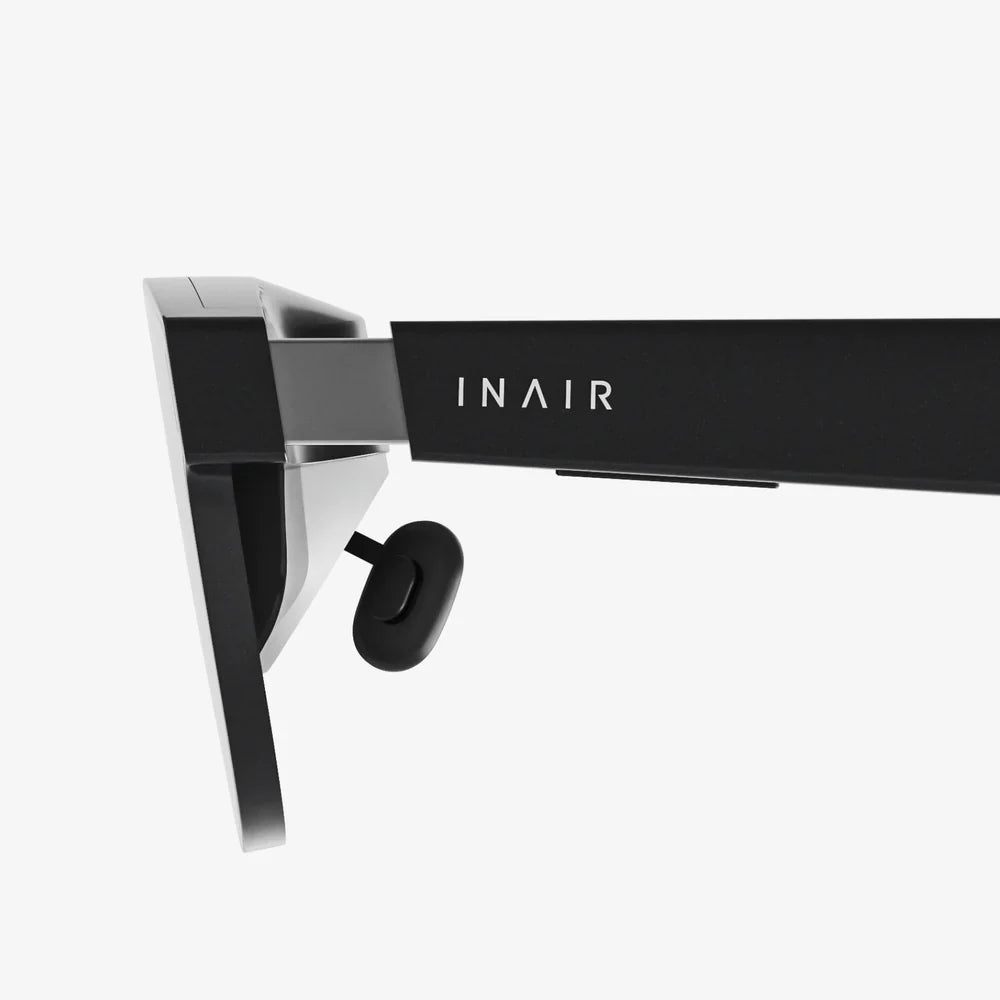
If you are hunting for a virtual reality gear review that actually helps you decide what to buy instead of just throwing specs at you, you are in the right place. The VR world is changing fast, and the wrong choice can leave you motion-sick, underwhelmed, or stuck with dusty hardware on your shelf. This guide breaks down the key elements of VR gear in plain language, showing you what really matters for gaming, fitness, work, and immersive experiences so you can pick a setup that feels like a portal, not a disappointment.
What Makes a Virtual Reality Gear Review Truly Useful?
Most people looking up VR reviews want one thing: clarity. They want to know which headset and accessories will deliver the best experience for their budget and use case. A meaningful review does more than list technical specifications; it connects those specs to real-world comfort, visual quality, input accuracy, and ease of use.
Instead of focusing on brand names, this review focuses on categories and features. By the end, you will understand what separates an entry-level setup from a premium one, and which trade-offs are worth it for you.
Core Components of Modern VR Gear
Any serious virtual reality gear review has to start with the core components that shape your experience. These include:
- Headset: The display and optics that sit on your face.
- Controllers: Your digital hands in virtual space.
- Tracking System: The technology that follows your movement.
- Audio: Built-in or external sound systems.
- Comfort and Fit: Straps, padding, and weight distribution.
- Connectivity: Whether the headset is standalone, wired, or wireless PC-based.
Understanding how each of these works and interacts is the key to choosing the right VR gear for your lifestyle.
Display and Optics: Where Immersion Begins
The display and lenses inside the headset are the heart of VR immersion. They determine how sharp the image looks, how smooth motion feels, and how likely you are to experience eye strain or motion sickness.
Resolution and Screen Quality
Resolution is usually measured per eye and directly affects clarity. Higher resolution reduces the “screen door effect” where you can see the gaps between pixels. For most users:
- Entry-level resolution is acceptable for casual gaming and first-time users, but text and distant objects may appear slightly blurry.
- Mid-range resolution provides a noticeably sharper image, better for reading text, productivity apps, and detailed environments.
- High-end resolution offers crisp visuals suitable for simulation enthusiasts, creative professionals, and users sensitive to visual artifacts.
Beyond raw resolution, panel type matters. Many headsets use fast-switching LCD panels, which are affordable and bright, while some use OLED panels with deeper blacks and higher contrast. Deep blacks can dramatically improve immersion, especially in dark scenes, but may come at a higher cost.
Field of View and Lens Design
Field of view, often abbreviated as FOV, describes how much of your surroundings you can see at once through the headset. A wider FOV feels more natural and less like peering through binoculars.
Most consumer headsets fall into a moderate FOV range. Enthusiast-grade devices may push the FOV wider, but can introduce optical distortions if not carefully engineered. Lenses play a big role here:
- Fresnel lenses are common and lightweight but can introduce “god rays” or light streaks around high-contrast edges.
- Non-Fresnel or pancake lenses can reduce glare and improve clarity across more of the lens, often at a higher cost.
When reading any virtual reality gear review, pay attention to comments about clarity at the edges of the lenses and the presence of glare or halos. These subtle optical issues can make or break long play sessions.
Refresh Rate and Motion Smoothness
Refresh rate refers to how many times per second the display updates. Common refresh rates in VR include 72 Hz, 90 Hz, 120 Hz, and even higher. A higher refresh rate generally means smoother motion and less motion sickness, assuming your hardware can keep up.
For most users:
- 72–90 Hz is adequate for casual use and many games.
- 90–120 Hz is preferable for fast-paced action and users sensitive to motion.
When a review mentions “stutter” or “judder,” it often means the system cannot consistently maintain the frame rate. This is especially important for PC-based VR where your computer’s graphics card plays a big role.
Standalone vs PC-Based VR: Which Path Should You Take?
One of the biggest decisions you will make, and something every serious virtual reality gear review must address, is whether to choose a standalone headset or a PC-tethered one.
Standalone Headsets
Standalone headsets have built-in processors, storage, and tracking. They do not require a PC or console to operate. They are great for:
- Portability: Easy to carry and set up anywhere.
- Simplicity: No cables, no complex configuration.
- Casual and social VR: Fitness apps, casual games, media consumption, and social spaces.
The trade-off is performance and graphical fidelity. While modern standalone devices are impressively capable, they still cannot match a high-end gaming PC driving a powerful headset. Some standalone devices can connect to a PC via cable or wireless streaming, giving you flexibility at the cost of extra complexity.
PC-Based Headsets
PC VR headsets rely on your computer’s graphics card and CPU. They are ideal for:
- High-end gaming: Demanding titles with advanced graphics.
- Simulations: Flight simulators, racing sims, and professional training tools.
- Creative and professional work: 3D modeling, design, and specialized tools.
However, PC-based setups often involve more cables, more configuration, and a higher total cost once you factor in the computer hardware. When evaluating these systems, a good review will mention not only the headset’s quality but also the minimum and recommended PC specs required to drive it comfortably.
Comfort, Fit, and Ergonomics: The Hidden Deal-Breakers
Even the sharpest display and most advanced tracking system will not matter if your headset is uncomfortable. Comfort is one of the most underestimated factors in VR, and a thorough virtual reality gear review should treat it as a priority, not a footnote.
Weight and Weight Distribution
Total weight is important, but how that weight is distributed is even more critical. A front-heavy headset can cause neck strain and pressure on the face. Designs that balance weight with rear-mounted straps or battery packs tend to feel better over long sessions.
Look for reviews that describe how the headset feels after 30–60 minutes, not just when first put on. Hotspots on the forehead, cheeks, or nose bridge can indicate poor weight distribution or insufficient padding.
Straps and Adjustability
Headsets typically use either soft straps, rigid halo-style bands, or a hybrid. Soft straps are lightweight and flexible but may need frequent adjustment. Rigid or halo-style bands can provide a more secure fit with easier adjustments, especially for users who share the headset with family or friends.
Key comfort features to look for include:
- Top strap for vertical support.
- Dial-based tightening for quick adjustments.
- Replaceable padding for hygiene and long-term comfort.
Glasses Compatibility and IPD Adjustment
If you wear glasses, you need to know whether the headset accommodates them comfortably. Some models provide extra space or include spacers. Others may require prescription lens inserts.
Interpupillary distance (IPD) is the distance between your eyes. Aligning the lenses with your IPD is crucial for clarity and comfort. Headsets offer:
- Fixed IPD: One-size-fits-many, but not ideal for everyone.
- Stepped IPD: A few preset positions.
- Continuous IPD adjustment: The most flexible and comfortable option.
Any serious virtual reality gear review should mention whether users with narrower or wider IPD ranges report issues, as this can dramatically affect your experience.
Tracking Systems: Inside-Out vs External Sensors
Tracking is what makes VR feel magical. When tracking is accurate and responsive, your movements translate naturally into the virtual world. When it fails, the illusion breaks instantly.
Inside-Out Tracking
Inside-out tracking uses cameras on the headset itself to track your position and the controllers. It is now the dominant approach in consumer VR because it:
- Eliminates the need for external base stations.
- Is easier to set up and move between rooms.
- Works well for most room-scale experiences.
However, inside-out tracking can sometimes struggle when controllers are out of the cameras’ line of sight, such as behind your back or very close to your body. Good software and well-placed cameras can mitigate this, but it is worth noting for games that involve complex hand movements.
External Sensor Tracking
Some high-end or older systems use external base stations or sensors placed around the room. These can offer extremely accurate, low-latency tracking with robust coverage, especially for full-body movement and precise controller tracking.
The downsides are:
- More complex setup and calibration.
- Less portability.
- Potential issues if sensors are blocked or misaligned.
For enthusiasts, especially those into room-scale experiences or VR arcades, external tracking can still be appealing. In a review, look for mentions of tracking loss, dead zones, or the need for frequent recalibration.
Controllers and Input: Your Hands in Virtual Worlds
Controllers are your primary way of interacting with VR environments, and their design heavily influences immersion and usability. Any virtual reality gear review that glosses over controllers is missing a big part of the story.
Ergonomics and Button Layout
Well-designed controllers feel natural to hold, with buttons and thumbsticks placed where your fingers naturally rest. Features to pay attention to include:
- Comfortable grip shape for different hand sizes.
- Intuitive button and trigger placement.
- Weight balance that does not cause fatigue.
Reviews often mention whether controllers feel “toy-like” or “solid,” which can hint at build quality and durability.
Tracking Quality and Hand Presence
Controller tracking quality determines how precisely your hand movements are captured. Good tracking allows for:
- Accurate aiming in shooters.
- Reliable grabbing and throwing of virtual objects.
- Fine motor tasks like drawing or manipulating tools.
Some controllers support additional sensing, such as capacitive touch detection on buttons or finger position estimation, which can create more expressive hand gestures in social VR and more nuanced interactions in apps.
Alternative Inputs: Hand Tracking and Beyond
Many modern headsets support hand tracking using the headset’s cameras, allowing you to interact without controllers. While hand tracking is improving, it can still be less reliable for fast-paced games or precise interactions.
Other input methods include:
- VR treadmills or locomotion platforms for walking in place.
- Haptic gloves for advanced simulations.
- Body trackers for full-body avatars in social or fitness apps.
These accessories are more niche, but a comprehensive review may mention them for users seeking deeper immersion.
Audio: The Often Overlooked Half of Immersion
Visuals get most of the attention, but audio is equally important. A well-executed virtual reality gear review always addresses how the headset sounds and what audio options are available.
Built-In Audio Solutions
Many headsets include built-in speakers, either as on-ear headphones or off-ear drivers positioned close to your ears. Off-ear designs can be surprisingly immersive, creating a wide soundstage while leaving your ears uncovered so you can hear your surroundings.
Key audio aspects to consider:
- Spatial audio support for accurate directional sound.
- Bass response for impactful explosions and music.
- Clarity for hearing subtle environmental cues and dialogue.
External Headphones and Microphones
Some users prefer their own headphones for better isolation and sound quality. Check whether the headset offers a standard audio jack or easy integration with external audio devices.
Microphone quality also matters, especially for multiplayer games, social VR, and remote collaboration. Reviews should mention whether voice chat sounds clear or muffled and whether noise cancellation is effective.
Content Ecosystem and Software Experience
Hardware is only half of the experience. The platform’s content library, store policies, and software interface shape what you can actually do in VR.
Game and App Libraries
Some ecosystems prioritize a wide range of games, from casual titles to hardcore simulations. Others emphasize productivity, media viewing, or social experiences. When reading a virtual reality gear review, look for:
- Availability of top-tier games and popular genres you care about.
- Exclusive titles that may influence your platform choice.
- Fitness and wellness apps if you plan to exercise in VR.
- Creative and productivity tools for work or hobbies.
User Interface and Setup
A clunky interface can make even powerful hardware frustrating to use. Consider:
- How easy it is to set up the headset out of the box.
- Whether guardian or boundary systems are intuitive.
- How quickly you can jump into apps and switch between them.
Some platforms offer robust parental controls, account sharing, and cloud saves, which can be important for families or multi-user households.
Performance, Latency, and Motion Sickness
Performance is more than just frame rate; it is about how responsive and comfortable the entire system feels. Poor performance is one of the leading causes of VR motion sickness.
Latency and Responsiveness
Latency is the delay between your movement and the corresponding update on the display. Lower latency feels more natural and reduces discomfort. Wireless streaming from a PC, for example, must be carefully optimized to avoid lag and compression artifacts.
When reading reviews, pay attention to terms like “snappy,” “responsive,” or “laggy.” These subjective descriptions often reflect underlying latency performance.
Comfort Settings and Motion Options
Many VR apps include comfort settings, such as teleportation movement, snap turning, or vignetting around the edges of the screen during movement. These options help users acclimate and reduce motion sickness.
A good virtual reality gear review will note whether the platform and popular apps offer robust comfort options and whether users prone to motion sickness report positive experiences.
Durability, Maintenance, and Hygiene
VR gear is physically worn, handled, and sometimes sweated into. Durability and hygiene are practical concerns that become obvious after a few months of use.
Build Quality and Longevity
Headsets and controllers should feel sturdy, with minimal creaking or flexing. Common wear points include:
- Head straps and adjustment mechanisms.
- Controller thumbsticks and triggers.
- Cable strain relief on tethered headsets.
Look for reviews that mention long-term use, not just first impressions. Reports of drifting thumbsticks, peeling padding, or cracked plastic are red flags.
Cleaning and Sweat Management
Face gaskets and foam pads absorb sweat and oils. Removable and washable or replaceable interfaces are a big advantage, especially for fitness use or shared headsets.
Silicone covers, wipeable materials, and anti-bacterial cleaning routines can extend the life of your gear and keep it comfortable. Some users also invest in dedicated VR stands or cases to protect lenses from dust and scratches.
Price Tiers and Value for Money
Value is not just about the lowest price; it is about what you get for what you spend. In this virtual reality gear review, it helps to think in terms of tiers rather than specific models.
Entry-Level Tier
Entry-level headsets focus on affordability and ease of use. They are often standalone, with moderate resolution and adequate tracking. These are ideal for:
- First-time VR users.
- Casual gamers and families.
- Media consumption and light fitness.
You sacrifice some visual fidelity and advanced features, but the accessibility and low barrier to entry make this tier appealing.
Mid-Range Tier
Mid-range setups strike a balance between performance and price. You may find:
- Higher resolution displays.
- Improved comfort and ergonomics.
- More robust content libraries.
- Optional PC connectivity for more demanding titles.
This tier suits users who have tried VR before and want a more refined experience without jumping into enthusiast-level pricing.
High-End and Enthusiast Tier
High-end VR gear targets enthusiasts and professionals. Expect:
- Top-tier resolution and optics.
- Wide field of view.
- Advanced tracking systems.
- Premium build quality and comfort.
These systems often require powerful PCs and careful setup, but they deliver the most immersive and precise experiences available to consumers.
Use Cases: Matching VR Gear to Your Needs
Your ideal VR setup depends heavily on what you want to do. A smart virtual reality gear review links features to real-world use cases.
Gaming and Esports
For gaming, prioritize:
- High refresh rates for smooth motion.
- Accurate controller tracking.
- Comfortable fit for long sessions.
- Access to the game library you care about.
Competitive players may also value low-latency wireless options or high-end PC VR performance.
Fitness and Wellness
If you plan to use VR for fitness:
- Look for lightweight headsets with secure straps.
- Consider sweat-resistant face interfaces.
- Check for a robust catalog of fitness apps and rhythm games.
Wireless or standalone systems are often preferred here for freedom of movement.
Productivity and Remote Work
For productivity, virtual offices, or collaboration:
- Resolution and text clarity are critical.
- Comfortable long-term wear matters more than extreme FOV.
- Good microphone and audio quality are essential.
Integration with desktop streaming, multi-monitor setups, and collaboration tools can turn VR into a flexible workspace.
Creative and Professional Applications
Artists, designers, and professionals using VR for creation or training should prioritize:
- High resolution and color accuracy.
- Precise tracking for controllers or specialized input devices.
- Compatibility with professional software and engines.
These users may lean toward PC-based, high-end headsets and may also invest in additional trackers or haptic devices.
Future Trends to Watch in VR Gear
VR is evolving rapidly, and any virtual reality gear review that pretends today’s landscape is static is out of date the moment it is written. Several trends are shaping the next generation of headsets and accessories.
Higher Resolution and Better Lenses
Display technology continues to improve, with higher pixel densities and more efficient optics. Expect future headsets to push clarity closer to real-world vision, reducing artifacts and making VR more comfortable for extended use.
Improved Mixed Reality and Passthrough
Mixed reality, where virtual objects are blended with a live view of your surroundings, is becoming more common. High-quality color passthrough opens up new possibilities for productivity, design, and everyday utility.
More Natural Input Methods
Hand tracking, eye tracking, and facial expression tracking are moving from experimental features to mainstream capabilities. These can enable more intuitive interfaces, foveated rendering for performance gains, and more expressive avatars in social spaces.
Lighter, More Comfortable Designs
As components shrink and become more efficient, headsets are getting lighter and more compact. Pancake lenses, better weight distribution, and improved materials will make VR feel less like wearing a helmet and more like putting on a pair of glasses.
How to Read Any Virtual Reality Gear Review Critically
Not all reviews are created equal. To make a smart decision, it helps to read them with a critical eye. Ask yourself:
- Does the reviewer explain their use case and preferences?
- Do they discuss comfort, not just specs?
- Is there mention of long-term use, not just first impressions?
- Do they cover both strengths and weaknesses?
- Are motion sickness and comfort settings addressed?
A balanced review acknowledges trade-offs. No headset is perfect for everyone, and honest critiques will help you match the gear to your own priorities.
Building Your Own VR Shortlist
After absorbing the details in this virtual reality gear review, you can build a personal shortlist by focusing on a few key questions:
- What is my primary use? Gaming, fitness, work, creative, or a mix?
- Do I want standalone simplicity or PC-level power?
- How sensitive am I to comfort and motion sickness?
- What is my realistic budget, including accessories?
- Which content library offers the apps I care about?
Once you have those answers, you can compare headsets within a specific tier and ecosystem, using detailed reviews to break ties based on comfort, tracking quality, and long-term reliability.
The next time you search for a virtual reality gear review, you will know exactly what to look for, which marketing claims to ignore, and how to translate specs into real-world experience. That knowledge is your best defense against buyer’s remorse and your fastest route to a setup that genuinely feels like stepping into another world. With the right headset, controllers, and ecosystem, VR stops being a novelty and becomes a powerful part of how you play, work, and connect—and that is when the technology finally lives up to the hype.
Share:
Super AI Tools Transforming Work, Creativity, and Everyday Life
Super AI Tools Transforming Work, Creativity, and Everyday Life