


- by wangfred
Virtual Reality Player iOS: The Ultimate Guide to Immersive Mobile Entertainment
- by wangfred
Imagine slipping on a sleek headset and instantly being transported from your living room to the edge of a distant galaxy, the front row of a concert, or a meticulously recreated ancient ruin. This is no longer the stuff of science fiction; it’s the daily reality for millions of iPhone and iPad users, all thanks to the powerful combination of a virtual reality player for iOS. The pocket-sized supercomputer you carry is the key to unlocking limitless universes, offering an escape, an education, and an entertainment experience that is as personal as it is profound. The journey into immersive digital realms is not just about the hardware you wear on your head—it’s about the sophisticated software that makes it all possible.
The marriage of virtual reality technology with the iOS ecosystem represents a fascinating convergence of design philosophy and engineering excellence. On one hand, you have VR, a field dedicated to creating fully immersive, 360-degree digital environments that engage all your senses. On the other, you have iOS, an operating system renowned for its intuitive user experience, robust performance, and unwavering security. A virtual reality player for iOS is the bridge that connects these two worlds, leveraging the device's high-resolution Retina displays, powerful A-series chips, and precise motion tracking to create seamless and convincing virtual experiences. This synergy has democratized high-quality VR, moving it from expensive, dedicated PC setups into the hands of anyone with a compatible Apple device.
To the uninitiated, the experience can feel like pure magic. However, the technology behind a mobile VR player is a sophisticated orchestration of hardware and software. It begins with the headset itself, which can range from simple cardboard viewers to advanced, self-contained units with their own controllers and sensors. The core principle, however, remains the same.
The iOS device acts as the brain and the display. The VR player application splits the screen into two distinct images—one for each eye—to create the stereoscopic 3D effect that gives VR its depth and realism. The phone's built-in gyroscope and accelerometer are crucial; they track the slightest movement of your head, updating the view in the virtual world in real-time to match your orientation. This is known as three degrees of freedom (3DoF), tracking rotational movements like pitching forward, turning side-to-side, and tilting sideways. More advanced systems can also track positional movement (6DoF), but this often requires external sensors or advanced inside-out tracking found in higher-end standalone headsets.
The VR player software is the maestro conducting this orchestra. It processes the sensor data, renders the dual-perspective visuals, manages spatial audio, and ensures that the entire experience runs smoothly without latency, which is the enemy of immersion and a primary cause of motion sickness. The incredible processing power of modern iPhones and iPads is what makes this complex task possible, delivering buttery-smooth frame rates that keep the virtual world stable and responsive.
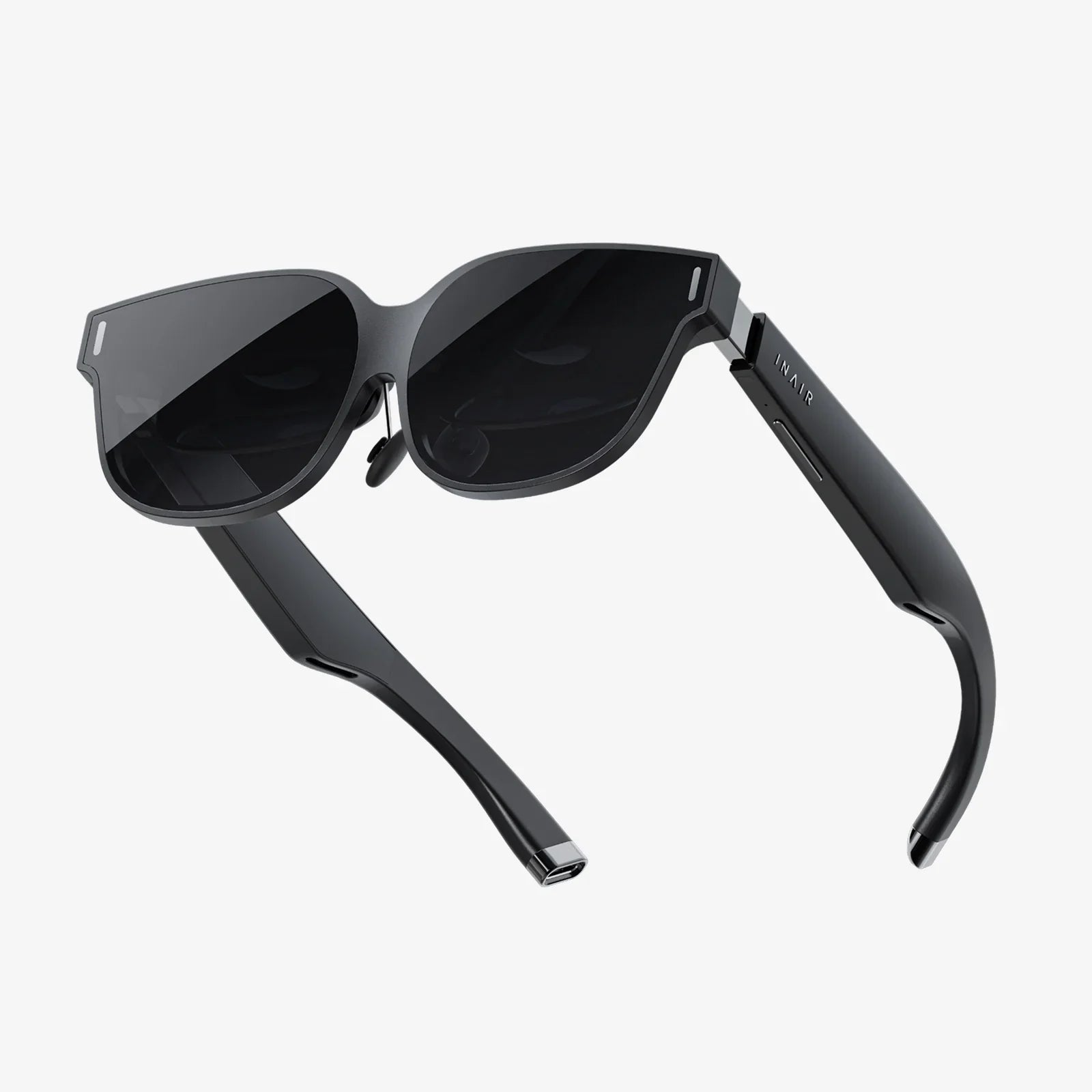
Embarking on your VR journey is surprisingly straightforward. The first step is choosing a headset. Options vary from incredibly affordable models that simply hold your phone to more feature-rich headsets with built-in headphones, adjustable lenses, and wireless controllers for a more interactive experience.
Once you have your hardware, the software setup is a testament to the iOS ecosystem's simplicity. You simply download your chosen virtual reality player application from the App Store. The first launch typically involves a few permissions, most importantly granting access to the device's motion sensors. You'll then be guided through calibrating the headset, which often involves placing your phone into the holder and adjusting the lens focus and head straps for a clear and comfortable fit. Within minutes, you're ready to explore curated content libraries, immersive 360-degree videos, and interactive applications.
The true value of any platform lies in its content, and the iOS VR landscape is rich and diverse. Virtual reality players act as gateways to several categories of immersive experiences:
This is one of the most popular uses for mobile VR. Platforms dedicated to VR video content offer a vast library of experiences. You can find yourself standing on a stage with your favorite band, diving with sharks in a coral reef, or watching a short film where you control the camera by simply looking around. It’s a revolutionary form of storytelling that places you inside the narrative.
Gaming is a driving force in VR, and the iOS platform hosts a surprising number of deep and engaging titles. From puzzle games that require you to manipulate objects in a 3D space to thrilling adventure games where you must defend yourself from incoming threats, the level of immersion is unparalleled. These experiences often utilize a Bluetooth controller paired with your iOS device for precise input, going beyond simple head gazing to offer full interactivity.
Virtual reality is a powerful tool for learning and exploration. Imagine taking a guided tour of the International Space Station, walking through the streets of ancient Rome, or dissecting a virtual frog in biology class. These applications use the immersive power of VR to create memorable, engaging educational experiences that are far more impactful than reading text or watching a flat video.
The future of social connection may well lie in virtual spaces. Several social VR applications allow you to create an avatar and meet with friends or strangers in virtual worlds. You can attend live events, watch movies together in a virtual cinema, or simply hang out and chat as if you were in the same room, breaking down geographical barriers through a shared sense of presence.
To ensure the best possible virtual reality experience on your iOS device, a few simple steps can make a world of difference. First, always close background applications before launching your VR player. VR is resource-intensive, and freeing up RAM and processing power will minimize lag and stuttering. Second, enable Do Not Disturb mode to prevent notifications from popping up and breaking your immersion. Third, ensure your device is fully charged or plugged in, as VR applications can drain battery life quickly. Finally, take regular breaks. It’s recommended to take a 10 to 15-minute break every 30 minutes to avoid eye strain and reacclimate to the real world, especially when you're first starting out.
The trajectory of virtual reality on iOS is pointing towards an even more integrated and powerful future. As Apple continues to develop its own dedicated augmented and virtual reality technologies, the role of the iPhone and iPad is likely to evolve. We can anticipate several key developments:
The lines between Augmented Reality (AR) and Virtual Reality (VR) will continue to blur, creating mixed reality (MR) experiences that seamlessly blend digital objects with your real-world environment. The processing power of iOS devices will grow exponentially, enabling more complex, photorealistic, and physically accurate simulations. Furthermore, we can expect deeper system-level integration, where VR and AR become a native part of the iOS experience, perhaps even a primary interface for certain tasks, rather than a separate app-driven activity. This evolution will make immersive computing more accessible, stable, and integral to our daily digital lives.
The world of a virtual reality player for iOS is a testament to how far mobile technology has come. It transforms a device designed for communication and productivity into a window to anywhere, a tool for creativity, and a engine for empathy. It challenges developers to create not just apps, but worlds, and it invites users to not just watch, but to experience. The door is open, the worlds are waiting, and the power to explore them is already in your pocket. All that's left to do is take the plunge and see what you discover.
Share:
Future of Collaboration Technology: Redefining How We Connect and Create
Best Affordable Virtual Reality: Your Ultimate Guide to High-Value, Low-Cost VR