


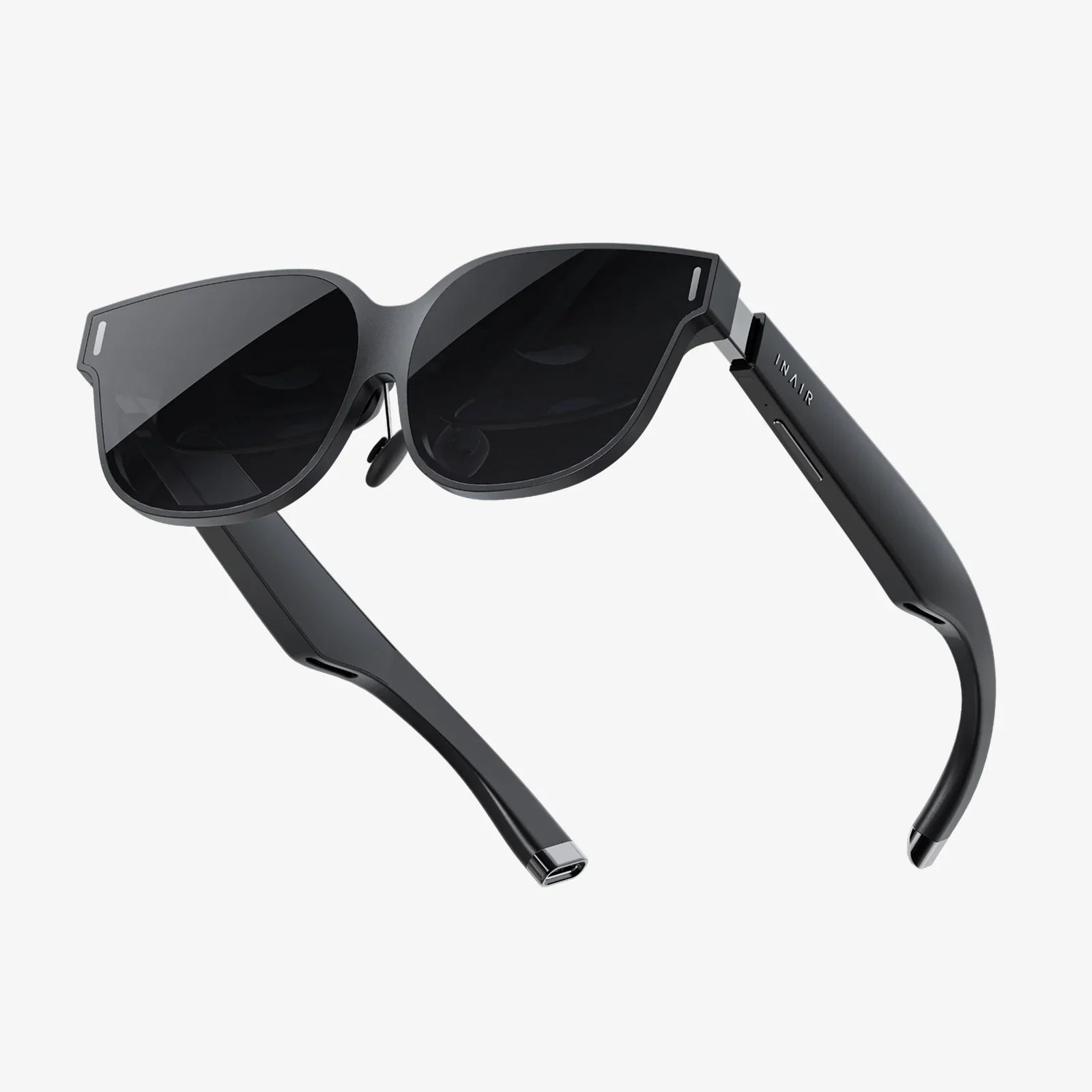
Imagine slipping on a pair of sleek, modern goggles and instantly teleporting from your cluttered desk into a boundless digital universe, all powered by the machine already sitting right in front of you. This isn't a glimpse into a distant sci-fi future; it's the accessible, transformative reality offered by VR goggles for laptop. This powerful combination is dismantling the barriers to entry for virtual reality, turning millions of standard laptops into potent portals for immersion, creativity, and connection. No longer confined to high-end gaming rigs or expensive standalone systems, the world of VR is now an open playground, waiting to be explored through the familiar heart of your portable computer.
Demystifying the Hardware: More Than Just a Screen on Your Face
At its core, a VR goggle system designed for laptop use is a sophisticated peripheral that transforms your computer's visual and auditory output into a convincing, 360-degree experience. Unlike their standalone counterparts, these headsets rely on the laptop's processing power, graphics card, and software to generate the virtual environments.
The key components of these goggles include:
- High-Resolution Displays: Each eye looks through a separate, high-density screen (or one screen split for two eyes), providing a wide field of view. The quest for higher resolutions—like 4K and beyond—is constant, aiming to eliminate the "screen door effect" and create a crystal-clear, believable image.
- Precision Tracking Systems: This is the magic that sells the illusion. Inside-out tracking uses integrated cameras on the goggles themselves to map your physical space and track the movement of your head and, often, your controllers. This means no external sensors or lighthouses are required, making the setup incredibly laptop-friendly.
- Integrated Audio: Spatial audio is crucial for immersion. Many headsets feature built-in headphones or directional audio that accurately reflects sound based on your position and movement within the virtual space, from the subtle rustle of leaves behind you to the roar of a crowd in front.
- Ergonomic Design: Comfort is king for longer sessions. Adjustable head straps, interchangeable facial interfaces, and careful weight distribution ensure the headset feels like a natural extension of your body rather than a heavy piece of equipment.
The Critical Partnership: Is Your Laptop VR-Ready?
The most beautiful pair of VR goggles is useless without a capable laptop to drive them. This partnership is everything. The laptop acts as the engine, and the goggles are the windshield into its world. Not every laptop is cut out for this demanding task.
The primary bottleneck for most users is the graphics processing unit (GPU). VR requires rendering two high-resolution images simultaneously (one for each eye) at a very high, stable frame rate (typically 90Hz or higher) to prevent motion sickness and maintain immersion. Integrated graphics found in most budget-friendly laptops simply cannot handle this load.
A dedicated, powerful GPU from a recent generation is essential. Laptops marketed as "gaming" or "workstation" models are typically equipped with the necessary hardware. Beyond the GPU, a sufficient amount of RAM (16GB is a strong starting point) and a capable processor (CPU) are also important to manage the complex calculations and data streaming required for a smooth VR experience.
Connectivity is another crucial, often overlooked, factor. Most modern VR goggles connect via a high-speed cable using a specific port standard that offers immense bandwidth, video signal, and power delivery all in one. Ensuring your laptop has this correct port type is a fundamental step before purchase. Some setups may also benefit from a specific adapter to ensure optimal performance.
A Universe of Experiences: Beyond Just Gaming
While gaming is the most famous application for VR, pairing goggles with a laptop unlocks a vast spectrum of professional and creative possibilities that extend far beyond the virtual battlefield.
Revolutionizing Education and Training
Imagine medical students performing delicate virtual dissections, history classes walking through ancient Rome, or mechanics training on complex engine repairs—all without any real-world risk or cost. Laptop-driven VR makes this scalable. Educational institutions can create powerful, immersive learning modules that run on computer lab laptops, making experiential learning accessible to entire classrooms.
The New Frontier of Remote Work and Collaboration
The concept of the "virtual office" is evolving. With VR goggles connected to a laptop, professionals can meet in a shared digital space from anywhere in the world. They can brainstorm on 3D models, give presentations on virtual screens, and interact with colleagues as if they were in the same room, fostering a sense of presence that video calls simply cannot match. This is a game-changer for architects, engineers, and design teams who work with 3D assets.
A Canvas for Creatives
Artists and designers are using VR to step inside their creations. Sculptors can mold virtual clay in 3D space, painters can create room-sized murals, and filmmakers can scout virtual sets. The laptop serves as the powerful workstation that renders these complex creative endeavors, while the goggles provide the immersive interface to bring them to life intuitively and naturally.
Virtual Tourism and Social Connection
Travel the world from your living room. Explore photorealistic recreations of world heritage sites, attend live concerts with friends as virtual avatars, or simply hang out in social VR platforms. The laptop's ability to stream and render high-fidelity environments makes these social and exploratory experiences rich and engaging.
Setting Up Your Portal: A Step-by-Step Guide
Getting started is more straightforward than many assume. Here’s a general roadmap:
- Check Compatibility: This is the most critical step. Use official compatibility checking tools to verify that your laptop's make, model, GPU, and port types meet the minimum requirements for the VR goggles you intend to purchase.
- Prepare Your Space: Clear a safe, open area for play. Most systems will guide you in setting up a "guardian" or "chaperone" boundary—a digital wall that appears in VR when you get too close to hitting real-world furniture.
- Install Software: Download and install the necessary platform software on your laptop. This acts as the hub for your VR experiences, managing drivers, updates, and your library of apps.
- Connect and Configure: Connect the headset to your laptop, put it on, and follow the in-headset setup instructions. This usually involves calibrating your eye distance (IPD), setting up floor height, and practicing with the controllers.
- Explore and Download: Dive into the platform's store! A wealth of free and paid experiences awaits, from games and creative tools to educational apps and social spaces.
Navigating the Challenges and Considerations
While the potential is enormous, it's important to be aware of the current limitations of a laptop-driven VR setup.
The primary constraint is being tethered by a cable. Although it delivers maximum fidelity and eliminates battery anxiety, the cable can be a tangling nuisance and a constant reminder of the physical world, slightly breaking immersion. Wireless solutions exist but often require a very specific and robust setup.
Performance will always be tied to your laptop's capabilities. As VR software becomes more advanced, it demands more from hardware. A laptop that is "VR-ready" today might struggle with the most demanding titles in a few years, a consideration similar to traditional PC gaming.
Finally, user comfort varies. Some individuals may experience simulation sickness, especially during experiences with artificial locomotion. This typically lessens with repeated exposure as the brain adapts. Choosing experiences with "teleport" movement options and ensuring a high, stable frame rate are key to mitigating this.
The Future is Connected: What Lies Ahead?
The evolution of VR goggles for laptop is tightly coupled with advancements in laptop technology itself. The rise of more powerful and efficient GPUs, the wider adoption of next-generation connectivity ports, and the development of lighter, higher-resolution displays will all directly benefit this ecosystem.
We are also moving towards a more seamless integration between operating systems and VR. The concept of a "virtual desktop" is already a reality, allowing users to interact with their standard laptop interface in a VR environment. Future developments could see the line between the flat, 2D desktop and immersive 3D spaces blur entirely, creating a fluid computing experience.
Furthermore, advancements in inside-out tracking and computer vision will make these systems even easier to set up and use, potentially eliminating the need for controllers through advanced hand-tracking, allowing you to manipulate the digital world with your bare hands.
Your laptop is no longer just a tool for spreadsheets and social media; it's a key to thousands of other worlds. VR goggles are the lens that brings those worlds into breathtaking focus, transforming abstract data into experiential reality. This powerful synergy promises to redefine not only how we play but how we learn, work, and connect, making the extraordinary potential of virtual reality an practical reality for everyone.
Share:
Useful Smart Devices: The Unsung Heroes of a Seamless Modern Life
Fully Immersive Computer Interface: The Final Frontier of Human-Computer Symbiosis