


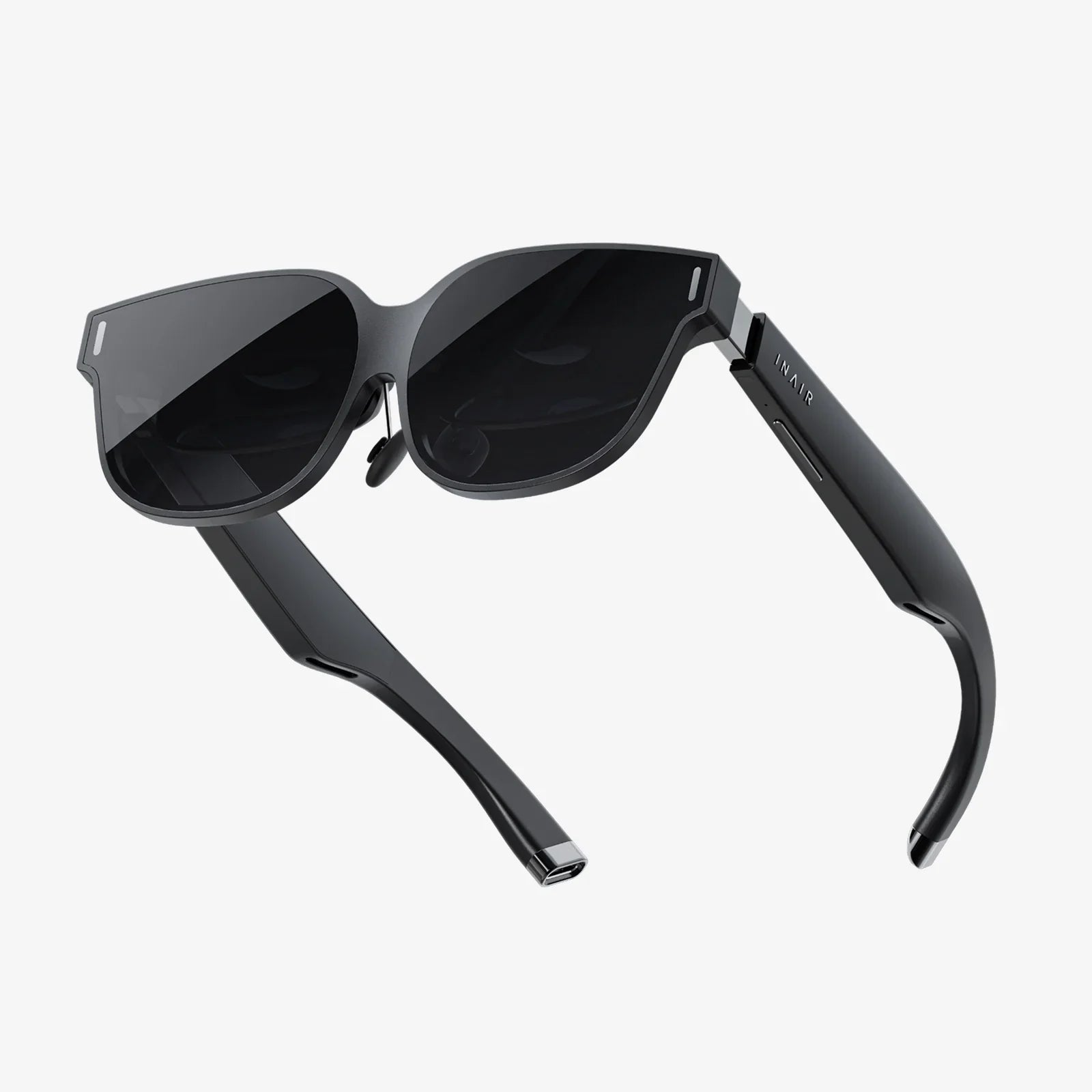
Imagine stepping through your screen, leaving the confines of your physical room behind and entering a boundless digital universe where you are not just an observer but an active participant. This is the profound promise of a high-quality VR headset to use with a PC, a gateway to experiences that are as visually stunning as they are emotionally captivating. The journey into true virtual reality begins not with a standalone device, but with the raw, untamed power of a desktop computer, harnessed to create worlds of breathtaking detail and interactivity.
The Unmatched Power of PC-Driven Virtual Reality
While mobile and standalone VR solutions offer convenience, they operate within strict thermal and power constraints. A VR headset to use with a PC exists in an entirely different category. It functions as a high-resolution display and sensory interface, offloading all the intense computational work to a powerful desktop computer. This division of labor is the secret to its superiority.
This architecture allows for significantly higher rendering resolutions, complex lighting effects like real-time ray tracing, vastly improved texture detail, and much more sophisticated physics simulations. The result is an unparalleled level of immersion. Instead of feeling like you are looking at a digital world, you feel present within it. The jagged edges are smoothed away, the vistas stretch for miles with clarity, and the virtual objects you interact with possess a tangible, believable quality that is simply impossible to achieve on less powerful platforms.
Demystifying the Hardware: What's Inside the Ecosystem?
Understanding the components of a PC VR setup is key to appreciating its potential. The system is a symphony of coordinated hardware.
The Headset Itself: Your Window to Another World
The head-mounted display (HMD) is the centerpiece. Its quality is defined by several key specifications:
- Display Resolution and Type: Measured in pixels per eye (e.g., 2160 x 2160). Higher resolutions drastically reduce the "screen door effect" (the visible gap between pixels). Many modern headsets use fast-switching LCDs for reduced motion blur, while some premium models employ OLED panels for perfect blacks and superior contrast.
- Refresh Rate: Measured in Hertz (Hz), this indicates how many times the image refreshes per second. Rates of 90Hz, 120Hz, and even 144Hz are common. A higher refresh rate translates to smoother motion, which is critical for comfort and realism, especially in fast-paced experiences.
- Field of View (FoV): This is the angular extent of the visible world, typically between 90 and 120 degrees. A wider FoV feels more natural and immersive, reducing the sensation of looking through binoculars.
- Tracking Technology: This is how the headset understands its position in space. Inside-Out Tracking uses cameras on the headset itself to map the room, requiring no external hardware. Outside-In Tracking uses external sensors or base stations placed around the room for ultra-precise, millimetre-accurate positional data, favored by enthusiasts.
- Lenses: High-quality Fresnel or aspherical lenses focus the screen image for your eyes. The design impacts the "sweet spot" (area of clarity), edge-to-edge sharpness, and potential for visual artifacts like god rays.
The Controllers: Your Virtual Hands
VR controllers are far more than simple gamepads. They are ergonomic instruments designed to be extensions of your hands, featuring analog grips, triggers, buttons, and haptic feedback. Advanced models even include individual finger tracking, allowing for natural gestures like pointing, thumbs-up, or making a fist, which further deepens the sense of embodiment.
The PC: The Beating Heart of the Operation
The computer is the engine room. Its components non-negotiable for a good experience:
- Graphics Processing Unit (GPU): The most critical component. It must render two high-resolution images (one for each eye) at a very high and consistent frame rate. A powerful, modern GPU is essential for avoiding lag, stutter, and low-resolution visuals.
- Central Processing Unit (CPU): Handles the game logic, physics calculations, and audio processing. A capable CPU ensures the virtual world responds to your actions without delay.
- RAM: Ample system memory (16GB is a strong baseline) ensures assets load quickly and the experience remains smooth.
- Ports: Most headsets connect via a high-speed USB port and either a DisplayPort or HDMI 2.0+ port. Some modern headsets use a single USB-C connector that carries both data and video.
Setting Up Your Portal to Another Dimension
The setup process for a PC-connected headset has become remarkably streamlined. For inside-out tracking systems, it often involves little more than plugging in the cables, defining your play area by tracing its boundaries with the headset, and you are ready to go. Outside-in systems require mounting the base stations in opposite corners of the room, which adds a step but rewards the user with supremely accurate tracking.
Software platforms serve as the hub for all VR activity. These robust applications are where you launch games, access social features, adjust settings for your headset and controllers, and discover new content. They often include a customizable "home" environment—a virtual space from which you begin your adventures.
A Universe of Experiences Beyond Gaming
While gaming is the most famous application, the utility of a high-end VR headset extends far beyond.
Revolutionizing Creative and Professional Work
Artists and designers are using VR as a revolutionary medium. Imagine stepping inside a 3D sculpture, painting with light in three dimensions, or architecturally walking through a building model at a 1:1 scale before a single brick is laid. These are not futuristic concepts but real-world applications today. Virtual desktops allow users to inhabit massive, multi-monitor computing environments limited only by their imagination, a boon for developers and data scientists.
The Future of Social Connection and Live Events
Social VR platforms are redefining digital interaction. Instead of a video call, you can meet friends as stylized avatars in a virtual cinema, play chess on a table under a starry sky, or attend a live comedy show where the performer feels feet away. The sense of shared presence is profound and unlike any other form of digital communication.
Education and Training in Simulated Realities
From medical students practicing complex surgical procedures in a risk-free environment to mechanics training on virtual engines, the applications for immersive learning are limitless. VR allows for experiential education, where users learn by doing rather than just watching or reading.
Choosing Your Pathway: A Buyer's Considerations
Selecting the right headset is a personal decision based on your priorities and existing hardware.
- Performance vs. Convenience: Do you prioritize the absolute highest visual fidelity and tracking precision (often found in outside-in tracked systems), or is a simpler, cable-free setup with inside-out tracking more important?
- Display Quality: Research the resolution, lens type, and display technology. If you are sensitive to motion, a higher refresh rate should be a priority.
- Content Library: Ensure the headset you choose has access to the software platform that hosts the experiences you are most excited about.
- Comfort and Ergonomics: This is highly subjective. Consider weight distribution, facial interface material, and adjustability. A headset you can wear comfortably for extended periods is crucial.
- The PC Itself: Be brutally honest about your computer's capabilities. Check the specific recommended specifications for the headsets you are considering and ensure your rig meets or, ideally, exceeds them.
Navigating Potential Challenges
Adopting this technology is not without its hurdles. The initial financial investment for both the headset and a capable PC is significant. Some users experience VR-induced motion sickness, often caused by a mismatch between what the eyes see and what the inner ear feels; though this often subsides with gradual exposure as "VR legs" are acquired. Ensuring you have a clear, safe play space is also a prerequisite for room-scale experiences.
The technology is also evolving rapidly. New headsets with improved specifications are released regularly. However, the core principle remains: a PC-connected headset represents the cutting edge of consumer immersive technology, offering an experience that is consistently several generations ahead of its standalone counterparts.
This is not merely another piece of computer hardware; it is the most significant leap in human-computer interaction since the graphical user interface. A high-fidelity VR headset to use with a PC is a passport to uncharted territories of entertainment, a transformative tool for creativity and productivity, and a glimpse into the very fabric of how we will connect and compute in the decades to come. The question is no longer if the virtual worlds are compelling, but which one you will choose to step into first.
Share:
VR Headset Age Rating: A Comprehensive Guide for Parents and Guardians
How Long Should You Play on a VR Headset - The Ultimate Guide to Healthy Immersion