


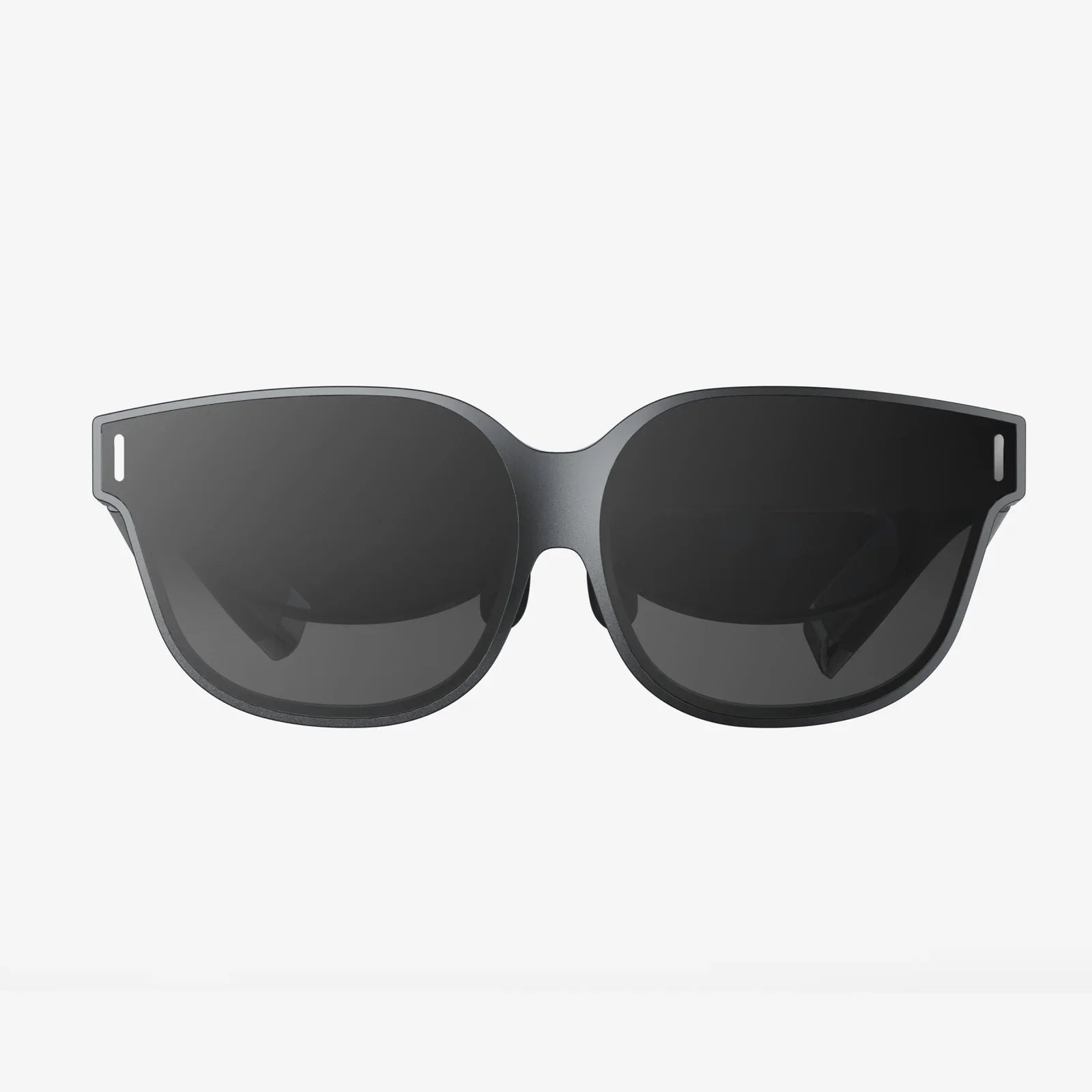
Imagine stepping into a world where the screen wraps around your vision, your entire field of view becomes the display, and the boundary between digital and physical starts to blur. That is the promise of a modern vr screen: not just a panel in front of your eyes, but a window into fully realized worlds that you can explore, create in, and even work inside. If you have ever wondered why some virtual reality experiences feel breathtakingly real while others feel like looking through a foggy porthole, the secret lies in the details of the screen.
What Is a VR Screen and Why It Feels Different from a Monitor
A vr screen is the display system inside a virtual reality headset that shows stereoscopic images to each eye. Unlike a traditional monitor or TV, it is positioned just centimeters away from your eyes and viewed through specially designed lenses. This combination creates an immersive, wide-angle image that fills much of your visual field.
There are several key differences between a vr screen and a standard flat display:
- Proximity to your eyes: The screen sits very close, so lens design and pixel density are critical to avoid visible pixel structure.
- Stereoscopic vision: Two slightly different images are rendered, one for each eye, to simulate depth.
- Wide field of view (FOV): Instead of a narrow rectangle in front of you, the image wraps around, approaching the range of natural human vision.
- Head-tracked perspective: As you move your head, the displayed scene updates in real time, increasing the sense of presence.
These differences mean that the quality of the vr screen has a direct impact on how believable and comfortable the virtual experience feels. A high-quality screen can make you forget the headset; a poor one constantly reminds you that you are staring at a tiny display.
Key Technical Elements of a VR Screen
To understand what makes one vr screen better than another, it helps to break down the most important technical elements. Each of these factors influences clarity, comfort, and realism.
Resolution and Pixel Density
Resolution is the total number of pixels on the vr screen, typically given as width by height. Because a headset usually uses a single panel split between both eyes or two separate panels, you need to consider per-eye resolution.
However, in VR, the concept of pixels per degree (PPD) is even more meaningful. PPD measures how many pixels your eye sees per degree of visual angle. The higher the PPD, the sharper the image appears. A low PPD leads to the infamous screen door effect, where you can see the gaps between pixels like a mesh.
Key points about resolution and pixel density:
- Higher resolution reduces visible pixel structure and improves text legibility.
- More pixels demand more graphics processing power to maintain smooth frame rates.
- Lens design affects how effectively resolution is used; some pixels may be more concentrated in the center of your view.
Field of View (FOV)
The field of view describes how much of your vision the vr screen covers. Human vision spans roughly 200 degrees horizontally (including peripheral vision), though not all of that is sharp detail. Most headsets offer a smaller FOV, but wider coverage leads to greater immersion.
Important aspects of FOV:
- Horizontal vs vertical FOV: Both matter for immersion, but horizontal is often emphasized.
- Lens and housing design: These determine how close the screen can be and how much of it is visible.
- Trade-offs: Wider FOV can sometimes reduce sharpness at the edges or increase lens distortion if not well corrected.
A well-designed vr screen aims to maximize usable FOV while maintaining clarity and minimizing distortion.
Refresh Rate and Motion Clarity
The refresh rate of a vr screen, measured in hertz (Hz), is how many times per second the image is updated. High refresh rates are crucial in VR because the display must respond smoothly to rapid head movements.
Why refresh rate matters:
- Higher refresh rates (for example 90 Hz or more) reduce motion blur and judder.
- They help prevent discomfort and motion sickness by keeping the virtual world stable.
- They demand more performance from the graphics hardware, especially at higher resolutions.
Motion clarity also depends on factors like pixel response time and motion reprojection techniques, but the refresh rate of the vr screen provides the foundation.
Screen Technology: LCD vs OLED and Beyond
Most vr screens are based on either LCD or OLED technology, with emerging variants and refinements.
LCD-based vr screen features:
- Often higher brightness, useful for clarity and color vibrancy.
- Typically lower manufacturing cost.
- Can suffer from lower contrast and potential light leakage, leading to less convincing dark scenes.
OLED-based vr screen features:
- Each pixel emits its own light, enabling deep blacks and high contrast.
- Fast response times, reducing motion blur.
- Potential for more vivid colors, but sometimes lower peak brightness.
Newer technologies aim to combine the strengths of both approaches, seeking better contrast, brightness, and efficiency in ever-smaller panels.
Screen Door Effect and Visual Artifacts
The screen door effect occurs when you can see the grid between pixels. It is one of the most noticeable drawbacks of early vr screen designs and remains a concern in lower-resolution models.
Other common visual artifacts include:
- God rays: Light streaks or halos caused by lens reflections, especially around high-contrast edges.
- Mura: Slight brightness or color inconsistencies across the screen, visible as blotches or patches.
- Chromatic aberration: Color fringing at the edges of objects due to the lens bending different wavelengths of light differently.
Manufacturers use a mix of higher pixel density, improved subpixel layouts, better lenses, and software correction to reduce these artifacts, making the vr screen appear more uniform and natural.
How Lenses and Optics Shape the VR Screen Experience
The vr screen does not operate in isolation. The lenses in front of the screen are just as important in determining what you actually see. They magnify the image, bend it to cover a wider field of view, and introduce distortions that must be corrected.
Lens Types and Their Effects
Common lens types used in VR include:
- Fresnel lenses: Thin, lightweight lenses with concentric ridges. They help reduce weight and allow for compact designs but can produce visible rings and god rays.
- Aspheric lenses: Smooth lenses designed to reduce distortion. They can offer clearer images but may be heavier or more expensive.
- Hybrid designs: Combinations of elements aimed at balancing clarity, weight, and cost.
The lens and vr screen work together as a system. A high-resolution panel can still look soft or distorted if the lens is poorly designed, and a good lens can make a modest panel look better than its raw specs suggest.
Sweet Spot and Eye Box
The sweet spot is the area where the image appears sharpest. Outside this zone, clarity drops. The eye box describes the volume where your eyes can move while still seeing a clear image.
Why these matter for a vr screen:
- A larger sweet spot makes it easier to keep the image sharp without constant adjustments.
- A generous eye box allows more natural eye movement and supports different face shapes and eye positions.
- Poor alignment can lead to eye strain, blur, and reduced immersion.
Interpupillary Distance (IPD) and Alignment
Interpupillary distance (IPD) is the distance between the centers of your pupils. Because a vr screen presents a separate image to each eye, proper alignment is essential.
Considerations for IPD and alignment:
- Mechanical IPD adjustment lets you move the lenses (and sometimes the screens) to match your eyes.
- Software IPD adjustment can shift the rendered images but does not physically move the lenses.
- Incorrect IPD settings can cause eye strain, headache, and a subtle sense that the world is not quite right.
When the vr screen and lens alignment match your IPD, the virtual world appears more stable, and depth perception feels natural.
Comfort and Health: How the VR Screen Affects Your Body
Because a vr screen sits so close to your eyes and fills so much of your vision, comfort and health are critical considerations. A poorly configured system can lead to fatigue, while a well-designed one becomes almost invisible.
Motion Sickness and Latency
Motion sickness in VR is often caused by a mismatch between what your eyes see and what your inner ear feels. The vr screen plays a central role in this because it must update quickly and accurately in response to your movements.
Key factors influencing comfort:
- Low latency: The delay between head movement and the updated image must be minimal.
- Consistent frame rate: Dropped frames or inconsistent timing can destabilize the scene.
- Proper calibration: Correct IPD, lens alignment, and tracking reduce sensory conflicts.
When the vr screen responds instantly and smoothly, your brain is more willing to accept the virtual world as stable, reducing discomfort.
Eye Strain and Focus
In the real world, your eyes converge (turn inward or outward) and focus at the same distance. In VR, this relationship is different: your eyes focus at a fixed distance (the distance to the vr screen) but converge at virtual depths inside the scene. This is known as the vergence-accommodation conflict.
Ways to reduce eye strain:
- Take regular breaks, especially during long sessions.
- Use correct IPD settings and ensure the headset sits properly on your face.
- Adjust text size and interface elements so you do not need to strain to read.
Some advanced display concepts aim to address this by simulating multiple focal planes or using light-field techniques, but most current vr screen designs still rely on a fixed-focus system.
Blue Light and Brightness
Like any digital display, a vr screen emits blue light, which can affect sleep patterns and cause discomfort for sensitive users. Brightness also plays a role in comfort.
Practical tips:
- Use built-in comfort modes or night modes if available.
- Lower brightness in dark environments to reduce eye fatigue.
- Avoid extended sessions right before sleep if you are sensitive to blue light.
Choosing a VR Screen: What to Look For
If you are evaluating a headset, understanding the vr screen specifications can help you make an informed choice. Raw numbers do not tell the whole story, but they provide a useful starting point.
Assessing Resolution and Clarity
When comparing vr screen resolution, consider:
- Per-eye resolution: Check how many pixels each eye actually receives.
- Subpixel layout: Different layouts (such as RGB stripe vs alternative patterns) can affect perceived sharpness.
- Use case: For reading text or productivity, higher resolution is especially valuable; for casual experiences, slightly lower resolution may be acceptable.
Whenever possible, test the headset directly. Specifications give hints, but your perception of clarity depends on your vision, IPD, and sensitivity to artifacts.
Evaluating Field of View and Immersion
Field of view is often quoted as a single number, but perceived FOV depends on face shape, lens design, and how close the headset sits to your eyes.
When assessing FOV:
- Notice how much of your peripheral vision is filled by the vr screen.
- Check whether the edges feel blurry or distorted.
- Consider whether the headset allows adjustments to bring the lenses closer to your eyes.
A slightly narrower but sharper FOV can sometimes feel more comfortable than a very wide but distorted one.
Refresh Rate and Performance Balance
Higher refresh rates improve comfort but increase the load on your hardware. When evaluating a vr screen:
- Check supported refresh rates and available modes.
- Consider the capabilities of your computer or console, if applicable.
- Look for options that allow you to choose between higher resolution or higher refresh rate depending on your priorities.
If you are sensitive to motion sickness, prioritizing a stable, high refresh rate is often worthwhile.
Comfort Features and Adjustability
The best vr screen is one you can comfortably use for extended periods. Look for:
- Physical IPD adjustment to align lenses with your eyes.
- Strap systems that distribute weight evenly.
- Face gaskets or pads that keep light out without creating pressure points.
Comfort is highly personal. A headset that fits one person perfectly may feel awkward on another, so hands-on testing is valuable whenever possible.
Using a VR Screen for Different Activities
The vr screen is no longer just about games. It is increasingly used for work, creativity, and social experiences. Each use case puts different demands on the display.
Gaming and Interactive Experiences
For gaming, the vr screen must handle fast motion, rich detail, and long sessions. Important factors include:
- Fast refresh rate: To keep action smooth and reduce motion sickness.
- Good contrast and color: To make environments and effects visually compelling.
- Low persistence: To reduce blur during quick head turns.
Well-optimized games can make even a mid-range vr screen feel impressive, while poorly tuned experiences can struggle on high-end hardware.
Productivity and Virtual Desktops
Using a vr screen as a virtual workspace is becoming more common. In this context, clarity and comfort are more important than dramatic visual effects.
Key considerations:
- Text readability: Higher resolution and sharp optics are crucial for reading documents or code.
- Color accuracy: Important for design and media tasks.
- Ergonomics: The headset should be light enough and comfortable enough to wear for extended work sessions.
As virtual desktop environments improve, the vr screen has the potential to replace multiple physical monitors with a vast, configurable digital workspace.
Media Consumption and Virtual Theaters
Watching films or shows on a vr screen can feel like sitting in a private cinema, especially when virtual theater environments are used.
For media consumption, the most relevant aspects are:
- Contrast and blacks: Dark scenes benefit from deeper blacks and minimal light bleed.
- Resolution: Higher resolution reduces visible pixelation on large virtual screens.
- Comfort: Subtle head movements can be more noticeable in a virtual theater, so stability and low latency matter.
When the vr screen is tuned well, you can enjoy a giant virtual display without needing a large physical TV or projector.
Future Directions for VR Screen Technology
The evolution of the vr screen is far from over. Several promising trends aim to make virtual experiences more natural, compact, and visually convincing.
Higher Resolution and Human Eye-Level Detail
One major goal is to reach or approach retina-level resolution, where individual pixels become indistinguishable at normal viewing distances. For a vr screen, this means significantly increasing PPD across a wide field of view.
Challenges and approaches include:
- Increasing panel resolution while keeping size and weight manageable.
- Using foveated rendering, where only the area you are directly looking at is rendered in full detail, saving performance.
- Integrating eye tracking to steer foveated rendering accurately.
As these technologies mature, the vr screen could deliver detail comparable to natural vision in the center of your gaze, transforming both entertainment and professional applications.
Improved Optics and Pancake Lenses
New optical designs, sometimes referred to as pancake lenses or similar concepts, aim to drastically reduce headset size and weight while improving image quality.
Benefits of advanced optics:
- Thinner lens stacks allow for slimmer headsets.
- Better control of distortion and chromatic aberration.
- Potential for wider sweet spots and more uniform clarity.
As optics improve, the vr screen can be brought closer to the eyes without sacrificing comfort, enabling more compact and portable devices.
Varifocal and Light-Field Displays
To address the vergence-accommodation conflict, researchers are exploring varifocal and light-field display systems.
These systems aim to:
- Allow the vr screen to present different focal distances, so your eyes can focus naturally on near or far objects.
- Provide more realistic depth cues, improving comfort and visual realism.
- Support extended use for reading and detailed work without as much eye strain.
While these technologies are complex and still developing, they represent a significant step toward making virtual worlds feel truly natural to look at.
Integration with Augmented and Mixed Reality
The line between virtual and augmented reality is blurring. Future headsets may use a single advanced vr screen system for both fully immersive and pass-through experiences, overlaying digital content onto the real world.
For this hybrid approach, the vr screen must:
- Offer high brightness and contrast to compete with real-world lighting.
- Maintain accurate color and geometry when blending virtual and physical elements.
- Support low-latency pass-through video or transparent optical paths.
As these capabilities improve, the vr screen becomes not just a portal to separate worlds but a tool for enhancing the one you already inhabit.
Practical Tips for Getting the Most from Your VR Screen
Even the best hardware can feel underwhelming if it is not set up correctly. With a few simple steps, you can dramatically improve how your vr screen looks and feels.
Optimize Fit and Alignment
Start by adjusting the headset so the vr screen sits correctly relative to your eyes:
- Use any available IPD adjustment to align the lenses with your pupils.
- Position the headset so the lenses are centered vertically on your eyes, not too high or low.
- Tighten straps enough to keep the headset stable without causing pressure or discomfort.
Take time to find the sweet spot; small adjustments can make a large difference in clarity and comfort.
Fine-Tune Software Settings
Most VR platforms offer settings that directly affect how the vr screen is used:
- Increase rendering resolution or supersampling if your hardware allows it, improving sharpness.
- Choose refresh rate options that balance smoothness with performance.
- Enable comfort features such as vignette effects or reduced motion if you are prone to discomfort.
Experiment with these settings to find the combination that feels best for your eyes and your system.
Maintain Cleanliness and Care
Dust, smudges, and scratches can significantly degrade the image from your vr screen. Basic care helps preserve clarity:
- Use a clean, soft microfiber cloth for the lenses; avoid rough materials.
- Store the headset in a case or safe place to protect it from dust and accidental impacts.
- Avoid exposing the lenses to direct sunlight, which can damage the screen.
The more you care for the optics and screen, the more consistently sharp and enjoyable your virtual experiences will be.
The next time you slip on a headset and the world around you dissolves into a vast digital landscape, remember that the heart of that transformation is the vr screen. Every pixel, every degree of field of view, every subtle lens adjustment works together to convince your eyes and brain that the impossible is right in front of you. As display technology continues to advance and headsets grow more powerful, lighter, and more lifelike, the vr screen is poised to become less of a gadget and more of a gateway—one that could redefine how you play, work, learn, and connect in the years ahead.
Share:
Glasses For Windows: Transform Light, Privacy, And Energy In Your Home
Glasses For Windows: Transform Light, Privacy, And Energy In Your Home