


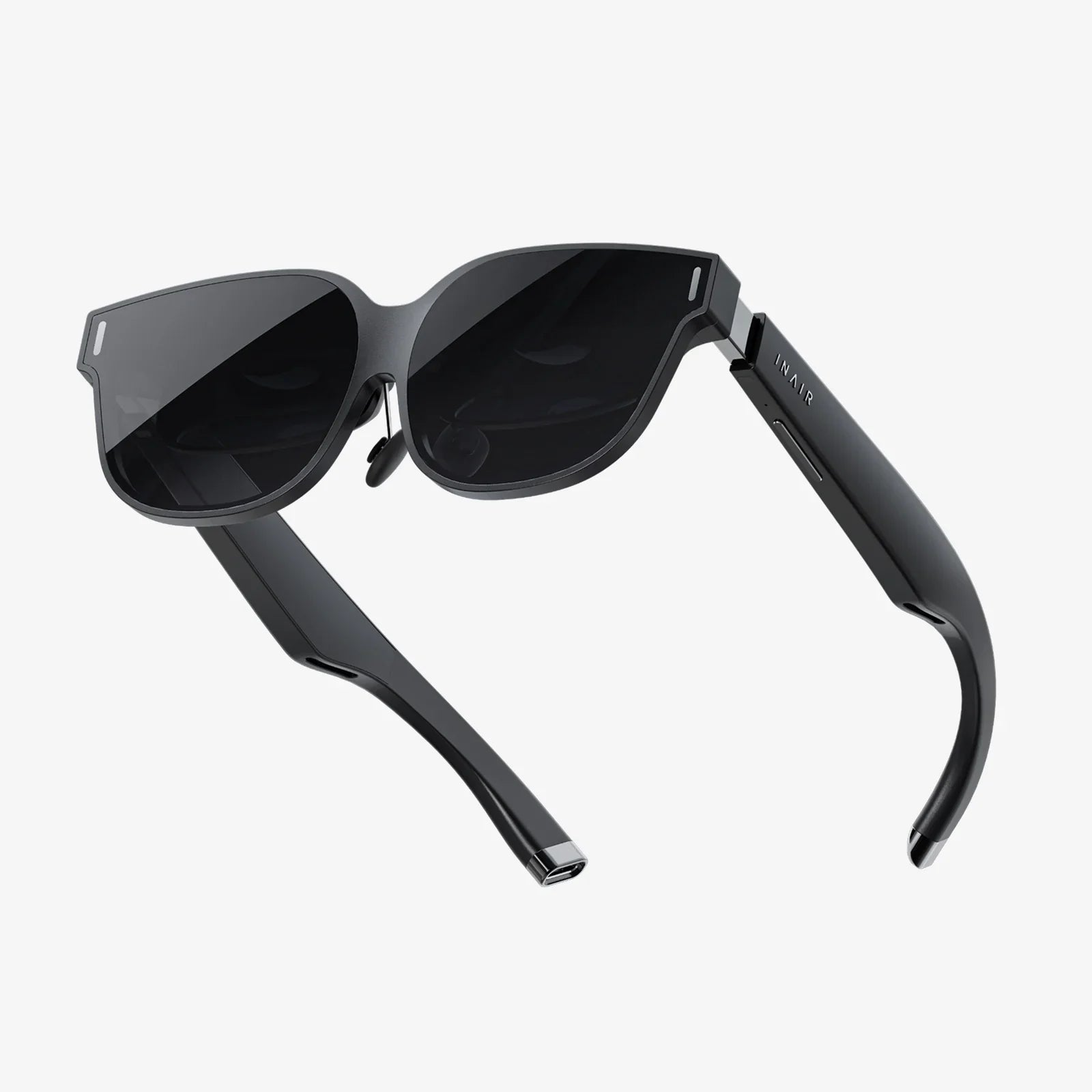
Remember the first time you held your iPhone 7? That sleek, powerful piece of technology felt like the future was in your pocket. Now, imagine strapping that same device to your face and stepping directly into that future. The world of virtual reality, once a prohibitively expensive hobby reserved for hardcore gamers with high-end computers, is now astonishingly accessible. And your trusty iPhone 7 is the key. While newer phones boast incremental upgrades, the iPhone 7's robust Retina HD display, powerful A10 Fusion chip, and precise motion tracking make it a surprisingly capable portal to immersive digital worlds. This isn't a far-off fantasy; it's an experience waiting for you, requiring only the right VR headset to unlock it. Let's dive in and transform your phone into a window to another dimension.
Understanding the iPhone 7's VR Capabilities
Before you start shopping for a headset, it's crucial to understand what your iPhone 7 brings to the virtual table. This isn't about comparing it to the latest model; it's about appreciating its genuine strengths for VR.
The heart of the experience is the A10 Fusion chip. This processor was a powerhouse in its day and remains competent at handling the dual-rendering tasks required for VR—creating two slightly different images for each eye to produce a stereoscopic 3D effect. While it may not run the most graphically intense games at the highest settings, it smoothly powers a vast library of VR experiences, 360-degree videos, and interactive tours.
Next is the 4.7-inch Retina HD display with a resolution of 1334 x 750. In the world of VR, pixel density is king. The higher the pixels per inch (PPI), the less visible the "screen door effect" (where you can see the gaps between pixels). The iPhone 7's 326 PPI display provides a clear, sharp image that, when combined with the lenses in a quality headset, creates a convincing and comfortable visual experience.
Finally, the iPhone 7 is packed with precise gyroscopes and accelerometers. These are the unsung heroes of mobile VR. They track your head movements with low latency, meaning when you turn your head left, the virtual world responds instantly. This is fundamental to achieving "presence"—the feeling that you are actually inside the digital environment and not just looking at a screen.
Choosing the Right VR Headset for Your iPhone 7
Not all headsets are created equal. The market is flooded with options, ranging from simple cardboard viewers to advanced, feature-packed models. Your choice will depend on your budget, desired comfort level, and how you plan to use VR.
Key Features to Consider
- Field of View (FOV): Measured in degrees, FOV determines how much of the virtual world you can see at once. A wider FOV (100-110 degrees is good for mobile) is more immersive, making you feel like you're looking through a window into another world rather than looking at a screen in a box.
- Lens Quality: High-quality, optically clear lenses are non-negotiable. They focus the image from your phone's screen and are responsible for the 3D effect. Look for headsets with adjustable lenses, often via a dial on the top or side, to accommodate your individual vision (IPD - Interpupillary Distance).
- Comfort and Fit: You'll likely wear this device for more than a few minutes. A good headset will have padded foam around the eyes and nose, an adjustable head strap (preferably an over-the-head strap for better weight distribution), and be made of lightweight, breathable materials.
- Input Methods: How do you interact with the VR world? Basic headsets rely on a magnetic or Bluetooth clicker for simple selections. More advanced models may include a separate handheld controller with touchpads and buttons for a richer interactive experience.
- Phone Compatibility: This is the most important factor. Ensure the headset you choose has a tray or clamps that securely fit the specific dimensions of an iPhone 7. A loose phone is a recipe for disaster and a poor experience.
Types of Mobile VR Headsets
Generally, headsets for the iPhone 7 fall into three categories:
- Basic Viewers (The Entry-Level): These are often made of plastic or even cardboard. They hold the phone and have simple lenses. Interaction is usually limited to a magnetic slider or a single button. They are an incredibly affordable way to dip your toes into the VR waters and experience 360-degree videos and photos.
- Advanced All-in-One Headsets (The Sweet Spot): This is where most consumers find the best value. These headsets feature built-in ergonomic designs, adjustable lenses, comfortable straps, and often include a dedicated wireless controller. They offer a full, comfortable, and interactive VR experience without breaking the bank.
- Tethered Headsets (The High-End): These are less common for the iPhone 7. They connect to a external processing unit or a gaming console, using the phone primarily as a display. They offer higher-end experiences but are more complex and expensive.
For most iPhone 7 users, a headset from the second category—the advanced all-in-one model—provides the perfect balance of features, comfort, and price.
Setting Up and Optimizing Your iPhone 7 for VR
You've got your headset. Now, let's make sure your iPhone 7 is ready to perform.
- Free Up Space: VR apps and especially 360-degree videos can be large. Clear out old photos, videos, and apps you no longer use. Aim for several gigabytes of free space.
- Close Background Apps: Before launching a VR experience, double-press the home button and swipe away all other apps. This ensures the A10 chip dedicates all its resources to VR, minimizing lag and stutter.
- Maximize Battery Life: VR is a power-intensive activity. Enable Low Power Mode and ensure your phone is fully charged before a long session. Consider keeping it plugged in during use if possible, though this may limit movement.
- Enable Do Not Disturb: There's nothing more immersion-breaking than a notification popping up in the middle of your virtual adventure. Swipe up to access Control Center and tap the moon icon to silence calls and alerts.
- Clean Your Screen: Smudges and fingerprints become very obvious when magnified by the headset's lenses. Use a microfiber cloth to give your screen a crystal-clear finish.
The Best VR Experiences for iPhone 7 Users
Your hardware is optimized. Your headset is on. What now? The App Store is your gateway to countless virtual experiences. Here are some categories and standout examples that work beautifully on the iPhone 7.
Gaming and Interactive Experiences
This is where VR truly shines. The iPhone 7 can handle a wealth of engaging games.
- Adventure and Exploration Games: Titles like "Vanguard V" or "Anshar Wars 2" offer thrilling space combat and exploration, leveraging the phone's gyroscopes for intuitive control as you dogfight through asteroid fields.
- Puzzle and Mystery Games: Games such as "The Turning Forest" or "Dead Secret" place you inside a narrative, requiring you to look around your environment to find clues and solve puzzles, making you the protagonist of the story.
- Arcade and Rhythm Games: For quick, fun sessions, rhythm games where you dodge obstacles to the beat are incredibly popular and run very smoothly on the A10 chip.
Educational and Travel
VR is arguably the most powerful tool for education and empathy ever created.
- Virtual Travel: Apps like "Wander" allow you to drop into Street View data from around the globe. You can stand atop Machu Picchu, walk the streets of Tokyo, or visit the Louvre from your living room. It's a phenomenal way to plan a trip or explore places you may never get to see in person.
- Museum and Historical Tours: Many institutions now offer VR tours of their exhibits. You can get up close and personal with ancient artifacts, dinosaur skeletons, and famous paintings, often with informative audio guides.
- Science and Anatomy: Explore the human body, journey inside a cell, or witness the scale of the solar system. These experiences transform abstract concepts into tangible, memorable adventures.
Media and Entertainment
Your iPhone 7 can become your personal cinema.
- 360-Degree Videos: Platforms like YouTube have vast libraries of 360-degree content. You can watch concerts from the front row, stand on a launchpad during a rocket liftoff, or follow a nature documentary as animals walk around you.
- VR Cinema Apps: Apps designed specifically for VR allow you to watch your own movies or streaming service content on a giant virtual screen in environments ranging from a home theater to the moon's surface.
Overcoming Common Challenges and Limitations
Mobile VR on an iPhone 7 isn't perfect, but understanding its limits helps manage expectations.
- Battery Drain: As mentioned, this is the biggest hurdle. Plan for shorter sessions or keep a external battery pack handy.
- Device Heating: Extended use can cause the phone to get warm. If it gets too hot, it may throttle performance or shut down apps. Taking breaks every 20-30 minutes is recommended for both your phone's health and your own comfort.
- Limited Graphical Fidelity: Don't expect the hyper-realistic graphics of a console-powered system. The experiences are immersive and fun, but they are running on a mobile processor.
- Motion Sensitivity: Some users may experience simulator sickness, akin to motion sickness. Start with stationary experiences (like 360 videos) and gradually work your way up to more movement-heavy games. If you feel discomfort, stop immediately. Your "VR legs" will develop over time.
The journey into virtual reality with your iPhone 7 is one of rediscovery. It's about unlocking a hidden potential in a device you already know and love. It proves that you don't need the latest and greatest hardware to experience the awe and wonder of VR. With a thoughtful choice of headset and a library of captivating apps, your iPhone 7 can become a time machine, a spaceship, a movie theater, and a portal to anywhere on Earth. The digital frontier is vast, surprisingly affordable, and fits perfectly in the palm of your hand. All that's left to do is take the plunge and see what you've been missing.
Share:
VR Headset Best Buy: Your Ultimate Guide to Navigating the Virtual Frontier
Future of Workplace with Extended Reality XR: Redefining Collaboration and Productivity