


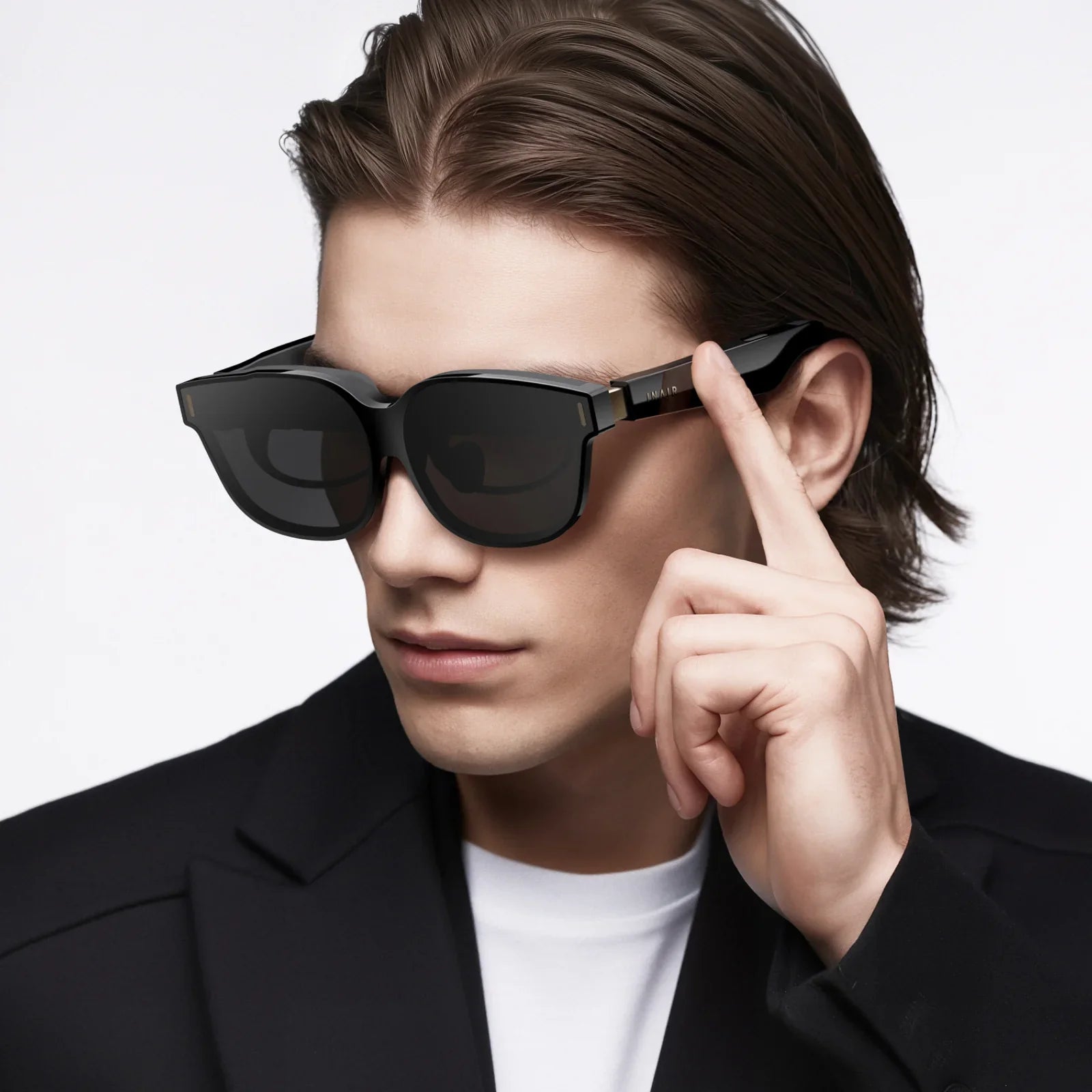
Wearable goggles are quietly reshaping how we see the world, turning ordinary moments into immersive experiences and changing everything from how we work to how we play. What once looked like science fiction headsets are now sleek, connected devices that promise to upgrade entertainment, training, navigation, and even healthcare. Yet behind the excitement lies a complex mix of benefits, trade-offs, and new habits we all need to understand before strapping a screen to our faces for hours a day.
What Are Wearable Goggles?
Wearable goggles are head-mounted devices designed to sit over the eyes and deliver visual content directly to the wearer. Unlike traditional screens, which you look at from a distance, these devices place displays within a short optical range and use lenses, sensors, and processors to create a personalized visual environment.
Most wearable goggles fall into a few broad categories:
- Virtual reality (VR) goggles: Fully immerse the wearer in a digital environment, blocking out the real world.
- Augmented reality (AR) goggles: Overlay digital elements, such as text, graphics, or 3D objects, onto the real-world view.
- Mixed reality (MR) goggles: Blend virtual and physical elements interactively, allowing digital objects to appear anchored in the real world.
- Specialized professional goggles: Designed for tasks like industrial inspections, medical visualization, or sports training, often with customized sensors.
While their purposes differ, all of these devices share a common goal: to enhance human vision with digital information and experiences that traditional screens cannot easily deliver.
Core Technologies Inside Wearable Goggles
To understand the potential and limitations of wearable goggles, it helps to look at the key technologies that make them work.
Display Systems
The display is the heart of wearable goggles. Several technologies are commonly used:
- LCD and OLED microdisplays: Small, high-resolution panels that can be placed close to the eyes and magnified through lenses.
- MicroLED: A newer approach promising higher brightness and efficiency, useful for AR in bright environments.
- Waveguide optics: Thin, transparent layers that channel light into the eye, often used in see-through AR goggles.
Resolution, brightness, color accuracy, and refresh rate all contribute to how natural and comfortable the visuals feel. Higher resolution reduces the “screen door” effect, while higher refresh rates help reduce motion sickness.
Optics And Lenses
Because displays sit very close to the eyes, wearable goggles rely on carefully designed optics:
- Fresnel lenses: Lightweight lenses that reduce bulk while focusing the image.
- Pancake optics: Compact lens systems that fold light paths to create slimmer devices.
- Adjustable diopters: Mechanisms that allow users to tune focus to match their eyesight, sometimes reducing the need for separate corrective lenses.
The quality of the optics affects clarity, distortion, and eye strain. Poorly tuned optics can cause blurriness or discomfort, especially during extended use.
Tracking And Sensing
To make virtual content feel stable and responsive, wearable goggles depend on precise tracking:
- Head tracking: Uses gyroscopes, accelerometers, and sometimes magnetometers to detect rotation and movement.
- Inside-out tracking: Built-in cameras scan the environment to determine position without external sensors.
- Eye tracking: Infrared sensors detect where the wearer is looking, enabling more natural interactions and power-saving techniques like foveated rendering.
- Hand and gesture tracking: Cameras and depth sensors recognize hand motions, enabling controller-free interaction.
Accurate tracking is essential for immersion. Lag or jitter between head movement and visual response can quickly lead to discomfort.
Processing And Connectivity
Wearable goggles are essentially compact computers. They rely on:
- Onboard processors: Mobile chipsets that handle graphics, tracking, and application logic.
- Wireless connectivity: Wi-Fi and Bluetooth for streaming content, syncing data, and connecting peripherals.
- Cloud integration: Offloading heavy computation, such as complex 3D rendering or AI-driven analysis, to remote servers.
The balance between onboard power and wireless streaming shapes how portable and responsive the experience can be.
Key Use Cases Transforming Everyday Life
Wearable goggles are not just futuristic toys; they are already being applied in practical, impactful ways across multiple domains.
Immersive Entertainment And Gaming
Entertainment remains one of the most visible drivers of wearable goggle adoption. Users can:
- Step into fully interactive game worlds with 360-degree immersion.
- Watch movies and shows on virtual giant screens, even in small rooms.
- Attend live events, concerts, or sports broadcasts in virtual venues.
By surrounding the viewer with content, wearable goggles create a sense of presence that flat screens cannot match. Social features, such as virtual avatars and shared environments, add another layer of engagement.
Remote Work And Collaboration
Workplaces are increasingly exploring wearable goggles for remote collaboration and productivity:
- Virtual offices: Colleagues appear as avatars in shared virtual spaces, with virtual whiteboards and 3D models.
- Multi-screen setups: Wearers can arrange multiple virtual monitors around them without physical hardware.
- Remote assistance: Experts can see what a field worker sees and overlay instructions directly in their view.
These capabilities can reduce travel, enhance communication, and support distributed teams, especially in technical or creative fields.
Education And Training
Wearable goggles are redefining how people learn and practice skills:
- Immersive lessons: Students can explore historical sites, biological structures, or physical simulations in 3D.
- Skill training: Trainees can practice procedures in safe virtual environments, from operating machinery to emergency response.
- Language and cultural learning: Simulated environments provide context-rich practice scenarios.
By engaging multiple senses and enabling hands-on interaction, these experiences can improve retention and reduce the risk associated with real-world training.
Healthcare And Therapy
Healthcare professionals are exploring wearable goggles for both clinical and wellness applications:
- Medical visualization: Surgeons and clinicians can view 3D models of anatomy or imaging data overlaid on patients.
- Pain management: Immersive environments can distract patients during uncomfortable procedures.
- Mental health support: Guided relaxation, exposure therapy, or cognitive training can be delivered through controlled virtual scenarios.
These applications combine visual immersion with behavioral and cognitive techniques, offering new tools for care and rehabilitation.
Navigation, Tourism, And Everyday Assistance
In daily life, wearable goggles can serve as smart companions:
- Navigation overlays: Arrows, labels, and path indicators appear directly in the user’s field of view.
- Tourist guidance: Landmarks, translations, and historical notes can be displayed contextually.
- Accessibility features: Real-time captions, object recognition, or contrast enhancements can assist people with visual or hearing challenges.
These features turn the physical world into a richer, more informative environment, without requiring constant glances at a handheld screen.
Industrial And Field Operations
In industrial settings, wearable goggles are emerging as powerful tools:
- Hands-free instructions: Step-by-step guidance appears in the worker’s view while their hands remain free.
- Equipment diagnostics: Data from machines can be overlaid directly on physical equipment.
- Safety enhancements: Hazard warnings and restricted zones can be highlighted in real time.
By connecting workers to digital information on the spot, these devices can improve efficiency, reduce errors, and support safer operations.
Benefits Of Wearable Goggles
As the technology matures, several clear advantages are driving adoption.
Deep Immersion And Presence
Wearable goggles create a sense of “being there” that traditional screens struggle to replicate. This immersion can:
- Increase engagement in entertainment and learning.
- Support stronger emotional connections in social experiences.
- Enable realistic simulations for training and design.
Presence is more than just visual quality; it is the combined effect of responsive tracking, audio, and interaction.
Spatial Understanding And 3D Interaction
Because wearable goggles present content in three dimensions, users can interact more naturally with virtual objects:
- Walk around models to inspect them from different angles.
- Use hand gestures to grab, rotate, or resize items.
- Understand spatial relationships in complex systems more intuitively.
This spatial perspective is valuable in fields such as architecture, engineering, medicine, and creative design.
Portability And Flexibility
Instead of relying on multiple physical screens, projectors, or specialized rooms, wearable goggles offer:
- A personal, portable visual environment that can be set up almost anywhere.
- Adjustable virtual workspaces that can expand or shrink as needed.
- Consistent experiences across locations, as the same device can be used at home, at work, or on the go.
This flexibility is particularly attractive for remote workers, frequent travelers, and organizations with distributed teams.
Enhanced Data Visualization
Complex data becomes easier to interpret when presented in spatial, interactive formats:
- Three-dimensional graphs and maps can reveal patterns hidden in flat charts.
- Layered information can be toggled on or off to reduce clutter.
- Users can “walk through” datasets, exploring them from multiple perspectives.
Wearable goggles thus serve as powerful tools for analysts, planners, and decision-makers who need to understand large, multi-dimensional datasets.
Challenges And Limitations
Despite their promise, wearable goggles also come with significant challenges that users and organizations must consider.
Comfort, Ergonomics, And Health Concerns
Long-term comfort remains a major obstacle:
- Weight and balance: Heavy or front-loaded designs can cause neck strain.
- Heat buildup: Compact electronics can generate warmth near the face.
- Fit and adjustability: Poor fit can lead to pressure points or misaligned optics.
There are also concerns about eye strain, motion sickness, and the impact of prolonged use on posture. Responsible usage often involves limiting session length, taking breaks, and adjusting settings to individual comfort levels.
Visual Fatigue And Motion Sickness
Not everyone reacts the same way to immersive displays. Some users experience:
- Headaches or eye fatigue from focusing at a fixed distance.
- Nausea or dizziness due to mismatches between visual motion and physical movement.
- Disorientation when transitioning back to the real world after intense sessions.
Improving tracking accuracy, refresh rates, and visual design can reduce these issues, but individual sensitivity still plays a significant role.
Privacy And Data Security
Wearable goggles often rely on cameras, microphones, and detailed tracking data. This raises important questions:
- What happens to recordings of the surrounding environment?
- How is gaze data, which can reveal interests and reactions, stored and used?
- Can unauthorized parties access live or recorded feeds from the device?
Users and organizations must pay close attention to privacy policies, security practices, and access controls when deploying these devices, especially in sensitive environments.
Social Acceptance And Etiquette
Unlike phones or laptops, wearable goggles cover part of the face, making social interactions more complex:
- People nearby may feel uncomfortable if they do not know whether they are being recorded.
- Eye contact and facial expressions are partially hidden, affecting communication.
- Using such devices in public spaces can raise questions about courtesy and consent.
Over time, social norms and etiquette are likely to evolve, but early adopters should be particularly mindful of context and the comfort of others.
Cost And Accessibility
Advanced wearable goggles remain relatively expensive compared to conventional displays. Costs include:
- The device itself, often priced higher than standard monitors or tablets.
- Compatible hardware or network infrastructure for demanding applications.
- Content development, especially for custom training or professional use cases.
While prices are gradually decreasing, cost and access remain barriers for some users and organizations.
How To Choose Wearable Goggles For Your Needs
Selecting the right device depends on your goals, environment, and budget. Several factors are worth evaluating before making a commitment.
Define Your Primary Use Cases
Start by clarifying what you want to achieve:
- Entertainment and gaming: Look for high-resolution displays, strong tracking, and a rich content ecosystem.
- Professional work: Prioritize comfort, compatibility with existing tools, and enterprise-grade security.
- Education and training: Consider ease of use, multi-user support, and content authoring options.
- Field operations: Focus on durability, battery life, and hands-free interaction.
Having clear priorities helps narrow down the many available options.
Evaluate Comfort And Fit
Because wearable goggles sit directly on the head and face, comfort is critical:
- Check weight and balance, especially for extended sessions.
- Look for adjustable straps, padding, and interpupillary distance settings.
- Consider compatibility with prescription lenses or built-in adjustments.
Whenever possible, testing the device in person is ideal, as individual head shapes and preferences vary widely.
Assess Visual Quality And Performance
Visual clarity and responsiveness determine how enjoyable and usable the device will be:
- Resolution and pixel density affect sharpness.
- Field of view influences how immersive the experience feels.
- Refresh rate and latency impact motion smoothness and comfort.
For demanding applications like simulation or detailed design, higher-end specifications may be worth the investment.
Check Tracking And Interaction Options
Interaction methods should suit your environment and tasks:
- Controllers can offer precise input for gaming and design.
- Hand tracking enables more natural gestures but may require good lighting.
- Voice commands can help when hands are occupied, though they may be less suitable in noisy environments.
Some devices also integrate eye tracking or support external accessories, expanding interaction possibilities.
Consider Ecosystem And Content
The value of wearable goggles depends heavily on available software:
- Check app libraries, training modules, and creative tools relevant to your goals.
- Look for active developer communities and regular software updates.
- For organizations, evaluate content creation platforms and integration options with existing systems.
A strong ecosystem ensures that the device will remain useful as your needs evolve.
Security, Privacy, And Management
Especially in professional or sensitive settings, governance matters:
- Verify encryption, authentication, and device management features.
- Understand data collection practices, especially for video, audio, and gaze tracking.
- Plan policies for where and when devices may be used, and what recording is permitted.
Thoughtful policies and technical safeguards help build trust among users and stakeholders.
Best Practices For Healthy And Responsible Use
To get the most from wearable goggles while minimizing downsides, it helps to adopt a few practical habits.
Manage Session Length And Breaks
Extended use without rest can lead to fatigue. Consider:
- Limiting continuous sessions, especially for new users.
- Taking short breaks to rest eyes and stretch the neck.
- Gradually increasing usage time as comfort improves.
These habits are particularly important for children or individuals prone to motion sensitivity.
Optimize Environment And Setup
Your surroundings influence both safety and comfort:
- Ensure a clear area free of obstacles for room-scale experiences.
- Adjust lighting to support tracking while avoiding glare.
- Use straps and adjustments to secure the device without excessive pressure.
A well-prepared environment reduces the risk of accidents and improves tracking performance.
Respect Privacy And Social Context
Because wearable goggles can record and analyze surroundings, courtesy is essential:
- Inform people nearby if cameras or microphones are active.
- Avoid recording in sensitive spaces without consent.
- Be attentive to social cues; removing the device during conversations can signal respect and presence.
Responsible use helps normalize the technology and reduce resistance from those who are wary of it.
Adjust Settings To Personal Needs
Most devices offer customization options that can improve comfort:
- Adjust brightness and contrast to match your environment.
- Enable comfort modes, such as reduced motion effects or larger interface elements.
- Fine-tune audio levels and spatial sound settings.
Taking a few minutes to configure these options can significantly enhance the experience.
The Future Trajectory Of Wearable Goggles
The evolution of wearable goggles is far from over. Several trends suggest where the technology is heading next.
Lighter, More Stylish Designs
One major development direction is toward devices that look and feel more like conventional eyewear:
- Thinner optics and more efficient displays reduce bulk.
- Improved battery technologies enable longer use without heavy packs.
- More refined industrial design makes devices less conspicuous in public.
As form factors improve, wearable goggles are likely to blend more seamlessly into everyday life.
Richer Mixed Reality Experiences
Future devices are expected to deliver more convincing blends of real and virtual content:
- Better depth sensing will allow digital objects to interact more naturally with physical environments.
- Higher-quality passthrough video will make virtual overlays feel more anchored and realistic.
- Context-aware software will adapt content to surroundings, tasks, and user preferences.
This progression could turn wearable goggles into essential tools for navigation, collaboration, and creativity.
Integration With Other Wearables And Smart Systems
Wearable goggles will not exist in isolation. They are likely to become part of broader ecosystems:
- Coordination with smartwatches, fitness trackers, and other sensors for health and performance insights.
- Connections to smart home devices for environmental control and monitoring.
- Links to vehicles, workplaces, and public infrastructure for enhanced safety and guidance.
These integrations could make the experience more seamless, but they also underscore the importance of robust security and data governance.
Expanding Professional And Creative Applications
As tools and workflows mature, more industries are likely to adopt wearable goggles:
- Designers and engineers may collaborate in shared virtual spaces around full-scale prototypes.
- Artists and storytellers can create experiences that merge physical venues with digital narratives.
- Educators will gain new ways to personalize instruction and measure engagement.
The line between content creator and consumer may blur, as more users gain access to intuitive tools for building their own immersive environments.
Wearable goggles are rapidly moving from curiosity to cornerstone technology, shaping how people learn, work, socialize, and explore. Their ability to transform any space into a responsive, information-rich environment makes them uniquely powerful, but that power comes with responsibilities around comfort, privacy, and thoughtful use. Those who take the time to understand the technology, choose devices that match their needs, and adopt healthy habits will be best positioned to harness immersive vision as it becomes a normal part of daily life. Whether you are considering your first headset or planning large-scale deployments, now is the moment to look closely at wearable goggles and decide how they will fit into your own future.
Share:
3d sunglasses: The Complete Guide to Immersive Visual Experiences
mr price glasses style guide for smart budget fashion