


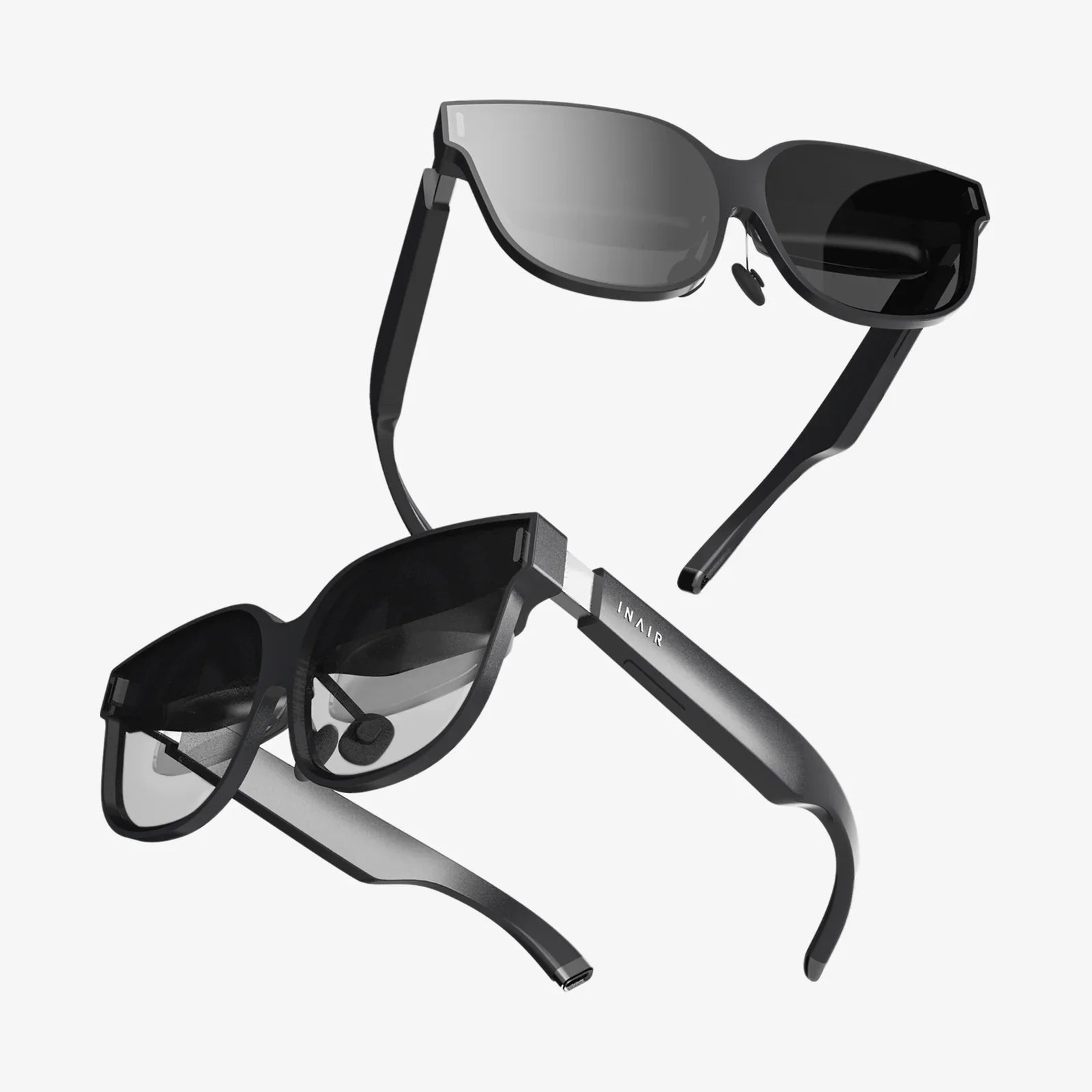
You’ve just clicked ‘buy now’ on that sleek virtual reality headset, your heart racing with anticipation of the incredible worlds you’re about to explore. But what exactly arrives on your doorstep? Is it just the goggles, or is there a treasure trove of tech waiting to be unboxed? The contents of that box are the literal keys to your new reality, and knowing what to expect is the first step on an unforgettable journey. From the essential core components to the often-overlooked extras that elevate the experience, we’re peeling back the cardboard to reveal the complete package that transforms your living room into a gateway to the impossible.
The Heart of the Experience: The Core Components
At the center of every VR package is the headset itself, the crown jewel of your new setup. This sophisticated device is far more than a simple screen for your eyes. It’s a marvel of modern engineering, housing high-resolution displays, precise motion sensors, and complex lens arrays designed to bend light and create a convincing sense of depth and space. The build quality, materials, and design vary, but the core function remains: to transport your vision into a digital realm.
But a headset is useless without its brain. This is where the headset processors and connectivity come into play. Many modern systems include a small, dedicated processing box that acts as an intermediary between the headset and your computer or console. This unit handles critical tasks like signal processing, video optimization, and sometimes even augmenting the graphical power. Alongside it, you’ll find the necessary high-speed cables—often a long, durable USB and HDMI combo or a specialized proprietary cable—that serve as the lifeline, pumping data and power to the headset. For standalone units, this external processing is, of course, built-in, making the headset a self-contained powerhouse.
Your Bridge to the Virtual World: Controllers and Input
If the headset is your eyes and ears, the controllers are your hands. A pair of motion-tracked controllers is standard issue for any quality VR system. These are not your typical gamepads; they are ergonomically designed to feel like an extension of your own hands. Equipped with an array of buttons, triggers, thumbsticks, and touch-sensitive pads, they offer a vast range of input possibilities.
The true magic, however, lies in their precision tracking technology. Using a combination of internal inertial measurement units (IMUs—gyroscopes and accelerometers) and external or internal cameras to track constellations of infrared LEDs, these controllers translate your real-world gestures into fluid, intuitive actions within the virtual space. Whether you’re carefully painting a digital sculpture, swinging a lightsaber, or simply pointing at a menu, the responsiveness is what sells the illusion of presence. Don’t forget to check the box for the controller charging cables—usually USB—and any removable battery covers.
Powering the Dream: Essential Cables and Power Adapters
Virtual reality is a power-hungry endeavor. The box will contain a specific set of cables and power adapters tailored to the system. This always includes a power adapter for the headset itself, and often one for any external processing unit. It’s crucial to use only the provided power components, as they are engineered to deliver the exact voltage and current required by the sensitive electronics.
You will also find a variety of connectivity cables. For PC-connected headsets, this means long, high-bandwidth cables to connect the processing box to your computer. For standalone headsets, a USB-C charging and data cable is provided. Many packages also include extension cables or link cables for added flexibility in your play space setup. Treat these cables with care; they are your literal tether to reality and can be expensive to replace.
Comfort and Hygiene: The Often-Overlooked Essentials
A VR session can last minutes or hours, and comfort is paramount. Manufacturers know this, which is why most headsets come with interchangeable facial interfaces and padding. The standard foam padding that rests against your face is typically designed to be breathable and comfortable. Higher-end kits may even include multiple interfaces, such as a narrower “light blocker” for users with smaller faces to prevent light seepage.
Hygiene is a critical part of the shared VR experience. Many manufacturers now include hygienic solutions in the box, such as removable and washable foam inserts or silicone covers that are easy to wipe clean. This is especially important for demoing your headset to friends and family or for use in shared spaces.
Setting the Stage: The Physical Play Space
Before you take your first step into a virtual world, you need to define your real one. This process is facilitated by the included components for play area setup. For outside-in tracking systems (where external sensors track the headset), this means setting up two or more sensor pods on stands or mounting them high in the corners of your room. These will come with their own power adapters and mounting hardware.
For inside-out tracking systems (where cameras on the headset track the environment), the setup is done digitally. You’ll use the headset to trace your safe play area boundaries on the floor—a virtual fence called the “Guardian” or “Chaperone” system that appears when you get too close to a real-world obstacle. Some systems may include IR-emitting base stations that blanket your room in invisible light, providing a reference grid for the headset and controllers to track their position with millimeter accuracy.
The Intangible Inclusions: Software and Setup
Perhaps the most valuable things in the box are the ones you can’t physically touch. Every new headset registration comes with access to its proprietary platform and storefront. More importantly, most manufacturers bundle pre-installed software and demo experiences designed to showcase the potential of VR. This could be a creative tool, a social space, or a thrilling game. Furthermore, it’s very common for systems to include redemption codes for premium full-length games, offering immediate value and content to jump into right after setup.
The setup process itself is a guided software experience. You’ll be walked through pairing controllers, connecting to your Wi-Fi network, updating firmware, and defining your play space. This software is the glue that holds the entire hardware package together, ensuring everything works in harmony.
Beyond the Basics: What You Might Need to Buy Separately
While the headset package is comprehensive, the VR journey often inspires additions. The most common purchase is additional accessories for enhanced immersion. This includes things like prescription lens inserts for those who wear glasses, protecting both the headset lenses and your own frames. Premium audio is another common upgrade; while most headsets have adequate built-in speakers, many users prefer the immersive punch of a dedicated over-ear headphones.
For the dedicated enthusiast, the ecosystem expands further. You can buy specialized controller straps for games that involve intense swinging, VR mats to help you stay centered in your play space, and even haptic feedback vests that let you feel in-game impacts. For PC VR users, pulley systems to manage overhead cables are popular for maintaining immersion during room-scale experiences.
Preparing for Your First Dive: A Pre-Flight Checklist
Before you even open the box, prepare your environment. Ensure you have a clear play area free of tripping hazards, low-hanging light fixtures, and fragile items. Good lighting is important for inside-out tracking, but avoid direct sunlight, which can damage the internal lenses. Have a power outlet and, for PC VR, accessible ports on your computer ready.
Finally, prepare yourself. If you’re new to VR, take it slow. Start with stationary experiences before moving to full room-scale games. Be mindful of cybersickness; if you start to feel dizzy or nauseated, take a break immediately. Hydrate well before and after your sessions. The goal is comfort and longevity, allowing you to enjoy this incredible technology for years to come.
The unboxing of a VR headset is the opening of a portal. Each component, from the sleek visor to the intricate controllers and the maze of cables, is a vital piece of the puzzle. It’s a kit that demands setup and patience, but the reward is a fundamental shift in your relationship with technology. This isn’t just another screen; it’s a machine for experiences, for stories, and for connection. That box on your doorstep contains more than just electronics—it holds the potential for your next great adventure, your next fitness breakthrough, or your next social hub. The hardware is just the beginning; the real magic starts when you put it on.
Share:
Best VR Headset Brands 2025: The Ultimate Guide to Immersive Technology
VR Headset Keeps Restarting: A Comprehensive Troubleshooting and Prevention Guide