


Imagine a world where digital information doesn't just live on a screen but is seamlessly woven into the fabric of your physical reality, where your morning run is guided by virtual checkpoints, your home renovation ideas are previewed in real-time on your walls, and complex engine repairs are illuminated with step-by-step holographic instructions. This is the promise of augmented reality (AR), a technology rapidly moving from science fiction to mainstream utility. But stepping into this blended world requires more than just imagination; it demands a specific set of tools, both hardware and software. Whether you're a curious consumer, an aspiring developer, or a business leader looking to innovate, understanding the foundational elements of AR is your first step into a larger universe.
The Core Pillars: Hardware, Software, and Connectivity
At its heart, AR is an interdisciplinary technology. It doesn't rely on a single magical device but on a symphony of components working in concert. These components can be broken down into three fundamental categories: the hardware that captures the world and displays the digital overlay, the software that processes this information and creates the immersive experience, and the connectivity that allows it all to communicate, often in real-time.
Hardware: Your Window to an Augmented World
The most tangible part of any AR system is the hardware. This is the physical technology you interact with, and it comes in several form factors, each with its own strengths and requirements.
1. The Display Device: Seeing the Unseeable
This is the primary interface between the user and the augmented environment. The choice of display dictates the immersion level, portability, and application of the AR experience.
- Smartphones and Tablets: For most people, this is the most accessible entry point. These devices are powerful AR-ready tools because they contain nearly all the necessary components: a high-resolution screen, cameras, sensors, and immense processing power. They use a method called "video see-through," where the camera captures the real world, the processor augments it, and the screen displays the combined image.
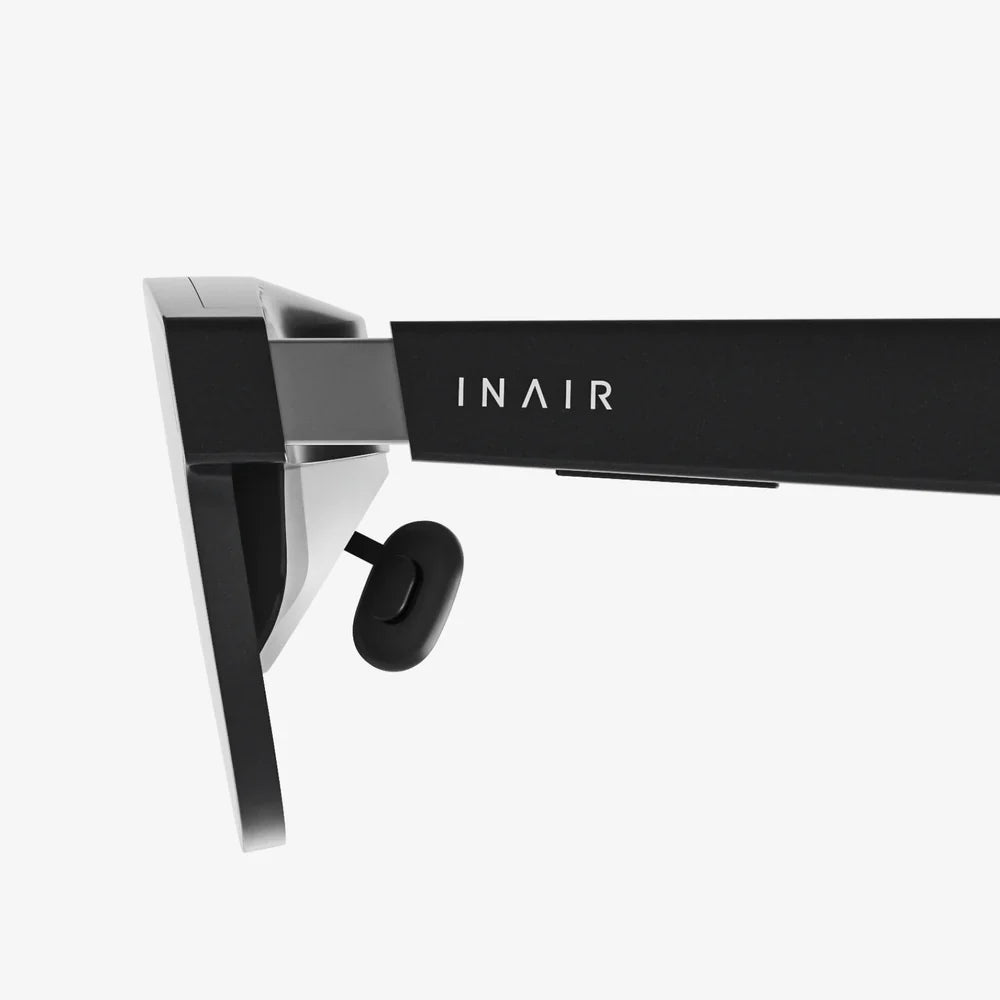
- Smart Glasses and Headsets: These represent the next evolution, offering a more natural, hands-free experience. They typically use "optical see-through" technology, where you look through transparent lenses or waveguides that project digital images onto your field of view. Some higher-end models are standalone computing devices, while others act as a display that tethers to a more powerful computer.
- Specialized AR Headsets: Used primarily in industrial, medical, and enterprise settings, these headsets are designed for maximum functionality, durability, and precision in challenging environments.
2. The Sensors: The Digital Nervous System
A display is useless if it doesn't know what it's looking at. Sensors are the critical components that allow an AR device to perceive and understand its environment.
- Cameras: The primary sensor, used to capture the live video feed of the real world. Advanced systems may use multiple cameras for depth sensing and better spatial understanding.
- Depth Sensors (LiDAR, ToF): These sensors actively project infrared light points into the environment and measure the time it takes for them to return. This creates a precise depth map of the surroundings, allowing digital objects to occlude (be hidden by) and interact with real-world geometry realistically.
- Inertial Measurement Unit (IMU): This is a combination of accelerometers, gyroscopes, and magnetometers. It tracks the device's movement, orientation, and rotation in space with extreme speed, providing the low-latency data needed to keep digital objects locked in place as you move your head.
- GPS and GNSS: Essential for outdoor, large-scale AR experiences, providing macro-level location data to place content in the world.
3. The Processor: The Brain of the Operation
AR is computationally intensive. The processor has the colossal task of fusing all the sensor data in milliseconds, recognizing surfaces and objects, rendering complex 3D graphics, and running the operating system and applications. This requires a significant amount of graphical processing power (GPU) and central processing power (CPU). High-end mobile chipsets are now designed with AR workloads in mind, featuring dedicated cores for AI and sensor processing to handle this workload efficiently and preserve battery life.
Software: The Architect of Illusion
Hardware provides the canvas and brushes, but software is the artist. This ecosystem of programs and platforms is what creates, manages, and delivers the AR experiences.
1. Operating Systems and Platforms
Modern mobile operating systems have built-in AR capabilities. These platforms provide the foundational software that allows apps to access the camera feed, understand the environment, and anchor digital content. They handle the complex computer vision tasks so that app developers can focus on creating the experience itself.
2. Development Engines and Software Development Kits (SDKs)
For those looking to create AR experiences, powerful game engines are the industry standard. These engines provide the tools to build 3D worlds, animate characters, and write logic. They are augmented by AR-specific SDKs from various tech companies. These SDKs plug into the game engines and provide pre-built functions for environmental understanding, plane detection, light estimation, and cloud anchoring (allowing multiple users to share the same AR experience).
3. Content Creation and Management Tools
Beyond the core development, a suite of other software is needed. 3D modeling applications are used to create the assets that will be placed in the world. Content Management Systems (CMS) allow businesses to update and manage AR content without needing to recode the entire application, which is crucial for dynamic applications like retail or training.
Connectivity: The Invisible Thread
While some AR experiences are self-contained, many rely on connectivity to unlock their full potential.
- Cloud Computing: Offloading heavy processing tasks like image recognition, complex rendering, or spatial mapping to powerful cloud servers can save local device battery and enable more sophisticated experiences.
- 5G and Wi-Fi 6: The high bandwidth and ultra-low latency of next-generation wireless technologies are critical for streaming high-fidelity AR content and enabling real-time multi-user interactions without lag, which breaks immersion.
- Edge Computing: For enterprise applications where latency is absolutely unacceptable (e.g., guiding a surgeon), processing can be done on local networks to achieve near-instantaneous response times.
Beyond the Tech: The Human and Environmental Factors
Technology alone is not enough. Successful AR requires thoughtful design and an understanding of its context.
1. User Experience (UX) and Interaction Design
How does a user interact with a floating menu? How do you design intuitive gestures that don't cause "gorilla arm" fatigue? AR UX is a new and critical discipline focused on creating comfortable, intuitive, and accessible experiences in three-dimensional space. Poor design can lead to confusion, motion sickness, and quick abandonment of the technology.
2. Spatial Awareness and Safety
An AR experience must be aware of its user's physical context. It should not encourage someone to walk into traffic or trip over a real-world object that it has ignored. Good AR design considers safety and spatial boundaries, often allowing users to define their play or work area.
3. Content is King
The most advanced hardware and software are meaningless without compelling content. This can be anything from a fun game and an informative educational module to a crucial step-by-step industrial guide. The value of AR is directly tied to the usefulness and engagement of the content it delivers.
What Do You Need? It Depends on Your Role
The specific "kit" you need varies dramatically based on whether you are an end-user, a creator, or an enterprise.
For the Consumer:
- Essential: A modern smartphone with a good camera, IMU, and a supported operating system. This is all you need to enjoy thousands of AR apps, filters, and games.
- Enhanced: A pair of smart glasses for a more immersive, hands-free experience with activities like watching media, following recipes, or receiving navigation prompts.
For the Developer/Creator:
- Essential: A powerful development computer (Windows or macOS), a modern smartphone for testing, and a game engine license.
- Enhanced: A dedicated AR headset for advanced testing, a depth-sensing capable device (like a tablet with LiDAR), 3D modeling software, and subscriptions to relevant cloud AR services.
For the Enterprise:
- Essential: A clear business problem that AR can solve, a dedicated budget, and a partner or internal team with development expertise.
- Enhanced: Ruggedized AR headsets for frontline workers, a custom-developed application, a cloud-based CMS for updating content, and a robust internal Wi-Fi 6 or 5G network to support the data load.
The journey into augmented reality is less about acquiring a single product and more about assembling an ecosystem tailored to your goals. From the sensors that perceive our world to the software that rewrites it and the networks that bind it all together, each component plays a vital role in building a seamless bridge between the physical and the digital. This convergence is quietly revolutionizing how we learn, work, shop, and connect, making the question not what you need for AR, but what you'll achieve with it once you have the keys to this new layer of reality.
Share:
What Does Augmented Reality Replace: A Deep Dive into the Shifting Realities of Our Digital and Physical Worlds
Augmented Reality Fusion: Merging Our Digital and Physical Worlds