


You've just unboxed that sleek new piece of technology, the promise of infinite virtual worlds held within its compact form. The anticipation is electric. But before you can scale mountains, pilot starships, or create art in three dimensions, there's a crucial bridge to cross: the setup. A smooth, well-planned setup isn't just a tedious chore; it's the foundational ritual that transforms a complex gadget into a portal. It’s the difference between a frustrating tangle of cables and calibration screens and a seamless, immersive leap into another reality. Getting it right from the start is the single most important step to unlocking the true potential of your device and ensuring your experiences are defined by wonder, not technical woes.
The Core Hardware: Your Physical Portal
At the heart of your virtual reality experience is the physical equipment. This is more than just the headset itself; it's the ecosystem of components that power it and connect it to your digital world.
The Head-Mounted Display (HMD)
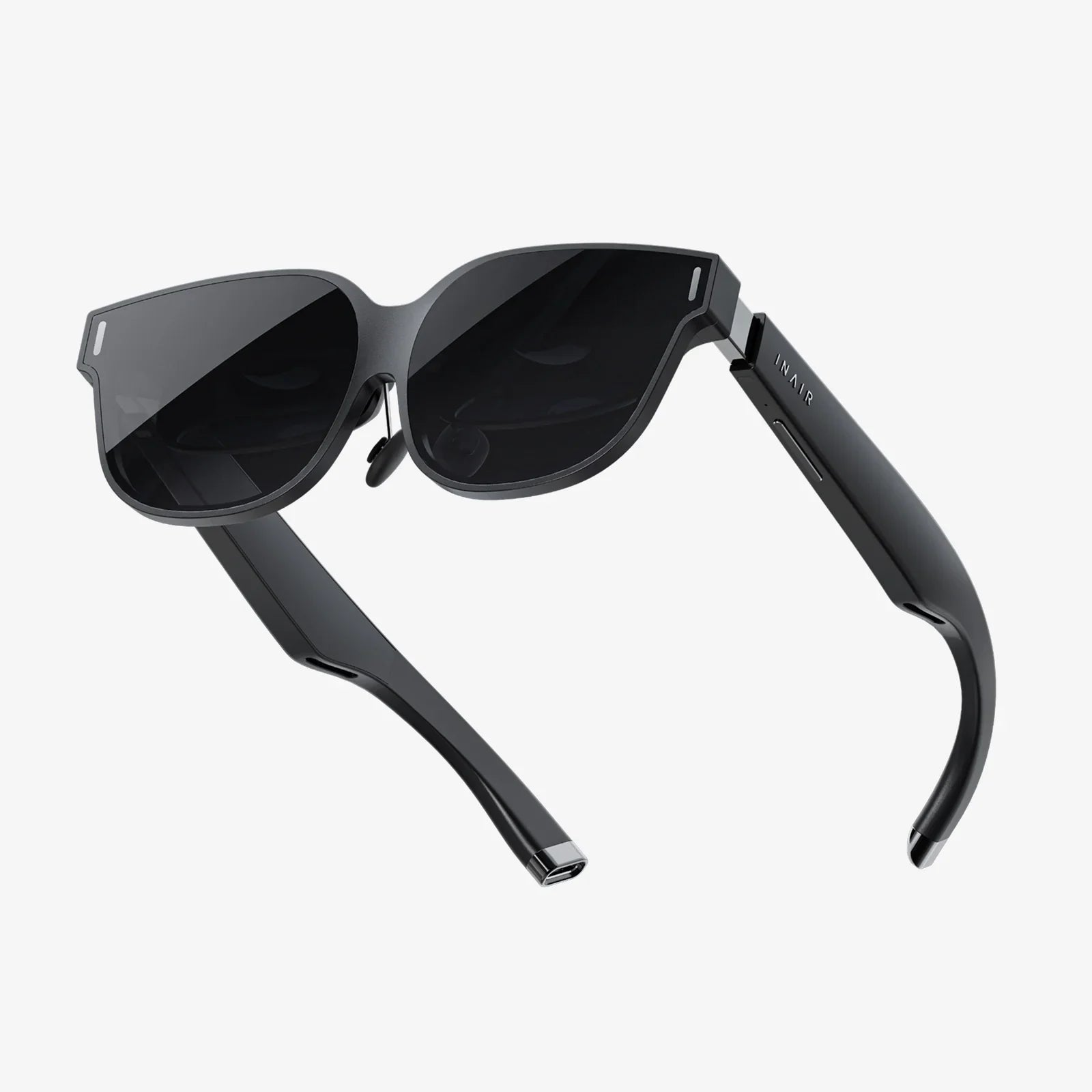
This is, of course, the centerpiece. The visor you wear contains the high-resolution screens that are the windows to your virtual worlds. Out of the box, it will likely have protective films on the lenses—be sure to remove these. Familiarize yourself with its physical components: the adjustable head strap (often a rigid plastic halo or flexible fabric strap), the IPD (Interpupillary Distance) adjustment dials or sliders typically located beneath the visor, and the location of any integrated headphones or microphones. Handle it with care, avoiding touching the lenses directly with your fingers to prevent oils from smudging them.
The Controllers
Your hands in the virtual space. These are often motion-tracked wands or ergonomic devices that fit comfortably in your palms. They are your primary means of interaction, from pulling a virtual trigger to gesturing and pointing. Most modern controllers are powered by standard or rechargeable batteries. Ensure you have the correct type on hand and insert them before starting the setup process. Pairing them with the headset is usually one of the first software steps.
The Computing Powerhouse
This is the brain of the operation. For most high-fidelity VR systems, this means a sufficiently powerful desktop or laptop computer. The requirements are specific and non-negotiable for a smooth, nausea-free experience. Key components include:
- Graphics Processing Unit (GPU): The absolute workhorse of VR. This component renders two high-resolution images (one for each eye) at a very high frame rate (typically 72Hz, 90Hz, or even 120Hz). This is the most common bottleneck for VR readiness. You must check the manufacturer's minimum and recommended specifications for your specific headset model.
- Central Processing Unit (CPU): While the GPU does the heavy visual lifting, the CPU manages the game's logic, physics, and overall system coordination. A modern, multi-core processor is essential.
- RAM: System memory is crucial. 8GB is often the absolute minimum, but 16GB or more is strongly recommended for a comfortable experience, especially with newer, more complex applications.
- Ports: Your computer must have the correct available ports. This is most commonly a high-speed HDMI or DisplayPort connection for the video signal and multiple USB ports (often specific versions like USB 3.0 or USB-C) for data and power. Using the wrong port can lead to a complete failure or a severely degraded experience.
Many platform holders offer a free compatibility checker tool you can download and run on your PC to verify it meets all the necessary benchmarks before you purchase anything.
The Connection Link
This is the literal tether between your headset and your computer. It's a specialized, high-bandwidth cable that carries video, audio, data, and power. Treat this cable with respect; avoid sharp bends, kinks, and tripping hazards. For a wireless setup, you will require a dedicated, high-quality Wi-Fi 6 (802.11ax) router connected via Ethernet to your PC, specifically dedicated to the VR stream for the best performance, in addition to a wireless adapter for the headset itself.
The Software Ecosystem: The Digital Foundation
Hardware is useless without the software to bring it to life. This digital layer is what orchestrates the entire experience.
The Platform Client
You will need to download and install the primary desktop application that acts as your hub for all VR activity. This is where you browse and purchase content, manage your device settings, update firmware, and launch your experiences. Create an account for this platform if you don't already have one.
Device Drivers and Firmware
Once you connect your headset to your computer, the platform software will almost certainly need to install specific drivers. These are small software programs that allow your operating system to communicate properly with the VR hardware. Furthermore, the headset and controllers themselves run on internal software called firmware. Your first setup will involve checking for and installing the latest firmware updates, a critical step for accessing new features and ensuring stability and security.
The Content Library
What good is a portal without destinations? Your platform's store is filled with games, creative applications, social spaces, and 360-degree videos. Many headsets come bundled with a popular title or two, so be sure to redeem any codes included in your box. It's also worth exploring free demos and experiences to start your journey.
The Play Area: Your Physical Reality
VR happens in the intersection of the digital and the physical. Preparing your space is a non-negotiable step for both safety and immersion.
Defining Your Boundaries
All VR systems require you to set up a digital boundary, often called a Guardian system or Chaperone. This is an invisible wall that appears as a grid when you get too close, preventing you from walking into your actual physical walls, furniture, or television. There are two primary types of play areas:
- Stationary/Standing Mode: Ideal for smaller spaces or experiences where you primarily stand in one spot or sit. The system defines a small circle you shouldn't leave.
- Room-Scale Mode: This is the gold standard for immersion. It requires a clear, empty space—the recommended minimum is often 6.5 by 5 feet (2m x 1.5m). You will be prompted to trace the outline of this safe area on the floor with your controller while setting up. This allows you to physically walk around within your virtual environment.
Clearing the Stage
This is the most practical step. Before you even put the headset on for setup, prepare your space:
- Move coffee tables, chairs, and other low-lying obstacles.
- Secure loose rugs that could become a tripping hazard.
- Be aware of ceiling fans, low-hanging light fixtures, or ceiling slopes if you have a tall ceiling.
- Cover or remove mirrors and large reflective surfaces, as they can interfere with the tracking systems of some headsets.
- Consider purchasing a dedicated VR mat—a small, tactile rug—to stand on. This provides a physical reference for the center of your play space without needing to see the real world.
Comfort and Hygiene: Ensuring Long-Term Enjoyment
VR is a physically engaging medium. A few small considerations can drastically improve your comfort and allow for longer, more enjoyable sessions.
Fit and Adjustment
A poorly fitted headset is uncomfortable, can cause light leakage (breaking immersion), and can even lead to headaches. Take the time to adjust the straps properly. The weight should be distributed across your cheeks and the back of your skull, not balanced precariously on the bridge of your nose. The IPD adjustment is critical for visual clarity and eye strain; dial it in until the image looks sharp and singular.
Managing the Cable (For Tethered Setups)
A cable dangling at your feet is a constant reminder of reality and a potential hazard. Use a simple overhead pulley system to suspend the cable from the ceiling, keeping it out of your way and significantly reducing the risk of tangling or tripping. This is one of the cheapest and most effective upgrades you can make.
Hygiene and Care
VR is an active experience, and you will sweat. Consider using removable, machine-washable interface foam replacements or silicone covers. Use a microfiber cloth and lens cleaner solution designed for coated optics to keep the lenses pristine. Never use alcohol or abrasive wipes, as they will destroy the delicate coatings.
The Final Pre-Flight Checklist
Before you take the plunge, run through this list:
- [ ] PC updated and rebooted.
- [ ] Platform software downloaded and installed.
- [ ] Play area cleared of obstacles and hazards.
- [ ] Headset and controller batteries fully charged.
- [ ] Correct PC ports identified and free.
- [ ] Headset lenses cleaned.
- [ ] IPD adjustment set correctly for your eyes.
- [ ] Controllers paired with the system.
- [ ] Guardian/Chaperone boundary configured.
- [ ] A friend or family member nearby for your first time (to share the wonder and ensure your safety).
The moment you finally clear that last item on the checklist is the moment the real magic begins. With every cable managed, every setting optimized, and every virtual boundary firmly in place, the physical world simply melts away. You're no longer a person in a room holding controllers; you are an astronaut, an artist, an explorer. The meticulous preparation fades into the background, leaving only the pure, unadulterated thrill of presence—the undeniable feeling of being somewhere else. This seamless immersion, this effortless leap into the fantastic, is the ultimate reward for your diligence. Your portal is now active; all that remains is to decide where you want to go first.
Share:
Cheap Mobile VR Headset: Your Ultimate Portal to Affordable Virtual Worlds
Best Things to Watch on VR Headset: An Immersive Entertainment Guide