


- by wangfred
What Is a PC VR Headset - Your Portal to Immersive Virtual Worlds
- by wangfred
Imagine stepping through your screen, leaving your physical room behind to stand on the surface of Mars, battle dragons in a fantasy castle, or create 3D masterpieces with your own hands. This is the promise of high-end virtual reality, a promise fulfilled by the powerful technology known as the PC VR headset. It’s more than just a gadget; it's a portal, and understanding it is the first step into a wider universe.
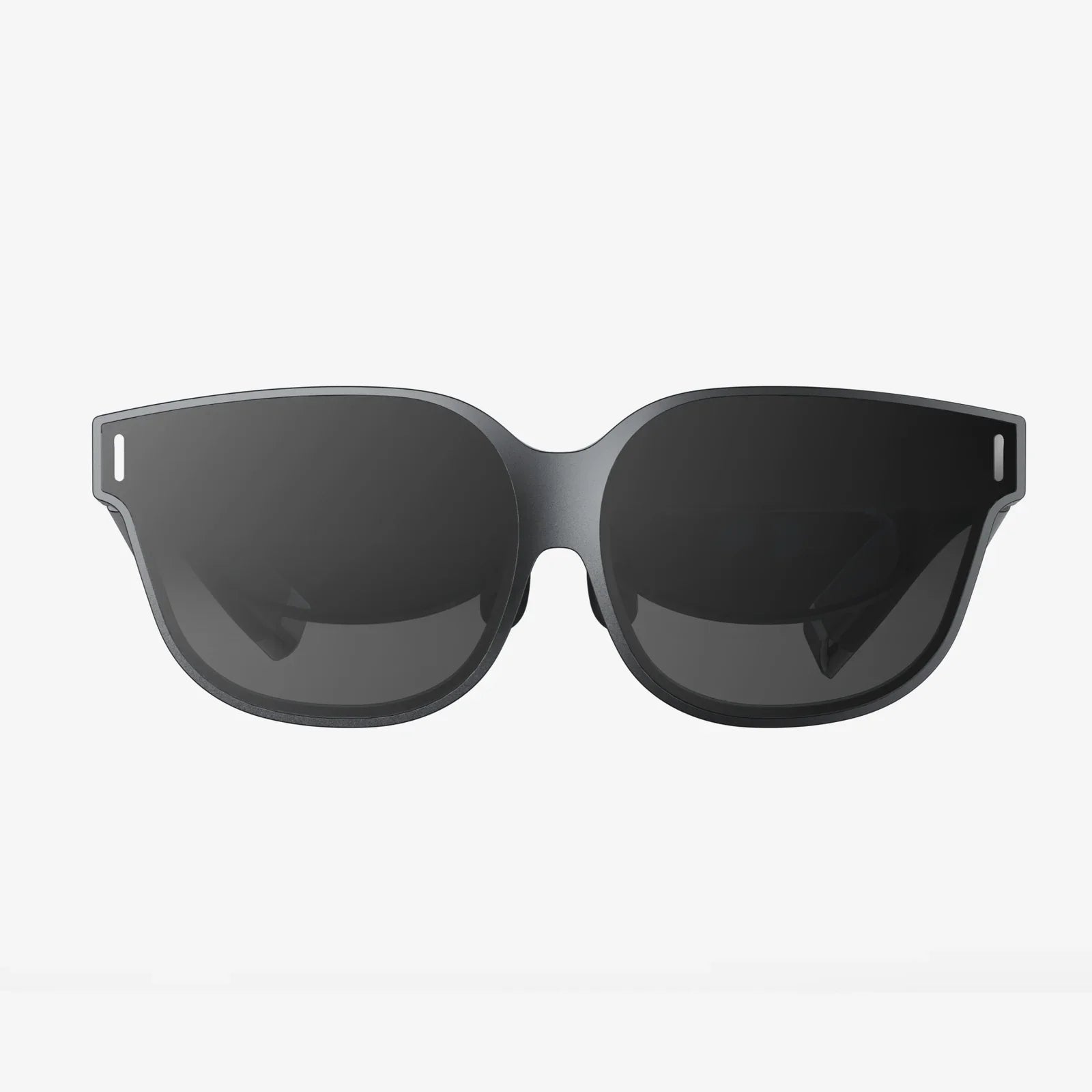
At its simplest, a PC VR headset is a wearable display device that completely encompasses a user's field of vision to create a stereoscopic, three-dimensional visual and auditory experience. Unlike self-contained, all-in-one headsets that have their own internal computer, a PC VR headset is a peripheral. It relies entirely on a connection to a powerful desktop or laptop computer to function. The headset itself is the window, but the computer is the engine that renders the complex, immersive worlds you see and interact with.
This symbiotic relationship is what defines the category. The headset contains the necessary hardware to track your movements and display the imagery, while the computer shoulders the immense computational load required for high-fidelity VR experiences. This division of labor allows PC VR systems to deliver significantly higher graphical detail, richer environments, more complex physics, and more immersive simulations than their standalone counterparts.
A modern PC VR headset is a marvel of miniaturization and engineering, packing a suite of sophisticated technologies into a single wearable form factor.
The heart of any VR headset is its display system. Most modern units use two high-resolution LCD or OLED screens—one for each eye—positioned very close to the user's face. These screens show a slightly different image to each eye, which your brain interprets as a single, coherent 3D image with depth and scale, a phenomenon known as stereoscopy.
Between these screens and your eyes are specialized lenses. These are not simple magnifying glasses; they are precision optical elements designed to focus and reshape the image from the flat panel into a wide, seamless field of view that feels natural to look at. The quality of these lenses is paramount, directly impacting visual clarity, the size of the "sweet spot" (the area of perfect focus), and the presence of visual artifacts like god rays or chromatic aberration.
For VR to feel real, the virtual world must respond to your movements instantly and accurately. This is the job of the tracking system. There are two primary methods used in PC VR headsets:
Immersion is an all-encompassing experience. Many headsets feature integrated spatial audio solutions, often in the form of headphones that sit just off the ear. This technology uses advanced algorithms to simulate how sound waves interact with the shape of your head and ears, making sounds appear to come from specific points in the 3D space around you—behind, above, or far away.
Input is handled through dedicated motion controllers. These are held in each hand and are tracked by the system alongside the headset. They typically feature buttons, triggers, thumbsticks, and haptic feedback motors, allowing you to reach out, grab, throw, shoot, and manipulate the virtual world with your hands.
The headset is the interface, but the computer is the powerhouse. The demands of rendering two high-resolution views at a very high frame rate (typically 90Hz or higher to prevent motion sickness) are immense.
The hardware is useless without software to bring it to life. The primary gateway to PC VR content is through established digital storefronts. These platforms host thousands of experiences, from games and social apps to creative tools and educational software.
To act as the bridge between the hardware and these applications, every PC VR headset requires a software platform or runtime. This software handles critical tasks like communicating tracking data, translating controller inputs, managing the VR environment or "home space," and most importantly, applying a final layer of processing called asynchronous spacewarp. This technology is a safety net; if the game's frame rate dips, it intelligently generates synthetic frames to maintain a smooth visual experience and prevent nausea, making VR accessible to a wider range of computer hardware.
Choosing a PC VR headset is a commitment to the highest tier of virtual reality, but it comes with specific trade-offs.
The PC VR headset is not a mass-market consumer toy—it's an enthusiast-grade technology. Its ideal user is someone who already has or is willing to invest in a high-performance gaming computer. They are typically early adopters, hardcore gamers seeking the most immersive experience possible, simulation enthusiasts (pilots, racers), professional developers, or creators in fields like architecture and design who use VR as a tool for visualization and prototyping. They value visual quality and depth of experience above all else, including convenience and cost.
The trajectory of PC VR is one of refinement and exciting new capabilities. We are already seeing headsets with eye-tracking technology, which enables foveated rendering—a technique that focuses rendering resources only on the spot where the user is looking, dramatically improving performance. Resolution and field of view are continuously increasing, pushing ever closer to the visual clarity of real life. Haptic feedback is evolving beyond simple vibration into vests and gloves that can simulate touch and pressure. Furthermore, the line between standalone and PC VR is blurring, with new headsets offering the ability to function as both a mobile device and a high-end PC peripheral, giving users the ultimate flexibility. The future of PC VR is one of greater immersion, accessibility, and seamless integration into our digital lives.
This is merely the beginning of the conversation. The world of PC VR is deep and constantly evolving, with new hardware and software pushing the boundaries of what's possible every day. The question is no longer just "What is a PC VR headset?" but "What will you experience with it?" Your computer is already a gateway to incredible worlds; all you need is the right key to unlock it.