


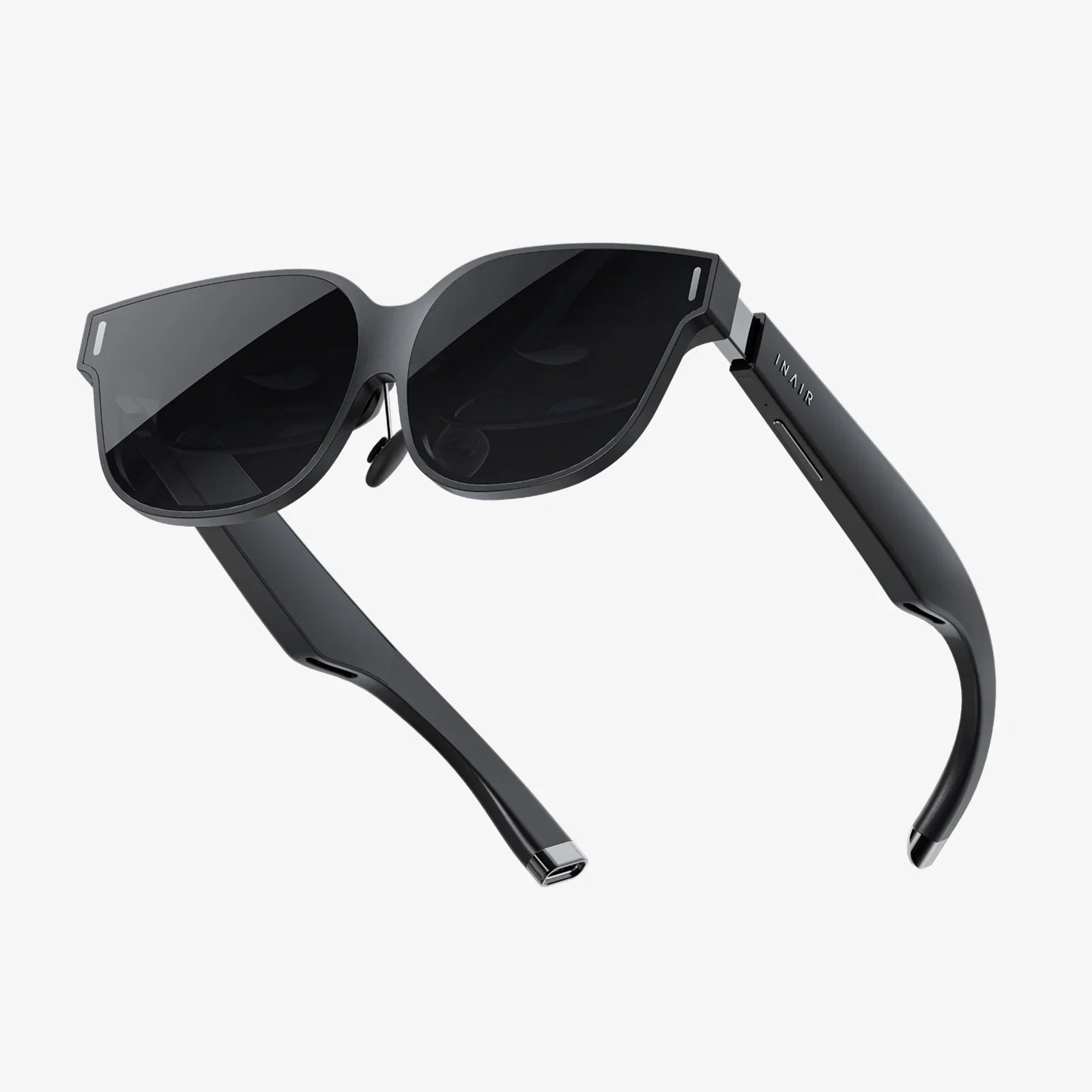
Imagine a world where the digital and the physical are no longer separate realms but a single, intertwined experience. This is the promise of augmented reality, a technology that is rapidly moving from science fiction to everyday life, poised to change how we work, learn, play, and connect. It’s not about escaping our world but enriching it, overlaying a layer of interactive information that transforms our perception of reality itself. The journey to understand this transformative power begins with a fundamental question.
Defining the Digital Enhancement
At its core, Augmented Reality (AR) is an interactive experience that enhances the real world by superimposing computer-generated perceptual information onto it. Unlike Virtual Reality (VR), which creates a completely artificial digital environment for the user to immerse themselves in, AR takes your existing reality and adds to it. The key differentiator is that AR allows you to see the real world, but with digital objects placed within it, as if they were truly there. This blend is achieved through a combination of hardware and sophisticated software, creating a composite view that is both intuitive and magical.
The Core Components of an AR System
For augmented reality to function, it relies on a symphony of components working in perfect harmony. These can be broken down into four essential pillars:
1. Sensors and Cameras
These are the eyes of the AR system. Typically, a camera (like the one on a smartphone or a dedicated headset) continuously captures the live feed of the user's environment. This visual data is the raw material that the system will analyze and augment. Depth sensors, such as LiDAR (Light Detection and Ranging) scanners, further enhance this by precisely measuring the distance between the camera and physical objects. This creates a detailed depth map of the environment, which is crucial for understanding the geometry of the space and for placing digital objects convincingly within it.
2. Processing Power
The captured visual and depth data is meaningless without a brain to interpret it. This is where the processor comes in. The AR device, whether a powerful smartphone or a dedicated wearable computer, needs significant computational power to run complex algorithms in real-time. This processor handles the heavy lifting of Simultaneous Localization and Mapping (SLAM), object recognition, and rendering high-fidelity 3D graphics instantly. The faster and more efficient the processor, the more seamless and responsive the AR experience becomes.
3. Projection and Display
This is the component that actually creates the augmented view for the user. There are several methods of display:
- Handheld Displays: Using the screen of a smartphone or tablet is the most common and accessible form of AR. The device's camera captures the world, and the software overlays graphics directly onto the screen-based video feed.
- Head-Mounted Displays (HMDs) and Smart Glasses: These wearable devices project imagery directly onto transparent lenses or use miniature projectors to beam light into the user's eyes. This allows for a hands-free experience where digital content appears to coexist with the real world without the intermediary of a phone screen.
- Spatial Projectors: A less common but fascinating method involves projecting light directly onto physical surfaces in the real world, effectively "painting" them with digital information without requiring the user to wear or hold anything.
4. Software and Algorithms
This is the secret sauce, the intelligence that orchestrates the entire operation. The software is responsible for several critical tasks:
- Computer Vision: This field of artificial intelligence enables the software to understand what it is seeing. It identifies objects, surfaces, planes (like floors and tables), and features in the environment.
- SLAM (Simultaneous Localization and Mapping): This is arguably the most important algorithm in AR. SLAM allows the device to simultaneously map an unknown environment while tracking its own location within that map in real-time. It answers the questions: "Where am I?" and "What does the world around me look like?" This creates a spatial understanding that is essential for anchoring digital objects to specific physical locations.
- Rendering Engines: Once the environment is understood, powerful 3D rendering engines draw the digital content—be it a 3D model, a piece of text, or an animation—and composite it into the live video feed with correct perspective, lighting, and occlusion (where real objects can hide digital ones).
The Step-by-Step Process: How AR Works in Practice
Now that we understand the components, let's walk through the step-by-step process that occurs from the moment you point your device at a scene to the moment you see a perfectly integrated digital object.
Step 1: Capturing the Environment
The journey begins with the camera. It captures a live video stream of your physical surroundings. This stream is broken down into a continuous sequence of image frames, which are fed into the device's processor for analysis.
Step 2: Processing and Perception (The Magic of SLAM)
Here, the SLAM algorithm springs into action. It analyzes each incoming video frame to identify distinctive feature points—corners, edges, or unique patterns on objects. As the device moves, SLAM tracks how these feature points move between frames. By triangulating their positions from different angles, it can calculate the device's precise position and orientation in 3D space while simultaneously building a rough 3D mesh map of the environment. This map understands where walls, floors, and other surfaces are located.
Step 3: Anchoring and Integration
With a map of the environment and knowledge of its own position, the device now knows where to place digital content. This is called anchoring. You might tap on the screen to place a virtual vase on your real coffee table. The software uses the SLAM map to understand the geometry of the table and anchors the 3D model of the vase to that specific point in the physical world. Advanced AR will also perform environmental understanding, identifying lighting conditions and shadows in the real world to apply similar lighting and shadows to the digital object, making it appear grounded and realistic.
Step 4: Rendering and Display
The final step is rendering. The graphics engine draws the digital object from the precise perspective of the device's camera. It calculates the correct size, orientation, and occlusion. For instance, if you walk around the virtual vase, it is rendered from a different angle. If your real couch is in front of it, the software will ensure the vase is partially hidden behind the couch, respecting the real-world depth. This rendered image is then composited—layer by layer—onto the live camera feed and displayed on the screen or through the lenses, completing the illusion.
Marker-Based vs. Markerless AR: The Triggers of Augmentation
AR experiences are often initiated by specific triggers, which can be broadly categorized into two types.
Marker-Based AR (Recognition-Based)
This was one of the earliest forms of AR. It relies on a predefined visual marker—often a black-and-white QR code or a specific image. The device's camera scans for this unique pattern. Once recognized, the software knows exactly where and how to display the associated digital content relative to the marker's position. It's simple and reliable but requires a pre-prepared trigger in the environment.
Markerless AR (Location-Based and Projection-Based)
This is the more advanced and flexible approach, powered by the SLAM technology described earlier. It doesn't need a special marker. Instead, it uses the natural features of the environment itself.
- Location-Based AR: Uses GPS, digital compass, and accelerometer data from the device to trigger content based on a specific geographic location. Imagine pointing your phone at a mountain range and seeing the names of peaks overlay the view.
- Projection-Based AR: Uses the understood geometry of the world. You can place virtual furniture anywhere in your room simply by selecting a spot on the floor from an app. The AR system uses its spatial map to hold the object firmly in that place.
The Vast and Growing Applications of AR
The true power of AR is revealed in its practical applications, which are expanding into nearly every industry.
Retail and E-Commerce
Try before you buy has been revolutionized. Customers can use their smartphones to see how a new sofa would look in their living room, how a pair of glasses fits their face, or how a shade of paint changes a wall's appearance, drastically reducing purchase uncertainty and returns.
Education and Training
Textbooks become interactive portals. Students can dissect a virtual frog, watch historical battles play out on their desk, or explore the solar system in their classroom. In industrial settings, technicians can receive real-time, hands-free instructions overlaid on the complex machinery they are repairing, improving accuracy and safety.
Healthcare
Surgeons can use AR overlays to visualize anatomy, such as veins or tumors, directly on a patient's body during procedures. Medical students can practice complex operations on virtual patients, and AR can assist in physical therapy by guiding patients through correct movements.
Navigation and Maps
Instead of looking at a 2D map on your phone, AR navigation can project giant arrows onto the live camera feed of the street, showing you exactly which way to walk. It can also identify and label points of interest as you pan your camera across a cityscape.
Maintenance and Repair
Field service engineers can wear AR glasses that display schematics, highlight parts that need attention, and provide step-by-step animated instructions directly in their line of sight, freeing their hands to complete the task.
The Future and Challenges of Augmented Reality
The path forward for AR is incredibly exciting but not without hurdles. The future points towards lighter, more powerful, and more socially acceptable wearable glasses that will eventually replace smartphones as our primary gateway to digital information. The concept of the "spatial web" or "metaverse" envisions a persistent digital layer over the entire world, accessible and interactive by everyone.
However, challenges remain. Hardware needs to become more compact, powerful, and energy-efficient. Prolonged use can lead to visual fatigue, and there are significant concerns around user privacy, data security, and digital litter—what happens when our physical world is cluttered with unwanted digital advertisements and objects? Furthermore, creating a universally understood and shared AR world requires robust and interoperable standards that are still in development.
From a simple concept of overlaying data to a complex technological ballet involving advanced AI and real-time 3D rendering, augmented reality is a testament to human ingenuity. It’s a bridge between our analog past and our digital future, offering a new way to see, interact with, and understand the world around us. This is just the beginning; as the technology matures and becomes woven into the fabric of society, the line between what is real and what is augmented will continue to blur, opening up possibilities we are only starting to imagine. The next time you look around your room, just think of the invisible digital layer waiting to be unlocked, ready to transform your mundane reality into an extraordinary playground of information and experience.
Share:
Augmented Reality Stage: The Dawn of a New Performance Dimension
Are AI Glasses Prescription the Future of Vision and Augmented Reality?