


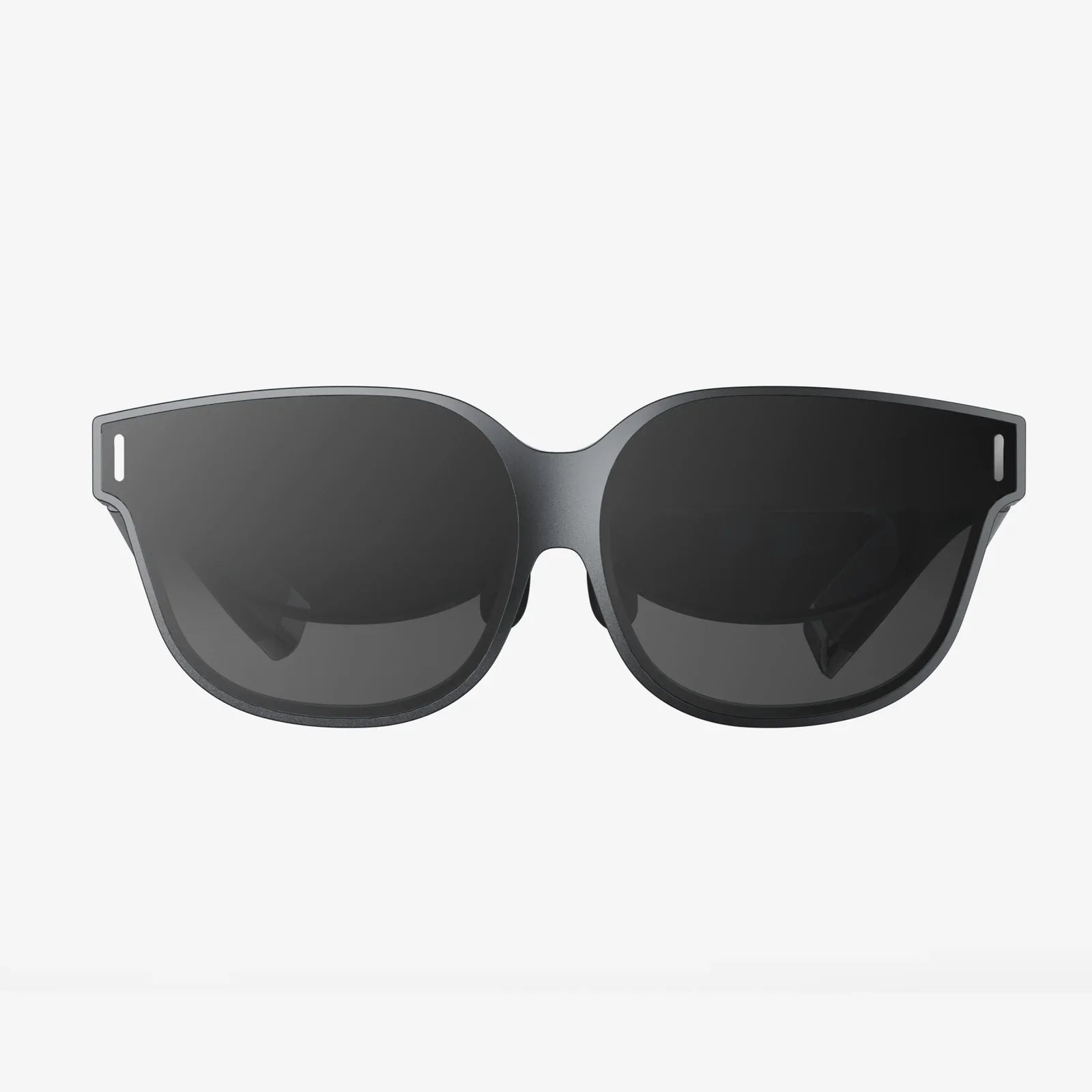
You’ve seen the mesmerizing videos, heard the incredible stories, and felt that pang of curiosity. The digital frontier of virtual reality is calling, promising adventures from the depths of the ocean to the far reaches of outer space, all from your living room. But as you stand at the precipice of this new reality, a seemingly simple question halts your journey: what exactly is the name of the headset for virtual reality? The answer, it turns out, is not a single name but a fascinating spectrum of devices, each a key to unlocking a different dimension of experience. This isn't just about finding a piece of hardware; it's about discovering the right portal for your journey into the immersive future.
Beyond a Single Name: Understanding the VR Headset Lexicon
The quest to name "the" VR headset is a bit like asking for the name of "the" car. The category is vast, encompassing a range of devices with different capabilities, target audiences, and names. The most accurate umbrella term for this hardware is Head-Mounted Display (HMD). This technical term precisely describes the device's function: a display unit worn on the head. However, in consumer markets, they are almost universally known as VR headsets, VR goggles, or simply VR in casual conversation (e.g., "I'm buying a new VR"). The industry itself uses these terms interchangeably, though HMD remains the standard in technical specifications and development circles.
More Than Just a Screen: The Core Components of a VR Headset
To understand the different types of headsets and their names, it's crucial to know what's inside. A VR headset is a sophisticated piece of technology that orchestrates several components to create a convincing illusion.
- Displays and Lenses: Each eye has its own high-resolution display (or a single display split for both eyes). These are viewed through specialized lenses that focus and reshape the image to fill your field of view, creating a wide, immersive picture. The quality of these lenses is paramount to comfort and visual clarity.
- Tracking Systems: This is the magic that makes VR feel real. Inside-Out Tracking uses cameras and sensors on the headset itself to map your room and track its position relative to the environment. Outside-In Tracking relies on external sensors placed in the room to pinpoint the headset's and controllers' locations with extreme precision.
- Audio Systems: Spatial audio is non-negotiable for immersion. Many headsets feature integrated headphones or directional audio built into the headstrap, allowing you to hear sounds from specific directions in the 3D space, like footsteps behind you or a bird chirping to your left.
- Controllers: Your hands in the virtual world. These motion-tracked devices allow you to interact, grab, push, shoot, and manipulate the digital environment with intuitive gestures.
- Computational Power: This is the primary differentiator between headset categories. The processing can be handled by an external source, like a powerful computer or game console, or it can be entirely self-contained within the headset itself.
The Three Tribes: Classifying the Types of VR Headsets
The VR landscape is broadly divided into three distinct categories, each defined by its source of power and processing. This is where the naming conventions become more specific and meaningful.
1. Standalone VR Headsets (All-in-One)
As the name implies, these are fully self-contained units. They have a built-in processor, battery, and Android-based operating system, meaning they require no wires, external sensors, or a connection to a computer. They are the most accessible and user-friendly entry point into VR.
How they work: Everything runs on a mobile-grade chipset inside the headset. Software is downloaded directly onto the device from a dedicated app store.
Pros: Wireless freedom, ease of setup, generally more affordable, portable.
Cons: Processing power is limited compared to tethered systems, leading to less graphically complex experiences.
Common Names You'll Hear: These are often referred to as standalone VR devices or all-in-one VR headsets.
2. Tethered VR Headsets (PCVR and Console VR)
These headsets act as dedicated displays. They are connected via a high-speed cable to a much more powerful external computer (a high-end gaming PC) or a games console. This external source handles all the heavy computational lifting, rendering stunning, high-fidelity visuals.
How they work: The headset is essentially a peripheral for a computer or console. It receives power and data through a single cable, often a versatile connection like USB-C.
Pros: The highest possible visual fidelity, performance, and immersion. Access to the most graphically intensive and complex VR games and simulations.
Cons: High cost (requires expensive PC/console), wired connection can be cumbersome, complex setup.
Common Names You'll Hear: When connected to a PC, they are called PCVR headsets. When designed for a specific console, they are simply known as that console's VR headset.
3. Smartphone-Based VR Headsets (The Legacy Entry Point)
This was the first wave of affordable VR. These headsets are essentially shells with lenses. You slot your smartphone into the headset, and the phone's screen becomes the display, while its sensors handle the tracking.
How they work: The headset itself has no electronics. It relies entirely on the smartphone inserted into it.
Pros: Was very inexpensive, easy to try.
Cons: Very limited performance, poor tracking, low-quality experience, and largely obsolete due to the rise of superior standalone headsets.
Common Names You'll Hear: Often called mobile VR headsets or cardboard-style VR (referring to an early, simple version). This category is no longer a focus for major developers.
Specifications That Define the Experience: What to Look For
When evaluating any VR headset, several key specs will directly impact your experience.
- Resolution and Refresh Rate: Higher resolution means a sharper, clearer image with less "screen door effect" (seeing the lines between pixels). A higher refresh rate (measured in Hz) leads to smoother motion, which is critical for comfort and reducing simulation sickness.
- Field of View (FoV): This is how much of the virtual world you can see at once, measured as an angle. A wider FoV (110+ degrees is good) increases the feeling of immersion, while a narrow FoV can feel like looking through binoculars.
- Tracking Quality: The accuracy and latency of the controller and headset tracking are fundamental. You should never feel like your virtual hands are lagging behind your real ones.
- IPD Adjustment: Interpupillary Distance is the space between your pupils. Physical IPD adjustment allows you to move the lenses to match your specific eyes, drastically improving visual clarity and comfort.
The Software Ecosystem: The World Beyond the Hardware
A headset is just a window; the software is the world you see through it. Each headset platform has its own digital storefront—a walled garden where you purchase and download games, apps, and experiences. The available library is a huge factor in the headset's identity. Some platforms are known for vast game libraries, while others focus more on social experiences, fitness applications, or productivity tools. Your choice of headset will determine which digital universe you have access to.
Not Just for Gaming: The Expanding Universe of VR Applications
While gaming is the most famous use case, the applications for VR technology are exploding across industries.
- Enterprise & Training: Companies use VR for everything from training surgeons in risk-free simulated operations to teaching mechanics to repair complex machinery and practicing public speaking in front of a virtual audience.
- Social Connection: Social VR platforms allow people to meet, talk, play games, and attend events as expressive avatars, creating a powerful sense of shared presence that video calls cannot match.
- Design and Architecture: Architects and designers create immersive walkthroughs of buildings before a single brick is laid. Artists sculpt in 3D space with intuitive tools.
- Fitness: A massive growth area. VR fitness apps turn workouts into engaging games, from rhythm-based boxing to immersive cycling tours around the world.
Choosing Your Reality: How to Find the Right Headset for You
So, with all these options, how do you decide? It boils down to a few key questions:
- What is your budget? Consider the total cost: the headset itself and, if required, the cost of a compatible gaming PC.
- What is your primary use? Are you a hardcore gamer seeking the best graphics? A fitness enthusiast? Someone who wants to socialize? Or a professional needing specific enterprise tools?
- Do you value convenience or performance? The trade-off between the wireless freedom of a standalone headset and the raw power of a tethered PCVR system is the central dilemma for many users.
- What existing hardware do you own? If you already own a powerful gaming PC or a specific games console, your choice may be streamlined.
The journey into virtual reality begins not with a single product name, but with an understanding of the technology itself. It's a world of immersive headsets, from the accessible all-in-one devices to the powerhouse tethered systems, each serving as a gateway to play, create, work, and connect in ways we are only beginning to imagine. The perfect headset is the one that aligns with your dreams of a digital life, ready to transform your empty space into an infinite playground of possibilities.
Share:
Can I Convert a 2D Drawing to a 3D Model? A Complete Guide to Modern Techniques
Transparency Meaning in AI: Why Seeing Inside the Black Box is Non-Negotiable