


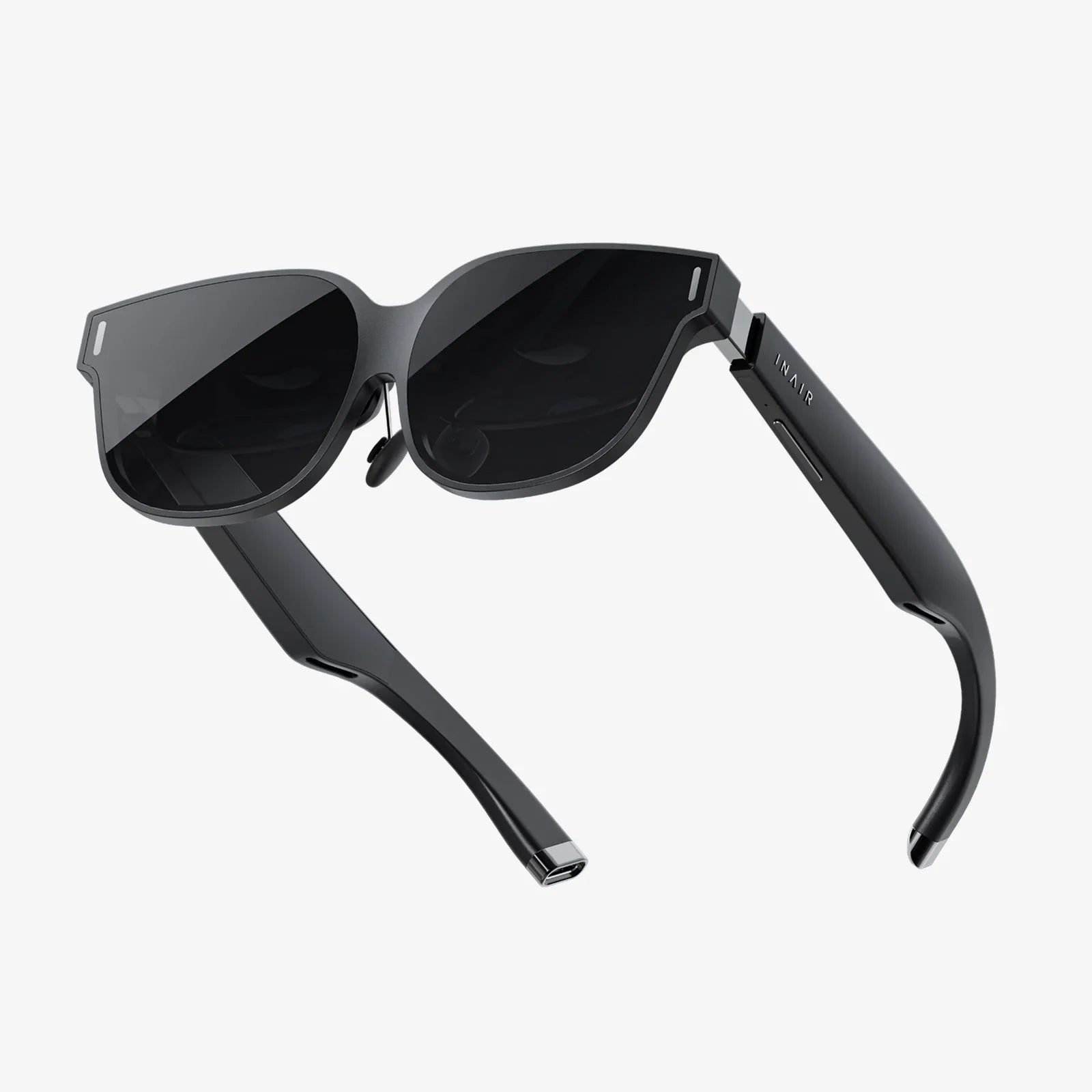
Stepping into the immersive world of virtual reality is an exhilarating prospect, but the sheer number of headsets on the market can make the choice feel overwhelming. You're not just buying a screen; you're investing in a portal to new realities, and the quality of that portal will define your entire experience. A poor choice can lead to discomfort, frustration, and a piece of hardware that gathers dust. A quality headset, however, can transport you to breathtaking digital landscapes, connect you with others in profound ways, and redefine your understanding of entertainment and productivity. This guide is designed to demystify the process and arm you with the knowledge to identify the perfect high-quality VR headset for your needs, ensuring your journey into VR is nothing short of spectacular.
The Foundation: Understanding the Core Specifications
Before delving into comfort and ecosystem, it's crucial to grasp the technical bedrock of any VR headset. These specifications are the raw numbers that determine the baseline of your visual and interactive fidelity.
Display Resolution and Pixel Density
Arguably the most advertised spec, resolution is vital, but it's not the whole story. You'll see terms like "per-eye resolution" (e.g., 1832 x 1920) and "combined resolution". Higher numbers are generally better, as they reduce the "screen door effect"—that visible grid of lines between pixels that can shatter immersion. However, pixel density (pixels per inch or PPI) is even more critical. A headset with a slightly lower resolution but superior lenses and higher PPI can often look sharper than one with a higher resolution spread across a larger panel. For a quality experience, look for a minimum combined resolution of at least 3K, with 4K and above becoming the new standard for high-end devices.
Refresh Rate: The Key to Smoothness and Comfort
Measured in Hertz (Hz), the refresh rate is how many times the image on the display updates per second. A higher refresh rate translates to smoother motion, which is paramount for both immersion and comfort. Low refresh rates (below 90Hz) can cause judder and, for many users, contribute to VR-induced motion sickness. A quality headset will offer a 90Hz refresh rate as a baseline, with 120Hz and even 144Hz now available on premium models. This smoother experience is less taxing on the brain and allows for longer, more comfortable play or work sessions.
Field of View (FoV)
Field of View is the extent of the observable world you can see at any given moment, measured diagonally in degrees. Human binocular FoV is roughly 210-220 degrees. Most consumer headsets range from 90 to 120 degrees. A wider FoV significantly enhances the feeling of presence and immersion, making you feel like you're truly "inside" the virtual world rather than looking through a pair of binoculars. While a very wide FoV often comes at a premium price, a quality headset should not feel overly restrictive; aim for at least 100 degrees as a good standard.
The Engine Room: Processing and Tracking
How the headset handles data and understands your position in space is what transforms it from a simple display into an interactive portal.
Inside-Out vs. External Sensor Tracking
This is a major differentiator in headset design. External sensor tracking (or outside-in) uses base stations or sensors placed around your room to precisely track the position of the headset and controllers. This method is renowned for its ultra-high accuracy and low latency, making it the gold standard for professional applications and hardcore gaming. The downside is the setup process and being tethered to a specific play space.
Inside-Out tracking uses cameras and sensors embedded on the headset itself to map your environment and track your movements. This method offers fantastic convenience and portability—you can use the headset in any room without pre-setting up sensors. The technology has advanced tremendously and now offers excellent accuracy for the vast majority of consumers. For a quality, user-friendly experience, inside-out tracking is often the preferred choice, though enthusiasts may still prefer the pinpoint accuracy of external sensors.
Platform and Processing Power
Headsets primarily fall into two categories: standalone and tethered (PCVR).
- Standalone Headsets: These are all-in-one units with a mobile processor, battery, and operating system built directly into the headset. They offer complete wireless freedom and ease of use—just put it on and play. The trade-off is that their graphical processing power is limited compared to a high-end gaming PC. The quality of a standalone device is determined by the power of its internal chipset and its software optimization.
- Tethered Headsets: These units connect to a powerful external computer (usually a gaming PC) to handle the intense graphical processing. This connection can be via a cable (DisplayPort/HDMI and USB) or wirelessly via a dedicated streaming protocol. Tethered headsets deliver the absolute highest fidelity visuals, complex physics, and vast, detailed worlds. The quality here is dependent on your PC's capabilities, but the headset itself must support high bandwidth and low-latency communication.
A growing number of quality headsets now offer a hybrid functionality, acting as a standalone device but also having the ability to connect to a PC for the best of both worlds.
The Human Factor: Comfort and Ergonomics
You could own the most technically advanced headset in the world, but if it's unbearable to wear, it's useless. Comfort is not a luxury; it's a core component of quality.
Headstrap Design and Weight Distribution
A cheap, elastic strap will create painful pressure points on your face and cheeks. A quality headset will feature a rigid, ergonomic strap system—often with a rear counterweight—that distributes the device's weight evenly across your head. Look for reinforced straps made from durable materials, easily adjustable dials or knobs for a secure fit, and the ability to swap out the strap for third-party options. The goal is a "set and forget" fit that doesn't require constant readjustment.
Facial Interface and Materials
The part that touches your face (the facial interface or foam padding) is critical. It must be soft, breathable, and hygienic. Low-quality foam can absorb sweat and become unsanitary. High-quality headsets often use materials like PU leather or silicone, which are easier to clean and more durable. Many premium models offer replaceable interfaces and allow for custom prescription lens inserts, a must-have feature for glasses wearers seeking optimal comfort and clarity.
IPD Adjustment
Interpupillary Distance (IPD) is the distance between the centers of your pupils. If a headset's lenses aren't aligned with your IPD, the world will look blurry and can cause eye strain and headaches. There are three types of adjustment:
- Software IPD Adjustment: The lenses are fixed, and software digitally shifts the image. This is a cost-saving measure and is less effective.
- Continuous Mechanical IPD Adjustment: A physical slider or dial that moves the lenses themselves to match your exact measurement. This is a hallmark of a quality headset, providing the clearest possible image and greatest comfort.
- Discrete Mechanical Adjustment: The lenses can be moved between a few set positions (e.g., 58mm, 63mm, 68mm). Better than software, but not as precise as continuous adjustment.
Interaction and Immersion: Controllers and Audio
How you interact with and hear the virtual world is just as important as how you see it.
Controller Design and Haptics
Gone are the days of simple wand controllers. Quality modern VR systems use ergonomic controllers designed to map to your hand's natural shape, often with a "ring" for tracking. Look for controllers that feel natural to hold, with accessible buttons, analog sticks, and triggers. Advanced haptic feedback is a key differentiator. Instead of a simple buzz, quality controllers can simulate everything from the gentle patter of rain on your hand to the recoil of a virtual weapon, deeply enhancing immersion.
Integrated Spatial Audio
Sound is half the experience. Built-in headphones or audio solutions that offer 3D spatial audio are essential. This technology allows sounds to come from specific directions and distances in the 3D space—you'll hear an enemy creeping up behind you or a spaceship whizzing overhead. Quality headsets often have built-off-ear or on-ear speakers that direct sound into your ears without isolating you from your real-world environment, which can be safer and more comfortable for long sessions. A standard 3.5mm audio jack for your own headphones is also a basic requirement.
The Intangibles: Software, Ecosystem, and Future-Proofing
Finally, the hardware is useless without a robust software environment to support it.
Content Library and Exclusives
Investigate the platform's store. Does it have a wide variety of games, experiences, and productivity apps? Are there critically acclaimed exclusives that you're eager to play? A quality headset is backed by a strong and growing ecosystem of developers creating content specifically for it. A barren storefront is a major red flag.
User Interface and Social Features
The operating system should be intuitive, responsive, and easy to navigate while you're in VR. Can you easily invite friends to join you? Is there a robust system for streaming your gameplay or taking screenshots and videos? These social and sharing features are what transform a solitary experience into a connected one and are a sign of a mature platform.
Build Quality and Support
Examine the materials. Does it feel plasticky and cheap, or solid and well-built? Read reviews about the manufacturer's customer support. A quality product is backed by a company that stands behind it with responsive service and clear warranty policies. Furthermore, consider the company's roadmap. Are they consistently updating the headset's software with new features? Investing in a headset from a company committed to innovation means your device will get better over time.
Your perfect VR gateway awaits, but its discovery hinges on a careful balance of these critical factors. It's about aligning raw pixel power with ergonomic design, pairing precise tracking with a rich content library, and choosing a platform that feels intuitive today while promising exciting innovation tomorrow. Forget the hype and focus on the specs and features that truly matter for immersion and comfort. By prioritizing these elements, you won't just buy a headset; you'll unlock a new dimension of play, connection, and creation, ensuring your first step into virtual reality is a confident and breathtaking leap.
Share:
How to Use Smart Goggles: A Comprehensive Guide to Unlocking Their Full Potential
Turn Phone into VR Headset for PC: The Ultimate Guide to High-Immersion, Low-Cost Virtual Reality