


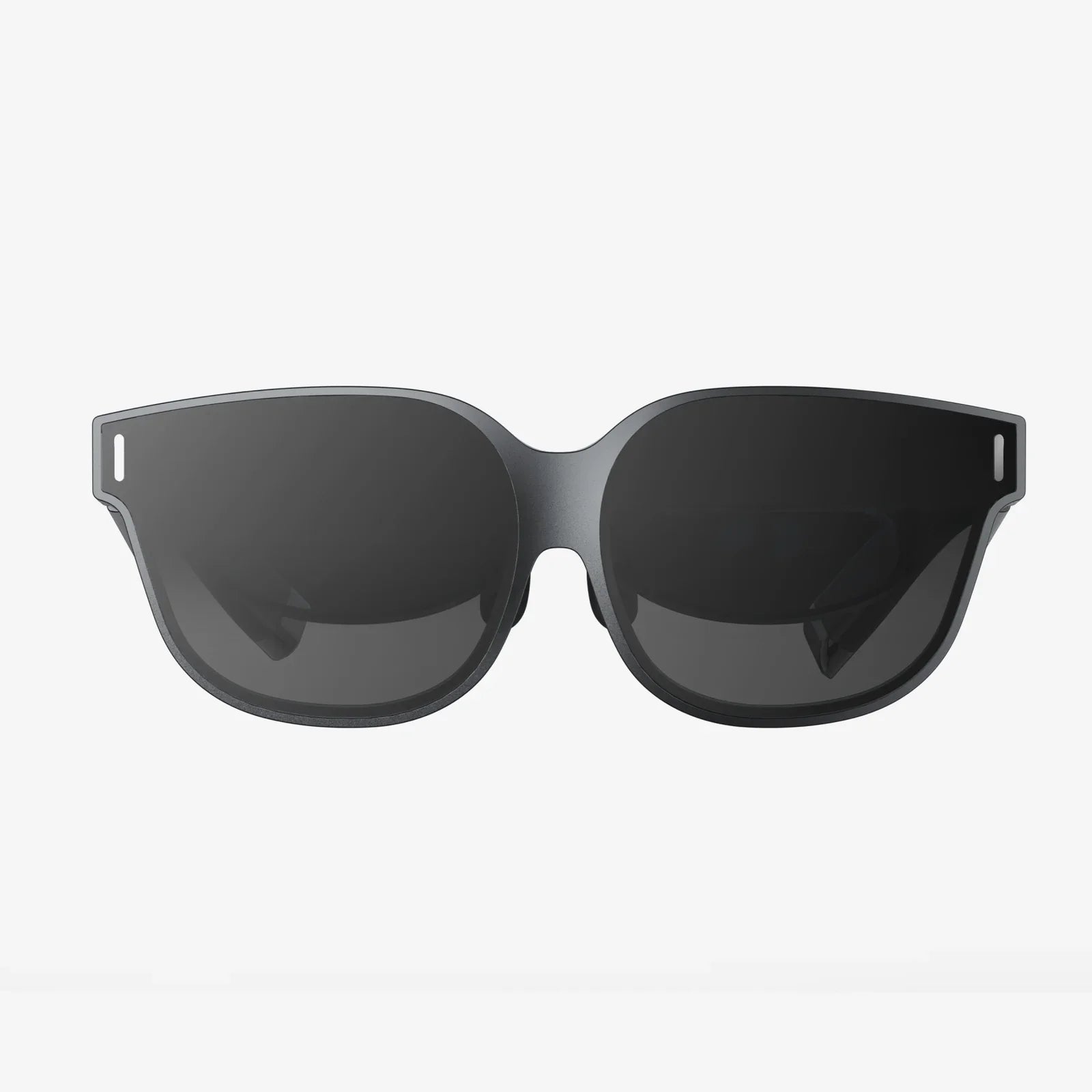
Imagine your office, not confined to a desk, a room, or even a building, but floating in the air before you, accessible from a sun-drenched beach, a quiet park bench, or the comfort of your living room. This is no longer the stuff of science fiction. The convergence of advanced optics, powerful mobile processors, and sophisticated software has birthed a new era of personal computing, one where the digital and physical worlds seamlessly intertwine. At the heart of this revolution are AR glasses for virtual desktop, a technology poised to untether us from our monitors and redefine our very relationship with work, creativity, and entertainment. This is the promise of a truly portable, infinitely scalable workspace, and it’s arriving faster than you think.
Beyond the Screen: Understanding the AR Virtual Desktop
At its core, the concept is deceptively simple: using augmented reality glasses to project the familiar interface of your computer’s operating system—your virtual desktop—into your field of view. But to dismiss it as merely a floating monitor is to miss the profound shift it represents. This is spatial computing in action.
Unlike Virtual Reality (VR), which completely immerses you in a digital environment, Augmented Reality (AR) overlays digital information onto your real-world surroundings. AR glasses for a virtual desktop leverage this capability. They allow you to see your emails, spreadsheets, coding IDE, or design software suspended in the space around you, while still being able to see your physical keyboard, your coffee cup, and the person sitting across from you.
The primary method for achieving this is through a software connection that streams the display output from your host computer—be it a powerful desktop machine, a laptop, or even a cloud computing instance—directly to the glasses. This means the glasses themselves don’t need to house the immense processing power required to run demanding applications; they act as a high-resolution, personal viewing portal. This client-host relationship is crucial, enabling a lightweight, comfortable form factor while providing access to immense computational power.
The Anatomy of a Liberated Workspace: Key Components
To understand the value proposition, one must look at the technology that makes it possible. Several critical components work in concert to create a compelling virtual desktop experience.
Optical Engine and Display Technology
This is the heart of the visual experience. Most current-generation AR glasses use either Birdbath optics or Waveguide technology. Birdbath designs use a combination of mirrors and a semi-transparent lens to project images from micro-OLED displays into the user’s eyes, often offering vibrant colors and high contrast. Waveguides, on the other hand, use microscopic gratings to "bend" light from a projector into the eye, allowing for a much slimmer and more glasses-like form factor. The holy grail is a combination of a wide field of view (FoV), high resolution, and high brightness to ensure digital windows are sharp, large, and visible even in well-lit environments.
Spatial Tracking and Persistence
For a virtual desktop to be usable, the digital screens must stay locked in place in your physical space. If you turn your head, the screens should remain static, just like a physical monitor on your wall would. This is achieved through inside-out tracking, using a combination of cameras and inertial measurement units (IMUs) to constantly map the environment and understand the glasses’ position and orientation within it. This persistent placement is what makes the experience feel magical and stable, preventing simulator-like sickness and enabling true utility.
Intuitive Input Methods
How do you interact with a screen that isn’t physically there? The solution is multi-faceted. The most common method remains a traditional Bluetooth mouse and keyboard, which feel natural as your hands are visible through the glasses. However, more advanced systems are incorporating hand-tracking, allowing you to point, select, and drag windows with gestures. Voice commands offer another hands-free avenue for executing commands or dictating text, creating a blended input paradigm that adapts to the task at hand.
Audio
A fully immersive workspace requires sound. Spatial audio, delivered through built-in directional speakers or personal audio inserts, is integral to the experience. It allows for immersive media consumption and clear audio calls without isolating you from your environment, a key safety and social advantage over closed-back headphones.
A World of Benefits: Why Make the Switch?
The advantages of adopting an AR glasses virtual desktop setup extend far beyond simple novelty. They address fundamental pain points of modern computing and unlock new potentials.
Unparalleled Portability and Workspace Freedom
This is the most obvious benefit. Your entire digital workspace condenses into a pair of glasses and a lightweight computing device. For digital nomads, frequent travelers, or anyone who values flexibility, this is a game-changer. You can set up a productive multi-monitor station anywhere with a flat surface for your keyboard—a café, a library, a hotel room, or a coworking space. It eliminates the compromise between portability and screen real estate.
Massive, Scalable Screen Real Estate
Physical monitors are bound by cost, desk space, and physics. In AR, these constraints vanish. You can summon multiple massive, high-resolution virtual screens, arranging them ergonomically around you. You can have a primary coding window straight ahead, reference documentation off to the left, a communication app to the right, and a video player above—all without ever turning your head. This dramatically enhances multitasking capabilities and context switching for developers, designers, data analysts, and content creators.
Enhanced Focus and Deep Work
By placing your work in a controlled virtual layer, AR glasses can help minimize distractions from your physical environment. You can fade out the background noise and visual clutter, creating a personalized "focus mode" that envelops you in your tasks. This curated immersion can significantly boost productivity and facilitate the state of "flow," a prized commodity in our distraction-filled world.
The Ergonomic Revolution
Traditional computing postures—hunching over a laptop or craning your neck at a fixed monitor—are a primary source of chronic pain. A virtual desktop allows you to position your digital screens perfectly within your natural line of sight, whether you’re sitting upright, reclining in a chair, or even lying down. This promotes a neutral spine and reduces strain, potentially alleviating neck and back pain associated with long computing sessions.
Navigating the Current Landscape: Challenges and Considerations
While the future is bright, the technology is still maturing. Prospective users should be aware of the current limitations.
The Battery Life Conundrum
High-resolution displays, spatial tracking, and wireless data streaming are power-intensive tasks. Most standalone AR glasses rely on an external battery pack, often housed in a pocket, with runtimes typically between 2-4 hours for intensive use. For all-day productivity, this necessitates planning around charging cycles or being tethered to a power outlet, which somewhat diminishes the promise of true freedom.
Visual Fidelity and Comfort
While display technology has advanced leaps and bounds, issues remain. Text clarity, often referred to as legibility, can sometimes suffer from slight blurriness or chromatic aberration at the edges of the display, especially on earlier models. Furthermore, wearing a head-worn device for 8+ hours a day presents a comfort challenge. Weight distribution, heat generation, and pressure on the nose and temples are areas where manufacturers are continuously iterating and improving.
Software Ecosystem and Compatibility
The experience is heavily dependent on the quality and stability of the streaming software. Latency—the delay between a mouse movement and the on-screen response—must be imperceptibly low to avoid frustration. Furthermore, while basic desktop functions work well, some specialized applications with unique rendering techniques or color accuracy requirements (e.g., professional video editing or color grading) may not yet be perfectly suited for a streamed AR environment.
The Social Hurdle
Walking into a public space wearing high-tech glasses and interacting with invisible screens is still a conspicuous act. While less isolating than a full VR headset, it can draw attention and create social barriers. The technology needs to become smaller, lighter, and more socially acceptable before it sees mass adoption in shared environments.
Gazing into the Crystal Ball: The Future of AR Workspaces
The current iteration of AR glasses for virtual desktop is just the beginning. The trajectory points toward a future where this technology becomes as ubiquitous as the smartphone.
We are moving towards all-in-one devices with onboard AI processors that will handle more tasks locally, reducing latency and dependence on a host device. Improvements in photorealistic passthrough will eventually allow for devices that can seamlessly blend real and virtual, making digital objects indistinguishable from physical ones. The integration of powerful AI assistants, visualized and contextual within your workspace, will revolutionize how we create and manage information. Imagine an AI colleague that can pull data, create visualizations, and present them on a virtual screen next to your document, all through natural language commands.
This evolution will culminate in the gradual dissolution of the dedicated physical computer. Your glasses will become your primary computer, your phone, your entertainment center, and your gateway to a pervasive digital layer overlaying reality—the spatial web. The virtual desktop will cease to be a simulation of a physical one and will transform into something entirely new: a dynamic, intelligent, and context-aware environment that empowers us to work and live in ways we are only beginning to imagine.
The shackles of the physical monitor are beginning to break. With every iteration, AR glasses are becoming more powerful, more comfortable, and more intuitive, quietly building the infrastructure for a world where our digital lives are not something we look down at, but something we live within. The question is no longer if this future will arrive, but how quickly you will be ready to step into your new, boundless office and experience the ultimate productivity upgrade for yourself.
Share:
Machine Learning and Augmented Reality: The Symbiotic Technologies Reshaping Our World
AI Smart Glasses Social Features Are Redefining Human Connection