


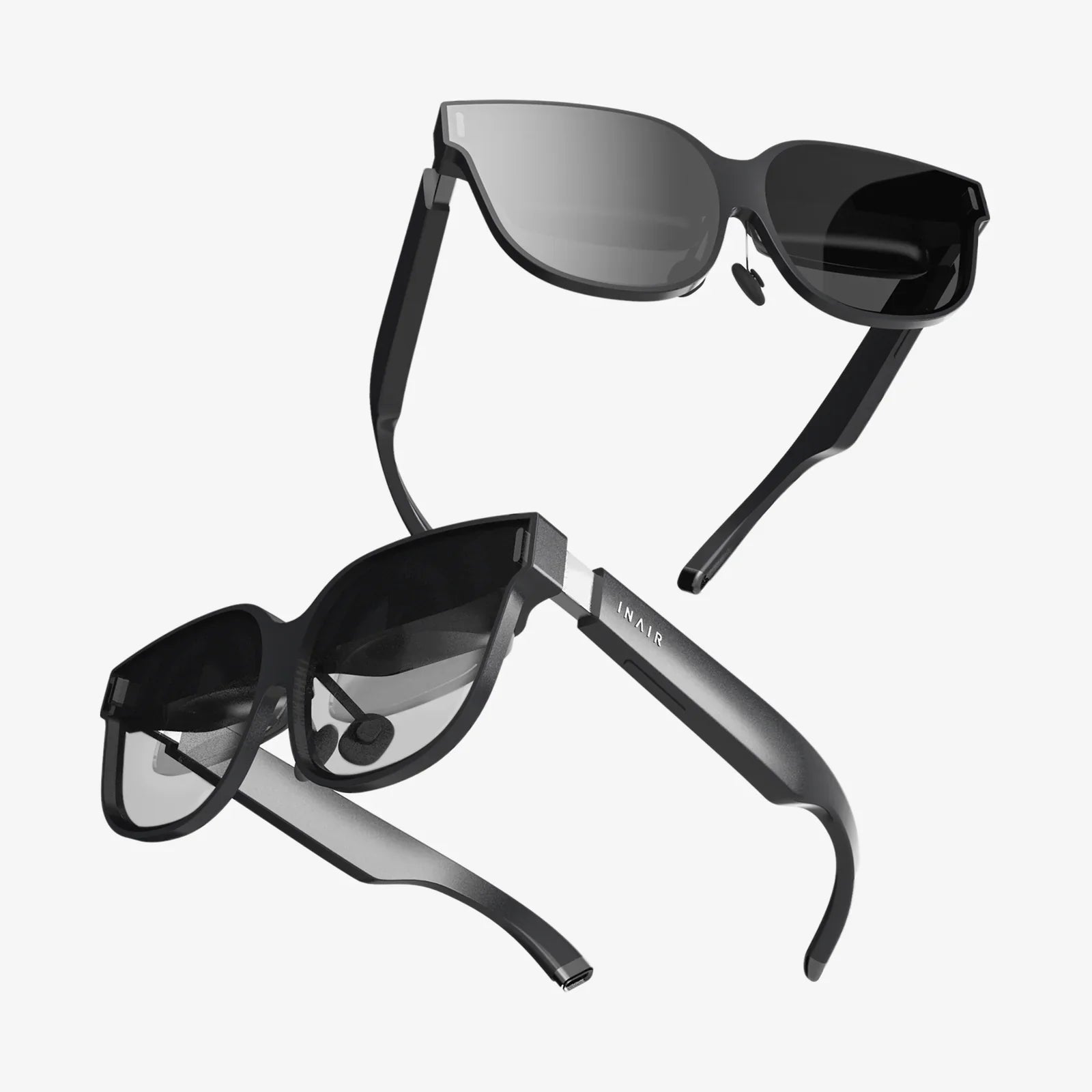
Imagine a world where digital information seamlessly overlays your physical reality, where instructions float before your eyes as you repair an engine, where historical figures narrate the ruins you stand before, and where your morning run is transformed into an interactive game with virtual obstacles. This is the promise of augmented reality (AR) glasses, a technology poised to redefine our interaction with the digital realm. But before this future can be built, it must first be visualized, tested, and perfected. This is where the unassuming yet profoundly powerful tool of the AR glasses mockup comes into play, acting as the indispensable blueprint for the next computing revolution.
Beyond a Simple Image: Deconstructing the AR Glasses Mockup
At first glance, an AR glasses mockup might appear to be merely a photorealistic image of eyewear placed onto a stock photo. However, this perception drastically undersells its complexity and purpose. A true, high-fidelity AR glasses mockup is a multi-layered digital prototype that serves several critical functions far beyond simple aesthetics.
Fundamentally, an AR glasses mockup is a visual representation used to simulate the final product's design, functionality, and user experience. It allows designers, developers, and stakeholders to see and interact with a concept before a single physical component is manufactured. These mockups range from static 2D composites to fully interactive 3D models that can be manipulated in real-time, viewed from different angles, and even experienced in simulated environments.
The Core Components of a High-Fidelity Mockup
- The Hardware Shell: This is the physical representation of the glasses themselves. A sophisticated mockup will accurately depict the form factor, materials (matte plastic, polished metal, transparent polymers), weight distribution, and ergonomics. It answers questions about how the device will look and feel on a user's face.
- The Digital Interface (The Magic Layer): This is the heart of the mockup. It involves overlaying the proposed UI/UX onto the user's field of view. This includes the placement of holographic menus, informational text, interactive buttons, 3D models, and navigation prompts. The mockup must convincingly integrate these digital elements with the real-world background.
- Context and Environment: An AR experience does not exist in a vacuum. A powerful mockup places the glasses in a realistic context—a busy city street, a sterile operating room, a noisy factory floor, or a living room. This context is crucial for evaluating visibility, contrast, and overall usability under different lighting conditions and visual complexities.
- The User Perspective: The most effective mockups are created from the first-person point of view (POV). This perspective is essential for truly understanding the user experience, assessing what information is within the immediate line of sight, what requires glancing away, and how the digital overlays interact with the physical world.
The Multifaceted Role of Mockups in the AR Lifecycle
The application of AR glasses mockups extends across the entire product development lifecycle, proving invaluable to nearly every team involved in bringing the technology to market.
1. For Designers: The Canvas for Innovation
For UI/UX designers, the mockup is a primary canvas. It is the tool that allows them to translate abstract ideas into tangible visual experiences. They use mockups to:
- Establish Design Language: Experiment with typography, color schemes, iconography, and animation styles that are legible and effective when superimposed on the real world.
- Test Information Hierarchy: Determine what information is most critical and how to present it without causing cognitive overload or obscuring the user's view of important real-world objects.
- Prototype Interactions: Create flow diagrams and interactive prototypes to test user journeys. How does a user select an item? How do they scroll through a menu using gaze or gesture? Mockups make these interactions feel real before any code is written.
2. For Developers: The Blueprint for Construction
While developers ultimately work with code and game engines, mockups provide the crucial visual blueprint that guides their work. They serve as a single source of truth for:
- Spatial Understanding: Developers can understand exactly where UI elements should be anchored in 3D space, whether they are world-locked (fixed to a location) or head-locked (fixed to the view).
- Technical Feasibility: A detailed mockup can spark technical discussions about rendering capabilities, field of view limitations, and tracking accuracy. It helps identify potential engineering challenges early in the process.
- Asset Creation and Alignment: Designers can hand off mockups with precise specifications, ensuring that the assets developers integrate into the application match the intended vision perfectly.
3. For Marketers and Stakeholders: Selling the Vision
Perhaps the most visible use of AR glasses mockups is in marketing and fundraising. It is incredibly difficult to describe an immersive AR experience with words alone. A compelling, high-quality mockup is worth a thousand lines of code when it comes to:
- Generating Excitement: Creating promotional videos, website banners, and social media content that showcases the product's potential in a thrilling and easily digestible format.
- Securing Funding: Providing investors and executives with a clear, concrete vision of the final product, making the technology feel immediate and real, thereby building confidence and securing crucial buy-in.
- Gauging Market Reaction: Using mockups in focus groups or A/B testing campaigns to gather feedback on design preferences and feature desirability before committing to expensive production runs.
Crafting the Perfect Mockup: A Guide to Best Practices
Creating an effective AR glasses mockup is both an art and a science. Adhering to a set of best practices can mean the difference between a convincing prototype and a generic composite image.
Embrace Realism and Context
The background environment is not just a backdrop; it is an active component of the design. Avoid sterile, empty scenes. Use realistic environments with varying lighting, textures, and occlusions. Show how the interface adapts to a bright sunny day versus a dimly lit room. Demonstrate how a virtual object convincingly hides behind a real-world desk. This level of detail builds credibility.
Prioritize the First-Person Perspective
While third-person shots of a person wearing cool glasses are great for marketing, the primary mockup for design and testing must be from the user's POV. This is the only way to accurately judge comfort, field of view, UI placement, and the overall immersion of the experience.
Design for the Medium, Not the Screen
A common mistake is to design a traditional mobile or desktop interface and simply float it in front of the user's eyes. Effective AR UI is minimalist, contextual, and spatially aware. Information should appear only when needed and be anchored to relevant objects or locations in the environment. Use depth, scale, and parallax to create a believable integration of the digital and physical worlds.
Iterate and Annotate
A mockup should be a living document. Create multiple versions to explore different design choices. Use annotations to explain interactive elements, behaviors, and transitions to developers and other team members. This clarity prevents misinterpretation and streamlines the workflow between design and development.
The Technical Toolbox: Creating AR Glasses Mockups
A variety of software tools exist to bring these mockups to life, each with its own strengths, from simple image editing to full 3D rendering and real-time engines.
- Advanced Image Editing Software: Powerful raster and vector graphics editors are the starting point for many. Designers can create the UI elements and composite them onto photographs or 3D renders of glasses and environments using layers, blending modes, and perspective warping tools to achieve a realistic integration.
- 3D Modeling and Rendering Suites: For the highest level of fidelity, 3D software is unmatched. Designers can build or import detailed 3D models of the glasses, create entire digital environments, and precisely place UI elements in 3D space. They can then render photorealistic images and animations from any angle, with perfect lighting and shadows.
- Interactive Prototyping Tools: Specialized UI/UX prototyping platforms allow designers to create clickable (or gaze-able) interactive experiences. These prototypes can simulate user flows, gestures, and animations, providing a much more dynamic and engaging representation than a static image.
- Real-Time Game Engines: The pinnacle of mockup fidelity is achieved within powerful real-time engines. These platforms allow for the creation of fully interactive, immersive experiences that can be viewed on monitors or through VR headsets for an unparalleled sense of presence and scale. Changes can be made and seen instantly, making them ideal for rapid iteration.
Navigating the Challenges and Ethical Considerations
Despite their utility, the creation and use of AR glasses mockups are not without challenges. One significant risk is the creation of a "concept video vs. reality" gap. An overly polished, cinematic mockup can set unrealistic expectations for consumers and investors regarding performance, battery life, field of view, and final design, leading to disappointment upon the product's actual release. The ethical responsibility falls on creators to ensure their mockups, while aspirational, remain grounded in technological feasibility.
Furthermore, the design process highlighted by mockups must vigorously address critical societal concerns like digital eye strain, privacy (e.g., indicating when recording is happening), and real-world safety. A mockup shouldn't just show a dazzling interface; it should also demonstrate how the design prioritizes the user's well-being and the well-being of those around them.
The Future of Visualization: Where Mockups Are Headed
The evolution of AR glasses mockups is tightly coupled with the advancement of the technology itself. We are moving towards a future where the line between mockup and real application will blur.
- Real-Time Ray Tracing and Photorealism: As rendering technology becomes more accessible, mockups will achieve levels of photorealism that are indistinguishable from reality, allowing for perfect validation of design choices.
- AI-Powered Generation: Generative AI will play a massive role. Designers might simply describe a scene or an interaction—"a navigation arrow on a rainy city street"—and AI could generate a photorealistic, context-aware mockup in seconds, drastically accelerating the ideation phase.
- Direct AR Prototyping: The ultimate tool will be the ability to design AR experiences directly within AR. Using current-generation AR headsets, designers will soon be able to place and manipulate UI elements in their actual physical space, crafting experiences with a true 1:1 understanding of scale and context, making the mockup the final product itself.
The journey from a spark of imagination to a functional pair of AR glasses on someone's face is long and complex, filled with technical hurdles and design challenges. The AR glasses mockup is the essential vessel that carries an idea through this journey. It is the shared language between dreamers and engineers, the vision board for marketers, and the first glimpse of a new reality for the world. It transforms the abstract into the tangible, allowing us to prototype not just a device, but a new way of seeing and interacting with the universe around us. This powerful tool ensures that the future of augmented reality is not just built by chance, but is carefully, thoughtfully, and brilliantly designed.
Share:
How to Make Ultra Wide Monitor Split Screen - The Ultimate Multitasking Setup Guide
Portable Computer Display: The Ultimate Guide to Expanding Your Digital Workspace Anywhere