


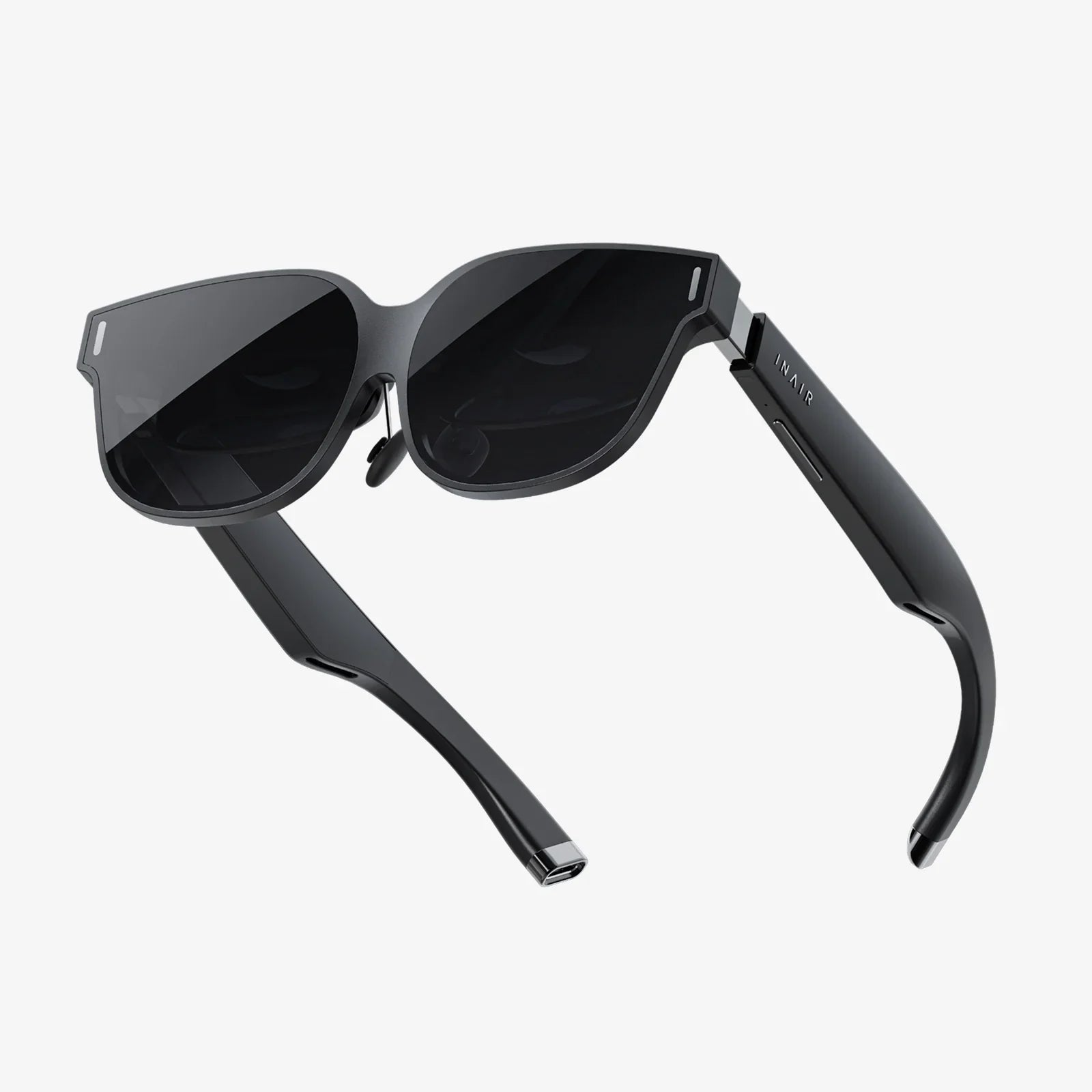
Imagine slipping on a headset and being instantly transported to a meticulously rendered ancient ruin, or watching a virtual dinosaur stomp across your living room with photorealistic detail. This is the breathtaking promise of Augmented and Virtual Reality, a promise that hinges on a single, critical, and often overlooked discipline: rigorous AR VR testing. Without it, the magic shatters, replaced by jarring glitches, disorienting motion, and broken immersion. The journey into these digital worlds is only as smooth as the testing that paves the way.
The Unique and Complex World of AR VR Quality Assurance
Traditional software testing, while methodical, is fundamentally unprepared for the unique challenges posed by immersive technologies. AR and VR applications do not exist in a vacuum on a two-dimensional screen; they interact with the real world, the user's physiology, and complex hardware sensors in real-time. This creates a multi-layered testing paradigm that extends far beyond simple functional checks.
The core challenge lies in the fact that testers are no longer just validating code; they are validating an experience. This experience is subjective, physiological, and deeply personal. A bug in a traditional app might be a misplaced button. A bug in a VR application can induce nausea, vertigo, or even physical discomfort. Therefore, AR VR testing must encompass a much broader spectrum of quality attributes, including:
- User Experience (UX) and Comfort: This is paramount. Does the experience cause simulator sickness (cybersickness)? Is the user interface intuitive within a 3D space? Is the narrative or flow compelling?
- Performance: Maintaining a high, stable frame rate (often 90fps or higher) is non-negotiable. Any dropped frames or lag can instantly break immersion and cause discomfort.
- Functional Integrity: Do all interactive elements work as intended? Does the AR content track and anchor correctly to the real world?
- Hardware Integration: Does the application correctly utilize and communicate with headsets, controllers, haptic feedback devices, and external sensors?
- Environmental Compatibility: For AR, how does the application perform under different lighting conditions, with various surface textures, or in cluttered versus empty spaces?
Deconstructing Simulator Sickness: The Tester's Nemesis
Perhaps the most critical aspect of VR testing is identifying and mitigating factors that contribute to simulator sickness. This condition, akin to motion sickness, arises from a dissonance between what the user's eyes see (movement in the virtual world) and what their vestibular system feels (a lack of physical movement).
Testers must be hyper-aware of the common triggers:
- Low Frame Rates and Latency: The delay between a user's head movement and the visual update on the screen is a primary culprit.
- Inconsistent Movement: Forced camera movements that are outside the user's control, such as cut-scenes or artificial bobbing, can be highly disorienting.
- Improper Depth Cues: Incorrect scaling or misaligned stereoscopic visuals strain the brain and can induce headaches.
- Blink and Vignetting Effects: While often used to mitigate sickness by reducing the field of view during movement, poor implementation can itself be a trigger.
Identifying these issues requires testers who are not only skilled but also possess a certain level of resilience and self-awareness to articulate the often subtle onset of discomfort.
The AR VR Testing Toolkit: Methods and Environments
Addressing these multifaceted challenges requires a diverse and sophisticated toolkit. Testing is not a single phase but a continuous process integrated throughout the development lifecycle.
1. Manual Testing: The Human Experience Barometer
No amount of automation can replace the nuanced feedback of a human tester. Manual testing is essential for assessing subjective qualities like comfort, enjoyment, and intuitive design. Testers spend hours in-headset, performing structured test cases that explore every permutation of user interaction. They assess world persistence (does the virtual world stay put when I look away?), interaction fidelity (does grabbing an object feel natural?), and narrative coherence. Building a diverse testing cohort is vital, as sensitivity to simulator sickness and familiarity with the technology vary greatly.
2. Automated Testing: Scaling Precision and Repetition
While manual testing captures the subjective, automated testing excels at the objective and repetitive. It is indispensable for regression testing and performance benchmarking.
- Visual Validation: Image-based testing tools can automatically capture screenshots or video streams from the application and compare them against a baseline to detect visual regressions, rendering glitches, or UI element misplacements.
- Performance Profiling: Automated scripts can run through predefined paths or scenarios while performance monitoring tools record critical metrics like frame rate, GPU/CPU usage, memory leaks, and battery consumption. This data is crucial for identifying performance degradation early.
- Input Simulation: Tools can programmatically simulate complex user inputs—specific controller movements, head tracking paths, gesture commands—allowing for the repeatable testing of intricate interactions.
3. Testing in Controlled and Real-World Environments
For AR applications, the real world is both the canvas and the variable. Thorough testing must account for this.
- Lab Environments: Controlled labs with adjustable lighting, various surface textures (e.g., mats with different patterns), and isolated motion-capture systems are used for initial development and calibration. This allows for repeatable testing of computer vision and tracking algorithms under ideal conditions.
- Real-World Field Testing: Ultimately, the application must be tested "in the wild." Testers take devices into a variety of environments—a sunny park, a dimly lit office, a busy street—to see how the AR content performs. Does it still track on glossy surfaces? How does it handle sudden changes in light? Does GPS-based AR work accurately? This phase uncovers edge cases that are impossible to predict in a lab.
The Critical Pillars of a Comprehensive Test Strategy
A successful AR VR testing strategy is built on several interconnected pillars, each addressing a different dimension of quality.
Functional Testing: Does It Work?
This is the foundation. It verifies that all features work as specified.
- Interaction Testing: Can the user pick up, manipulate, throw, and use virtual objects correctly? Do the controllers provide appropriate haptic feedback?
- World Interaction: In VR, does physics behave realistically? In AR, does digital content occlude correctly behind real-world objects, and does it stay anchored when the user moves?
- User Interface (UI) & Menus: Testing diegetic UI (UI that exists within the game world) and non-diegetic UI for clarity and ease of use.
- Audio Testing: Spatial audio is a key immersion factor. Testers verify that sounds come from the correct direction and distance.
Performance Testing: Does It Work Smoothly?
Performance is a feature, not a bonus.
- Frame Rate Analysis: The absolute priority. Tools are used to measure and graph frame times, ensuring they consistently meet the target (e.g., 11ms for 90fps).
- Memory Usage: Identifying memory leaks is critical, as they lead to stuttering and eventual application crashes.
- Load Testing: How does the application perform with a high number of entities on screen or complex shaders?
- Thermal and Battery Testing: Ensuring the application does not overheat the device or drain the battery excessively, which is crucial for mobile and standalone headsets.
User Experience (UX) and Comfort Testing: Does It Feel Good?
This subjective pillar relies on qualitative feedback.
- Comfort Surveys: Testers use standardized questionnaires (e.g., the Simulator Sickness Questionnaire) before and after sessions to quantitatively measure discomfort levels.
- Playtesting and Observation: Watching new users interact with the experience without guidance is invaluable for identifying confusing points, unintuitive controls, or moments of frustration.
- Locomotion Testing: Evaluating different movement methods (teleportation, smooth locomotion, arm-swinging) for comfort and accessibility.
Compatibility and Compliance Testing: Does It Work for Everyone?
With a fragmented hardware landscape, ensuring broad compatibility is essential.
- Cross-Device Testing: Testing the experience across different headset models, PC configurations, and smartphone capabilities.
- Accessibility Testing:
- Ensuring the experience is usable by people with a wide range of abilities, including options for different comfort settings, alternative control schemes, and visual/audio aids.
- Platform Compliance: Adhering to the strict technical and content requirements of digital storefronts.
Future-Proofing Your Approach: The Evolving Landscape
The field of AR and VR is advancing at a breakneck pace, and testing methodologies must evolve alongside it. Several emerging trends will define the next generation of testing.
- Machine Learning and AI-Driven Testing: AI can be used to automate exploratory testing, with algorithms learning to navigate virtual environments and uncover edge cases human testers might miss. AI can also analyze performance data to predict and identify the root cause of issues faster.
- Testing for Social and Persistent Worlds: As social VR and shared AR spaces become more common, testing must expand to cover network latency, synchronization between multiple users, and the persistence of world state data.
- Biometric Feedback Integration: The future of comfort testing may involve integrating biometric sensors—heart rate monitors, eye-tracking, EEG headsets—to get objective, real-time data on user stress, arousal, and discomfort, providing a deeper layer of insight beyond subjective surveys.
- Shift-Left and Shift-Right Testing:
- The industry is moving towards "shift-left" testing (integrating testing earlier in the development process to catch issues sooner) and "shift-right" testing (gathering real-time analytics and user feedback from live applications to inform future updates).
The boundary between the digital and physical is dissolving, and the experiences being built are more compelling than ever. But this new frontier is unforgiving to the unprepared. A flicker of lag, a misaligned object, or a moment of confusion is all it takes to shatter the illusion and remind users they are just wearing a headset. Mastering AR VR testing is not merely about finding bugs; it is the disciplined, multi-faceted art of preserving wonder. It is the invisible hand that guides users seamlessly from their reality into ours, ensuring that when they take that leap, they land in a world that feels not just functional, but truly real.
Share:
XR Glasses 2025: The Year Your World Gets a Major Upgrade
Glasses Virtual VR Game: The Unseen Revolution Reshaping Reality