


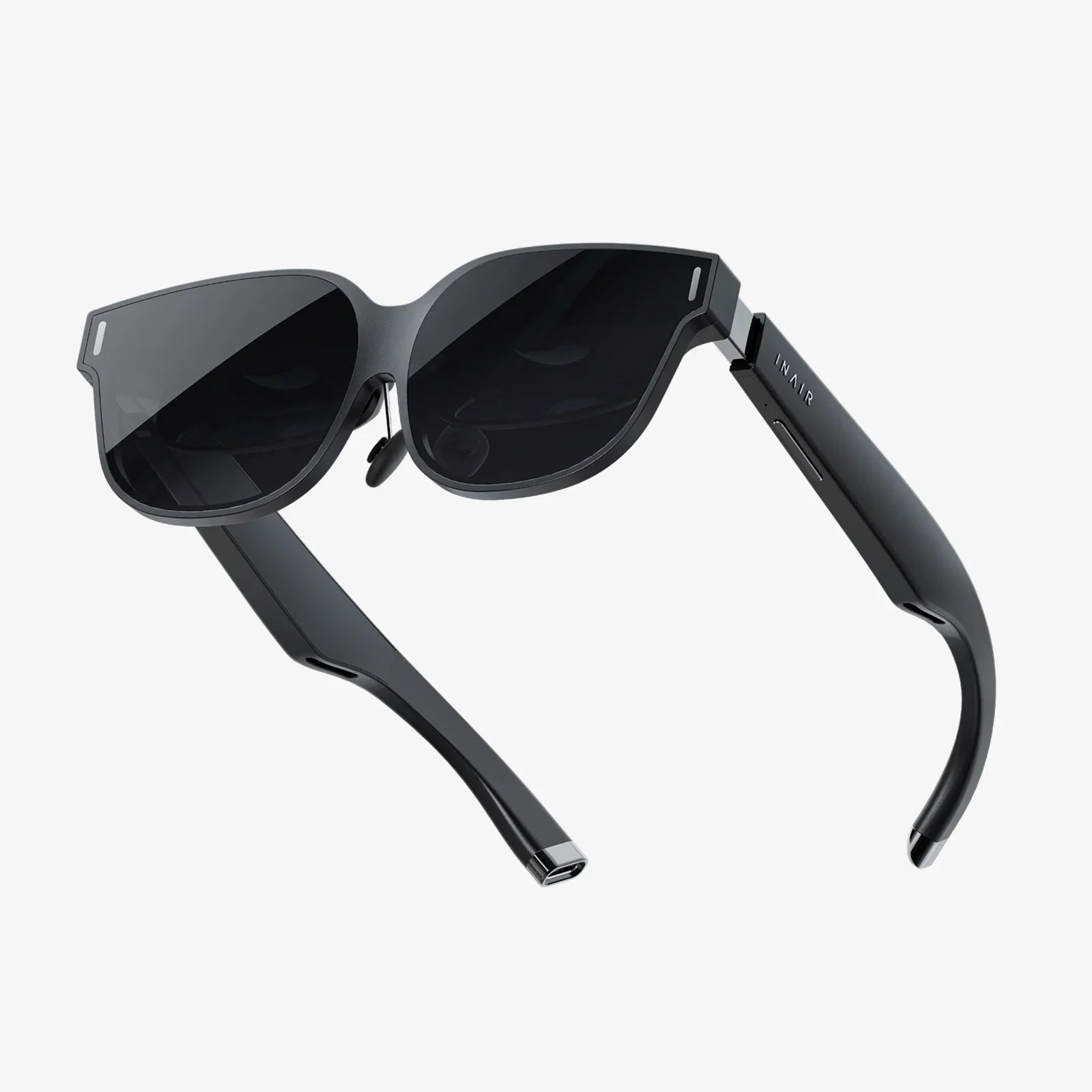
The digital and physical worlds are converging, and at the intersection lies a revolutionary technology waiting for you to shape it. Imagine overlaying informational graphics onto a city street, visualizing new furniture in your living room before you buy, or bringing a children's book to life with animated characters—this is the power of augmented reality (AR), and it's more accessible to create than you might think. The journey from a spark of an idea to a functioning AR application is an exciting adventure into the future of human-computer interaction.
Demystifying the Core Concepts of Augmented Reality
Before diving into the 'how,' it's crucial to understand the 'what.' Augmented reality is a technology that superimposes a computer-generated image, video, or 3D model onto a user's view of the real world, thus providing a composite view. Unlike Virtual Reality (VR), which creates a completely artificial environment, AR enhances the real world with digital details.
The magic of AR hinges on a few key technological components:
- Sensors and Cameras: These are the eyes of the AR device, typically a smartphone or specialized glasses. They scan the environment, gather data, and send it to the processor for interpretation.
- Processing: The brain of the operation. The device's CPU and GPU work together to understand the environment, execute the AR software, and render the digital content. Modern smartphones are powerful enough to handle complex AR processing.
- Projection and Display: This is how the digital content is presented to the user. It can be as simple as the screen on a smartphone or tablet, or more advanced like see-through smart glasses that project images directly onto the retina.
There are several types of AR, each with its own method of integration:
- Marker-Based AR (Image Recognition): This method uses a camera to identify a specific visual object or 'marker'—such as a QR code or a printed image—to trigger the display of digital content. The position and orientation of the marker determine the position and orientation of the AR object.
- Markerless AR (Location-Based or GPS-Based): This is one of the most widely used forms of AR, popularized by applications like Pokemon Go. It uses a device's GPS, digital compass, and accelerometer to provide data about the user's location, then overlays digital information relevant to that specific place.
- Projection-Based AR: This technique projects synthetic light onto physical surfaces, and in some cases, allows that light to interact with the physical environment. This can be used to create interactive hologram-like displays.
- Superimposition-Based AR: This form either partially or fully replaces the original view of an object with a newly augmented view of that same object. It relies heavily on object recognition to replace an object with an augmented version.
The Essential Toolkit for AR Development
You don't need a background in advanced robotics to start building AR experiences. The ecosystem of development tools has matured significantly, offering powerful and often free platforms to get started. The choice of tools often depends on your project's requirements, your target platform (iOS, Android, or Web), and your preferred programming language.
Game Engines: The Powerhouses
Game engines are the most robust and versatile tools for creating complex, high-fidelity AR applications.
- Unity with AR Foundation: Unity is a cross-platform game engine that is arguably the most popular choice for professional AR development. Its strength lies in its flexibility, massive asset store, and a huge community. AR Foundation is a Unity package that provides a unified API for building AR experiences that can be deployed to both iOS and Android, abstracting away the need to write platform-specific code. It leverages Apple's ARKit and Google's ARCore native SDKs under the hood.
- Unreal Engine: Known for its high-end graphical capabilities, Unreal Engine is a fantastic choice for AR experiences that demand cinematic visuals. While its learning curve can be steeper than Unity's, it offers powerful tools for creators aiming for the highest level of visual fidelity.
Native SDKs: Platform-Specific Power
- ARKit (for iOS): Apple's ARKit is a robust set of tools that tightly integrates with iOS devices. It offers advanced features like People Occlusion (where digital content can pass behind people in the real world), motion tracking, and environmental understanding with incredible precision, leveraging the powerful hardware of iPhones and iPads.
- ARCore (for Android): Google's counterpart to ARKit, ARCore provides similar capabilities for the Android ecosystem. It uses motion tracking, environmental understanding, and light estimation to blend digital content with the real world seen through your Android device's camera.
WebAR: No-App Accessibility
One of the biggest barriers to AR adoption is the need to download a dedicated app. WebAR shatters this barrier by delivering AR experiences directly through a web browser. This allows users to access content instantly via a URL. Libraries like 8th Wall and frameworks that utilize standards like WebXR have made WebAR a viable and rapidly growing segment of AR development, perfect for marketing campaigns, simple games, and product visualizations.
3D Modeling and Asset Creation
Your AR experience is only as good as its digital content. You will need 3D models, animations, and textures. Tools like Blender (free and open-source), Maya, and 3ds Max are industry standards for creating and rigging 3D models. For 2D assets and textures, software like Adobe Photoshop or GIMP is essential.
The AR Development Lifecycle: A Step-by-Step Guide
Creating an AR application is a multi-stage process that blends creativity with technical discipline. Here’s a breakdown of the typical workflow.
Step 1: Ideation and Defining the Use Case
Every great project starts with a strong idea. Ask yourself: What problem does this AR experience solve? How does it enhance the user's reality? Is it for entertainment, education, industrial training, or retail? Defining a clear purpose will guide every decision you make thereafter. Sketch your idea on paper. Storyboard the user's journey from opening the app to interacting with the digital content.
Step 2: Choosing the Right Technology and Tools
Based on your project's goals, select the appropriate development path. For a high-performance, feature-rich game, a game engine like Unity is ideal. For a quick marketing campaign that needs maximum reach, WebAR might be the best choice. For an iOS-exclusive app that leverages the latest iPhone hardware features, developing natively with ARKit could be the way to go.
Step 3: Designing the User Experience (UX) and User Interface (UI)
AR UX is fundamentally different from traditional screen-based design. You are designing for a three-dimensional space that the user occupies. Considerations include:
- World Interaction: How will the user place and manipulate objects? Through touch, voice, or gaze?
- Environmental Awareness: How will your digital content interact with the physical world? Should it be occluded by real objects? Should it cast shadows?
- UI Placement: Menus and buttons should be placed in the user's field of view without obstructing the AR experience itself. Diegetic UI—where interface elements exist within the world space—is often more immersive.
- Onboarding: You must teach users how to use your AR app. Simple, clear instructions on how to move their device and scan the environment are critical.
Step 4: Development and Coding
This is where you build the application. A typical process involves:
- Setting Up the Development Environment: Install your chosen game engine or SDK, along with any necessary plugins.
- Implementing AR Tracking: Write the code to initialize the AR session, handle plane detection (finding horizontal and vertical surfaces like floors and walls), and manage image or object tracking if using markers.
- Importing and Placing Assets: Bring your 3D models and other assets into the project. Write scripts to allow the user to place these assets into the real world.
- Adding Interactivity: Program the logic that allows users to select, move, rotate, scale, or otherwise interact with the digital objects. This often involves handling touch input and gesture recognition.
- Optimizing Performance: AR is computationally intensive. You must optimize your 3D models (reducing polygon count), textures, and code to ensure a smooth frame rate, as a laggy experience can cause discomfort and break immersion.
Step 5: Rigorous Testing
Test your application extensively in a variety of real-world environments. Lighting conditions, surface textures, and physical space can drastically affect performance. Test on different devices to ensure compatibility. Look for issues like tracking loss, inaccurate scaling of objects, and battery drain.
Step 6: Deployment and Distribution
For native apps, this means submitting your application to the Apple App Store or Google Play Store, adhering to their specific guidelines. For WebAR, you simply deploy the files to a web server and share the URL.
Designing for the Human in Augmented Reality
Technology is meaningless without thoughtful design centered on the user. In AR, this is paramount.
- Comfort is Key: Avoid rapid movements and animations that can cause motion sickness. Ensure virtual objects are anchored stably to the real world to prevent jittering, which is disorienting.
- Context is Everything: The digital content should feel like it belongs in the real environment. Use light estimation APIs provided by ARKit and ARCore to match the lighting and shadows of your virtual objects to the physical space.
- Keep it Simple: Especially for beginner projects, don't overcomplicate the experience. A single, well-executed interactive object is more impressive than a cluttered scene of low-quality models.
- Prioritize Safety: Remember that users will be moving in the physical world. Design experiences that can be used in a safe, stationary space or provide clear warnings if movement is required.
Building Your First Simple AR Project: A Marker-Based Example
Let's conceptualize a simple project using Unity and AR Foundation to create a marker-based AR experience. This will not be a full code tutorial but a high-level overview of the steps involved.
- Setup: Create a new 3D project in Unity. Import the AR Foundation package, along with the ARKit XR Plugin and ARCore XR Plugin, via the Package Manager.
- Scene Configuration: Delete the default Main Camera. From the GameObject menu, add an AR Session Origin and an AR Session. The AR Session Origin contains the AR Camera, which is your new view into the AR world.
- Image Tracking: On the AR Session Origin object, add a component called "AR Tracked Image Manager." This component will manage the detection of your markers.
- Define the Marker: You need to create a reference image library. This is a set of images that your app will be able to recognize. Import your chosen marker image (e.g., a custom logo) into Unity and set its Texture Type to 'Sprite (2D and UI).' Then, create a new Reference Image Library in the Project window and add your image to it. Assign this library to the Runtime Reference Image Library field on the AR Tracked Image Manager.
- Create the AR Object: This is the 3D model that will appear when the marker is detected. You can import a model or create a simple primitive shape (like a Cube or Sphere) in Unity.
- Linking the Object to the Marker: Create a new script and attach it to the AR Session Origin. In this script, you will write a function that is called when a tracked image is detected. This function will instantiate (create) your 3D model at the position and rotation of the detected marker. You subscribe to the AR Tracked Image Manager's 'trackedImagesChanged' event to know when an image is found.
- Build and Run: Build the project for your target device (iOS or Android). Install it on your phone, print out your marker image, and point your camera at it. Your 3D object should appear anchored to the marker!
Overcoming Common Challenges and Looking Ahead
As a new creator, you will face hurdles. Tracking can sometimes be lost in low-light or featureless environments. Creating high-quality 3D assets requires a separate skillset. Performance optimization is a constant battle. The key is to start small, iterate often, and leverage the vast online communities and documentation available for your chosen tools.
The future of AR creation is bright and evolving. Concepts like the AR Cloud—a persistent digital copy of the real world—will allow for shared, multi-user experiences that persist across time and space. Machine learning is being integrated for more robust object recognition and occlusion. As hardware improves with lighter, more powerful glasses, the opportunities for creators will explode.
The barrier to entering the world of AR development has never been lower, yet the ceiling for what you can create has never been higher. You now hold the foundational knowledge—the concepts, the tools, and the process—to stop imagining the future and start building it. Your unique perspective is the most valuable asset; use it to augment our reality in ways no one has thought of before. The world is your canvas, and digital magic is your paint—what will you create?
Share:
What Is Augmented Reality Technology: Bridging Our Digital and Physical Worlds
Smart Sunglasses App: The Ultimate Guide to Unlocking Your Wearable's Full Potential