


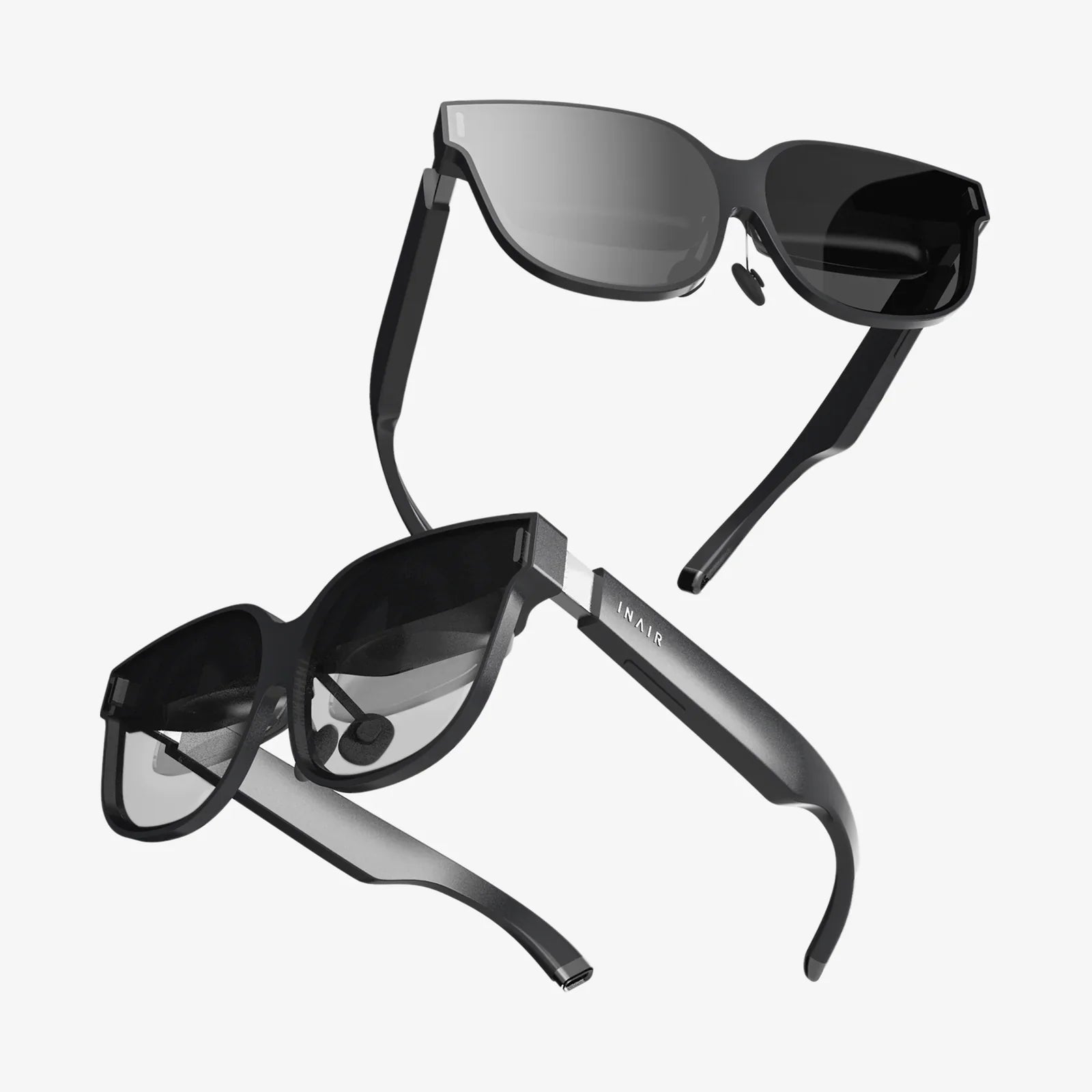
Imagine a world where digital information doesn't live trapped behind a screen but flows seamlessly into your physical reality, enhancing everything you see, learn, and do. This is the promise of augmented reality, a technology once confined to science fiction and high-budget research labs. But what if you could be the architect of this experience? What if you could peer into the future not by buying a finished product, but by building your own augmented reality glasses? The journey is complex, demanding, and incredibly rewarding—a deep dive into the intersection of optics, electronics, and software that will fundamentally change your understanding of how we perceive and interact with information. This is your invitation to become a pioneer, to craft your personal window into a blended world.
The Core Components: Deconstructing the AR Glasses
Before you pick up a soldering iron or write a single line of code, you must understand the anatomy of a functional AR system. Building your own augmented reality glasses is an exercise in systems integration, where every component must work in perfect harmony.
The Optical Engine: The Heart of the Experience
The single most critical and challenging component is the optical system, responsible for projecting digital images onto your retina while allowing you to see the real world. There are several approaches, each with its own trade-offs between field of view (FOV), resolution, brightness, and form factor.
- Birdbath Optics: A common design for DIY and early commercial efforts. It uses a beamsplitter (a semi-transparent mirror) angled like a birdbath to reflect the image from a micro-display into your eye while letting environmental light pass through. It offers a good balance of simplicity and performance.
- Waveguides: The technology used in many modern enterprise-grade glasses. Thin glass or plastic plates use diffraction gratings to "pipe" light from a projector on the temple into the eye. These are extremely difficult to fabricate without industrial equipment but offer the slimmest profile.
- Freeform Optics: Precisely machined, non-symmetrical mirrors or prisms that fold the optical path. These can offer excellent image quality and a wide FOV but are complex to design and align correctly.
- Holographic Optics: An emerging technology that uses laser light and holographic film to create images. This remains largely in the R&D phase for DIY builders due to its complexity.
For your first project, a birdbath optical system is the most accessible path. You will need a small display, typically a micro-OLED or LCD screen salvaged from a smartphone viewfinder or a dedicated component, and a beamsplitter combiner (often a piece of semi-transparent acrylic or glass cut to a specific angle).
The Processing Unit: The Digital Brain
The raw visual data must be processed, and the virtual images must be rendered. This requires significant computational power. You have two primary choices:
- Tethered Processing: The glasses themselves are primarily a display device. They are connected via a high-speed cable (like USB-C or HDMI) to a powerful external computer, such as a laptop, desktop, or even a high-end smartphone. This drastically reduces the weight, heat, and power consumption on your head but limits mobility.
- Standalone Processing: This involves embedding a single-board computer (SBC) like a Raspberry Pi or a system-on-module directly onto the glasses frame. This offers true untethered freedom but presents immense challenges in miniaturization, heat dissipation, and battery life. A Raspberry Pi 4 or similar is often the minimum viable compute power for basic AR tasks.
Sensing and Tracking: Knowing Where You Are
For the digital content to stay locked in place in the real world, the glasses must understand their own position and orientation in 3D space. This is known as simultaneous localization and mapping (SLAM).
Your build will need a suite of sensors:
- Inertial Measurement Unit (IMU): A combination of accelerometers and gyroscopes that tracks the head's rotation and movement. This is fast but prone to drift over time.
- Camera(s): One or more outward-facing cameras are essential for computer vision. They track visual features in the environment to correct the IMU's drift and understand the geometry of the space. A depth-sensing camera (like an infrared time-of-flight sensor) can dramatically improve spatial understanding by providing a 3D point cloud of the surroundings.
- Other Sensors: Magnetometers (compasses) can help with initial orientation, and microphones are crucial for voice interaction.
Power and Connectivity: The Lifeblood
Unless you choose a tethered design, you will need a compact, high-density battery pack, a power management circuit, and a charging solution. Lithium polymer (LiPo) batteries are common in DIY electronics for their good energy density. Bluetooth and Wi-Fi modules are necessary for connecting to input devices (like a Bluetooth keyboard or controller) and for accessing cloud services or the internet.
The Software Stack: Bringing the Hardware to Life
Hardware is nothing without software. The software stack for building your own augmented reality glasses is multi-layered and complex.
Choosing an Operating System and Framework
You will likely build upon an existing operating system. Android is a popular choice due to its openness, vast hardware support, and built-in features for camera access and graphics rendering. Alternatively, a lightweight Linux distribution can be used for more low-level control.
The real magic happens in an AR software development kit (SDK). These frameworks provide the crucial algorithms for SLAM, plane detection (finding floors and tables), and image rendering. While some advanced SDKs are commercial products, there are powerful open-source alternatives that are perfect for a DIY project, such as OpenCV for fundamental computer vision tasks and frameworks that can handle sensor fusion.
Developing the User Interface
How will you interact with your creation? The UI paradigms for AR are still evolving. You will need to experiment with:
- Voice Commands: Using speech-to-text APIs to control apps.
- Gesture Recognition: Using the onboard cameras and machine learning models to interpret hand gestures. This is computationally intensive but highly immersive.
- External Controller: The simplest method: using a wireless mouse, keyboard, or even a smartphone as a touchpad to navigate menus.
- Head Gaze and Dwell: Selecting UI elements by looking at them for a set period.
Rendering the Graphics
The virtual images must be rendered with extremely low latency to prevent user discomfort and simulator sickness. The graphics pipeline must account for the distortion inherent in your optical design, warping the image in reverse so that it appears correct when viewed through the lenses. This is typically handled within a game engine or a custom rendering application.
The Builder's Journey: A Step-by-Step Framework
This is not a one-weekend project. Approach it in distinct, manageable phases.
Phase 1: Research and Prototyping
Start by building a "bench prototype." Don't worry about making it wearable. Use cardboard, hot glue, and tape to mount your display, optics, and a Raspberry Pi on a stand. The goal is to get a stable image projected through your optical combiner. Use open-source SLAM examples to get a point cloud displaying on a monitor, proving your sensors work. This phase is all about failing fast and learning the core constraints.
Phase 2: The Wearable Platform
Once your bench prototype works, focus on the form factor. This is where 3D printing becomes invaluable. You will need to design and iterate on a frame that comfortably holds all your components: the optical block, the SBC, the battery, and the sensors. Weight distribution is critical; too much weight on the front will cause the glasses to slide down your nose. Consider using a top strap for heavier builds. Expect to go through multiple printed versions.
Phase 3: System Integration and Refinement
This is the hardest phase: making everything work together reliably. You must write or adapt software to synchronize data from all your sensors, pass it to the SLAM algorithm, and render graphics based on the results—all in real-time. You will wrestle with driver conflicts, thermal throttling, and power bottlenecks. meticulous debugging is required.
Phase 4: Application Development
With a functioning platform, you can now build the experiences you dreamed of. Will you create a navigation app that paints directions onto the street? A recipe app that overlays instructions on your mixing bowls? A system for visualizing 3D models in your workspace? This is your reward for the hard work.
The Inevitable Challenges and Ethical Considerations
Building your own augmented reality glasses is a frontier activity, and you will encounter significant hurdles.
- Technical Hurdles: Achieving a wide field of view with high resolution is optically very difficult. Low-latency tracking is a constant battle against processing power. Battery technology remains the limiting factor for all mobile electronics.
- User Experience (UX) Hurdles: Avoid "notification hell," where the user is bombarded with distracting information. Good AR UX is contextual, minimal, and adds value without overwhelming. Comfort is also part of UX; your device must be physically comfortable to wear for more than a few minutes.
- Social and Ethical Hurdles: You are building a device with a camera that can record. You must consider privacy. When and where is it appropriate to use such a device? The concept of "augmented humanity" also raises questions about dependency on technology and the potential for further blending our digital and physical lives.
The path to building your own augmented reality glasses is paved with complex equations, tangled code, and countless failed prototypes. It will test your patience and your skills. Yet, the moment you first see a stable, virtual object sitting convincingly on your real desk—an object that you willed into existence through your own knowledge and effort—is a moment of pure magic. It’s a glimpse into a future you built yourself, a testament to the power of curiosity and DIY spirit. This isn't just about assembling hardware; it's about actively participating in the creation of the next fundamental shift in human-computer interaction. The tools are available, the community is growing, and the only real question is: are you ready to start building?
Share:
Wear Augmented Reality Glasses: A Portal to the Future of Human Experience
Spectacles AR: The Invisible Revolution Reshaping Our Reality