


Imagine a world where the digital and physical seamlessly intertwine, where you can conquer dragons in your living room or overlay a schematic onto a malfunctioning engine with a simple glance. This is no longer the realm of science fiction but the present and future being built by developers in Virtual Reality (VR) and Augmented Reality (AR). While often grouped under the umbrella of 'immersive tech,' the journey of creating for VR versus AR is a tale of two distinct disciplines, each with its own unique challenges, philosophies, and magical outcomes. For aspiring creators and seasoned developers alike, understanding the chasm between these two worlds is the first critical step toward building the next generation of experiences that will redefine human-computer interaction.
The Core Philosophical Divide: Immersion vs. Enhancement
At its heart, the most significant difference between VR and AR development is not a technical specification but a foundational goal.
Virtual Reality (VR) Development is an exercise in world-building and transportation. The primary objective is to fully immerse the user in a completely synthetic, digital environment. The developer's goal is to convince the user's senses that they are somewhere else entirely, severing their connection to the physical world around them. This is a pursuit of total immersion, where the real world is the enemy of the experience. Every asset, line of code, and interaction is designed to reinforce this illusion, making the user forget the confines of their actual space.
Augmented Reality (AR) Development, in contrast, is an exercise in context and augmentation. The goal is not to replace the user's reality but to enhance it with a digital layer of information, entertainment, or utility. The developer must treat the physical world as the most important asset—the foundational canvas upon which digital content is painted. Success in AR is measured by how seamlessly and usefully the digital elements integrate with and respond to the user's real-world environment. It’s about adding a lens of intelligence and magic to the world we already inhabit.
Hardware Dictates Design: The Device Spectrum
The developer's toolkit is fundamentally shaped by the target hardware, and here, the divergence is stark.
VR Hardware Landscape
VR development primarily targets head-mounted displays (HMDs). These devices are characterized by:
- Full Visual Occlusion: Opaque screens block out the entire physical world.
- High-Performance Requirements: Most dedicated VR headsets are powered by external consoles or high-end PCs, though standalone mobile processors are rapidly catching up.
- Six Degrees of Freedom (6DoF): These systems track both your head's rotation (3DoF) and its positional movement in space (3DoF), allowing you to walk around and lean into the virtual environment.
- Specialized Controllers: Input is handled through motion-tracked controllers designed to represent hands or tools within the virtual space, enabling intricate interactions like grabbing, throwing, and pointing.
This hardware profile forces developers to be intensely mindful of performance optimization to maintain a high, stable frame rate (often 90Hz or higher) to prevent user discomfort, and to design experiences that are confined to the user's designated play area.
AR Hardware Landscape
AR development spans a much wider and more varied spectrum of devices, each with its own constraints:
- Smartphones and Tablets: The most accessible AR platform. Developers use the device's camera, gyroscope, and accelerometer to overlay digital content on the screen. The experience is often a 2D window into an AR world, with touch input as the primary interaction method.
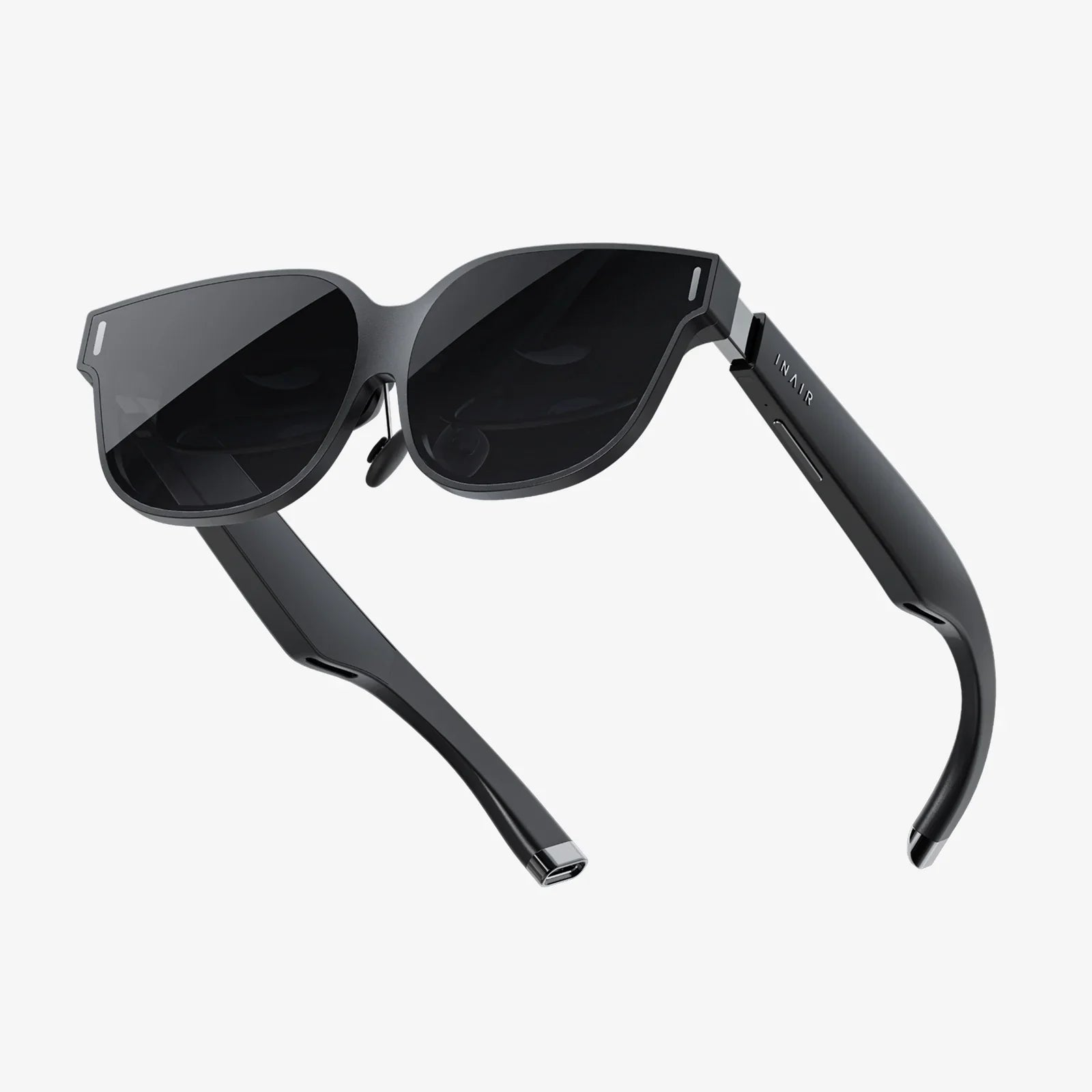
- Smart Glasses (Optical See-Through): Devices like these use waveguides or other systems to project light directly into the user's eyes, allowing them to see digital content superimposed on the real world through transparent lenses. These can range from simple 3DoF displays to full 6DoF systems.
- Projection-Based Systems: These systems project light directly onto physical surfaces, turning walls and tables into interactive interfaces.
This diversity means an AR developer must often create adaptive experiences that can function across a range of processing powers, screen sizes, and input methods, all while continuously processing and interpreting the live video feed of the real world.
The Technical Underpinnings: A World of Different Challenges
Beneath the surface, the technical hurdles faced by VR and AR developers are vastly different.
The VR Developer's Technical Checklist
- Performance Above All: The mantra is "frames per second are king." Dropping below the target frame rate can instantly break immersion and cause simulator sickness. This demands expert-level optimization in asset creation, lighting (baked vs. real-time), and code.
- Rendering a Complete World: VR apps must render two high-resolution images (one for each eye) simultaneously, effectively doubling the GPU workload compared to a traditional game.
- User Comfort and Safety: Developers must implement comfort settings (like vignetting during movement), design locomotion systems that minimize nausea, and strictly respect the user's physical boundary system to prevent them from walking into walls.
- Spatial Audio: Implementing 3D/binaural audio is not a luxury but a necessity for convincing immersion, allowing users to locate objects by sound alone.
The AR Developer's Technical Checklist
-
Environmental Understanding: The core challenge is teaching the device to see and understand the world. This involves complex computer vision tasks:
- Plane Detection: Identifying horizontal (floors, tables) and vertical (walls) surfaces to place content.
- World Tracking: Precisely anchoring digital objects to a point in the real world so they don't drift when the user moves.
- Light Estimation: Analyzing the camera feed to understand the real world's lighting conditions and dynamically adjusting the lighting and shadows of digital assets to match, a critical factor for believability.
- Occlusion: Determining when real-world objects should pass in front of (occlude) digital objects, creating a more convincing blend.
- Varied Input Paradigms: Input can be touchscreen, voice commands, hand-tracking (using the camera to see the user's fingers), or controller-based, requiring more flexible interaction design.
- Power and Thermal Management: Constantly processing camera data and computer vision algorithms is computationally expensive and can quickly drain battery life on mobile devices, a constraint rarely at the forefront of a PCVR developer's mind.
Designing for the User: Divergent Experiences
The user's state of mind and physical situation are primary concerns that dictate design choices in each medium.
VR User Experience (UX) Design
VR UX is about guiding a user who is effectively blind to their surroundings.
- Onboarding: Teaching users how to use controllers and set up their guardian boundary is a mandatory first step.
- Diegetic Interfaces: The most immersive interfaces exist within the world itself—a holographic watch on the user's wrist, a control panel inside a spaceship—rather than as 2D menus floating in space.
- Comfort-Driven Design: Every movement mechanic must be evaluated for its potential to induce vertigo or nausea. Teleportation is a common solution, though smooth locomotion is becoming more accepted.
- Isolation: The experience is inherently solitary, designed for deep, uninterrupted focus. Multiplayer VR must therefore work even harder to facilitate social connection through avatars and spatial voice chat.
AR User Experience (UX) Design
AR UX is about enhancing a user who remains engaged with their real-world task.
- Context is King: The digital content must be relevant to the user's location and what they are doing. An AR game in a park will be different from an AR manual in a factory.
- Attention Management: The user is dividing their attention between the digital overlay and the real world. Interfaces must be glanceable and non-obtrusive, providing information without overwhelming the user or creating a safety hazard.
- Ergonomics: Holding a phone up for extended periods is tiring. Smart glasses alleviate this, but for mobile AR, experiences must be designed for short, focused bursts of interaction.
- Social Acceptance: Design must consider how the user appears to others while using the app. Waving a phone around or wearing digital glasses that obscure the eyes has social implications that don't exist in the isolated world of VR.
The Development Workflow and Tooling
While game engines like Unity and Unreal Engine have become the dominant platforms for both VR and AR development, the workflow within them diverges significantly.
In a VR project, the developer starts with an empty scene and builds a world from scratch. The workflow is akin to traditional game development: modeling assets, texturing, lighting, scripting gameplay, and optimizing for performance. The primary testing focus is on immersion, comfort, and interaction within a controlled digital space.
In an AR project, the developer starts with the real world. The first steps involve configuring the engine's AR Foundation (Unity) or ARKit/ARCore plugins to handle camera access, plane detection, and world tracking. Prototyping often involves pointing a device at different environments to test tracking robustness and occlusion. The workflow is less about building a world and more about writing logic that allows digital objects to behave appropriately on a dynamic, unpredictable physical canvas.
The Future is Convergent, But The Paths Remain Distinct
As technology advances, the lines are beginning to blur with the emergence of Mixed Reality (MR)—experiences that combine elements of both, often using passthrough VR cameras to create an AR-like experience on a VR headset. However, the core philosophical and technical differences outlined here will remain relevant. VR will continue to be the medium for total escape, deep training simulations, and larger-than-life social gatherings. AR will evolve as the contextual computing layer for our daily lives, providing just-in-time information and transforming how we work, learn, and play in our own environment.
Choosing a path isn't about picking the winning technology; it's about choosing the reality you want to create. Do you want to build a portal to a fantastical new world, or do you want to weave a thread of magic into the fabric of our own? The tools are waiting, the paradigms are defined, and the only limit is the developer's imagination. The future is immersive, and it needs architects for both of its defining realms.
Share:
Mathematics vs Augmented Reality: The Unseen Language Powering a Visual Revolution
Custom Made VR Glasses: The Ultimate Guide to Personal Immersion