You’ve just unboxed your sleek new VR headset, the gateway to breathtaking virtual landscapes, heart-pounding games, and immersive social spaces. You’re moments away from your adventure. But then, a familiar, everyday question halts your excitement: do I need to wear my glasses with VR? It’s a simple query with a surprisingly complex answer, one that sits at the intersection of ophthalmology, ergonomics, and technology. The journey to a perfect, clear virtual experience is personal, and finding your path is key to unlocking true immersion without discomfort or risk. Let's dive into the virtual looking glass to find your perfect fit.
The Science of Sight: Why Your Vision Matters in VR
To understand the glasses-VR dilemma, we must first grasp how these headsets function as sophisticated visual displays. Unlike a television or monitor that you view from a distance, a VR headset uses optics to create the illusion of a vast, three-dimensional world.
Inside the headset, two small screens (one for each eye) display images. Lenses placed between your eyes and these screens magnify the picture and focus it towards your pupils. This optical system is precisely calibrated for a specific focal distance—typically simulating viewing an object about 6 to 10 feet (2 to 3 meters) away.
This is the critical piece of the puzzle. If you have myopia (nearsightedness), your eyes struggle to focus on distant objects. The VR world, despite being inches from your face, is optically designed to be far away. Therefore, if you need glasses to see a television across the room clearly, you will almost certainly need vision correction to see the virtual world sharply.
For those with hyperopia (farsightedness), the need is less universal but still common. If you typically wear glasses for reading or computer work, you may find the VR image slightly blurry without correction, as your eyes are working to focus on the headset's intermediate focal plane.
Astigmatism presents another layer. This condition, caused by an irregularly shaped cornea, distorts light entering the eye, resulting in blurred vision at all distances. Uncorrected astigmatism in VR doesn't just make things blurry; it can cause significant eye strain, headaches, and a failure to perceive the 3D effect properly, completely breaking the immersion.
The Three Pathways to Visual Clarity in Virtual Reality
Fortunately, users who require vision correction are not left in a blurry limbo. There are three primary methods to achieve optical nirvana within a headset, each with its own set of advantages and considerations.
Option 1: Wearing Your Own Glasses Inside the Headset
This is the most straightforward and accessible option for many. You simply wear your everyday prescription glasses under the headset.
The Pros:
-
Zero Additional Cost: You use what you already own.
-
Immediate Solution: No waiting for custom lenses or appointments.
-
Perfect Prescription: You are using your exact, up-to-date correction.
The Cons and Crucial Warnings:
-
Scratch Risk: This is the single biggest danger. The hard, plastic lenses of the VR headset and the lenses of your glasses can easily rub against each other during use, causing permanent, costly scratches on both sets of lenses.
-
Comfort and Fit: Larger frame styles may not fit within the facial interface (the foam or plastic gasket) of the headset, causing pressure on your temples and nose. A tight fit can lead to pain and a shortened VR session.
-
Reduced Field of View (FOV): The headset may need to be positioned further from your face to accommodate your glasses, which can create a "binoculars" or tunneling effect, reducing the immersive peripheral view.
-
Light Leak: Gaps can form around the sides, allowing external light to seep in and disrupt the virtual environment.
If you choose this route, proceed with extreme caution. Many modern headsets include a "glasses spacer"—a deeper facial interface included in the box. Always use it. It creates vital extra room, mitigating (but not eliminating) the risk of contact.
Option 2: Prescription Lens Inserts (The Premium Solution)
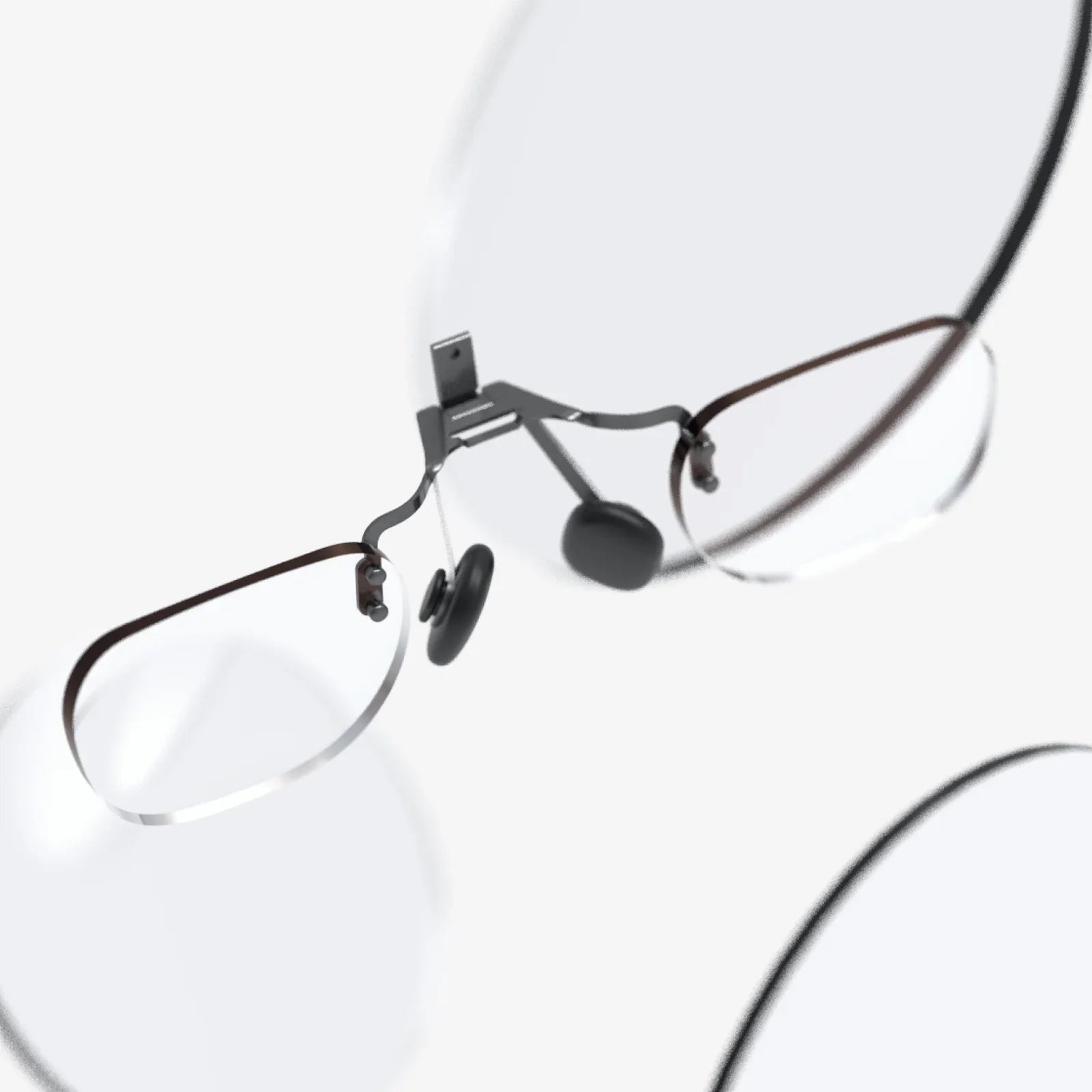
For the frequent VR user, this is often considered the gold standard. Prescription inserts are custom-made magnetic or clipped lenses that slot perfectly inside the headset, directly over the built-in lenses.
The Pros:
-
Superior Comfort: Eliminates the pressure and weight of a full frame on your nose and ears. The headset feels like it was made for you.
-
Optimal Protection: Your headset's original lenses are shielded from dust, sweat, and the dreaded scratches caused by eyeglasses.
-
Perfect Fit and FOV: The headset can be worn closer to your face, maximizing the field of view and eliminating light leak for a truly seamless experience.
-
Crystal Clear Vision: Designed specifically for the headset's optics, they can provide exceptional clarity.
The Cons:
-
Additional Cost: This is a dedicated accessory that must be purchased separately, representing a significant investment on top of the headset itself.
-
Not Shareable: The headset becomes personalized. If someone with a different prescription (or no prescription) wants to use it, the inserts must be carefully removed, which can be a hassle.
-
Waiting Period: They are made to order, so there is a lead time between ordering and receiving them.
Option 3: Built-In Diopter Adjustment (The Convenience King)
A growing number of headsets now feature a brilliant solution: a physical dial or slider integrated into the headset itself, usually located just below the lenses. This allows you to adjust the focus (the diopter) to match your specific level of nearsightedness or farsightedness.
The Pros:
-
Ultimate Convenience: No extra glasses, no separate inserts. Just turn a dial until the world snaps into focus. It’s incredibly user-friendly.
-
Easy Sharing: Different users can quickly readjust the dial to their own preference in seconds, making it ideal for shared or demo environments.
-
No Scratch Risk: Your glasses stay safely away from the headset entirely.
The Cons and Limitations:
-
Does Not Correct Astigmatism: This is the major limitation. Diopter adjustment is spherical only; it cannot account for the cylindrical correction needed for astigmatism. Users with astigmatism will still see a distorted image and will likely need inserts or their glasses.
-
Prescription Range: The adjustment range is typically limited (e.g., -5 to +5 diopters). Those with very strong prescriptions may fall outside this range.
-
One Eye at a Time: Most systems adjust both lenses simultaneously. If you have a significantly different prescription in each eye (a condition called anisometropia), this system may not provide a perfect correction for both eyes at once.
Beyond Blurriness: Addressing Other Visual Concerns in VR
Vision correction is about more than just spherical and cylindrical power. Other factors play a vital role in comfort.
Pupillary Distance (PD) - The Key to Depth and Comfort
PD is the distance between the centers of your pupils, measured in millimeters. It's crucial for aligning the optical centers of the headset's lenses with your eyes. An incorrect PD can cause eye strain, headaches, and an inability to properly fuse the two images into a cohesive 3D world, leading to a lack of depth perception.
Many headsets now offer software or physical IPD adjustment (Interpupillary Distance). It is essential to take the time to set this correctly. For headsets without adjustment, if your PD is significantly different from the headset's fixed lens separation, you may experience discomfort, making prescription inserts (which can be made to your exact PD) a near-necessity.
Presbyopia and Reading Glasses
For users over ~40, the eye's lens loses flexibility, making it hard to focus on near objects (presbyopia). If you only use reading glasses for close-up work, you might be tempted to think you don't need them for VR. Remember: the VR focal plane is at a distance. Therefore, if you need glasses for driving or watching TV, you will need them for VR. If you only need readers for a book, you likely will not need them, as the virtual world is optically far away. Bifocal or progressive lens wearers should consult with their optometrist on the best approach, which often involves using their distance vision correction inside the headset.
Making the Right Choice For You: A Practical Checklist
So, with all these options, how do you decide? Ask yourself these questions:
-
How often do I use VR? Occasional users may tolerate glasses. Enthusiasts should strongly consider inserts.
-
What is my headset's capability? Does it have a glasses spacer? Does it have IPD adjustment? Does it have built-in diopter adjustment?
-
What is my prescription? Do I have a simple nearsightedness correction, or do I have astigmatism or a strong complex prescription?
-
Do I share my headset? Built-in diopter adjustment is fantastic for families. Inserts are less so.
-
What is my budget? Glasses are free, diopter adjustment is built-in, and inserts are an added cost.
The safest first step for any glasses-wearer is to consult with an eye care professional. They can provide your precise prescription, including your PD, and offer advice tailored to your specific ocular health. An up-to-date prescription is the foundation of any decision you make.
The virtual realm promises unparalleled experiences, from scaling Everest to designing in 3D space. But that promise is contingent on one thing: seeing it all with stunning, comfortable clarity. Don't let an outdated habit or fear of scratches confine you to a blurry reality. By understanding the intricate dance between your eyes and the technology, you can confidently choose the solution that transforms your headset from a novel gadget into a clear window to other worlds. Your next adventure deserves nothing less than perfect vision.


Share:
AR VR Marketing Campaigns: The Ultimate Guide to Immersive Brand Storytelling
One XR AR Glasses: The Dawn of a Seamless Digital Reality