


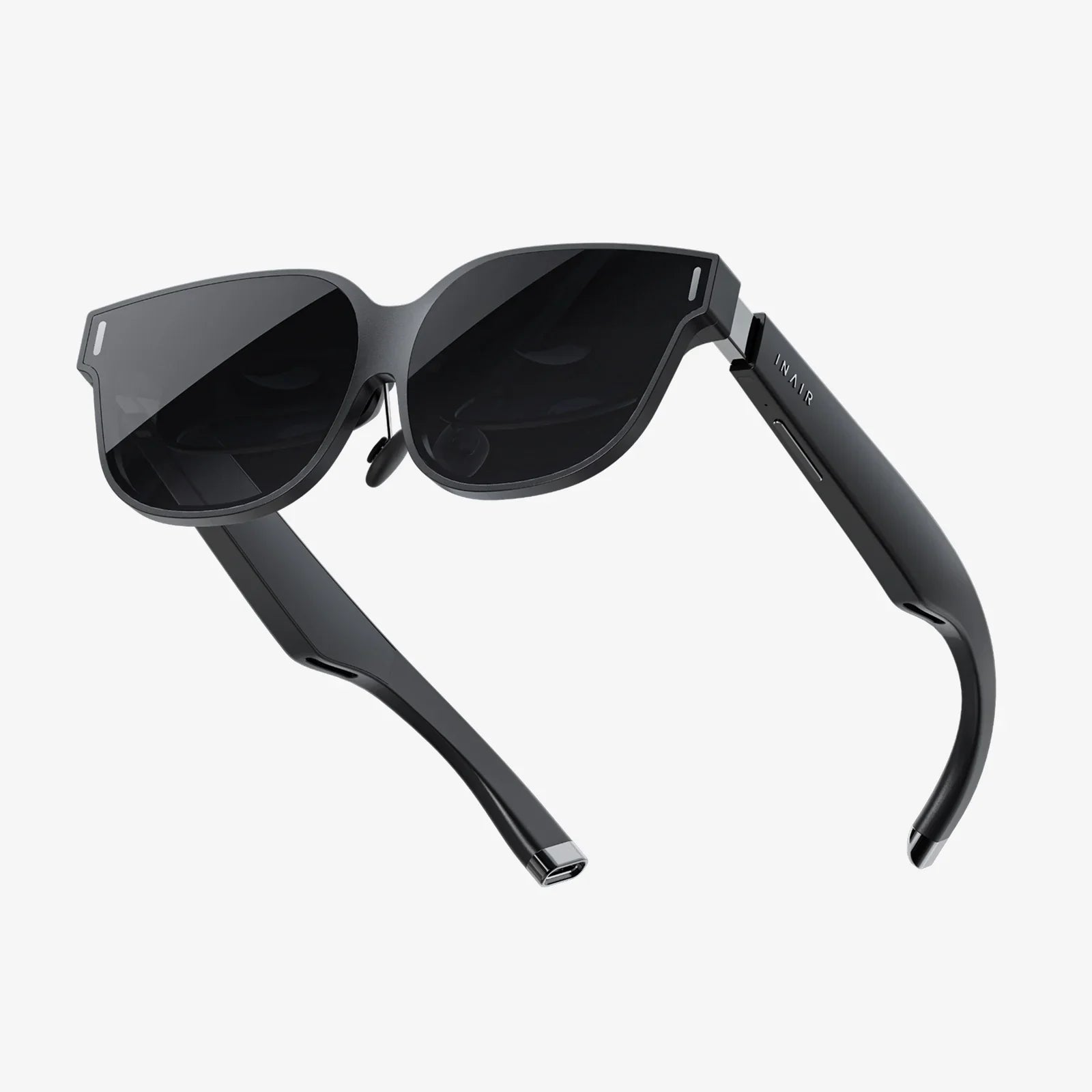
Imagine stepping through a portal into another world, one where you can scale mountains, create impossible art, or stand on the surface of Mars—all from the comfort of your living room. This is the promise of virtual reality, a technological marvel that once demanded a king’s ransom. Today, that gateway is more accessible than ever. An entry-level VR headset for your PC is no longer a futuristic fantasy but an affordable reality, offering a stunning first step into the metaverse and beyond. The journey of a thousand virtual miles begins with a single, conscious click.
Demystifying the Jargon: What Exactly Are You Buying?
Before diving into the virtual deep end, it's crucial to understand what defines this category. An "entry-level VR headset for PC" is a device that provides a high-quality, immersive virtual reality experience but is positioned at the more affordable end of the spectrum. It strikes a delicate balance between cost and capability, offering core VR functionality without the premium features—and premium price tags—of flagship models.
These headsets are "tethered," meaning they connect to a personal computer via cables. This connection is their lifeblood; the PC acts as the engine, doing the heavy graphical lifting to render the complex, high-fidelity worlds you'll explore. The headset itself is primarily a display and tracking device. This symbiosis is key: your PC's power directly dictates the quality and smoothness of your VR experience. Unlike standalone units that have all the necessary computing hardware built-in, a PC-connected headset leverages your existing investment in gaming hardware to deliver a more potent and visually impressive experience for a lower upfront cost on the headset itself.
The Core Components of a PC VR Headset
To make an informed decision, you need to speak the language. Here’s a breakdown of the key specifications and features you’ll encounter.
Display Resolution and Lens Quality
This is arguably the most critical factor for immersion. Resolution is measured in pixels per eye. Common resolutions for entry-level headsets include 1920x1080 per eye or higher. A higher resolution means a sharper, clearer image with less visible "screen door effect" (the faint grid-like appearance that can make it seem like you’re looking through a screen door). Paired with the display are lenses, which focus your eyes on the screen. Fresnel lenses are common, offering a good balance of clarity and field of view, though they can sometimes cause god rays (lens flare effects) in high-contrast scenes.
Refresh Rate
Measured in Hertz (Hz), the refresh rate is how many times per second the image on the screen is updated. A higher refresh rate, such as 90Hz or 120Hz, translates to a smoother, more comfortable experience with less latency (lag). This is vital for preventing motion sickness and ensuring fast-paced games feel responsive.
Field of View (FoV)
This is the extent of the virtual world you can see at any given moment, measured in degrees. A wider FoV, typically around 100 degrees for most headsets, increases the feeling of immersion, making the virtual world feel more natural and less like you’re looking through a pair of binoculars.
Tracking Technology: Inside-Out vs. Outside-In
This is how the headset understands its position in your physical space and the location of your controllers.
- Inside-Out Tracking: Cameras mounted on the headset itself look outward to track your surroundings and the controllers. This is the modern standard for entry-level headsets as it requires no external sensors to set up around your room—just put on the headset and you're ready to go. It offers fantastic convenience and portability.
- Outside-In Tracking: External sensors or base stations are placed in the corners of your room to track the headset and controllers. While historically known for ultra-precise tracking, this method requires more setup, cabling, and dedicated space. It has become less common in the entry-level market.
Controllers
Your hands in the virtual world. Good motion controllers are ergonomic, accurately tracked, and feature buttons, triggers, thumbsticks, and haptic feedback to make interactions feel tangible. They are the primary way you’ll manipulate your environment.
Audio
Many headsets feature built-in headphones or audio ports for your own. Spatial audio is key—the ability to hear sounds from specific directions in the 3D space, like an enemy creeping up behind you, is a huge part of the immersion.
The Heart of the Experience: Your PC's Role
You cannot talk about PC VR without discussing the computer itself. An entry-level headset is only as good as the PC powering it. Manufacturers provide minimum and recommended specifications.
- GPU (Graphics Card): The most important component. This is the workhorse that renders two high-resolution images (one for each eye) at a very high frame rate. A capable modern graphics card is non-negotiable for a good experience.
- CPU (Processor): Handles the game's logic, physics, and AI. A modern mid-range processor is typically sufficient.
- RAM: 8GB is the absolute minimum, but 16GB is strongly recommended for a smooth experience, especially in more complex games and simulations.
- Ports: Check the required connections! Most headsets use a high-speed HDMI or DisplayPort and one or more USB ports (often USB 3.0 or higher). Ensure your PC has the correct, available ports.
Meeting the minimum specs might run simpler experiences, but aiming for the recommended specs will ensure you can enjoy a wider range of content without performance issues that can lead to discomfort.
Setting Up Your Virtual Playground
Unboxing day is exciting, but a little preparation goes a long way.
- Clear Your Space: VR often requires room to move. Define a clear, obstacle-free area. Rugs can be useful tactile reminders of your play space boundaries.
- PC Check: Update your graphics drivers. This is the single most important software step for stability and performance.
- Install Software: Download and install the necessary VR platform software on your PC (e.g., SteamVR, or the headset manufacturer's own platform) before plugging in the headset.
- Connect the Hardware: Plug in the cables to the appropriate ports on your PC. For inside-out headsets, this is usually all that's required.
- Run Setup: The software will guide you through setting up your play area, known as the "guardian boundary" or "chaperone system." This is a crucial safety feature that displays a virtual wall when you get too close to the edge of your real-world space.
- Calibrate: You may be asked to set your interpupillary distance (IPD)—the distance between your pupils. Proper IPD adjustment sharpens the image and reduces eye strain.
A Universe of Experiences Awaits
The true value of your headset is unlocked by the software you run. The PC VR ecosystem is vast and diverse.
Gaming and Interactive Experiences
This is the primary driver for many. You are no longer playing a game; you are in it.
- Thrillers & Action: Become an intergalactic bounty hunter, a stealthy operative, or a zombie apocalypse survivor. The adrenaline rush of VR action is unparalleled.
- Puzzles & Adventures: Solve intricate, physics-based puzzles in mysterious worlds. Manipulate objects with your own hands to progress through captivating stories.
- Simulations: Take the wheel of a race car, fly a fighter jet, or captain a starship. VR simulations offer an incredible sense of presence and scale.
- Social VR: Platforms exist where you can meet friends, watch movies together on a giant virtual screen, attend live events, or just hang out in fantastical worlds, all represented by expressive avatars.
Beyond Gaming
The applications extend far beyond entertainment.
- Creative Tools: Sculpt, paint, and model in 3D space as if you were using real clay or a brush. You can walk around and inside your creations.
- Education and Training: Take virtual field trips to historical sites, the human bloodstream, or the depths of the ocean. Medical students practice procedures, and mechanics train on virtual engines.
- Fitness: A plethora of apps turn fitness into a fun, immersive game, from rhythm-based boxing to immersive cycling tours.
- 360° Videos and Media: Experience concerts, documentaries, and travelogues as if you were truly there.
Navigating the Challenges and Considerations
VR is incredible, but it’s not without its quirks.
- Motion Sickness: A common hurdle for newcomers. It occurs when your eyes perceive motion that your body doesn't feel. Start with stationary experiences and gentle games. Take breaks immediately at the first sign of discomfort. Your "VR legs" will develop over time.
- The Tether: The cable connecting you to your PC is the trade-off for high fidelity. It can be immersion-breaking if you trip over it or constantly feel its tug. Cable management systems are available, but it remains a limitation of tethered VR.
- Comfort: Headsets have weight. How that weight is distributed—and the quality of the straps and facial interface—affects comfort during long sessions. Aftermarket comfort accessories are a popular upgrade path.
- Space Requirements: While many experiences can be enjoyed standing in one spot, the magic of "room-scale" VR requires a dedicated clear area.
Is an Entry-Level PC VR Headset Right for You?
The ideal candidate for this technology is a PC gamer or tech enthusiast who already owns a reasonably powerful computer and is curious about virtual reality. It’s for those who want a higher-fidelity experience than a mobile or standalone headset can offer but aren't ready to commit to the cost of a top-tier professional system. It's a perfect first step to determine if VR is something you will truly love and use regularly before considering more significant investments. If you crave immersion, love exploring new technology, and have the hardware to support it, an entry-level PC VR headset represents one of the most compelling values in interactive entertainment today.
Your computer is more than a tool for work and play; it's a key waiting to turn. An entry-level VR headset is the lock it opens, revealing doorways to universes of adventure, creativity, and connection that were once the stuff of science fiction. The pixels are waiting to align, the lenses are ready to focus, and a world of experiences is just a download away. The only question that remains is not if your PC is ready, but if you are.
Share:
Extended Reality (XR) Market Companies Are Reshaping Our Digital and Physical Worlds
What Is The Best VR Headset Available? A 2024 Buyer's Guide