


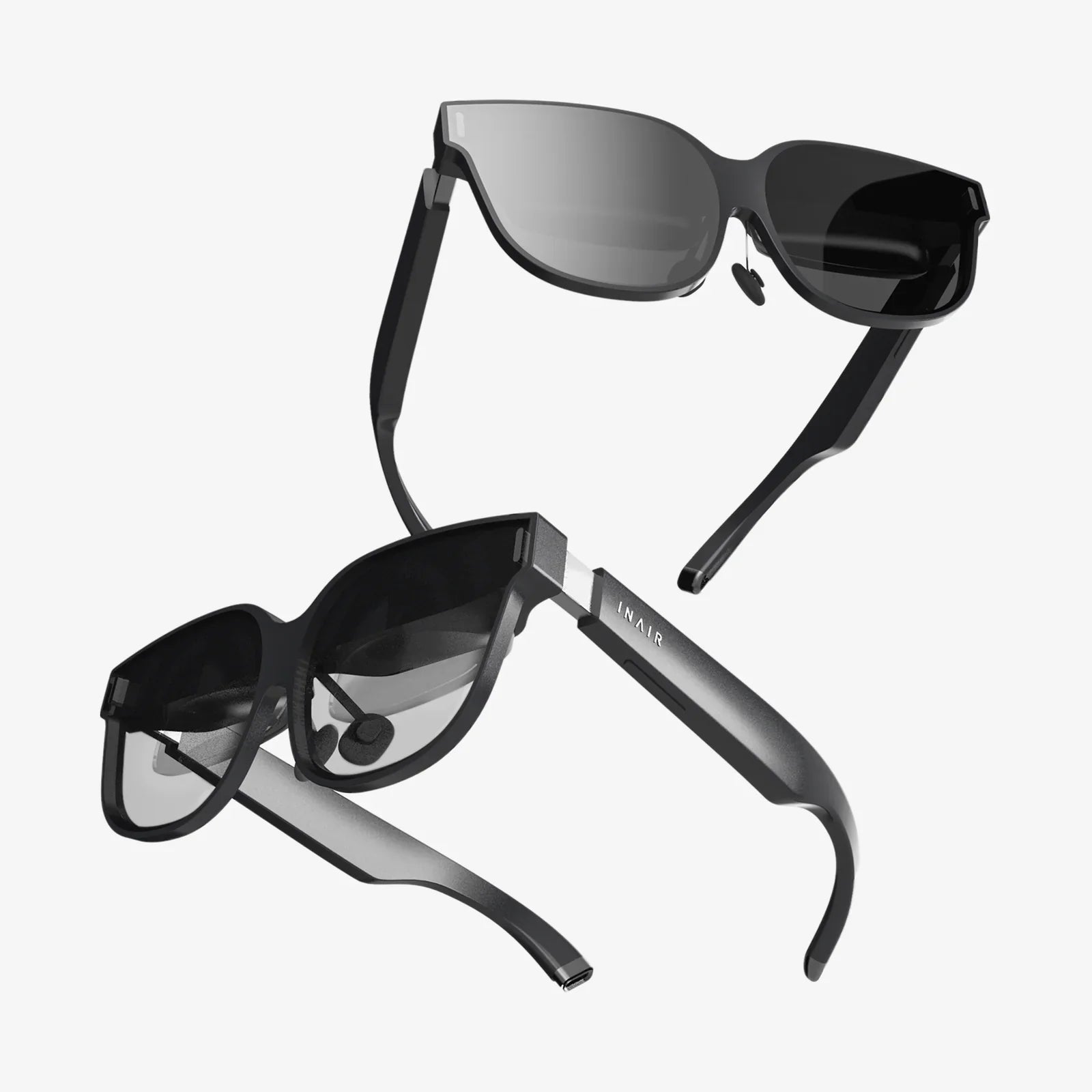
- by wangfred
Multiple Virtual Monitors VR Headset - The Ultimate Guide to Your Infinite Workspace
- by wangfred
Imagine an office without walls, a desk without physical limits, and a monitor that stretches as far as your imagination. This isn't a scene from a science fiction movie; it's the reality unfolding today for professionals, developers, and creatives who are harnessing the power of multiple virtual monitors through a VR headset. The traditional constraints of physical hardware are melting away, replaced by a dynamic, immersive, and infinitely customizable digital environment that fits on your head. The quest for the ultimate productivity setup has long been a pursuit of more screen real estate. We've daisy-chained monitors, invested in ultra-wide curved displays, and meticulously organized our digital workflows across countless pixels. Yet, we've remained tethered—to our desks, to specific locations, and to the physical and financial limitations of manufacturing larger and more numerous glass panels. The emergence of affordable, high-resolution VR and AR technology has thrown the door wide open to a new paradigm. It promises not just an incremental improvement, but a fundamental leap in how we interact with the digital dimension of our work and play.
At its core, the technology that enables multiple virtual monitors is a sophisticated blend of hardware and software, working in concert to create a convincing and functional illusion. The VR headset itself acts as both a display device and a tracking portal. High-resolution micro-OLED or LCD panels are positioned mere centimeters from the user's eyes, with precisely calibrated lenses focusing the image to create a clear, wide-field-of-view picture. This is the canvas.
The magic, however, lies in the software. Dedicated applications and increasingly integrated operating system features are responsible for constructing the virtual environment. They perform several critical functions simultaneously:
The result is an experience where you can turn your head to the left and see a web browser on a 100-inch virtual screen, look to the right to review a code editor on another, and glance down at a third floating screen for communication apps. You are no longer bound by the geometry of a desk; you are at the center of your own personalized command center.
The applications for this technology extend far beyond a simple novelty. Entire professions and hobbies are finding profound utility in the virtual workspace.
For software developers, data scientists, and system administrators, context-switching is a constant challenge. The ability to have documentation, a terminal window, an IDE, and a live debugging console all visible simultaneously without the clunky alt-tab dance is a monumental boost to focus and efficiency. A developer can dedicate an entire virtual monitor to a complex flowchart or architecture diagram, referring to it without ever minimizing their primary work window.
Video editors can lay out a sprawling timeline on one massive virtual screen, with source bins, effects panels, and color grading tools on adjacent screens. Graphic designers can have their design canvas on one display, tool palettes on another, and inspiration imagery on a third. The immersion minimizes distractions and allows for a more intuitive and fluid creative process, all while maintaining the color accuracy and resolution required for professional work.
The quintessential image of a trader surrounded by a wall of Bloomberg terminals is perfectly suited for virtualization. An analyst can summon dozens of data feeds, stock charts, news tickers, and communication platforms into a 360-degree ring of information, creating a situational awareness that is simply impossible with physical monitors.
The ultimate portability of a virtual workspace cannot be overstated. With a powerful laptop and a compact VR headset, a user can transform any quiet corner—a coffee shop, a library, a hotel room—into a multi-monitor powerhouse. This liberates productivity from the fixed home office, offering a consistent and expansive setup anywhere in the world.
While the promise is extraordinary, the technology is still maturing. Adopting a multiple virtual monitor setup today involves navigating a set of considerations.
The trajectory of this technology points toward a future where virtual monitors are not just an alternative, but the preferred method of computing for millions. We are moving toward headsets that are indistinguishable from a pair of stylish sunglasses, with retinal-resolution displays that surpass the sharpness of the best OLED TVs. Processing power will become untethered, with powerful on-device chips or seamless cloud streaming handling the workload.
Artificial intelligence will play a huge role, intelligently organizing windows based on workflow, automatically summoning relevant information as you work, and creating dynamic, context-aware workspaces. Collaboration will be transformed, as colleagues from across the globe can join you in a shared virtual office, interacting with the same virtual screens and 3D models as if they were physically present.
The distinction between VR (fully virtual) and AR (augmented reality with digital overlays on the real world) will blur into a continuum of spatial computing. You will have the choice to work from a virtual mountaintop or to anchor your spreadsheets and browsers around your physical desk, seeing them through transparent lenses. The virtual workspace will become a persistent layer on reality, accessible anytime, anywhere.
The door to the infinite office is now open. While the path of the early adopter requires navigating the current limitations of weight, resolution, and cost, the destination is unmistakable. The multiple virtual monitor VR headset is more than a gadget; it is the key to a fundamental shift in human-computer interaction, offering a glimpse of a world where our digital potential is limited only by the breadth of our vision, not by the size of our desks.
Share:
Remote Assistance Using AR: The Dawn of a New Era in Collaborative Problem-Solving
AR Hologram Technology: The Invisible Revolution Reshaping Our World