


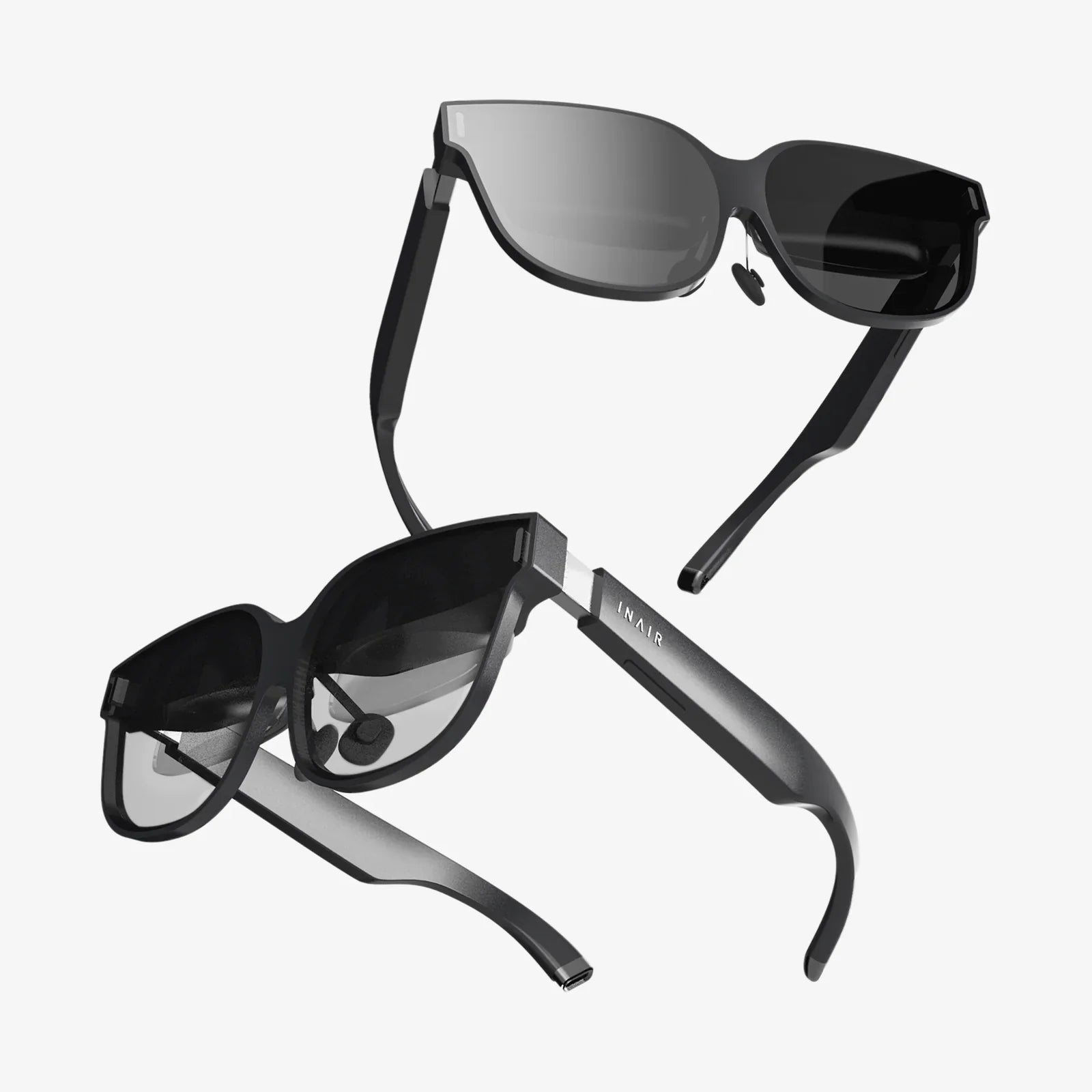
Do your eyes ever feel like they’ve run a marathon after a long day at your computer? That gritty, tired, strained sensation is an all-too-common complaint in our modern, screen-saturated lives. But what if there was a simple, effective tool that could not only alleviate that discomfort but also protect your long-term ocular health and even improve your sleep? Enter the world of screen goggles for PC, a technological solution designed to be the first line of defense for your most valuable sensory assets. This isn't just about comfort; it's about fundamentally changing your relationship with the digital world for the better.
The Digital Assault on Our Eyes: Understanding the Problem
Before we can appreciate the solution, we must first understand the nature of the problem. The average office worker now spends over seven hours a day staring at a digital display, and that number skyrockets for gamers, developers, and digital creatives. This constant exposure places immense strain on our visual system, leading to a cluster of symptoms known collectively as Digital Eye Strain (DES) or Computer Vision Syndrome (CVS).
The primary culprits behind this modern malaise are:
- High-Energy Visible (HEV) Blue Light: Emitted in significant quantities by LED-backlit screens (including those on PCs, laptops, tablets, and smartphones), blue light has short wavelengths and high energy. While natural blue light from the sun is essential for regulating our circadian rhythm, prolonged, close-range exposure from artificial sources can cause retinal cell damage and contribute significantly to digital eye strain.
- Screen Glare: Reflections from overhead lighting or windows create harsh contrasts and hotspots on your screen, forcing your eyes to constantly work harder to focus and refocus.
- Pixelated Focus: Unlike the solid lines of text on a printed page, the characters on a digital screen are composed of tiny, illuminated pixels that are brightest at the center and dimmer at the edges. This makes it more difficult for our eyes to maintain focus, leading to a constant, subtle struggle that results in fatigue.
- Reduced Blink Rate: Studies have shown that people blink significantly less—up to 66% less—when working on a computer. This leads to dry, irritated eyes as the tear film isn't being replenished regularly.
The consequences of unmitigated screen exposure extend beyond temporary discomfort. Research suggests that chronic exposure to artificial blue light may accelerate age-related macular degeneration (AMD), a leading cause of permanent vision loss. Furthermore, it profoundly disrupts our sleep patterns by suppressing the body's production of melatonin, the hormone responsible for signaling sleep.
How Do Screen Goggles for PC Actually Work? The Science Unveiled
Screen goggles are not a magical cure-all, but rather a sophisticated piece of optical technology engineered to counteract the specific issues posed by digital displays. Their functionality is built upon several key principles.
Blue Light Filtration: The Core Defense
The most critical feature of quality computer eyewear is its ability to filter a portion of HEV blue light. This is achieved through one of two primary methods:
- Tinted Lenses: Many goggles feature a subtle yellow, amber, or rose tint. This tint acts as a filter, selectively blocking blue light wavelengths from reaching the eye. The tint is often very light, making the glasses suitable for all-day wear without drastically distorting color perception, which is crucial for designers and photographers.
- Clear Lenses with Blue Light Filtering Coatings: Advanced multi-layer coatings can be applied to completely clear lenses. These coatings reflect a significant percentage of blue light away from the eye while allowing other wavelengths to pass through unimpeded. This technology is ideal for those who require absolutely accurate color representation.
It's important to note that no consumer-grade glasses block 100% of blue light—nor would you want them to, as some blue light is necessary for healthy visual function. The goal is to reduce the intense, close-range exposure from screens to a safer, more natural level.
Anti-Glare and Anti-Reflective (AR) Properties
A high-quality anti-reflective coating is a non-negotiable feature. This coating minimizes distracting reflections from the front and back surfaces of the lenses. By eliminating these reflections, more light passes through the lenses to your eyes, reducing the glare-induced squinting and straining that contributes to fatigue. This also makes your eyes more visible to others, improving eye contact during video calls.
Optimized Focus Relief
While not always a feature in non-prescription models, many screen goggles incorporate a slight power magnification (often around +0.50 to +1.00). This "computer power" is designed to reduce the focusing demand on the eye's internal lens (the ciliary muscle), which is constantly working to keep pixels on the screen in sharp focus. This is particularly beneficial for adults over 40 who may be experiencing the early effects of presbyopia (age-related farsightedness), making screen focus even more challenging.
Beyond the Hype: Documented Benefits of Wearing PC Screen Goggles
The claims surrounding computer glasses are supported by a growing body of clinical research and countless user testimonials. The benefits are both immediate and long-term.
- Significant Reduction in Digital Eye Strain Symptoms: Users consistently report a dramatic decrease in symptoms like dry eyes, headaches, blurred vision, and neck and shoulder pain. This is the most immediately noticeable benefit.
- Improved Sleep Quality: By filtering the blue light that disrupts melatonin production, wearing these goggles, especially in the evening hours, can help maintain your natural sleep-wake cycle. This leads to falling asleep faster and experiencing more restful sleep.
- Enhanced Visual Contrast and Comfort: The reduction in glare and blue light scatter increases visual contrast, making text appear sharper and blacker on a whiter background. This reduces the effort required to read, leading to greater comfort during extended periods of work.
- Long-Term Retinal Protection: While more research is ongoing, filtering harmful HEV blue light is widely considered a prudent preventive measure to protect the light-sensitive cells in the retina from potential photochemical damage over a lifetime of exposure.
- Increased Productivity and Focus: When physical discomfort is removed, you can work, game, or create for longer periods with greater concentration and less frequent breaks needed to rest your eyes.
Choosing the Right Pair: A Buyer's Checklist
Not all screen goggles are created equal. When selecting a pair, consider these essential factors to ensure you get the protection and comfort you need.
- Lens Quality and Technology: Prioritize lenses that specify the percentage of blue light filtered (look for reputable brands that filter between 30% to 50% of harmful blue light). A high-quality, multi-layer Anti-Reflective coating is a must.
- Fit and Comfort: You will likely be wearing these for many hours. Look for a frame that fits securely without pinching your temples or nose. Lightweight materials and flexible hinges contribute significantly to all-day comfort.
- Lens Color and Clarity: Decide between a subtly tinted lens or a clear lens with a filtering coating. Consider your work: if color accuracy is paramount, opt for clear lenses. For general use and maximum blue light blocking, a light amber tint is highly effective.
- Prescription vs. Non-Prescription (Plano): If you already wear corrective lenses, you have two excellent options: you can have a dedicated pair of prescription computer glasses made with the blue-light filtering and AR coatings, or you can use fit-over goggles that sit comfortably over your existing glasses.
- Coverage: Wraparound styles or larger lenses provide better peripheral coverage, protecting your eyes from ambient blue light sources in your environment, not just the screen directly in front of you.
Integrating Screen Goggles into a Holistic Eye Health Strategy
Screen goggles are a powerful tool, but they are most effective when used as part of a broader strategy for digital wellness. Think of them as the cornerstone of your eye care routine, supported by these essential habits:
- The 20-20-20 Rule: Every 20 minutes, look at something 20 feet away for at least 20 seconds. This simple practice gives your focusing muscle a critical break.
- Optimize Your Workspace: Position your screen so that the top of the monitor is at or slightly below eye level, about an arm's length away. Adjust brightness and contrast to comfortable levels and increase text size to avoid squinting.
- Mind Your Ambient Lighting: Ensure your room is well-lit, but avoid placing light sources directly in your field of view or where they will cause glare on your screen. Use task lighting with a shaded bulb directed at your desk, not your face.
- Remember to Blink: Consciously make an effort to blink fully and frequently to keep your eyes lubricated. Consider using lubricating eye drops if your eyes feel consistently dry.
- Regular Eye Exams: Schedule comprehensive eye exams with a qualified eyecare professional. They can assess your specific visual needs, diagnose any underlying issues, and provide the best advice on whether computer glasses are right for you.
In our relentless digital world, eye strain has become an accepted tax on productivity and well-being. But it doesn't have to be this way. Screen goggles for PC represent a proactive and intelligent response to a modern problem, merging optical science with digital lifestyle needs. By understanding how they work and integrating them into your daily routine, you are not just buying a pair of glasses; you are making a long-term investment in your visual health, comfort, and overall quality of life. The question is no longer if you need them, but how you ever managed without them.
Share:
Smart Glasses Audio News: The Invisible Revolution in Information Consumption
New Wearables: Beyond the Wrist, A Revolution in Personal Technology