


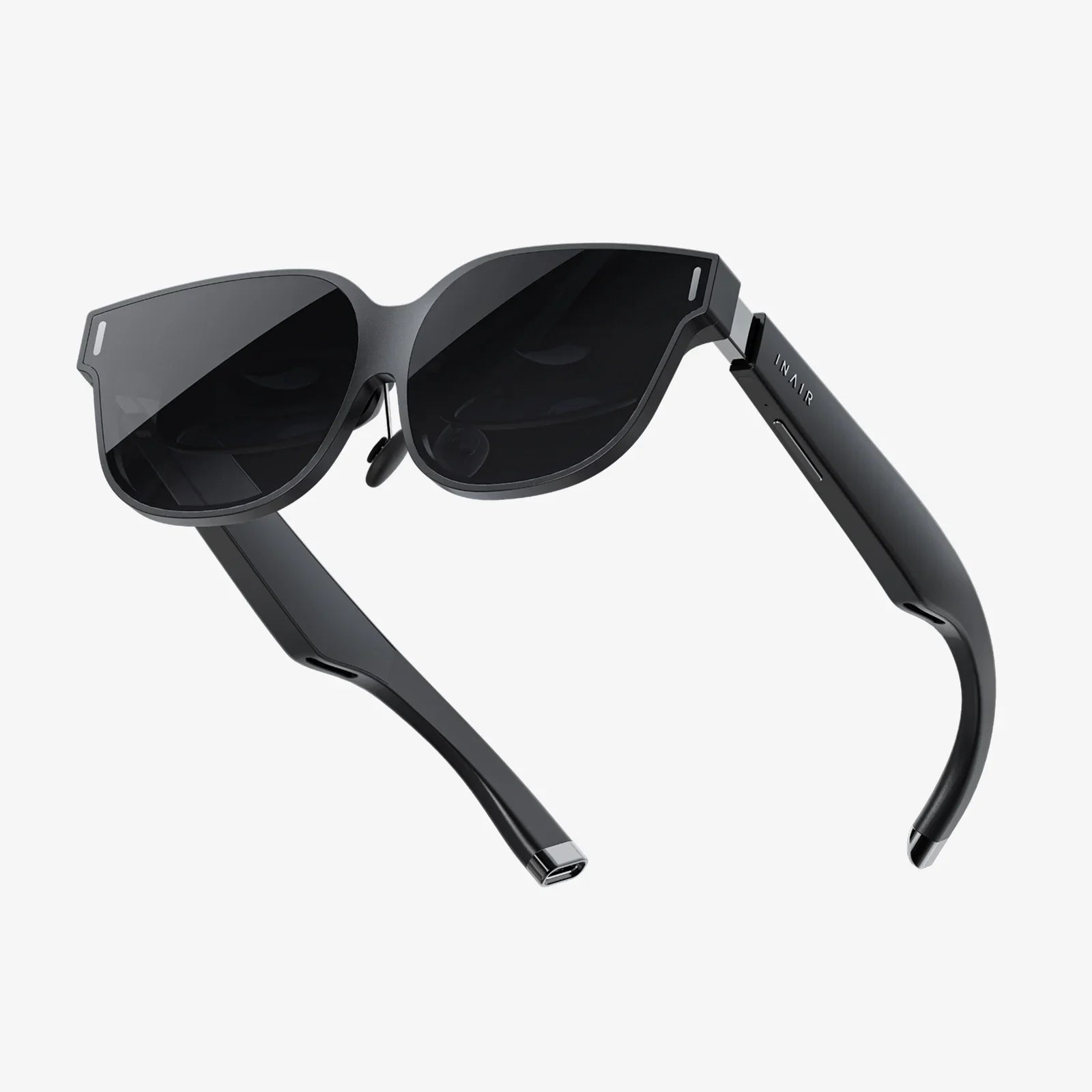
Imagine a world where digital information seamlessly blends with your physical reality, where instructions float before your eyes as you repair an engine, or where a virtual cinema screen unfolds in front of you on a crowded flight. This is no longer the stuff of science fiction; it’s the promise of smart goggles, the most immersive personal computing platform to emerge in decades. The quest for the perfect pair, however, can feel like navigating a labyrinth. This guide is your trusted map, designed to demystify the technology and empower you to make the ultimate smart goggles best buy decision, ensuring your investment unlocks a new dimension of work, play, and connection.
Beyond the Hype: Understanding the Smart Goggles Landscape
Smart goggles, often grouped under the broader terms of augmented reality (AR) or mixed reality (MR) wearables, are not simply a new type of screen. They are a fundamentally different way of interacting with computing. Unlike their predecessor, smart glasses, which typically project minimal data like notifications into your line of sight, smart goggles are fully immersive. They either completely replace your vision with a virtual world (Virtual Reality) or anchor persistent digital objects into your real environment (Augmented/Mixed Reality).
The market is rapidly evolving from clunky, expensive prototypes developed for enterprise and gaming into more streamlined, accessible devices aimed at prosumers and early adopters. Understanding this spectrum is the first step toward your smart goggles best buy. The right pair for a architect visualizing a 3D model on a construction site is vastly different from the ideal set for a gamer exploring fantastical worlds.
Key Features to Scrutinize Before You Buy
Making a smart goggles best buy means looking beyond the marketing claims and focusing on the core specifications that will dictate your user experience. Ignoring these can lead to disappointment, eyestrain, or a device that simply gathers dust.
Display Technology and Visual Fidelity
This is arguably the most critical aspect. The goal is a clear, bright, and comfortable image that feels natural to your eyes.
- Resolution and Pixels-Per-Degree (PPD): Look for a high PPD count. This measures the pixel density within your field of view. A low PPD results in a "screen door effect," where you can see the gaps between pixels, shattering immersion. Aim for a PPD of 40 or higher for a sharp image.
A wider FoV means a more immersive experience where the digital world fills your vision rather than appearing as a small, floating window. However, a very wide FoV on a lower-resolution device can make the screen door effect more noticeable. It's a balancing act. - Lenses and Optical Path: Pancake lenses are a recent innovation that allows for a much slimmer and lighter form factor compared to traditional Fresnel lenses. They are a sign of a more advanced, comfortable design.
Processing Power and Performance
Are the goggles a standalone device with its own onboard processor, or do they act as a display for a powerful external computer or console? This distinction is crucial.
- Standalone vs. Tethered: Standalone goggles offer untethered freedom and convenience—perfect for watching media or casual use anywhere. Tethered goggles, connected to a PC or game console, provide vastly superior graphical power for high-end gaming and professional applications but limit your movement.
- Chipset: For standalone models, the processor (often from leading mobile chip designers) dictates everything from graphical quality to battery life. A newer, more powerful chipset ensures a smoother experience and better future-proofing.
Tracking and Input: How You Interact with the Digital
How do the goggles understand the world and your place within it? This is handled by a sophisticated array of sensors.
- Inside-Out Tracking: Modern goggles use cameras on the device itself to map your environment and track the position of your head and controllers without external sensors. This is the standard for convenience and ease of setup.
- Controller vs. Hand Tracking: Most systems come with dedicated handheld controllers. However, advanced hand tracking technology is becoming the gold standard, allowing you to use your bare hands to pinch, grab, and manipulate virtual objects intuitively. This is a feature worth seeking out.
Comfort and Form Factor
If they aren't comfortable, you won't wear them. It's that simple.
- Weight Distribution: A well-designed headset uses a counterbalance at the back to avoid putting all the pressure on your face. Look for a rigid, adjustable headstrap instead of a simple fabric one for heavier models.
- Facial Interface: The foam or silicone piece that touches your face should be soft, breathable, and easily replaceable for hygiene. It should also accommodate users who wear prescription glasses, either through enough space or custom lens inserts.
- Battery Life and Management: Battery life can vary wildly from 2 to 3 hours for intense gaming to all-day enterprise use. Some designs feature a hot-swappable battery pack, while others have a built-in cell. Consider how and where you'll use them.
Defining Your "Why": Matching Goggles to Your Use Case
The concept of a universal smart goggles best buy is a myth. The best device is the one that excels at what *you* want to do. Candidly define your primary use case.
The Immersive Gamer
For you, performance is paramount. You'll prioritize:
- High refresh rates (90Hz or above) for smooth, nausea-free gameplay.
- Top-tier graphical processing, often meaning a tethered connection to a powerful PC.
- Precision controllers with haptic feedback for immersive interaction.
- A wide field of view to be fully engulfed in the game world.
The Remote Worker and Digital Creator
Your smart goggles best buy is a productivity powerhouse. Your checklist includes:
- High-resolution displays for reading text and viewing complex models clearly.
- Robust multi-tasking capabilities, allowing you to float multiple browser windows and apps in your space.
- Comfort for extended wear during long work sessions.
- Accurate hand tracking for intuitive manipulation of 3D assets.
The Media Consumer
You want a personal theater in your head. Your focus should be on:
- Superior display quality with high contrast and rich colors (OLED displays are ideal).
- Built-in spatial audio speakers that don't require headphones for a private, immersive soundscape.
- A lightweight, comfortable design perfect for leaning back and watching films.
- Standalone functionality for use on planes, trains, or in bed without being tied to another device.
The Unseen Factors: Privacy, Ecosystem, and Future-Proofing
Your evaluation shouldn't stop at the hardware. The software and policies surrounding the device are equally important for a truly smart purchase.
Data Privacy and Security
Smart goggles are, by their nature, incredibly intimate. They have multiple cameras and sensors constantly scanning your environment and, by extension, your life. Before your smart goggles best buy, investigate the manufacturer's privacy policy.
- How is the data from the cameras processed? Is it on the device itself or sent to the cloud?
- Can you clearly see when the cameras are active (e.g., an LED indicator)?
- What controls do you have over your data? This is a critical and often overlooked consideration.
The Software Ecosystem
The hardware is useless without compelling software. Research the available platform.
- Is there a healthy store with a wide variety of apps and games for your intended use?
- Is the company known for supporting its devices with regular software updates and new features for years, or do they abandon products quickly?
- Does the system feel polished and intuitive, or is it buggy and frustrating?
The Price of Entry and Total Cost of Ownership
The sticker price is only part of the story. Consider the long-term investment.
- Will you need to buy additional accessories for a complete experience (e.g., prescription lens inserts, a more comfortable strap, extra controllers)?
- Are the apps and games you want to use expensive?
- Does the device require a subscription service for its most advanced features?
Trying Before You Buy: The Non-Negotiable Step
You can read every review and spec sheet, but personal comfort and visual perception are highly subjective. If at all possible, find a way to try before you buy. Visit a tech showroom, a friend's house, or a developer meetup. Pay attention to:
- Visual Clarity: Is the text sharp? Can you see pixels?
- Comfort: How does it feel on your head after five minutes? What about after twenty?
- User Interface: Does navigating the menus feel natural or cumbersome?
- Passthrough Mode: If it's an AR/MR device, how does the real world look through the cameras? Is it laggy, distorted, or surprisingly clear?
The journey to finding your perfect smart goggles best buy is an exciting foray into the next computing revolution. It requires careful thought, self-reflection on how you plan to use them, and a keen eye for the details that separate a gimmick from a genuine tool for enhancement. By prioritizing the features that matter most to your intended use, respecting the importance of comfort and privacy, and seeking out a hands-on demo, you can confidently step into a world where your reality is limited only by your imagination. The future is putting on a pair of goggles, and it’s waiting for you to make the right choice.
Share:
Best VR Headset for Smartphones: Your Ultimate Guide to Mobile Immersion
Best VR Headset for Smartphones: Your Ultimate Guide to Mobile Immersion