


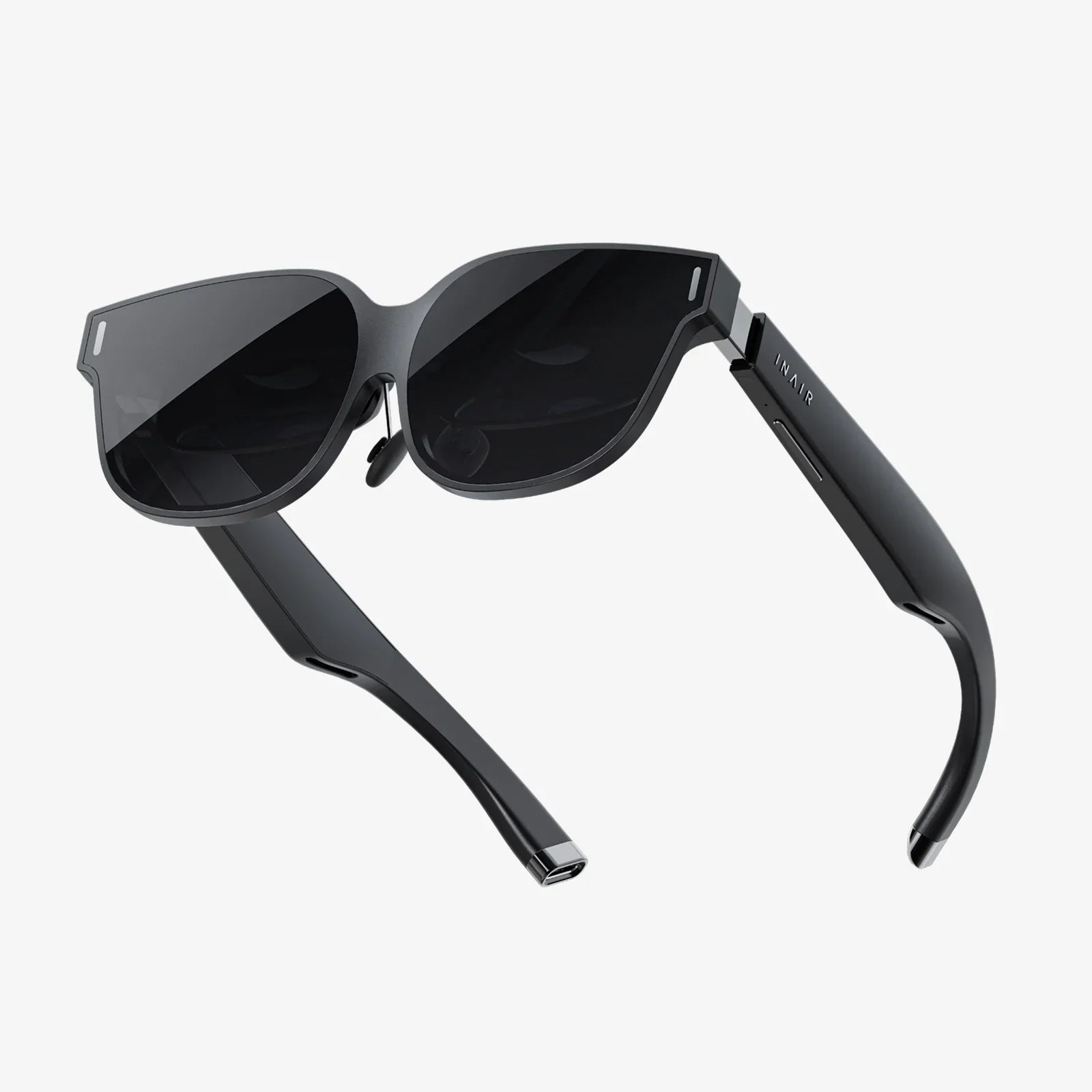
Imagine slipping a portal to another dimension into your pocket, a device that transforms your everyday smartphone into a gateway to virtual worlds, breathtaking 360-degree films, and interactive experiences that defy the limits of your living room. This is the promise and power of choosing the top VR headset for Android, a decision that unlocks a universe of potential without requiring a powerful desktop computer. The journey into mobile virtual reality is more accessible and impressive than ever, but navigating the landscape requires a keen eye for compatibility, comfort, and features. Whether you're a curious newcomer or a seasoned enthusiast looking to upgrade, understanding what makes a great Android-compatible headset is the first step toward your next great adventure.
The Foundation: Understanding the Android VR Ecosystem
Before diving into specific headset types, it's crucial to grasp the unique environment of Android-based virtual reality. Unlike platforms tied to a single ecosystem, Android offers a vast array of devices with varying capabilities. This freedom is a double-edged sword; it means incredible choice but also demands careful consideration.
The heart of your VR experience is, of course, your Android smartphone. It acts as the processor, the display, and the sensor hub. Its performance directly dictates the quality of the worlds you explore. Key specifications to consider include:
- Display Resolution and Pixel Density: A high-resolution screen (Quad HD or 4K) with a high pixel-per-inch (PPI) count is paramount. Since the display is magnified by the headset's lenses, a lower-resolution screen will result in a visible "screen door effect," where you can see the gaps between pixels, breaking immersion.
- Processor (CPU/GPU): A powerful chipset is non-negotiable for smooth, stutter-free VR. High-end experiences and games require significant graphical processing power (GPU). Mid-range or older phones may struggle with more demanding applications.
- Sensors: Accurate head-tracking relies on a robust suite of sensors, including a gyroscope, accelerometer, and magnetometer. Most modern smartphones include these, but their quality can vary.
- Operating System: Ensure your device is running a recent version of Android and is compatible with the required VR services and stores.
Beyond the phone itself, the software platform is equally important. The primary portal for content is a digital storefront operated by the headset's manufacturer or a broader platform like Google. This is where you'll download games, apps, and experiences. The vitality and quality of this content library are a critical factor in the long-term value of your investment.
Categories of Android VR Headsets
Not all headsets are created equal. They generally fall into three distinct categories, each catering to different needs, budgets, and levels of immersion.
1. Mobile Viewers (The Accessible Entry Point)
These are the simplest and most affordable form of VR headset. Constructed primarily from lightweight plastics or even cardboard, they lack any internal electronics of their own. Their sole purpose is to hold your smartphone a fixed distance from two lenses, splitting the screen into a stereoscopic image for each eye. Interaction is typically handled through a magnetic or capacitive tap button on the side of the headset or a simple Bluetooth controller.
Pros:
- Extremely low cost, making VR accessible to everyone.
- Lightweight and often foldable for easy portability.
- No cables or external power required.
- Perfect for experiencing 360-degree videos and photos, simple games, and introductory apps.
Cons:
- Limited immersion due to basic design and lack of advanced features.
- No positional tracking (you can only look around, not lean or move within the virtual space).
- Relies entirely on your phone's processing and sensor capabilities, which can lead to drift or lag.
- Limited content library focused on simpler experiences.
This category is ideal for the casual user who wants to dip their toes into VR without a significant financial commitment.
2. Standalone Headsets (The All-in-One Powerhouse)
This category represents the current zenith of consumer mobile VR. These devices are completely self-contained; they have their own high-resolution displays, powerful processors, built-in sensors for head and controller tracking, and a built-in battery. They run on a customized version of the Android operating system and operate independently of a smartphone or computer.
While they form their own ecosystem, their Android foundation means they often have deep integration with Android services and can sometimes interact with your Android phone for certain features. They offer a robust, console-like VR experience.
Pros:
- Superior experience with high-resolution displays, advanced lenses, and powerful dedicated processors.
- Six Degrees of Freedom (6DoF) tracking: Using external cameras or sensors, these headsets track not just the rotation of your head (3DoF) but also its position in space. This allows you to lean, dodge, and physically walk around within a defined play area, vastly increasing immersion.
- Wireless and untethered freedom.
- Dedicated motion controllers that are also tracked in 6DoF, enabling natural and intuitive interaction.
- A large, high-quality library of games and applications designed specifically for the hardware.
Cons:
- Significantly higher cost, comparable to a gaming console.
- Heavier than mobile viewers, though ergonomics are usually excellent.
- Limited battery life (typically 2-3 hours of active use).
- Can be subject to platform exclusivity for certain content.
Standalone headsets are the best choice for users serious about VR gaming and immersive applications who want a high-quality, wireless experience without needing a gaming PC.
3. Tethered PC VR Headsets with Android Compatibility (The Hybrid Approach)
This is a more niche category. Some high-end headsets designed primarily for use with powerful gaming PCs also offer limited Android functionality. This might involve a specific mode or software feature that allows you to slot your Android phone into the headset to access a separate mobile VR library or media functions, effectively turning an elite headset into a mobile viewer.
Pros:
- Access to both the immense power and library of PC VR and the convenience of mobile VR content.
- Uses the high-quality optics and comfort of a premium headset.
Cons:
- Very high cost (headset + gaming PC).
- The Android functionality is often a secondary, less polished feature.
- The setup is complex.
- Extremely limited selection of headsets with this capability.
This approach is only relevant for a small subset of users who already own a capable PC VR headset and want to explore its secondary mobile features.
Key Features to Evaluate When Choosing Your Headset
Cutting through the marketing speak requires focusing on the technical specifications and build qualities that truly matter.
- Field of View (FoV): Measured in degrees, this is how much of the virtual world you can see at once. A wider FoV (100°+) is more immersive, making you feel "inside" the experience rather than looking through a tunnel. Narrow FoVs can feel restrictive.
- Display and Lenses: Look for specifications on resolution, refresh rate (higher is smoother, reducing motion sickness), and lens type. Fresnel lenses are common, but newer pancake lenses allow for a much slimmer headset design. Also, investigate the use of displays with high pixel density to minimize the screen-door effect.
- Tracking Technology: For standalone headsets, understand how they track your movement. Inside-out tracking, where cameras on the headset itself map the room, is the modern standard and requires no external sensors. The number and quality of these cameras affect tracking accuracy.
- Controllers: Are they included? Do they offer 6DoF tracking? How is the ergonomics and battery life? Good controllers are essential for gameplay and interaction.
- Comfort and Ergonomics: VR sessions can last a while. A good headset must be comfortable. Look for adjustable head straps (preferably a rigid halo-style or elasticated top-strap design), balanced weight distribution, ample padding, and adjustable IPD (Interpupillary Distance—the distance between your eyes) to align the lenses perfectly with your pupils for a clear image.
- Audio: Some headsets have built-in speakers, others require headphones. Spatial audio that reacts to your head movements is a huge boost to immersion.
- Content Library: Research the store. Does it have the games and apps you want? Is it actively supported by developers? A headset is useless without compelling software.
Setting Up and Optimizing Your Android VR Experience
Once you've chosen your hardware, proper setup is key. For mobile viewers, it's often as simple as downloading a companion app, inserting your phone, and calibrating. For standalone headsets, the process involves charging the device, pairing the controllers, connecting to Wi-Fi, and setting up a virtual boundary or "guardian" system that warns you if you're about to step outside your safe play area.
To get the most out of your Android VR setup, consider these tips:
- Free Up Resources: Before slotting your phone into a viewer, close all background apps to ensure maximum performance.
- Manage Storage: VR apps and especially 360-degree videos can be very large. Ensure you have ample free storage space on your phone or standalone headset.
- Lighting Matters: For headsets that use camera-based tracking, ensure your play space is well-lit (but avoid direct sunlight on the headset's lenses, as it can damage the internal screens).
- Comfort Tweaks: Take the time to adjust all straps and the IPD slider (if available) until the headset feels secure and the image is perfectly clear. Even a slight blur can lead to eye strain.
- Take Breaks: Start with shorter sessions to acclimatize yourself to VR and avoid simulator sickness. Stay hydrated.
The Future of Android-Powered Virtual Reality
The trajectory of mobile VR is incredibly exciting. We are moving towards even more powerful and efficient processors, higher-resolution micro-OLED displays that will make the screen-door effect a distant memory, and slimmer, lighter form factors thanks to advancements in lens technology. The line between standalone and PC VR will continue to blur with technologies like cloud gaming and wireless streaming.
Furthermore, the development of advanced passthrough cameras will enable more compelling mixed reality (MR) experiences on standalone Android headsets, allowing digital objects to interact convincingly with your real-world environment. The future is not just about full virtual escape but about enhancing our reality with digital layers of information and entertainment.
The quest for the top VR headset for Android is a personal one, a balance between the immersive power you desire and the investment you're willing to make. From the simple plastic viewer that offers a glimpse into this new medium to the sophisticated standalone systems that deliver a complete and untethered portal to other worlds, the power to choose is in your hands. This isn't just about buying a piece of hardware; it's about selecting your ticket to explore the frontiers of digital experience, all powered by the device you already carry with you every day. Your front-row seat to the next dimension is waiting.
Share:
Best VR Headset for Productivity 2025: The Ultimate Guide to Your Virtual Office
Which VR Headset for PC: The Ultimate 2024 Buyer's Guide