


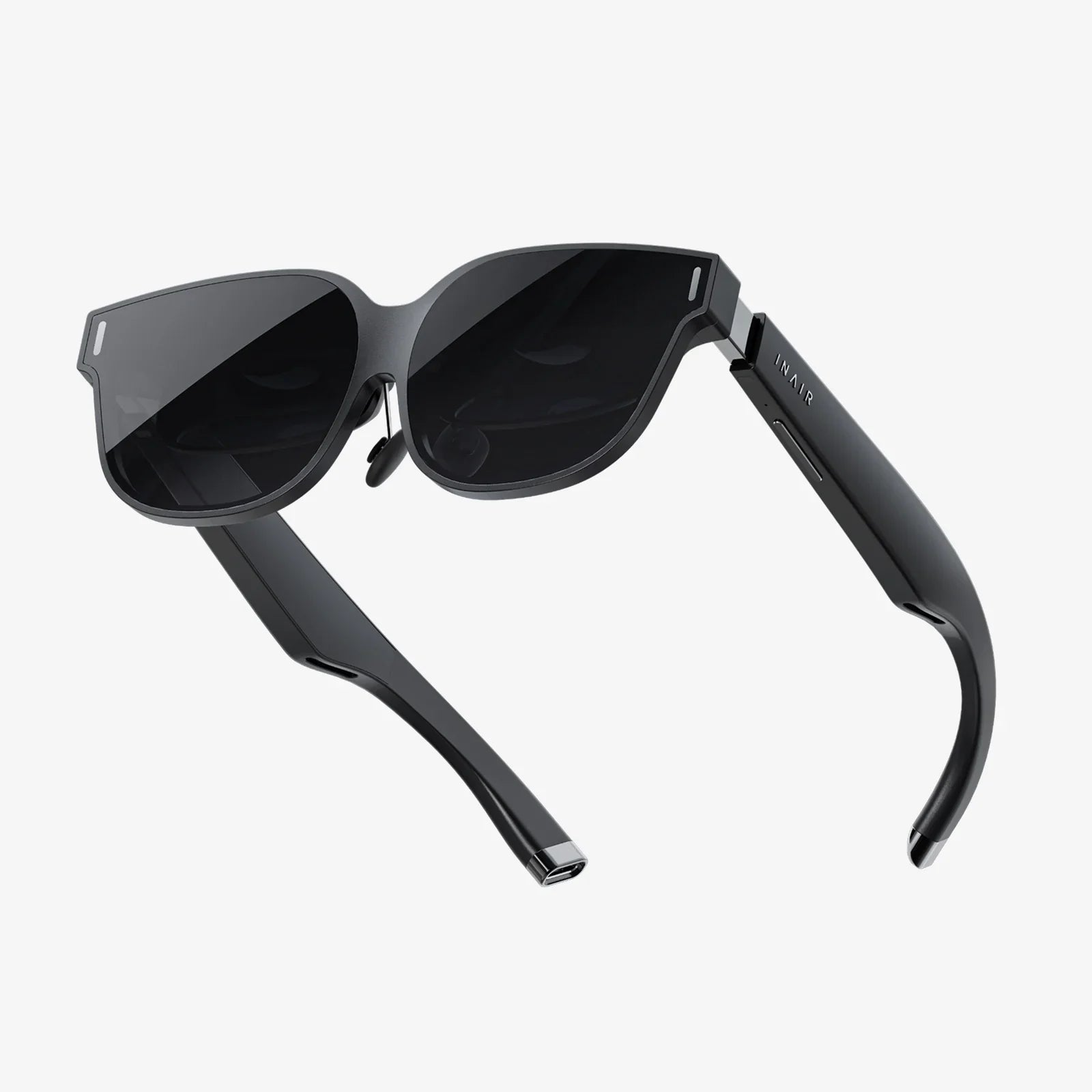
The world is shifting, bending, and reshaping itself right before your eyes, and it’s all happening through the lens of a pair of virtual glasses connected to the powerful computer in your pocket. The concept of virtual glasses to Android isn't just a futuristic pipe dream; it's a tangible, accessible reality that is redefining how we play, work, learn, and connect. This isn't about escaping our world but about augmenting it, layering digital information and breathtaking experiences onto the fabric of our physical reality. The journey from a simple smartphone to a portal into boundless digital dimensions is more straightforward than you might imagine, and it begins with understanding the profound connection between these two transformative technologies.
The Symbiotic Relationship: Why Android and Virtual Glasses Are a Perfect Match
At first glance, a pair of sleek virtual glasses and a ubiquitous Android device might seem like disparate pieces of technology. However, their union is a masterclass in symbiotic design. Android, as the world's most popular mobile operating system, provides the essential ingredients for a mobile immersive experience: immense processing power, high-resolution displays, sophisticated sensors (gyroscopes, accelerometers, magnetometers), and crucially, versatile connectivity options like Bluetooth and USB-C.
Virtual glasses act as the interface, the window into these computed worlds. They are, in essence, a sophisticated display system that offloads the heavy computational lifting to the Android device. This division of labor is key to their accessibility. Instead of requiring a bulky, expensive, and self-contained headset with its own processor and battery, these glasses leverage a device you already own and carry everywhere. This partnership dramatically lowers the barrier to entry, making immersive technology available to a mass audience. The Android device becomes the engine, while the glasses are the vehicle transporting your perception to new realms.
Understanding the Technology: How Virtual Glasses Connect to Your Android Device
The magic of connecting virtual glasses to Android happens through one of two primary methods, each with its own advantages and considerations.
1. Tethered Connection (USB-C)
Many modern virtual glasses utilize a direct, wired connection via the USB-C port on an Android phone or tablet. This method is often preferred for its reliability and performance.
- Pros: Provides a stable, high-bandwidth connection capable of delivering high-resolution visuals and low-latency data transfer. This minimizes lag, which is critical for preventing motion sickness and ensuring a seamless experience. It also simultaneously charges the Android device, allowing for longer usage sessions.
- Cons: The physical cable can be somewhat restrictive, limiting movement and creating a slight tether to your pocket.
The connection process is typically straightforward: simply plug the compatible cable from the glasses directly into your device's USB-C port. Most modern Android devices support various USB-C protocols that enable this video-out functionality, making it a plug-and-play experience for many users.
2. Wireless Connection (Bluetooth & Wi-Fi)
For those seeking ultimate freedom of movement, wireless connectivity is the answer. This usually involves a combination of technologies.
- Bluetooth: Handles the pairing of the devices and the transmission of control data (like head-tracking information from the glasses back to the phone).
- Wi-Fi Direct or Miracast: Manages the high-speed streaming of the audio and video content from the Android device to the screens inside the glasses.
Wireless solutions offer unparalleled freedom but can sometimes suffer from slight latency or compression artifacts compared to a wired connection, depending on the specific hardware and software implementation.
Preparing Your Android Device for the Immasive Leap
Not every Android device is created equal, and ensuring compatibility is the first crucial step toward a smooth experience. Before diving in, users should verify a few key specifications.
- Operating System (OS): Always ensure your device is running a recent version of the Android OS. Older versions may lack the necessary drivers, APIs, and security protocols required by modern virtual glass applications. Android 10 or newer is a common baseline.
- Processing Power (CPU/GPU): Rendering immersive environments, especially in 3D and at high frame rates, is computationally intensive. A device with a robust processor and a capable graphics processing unit (GPU) is essential to avoid stuttering, lag, and a subpar experience. Mid-range devices from the last few years and most flagship devices are typically well-equipped.
- Sensors: The magic of immersion relies on accurate tracking. Your phone’s gyroscope, accelerometer, and magnetometer work in concert to understand your head movements and orientation. Ensure these sensors are calibrated and functioning correctly within your device's settings.
- Storage Space: High-quality immersive applications and content can be large. Ensuring you have ample free storage space will prevent frustrating download interruptions and performance issues.
The Software Ecosystem: portals to Possibility
The hardware is just the vessel; the true soul of the experience lies in the software available on the Google Play Store. The ecosystem of applications designed for virtual glasses on Android has exploded, catering to a vast array of interests.
Entertainment and Gaming
This is where the technology truly shines for many users. The Play Store hosts a wealth of content:
- Immersive Video Players: Applications that transform your glasses into a personal cinema, allowing you to watch 2D, 3D, and 360-degree videos on a virtual giant screen.
- Virtual Reality (VR) Games: From casual experiences to intense first-person adventures, there are games that place you directly in the action. Using a compatible Bluetooth controller can enhance gameplay immensely.
- Augmented Reality (AR) Experiences: Applications that overlay digital characters, information, and games into your physical living room, turning your environment into a interactive playground.
Productivity and Utilities
Beyond entertainment, virtual glasses are powerful productivity tools.
- Virtual Desktops: Applications can project multiple virtual monitors into your field of view, allowing you to work on documents, browse the web, or even code from anywhere, free from the constraints of a physical screen.
- Navigation and Guides: Imagine walking through a new city with directional arrows and information about landmarks seamlessly overlayed onto the streets in front of you. While more advanced than current consumer apps, the foundation exists on Android.
- Fitness and Health: Workout apps can display your stats and virtual trainers in your periphery, keeping you motivated without having to look down at a phone or watch.
Social and Connectivity
The future is social, and several platforms allow Android users to meet, interact, and share experiences in virtual spaces using their glasses, fostering a new form of digital togetherness.
Optimizing the Experience: Tips for a Flawless Journey
To get the most out of your virtual glasses and Android setup, a few simple optimizations can make a world of difference.
- Close Background Apps: Before launching an immersive experience, close any unnecessary applications running in the background on your Android device. This frees up precious RAM and CPU cycles, dedicating maximum power to the task at hand.
- Enable Do Not Disturb: There are few things more immersion-breaking than a notification banner popping up in the middle of a virtual world. Activating Do Not Disturb mode ensures an uninterrupted experience.
- Manage Battery Life: Intensive XR applications are power-hungry. For longer sessions, consider connecting your Android device to a power bank or keeping it plugged in, especially if using a wired connection that supports pass-through charging.
- Adjust Fit and Focus: Take the time to properly adjust the headstrap and, if available, the interpupillary distance (IPD) and focus dials on the glasses. A comfortable and clear fit is paramount to enjoying extended periods of use.
Gazing into the Future: Where Do We Go From Here?
The current state of virtual glasses connected to Android is impressive, but it is merely the foundation for a much more integrated and powerful future. We are moving towards standalone glasses with more onboard processing, but the role of the smartphone will remain pivotal as a companion device, a content hub, and a control center. Advancements in 5G connectivity will enable cloud-based rendering, where the immense graphical processing is handled by remote servers and streamed to the glasses via the Android device, making high-fidelity experiences possible on even mid-range phones. Furthermore, the development of more sophisticated inside-out tracking and spatial mapping will allow virtual objects to interact with our real environment in increasingly believable ways, all coordinated through the powerful sensors and processors of our Android companions.
The line between the digital and the physical is not just blurring; it's being intentionally woven together by the thread of innovation connecting virtual glasses to Android. This partnership has democratized access to the metaverse, placing a universe of experiences directly into the hands and onto the faces of millions. It invites you to look at your familiar Android device not just as a phone, but as a key—a key that can unlock doors to unimaginable worlds, enhance your reality with a wealth of information, and fundamentally transform the very nature of how you perceive and interact with the digital realm. The portal is in your pocket; all you have to do is plug in and look.
Share:
All In One VR Glasses: The Ultimate Portal to Immersive Realities
Developing Augmented Reality Apps: A Comprehensive Guide to Building the Future