


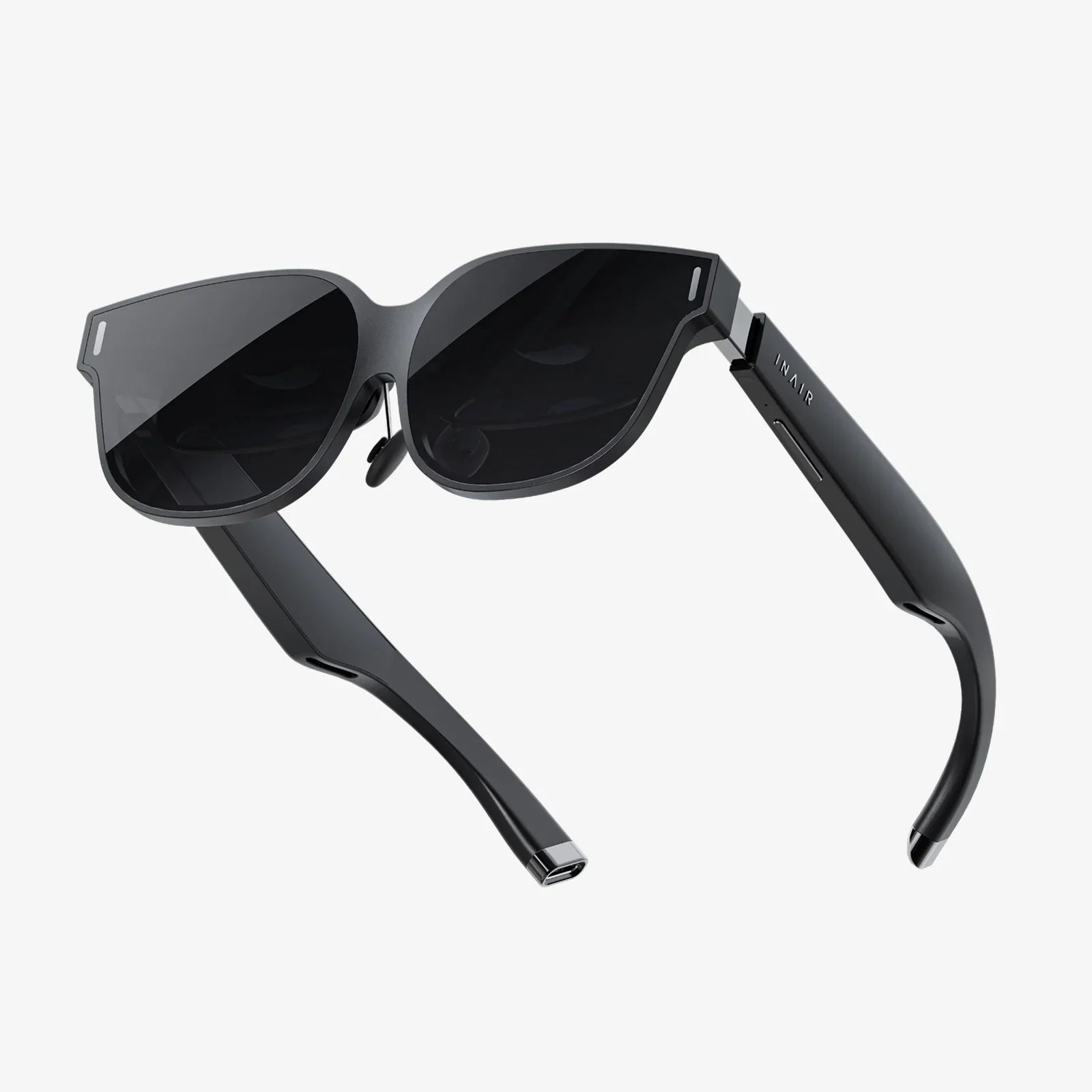
Imagine holding a portal to another dimension in your pocket. You already do. Your iPhone, a marvel of modern engineering, possesses the raw computational power and stunning display technology that, when paired with the right viewer, can shatter the boundaries of your living room and transport you anywhere. This isn't a glimpse into the future; it's an experience available today through the powerful combination of a VR headset and your smartphone. The era of accessible, high-quality mobile virtual reality is here, and it’s waiting for you to take the plunge. The journey from curious onlooker to immersed explorer begins with understanding the synergy between your device and the hardware that unlocks its potential.
The Symbiotic Relationship: Your iPhone as a VR Powerhouse
At the heart of every compelling smartphone-based virtual reality experience lies a perfect partnership. The headset, often called a viewer or holder, provides the essential optics, structure, and often additional sensors. But it is the smartphone that serves as the brain and the eyes. Modern iPhones are exceptionally well-suited for this role for several key reasons.
First, their displays are among the best in the industry. With high resolutions, exceptional pixel density (PPI), and advanced technologies like OLED on many models, the screen-door effect—where users can discern the gaps between pixels—is minimized. This results in a sharper, more convincing image. Second, the processing power of Apple's A-series and M-series chips is staggering. These chipsets are responsible for rendering two distinct high-frame-rate images (one for each eye), processing head-tracking data in real-time, and running the often graphically intensive application or game itself. This seamless performance is crucial for maintaining immersion and preventing the motion sickness that can occur with lag or dropped frames.
Finally, the iPhone's built-in gyroscope, accelerometer, and magnetometer are precisely the sensors needed for accurate rotational head tracking. As you turn your head left or right, look up or down, these sensors feed data to the phone instantaneously, and the virtual world responds accordingly. This creates the fundamental illusion of being inside a digital space.
Understanding the Hardware: More Than Just a Holder
While the iPhone is the engine, the headset is the chassis. Not all viewers are created equal, and they generally fall into a few distinct categories, each offering a different level of experience and convenience.
Basic Cardboard Viewers
These are the entry-point. Constructed from, as the name implies, cardboard or simple plastic, these viewers hold the phone in place and use inexpensive lenses to create the stereoscopic 3D effect. They rely entirely on the iPhone's internal sensors for tracking, which is limited to rotational movements (yaw, pitch, and roll). You can't physically walk around in the virtual space with these, but they provide an incredibly affordable way to experience 360-degree videos and simple interactive apps. They are a fantastic first step into VR.
Advanced Plastic Shells with Additional Features
This category represents a significant leap in quality and immersion. These headsets are built from more durable plastics and often include improved, higher-quality lenses to reduce distortion and increase the field of view. Crucially, many models in this category include their own additional hardware. The most common addition is a remote controller that connects via Bluetooth. This controller provides an input method beyond just gazing at menus, allowing for interaction, selection, and even gaming.
Some advanced models also feature a wider field of view, better light blocking, and more comfortable padding. They may also include a dedicated tray or mechanism to insert the phone, ensuring it is perfectly aligned with the lenses for the optimal visual experience. This category strikes an excellent balance between cost and performance, offering a deep and engaging VR experience without a prohibitive price tag.
The Software Ecosystem: A Universe of Experiences
Hardware is nothing without software. The App Store is home to a vast and diverse library of VR content designed specifically for use with a headset. The experiences range from passive consumption to active participation.
- 360-Degree Videos and Travel: Ever wanted to stand on the edge of a volcano, swim with sharks, or attend a famous music festival? VR travel apps and YouTube's vast library of 360-content make this possible. You are placed at the center of the action, able to look in any direction as the event unfolds around you.
- Interactive Gaming: This is where the power of the iPhone truly shines. From simple roller coaster simulators to complex puzzle games and first-person shooters, mobile VR gaming is a thriving niche. Games often utilize the head-tracking for aiming and looking around, while a connected Bluetooth controller handles movement and actions.
- Educational and Cultural Experiences: Museums and educational institutions have embraced VR. You can take a guided tour of ancient Roman ruins, explore the human body from the inside, or examine famous sculptures from every angle, all from your home.
- Social VR and Virtual Cinemas: Some applications allow you to meet friends in a virtual space, watch movies together on a giant screen as if you were in the same theater, or even attend live events with a virtual audience.
Setting Up for Success: A Step-by-Step Guide
Getting started is remarkably straightforward.
- Choose Your Headset: Based on your budget and desired experience, select a viewer from the categories discussed. For a first-time user, an advanced viewer with a controller is highly recommended.
- Charge and Pair: Ensure your iPhone is fully charged, as VR is a power-intensive activity. If your headset includes a controller, pair it with your iPhone via Bluetooth in the Settings app before you begin.
- Prepare Your Phone: Enable Airplane Mode or Do Not Disturb. An incoming call or notification can instantly break your immersion. Also, ensure your screen brightness is set to a comfortable level—usually around 50-75% is sufficient and saves battery.
- Insert and Align: Carefully place your iPhone into the headset's tray, ensuring it is centered. Most apps will have a calibration screen to help you achieve perfect alignment with the lenses.
- Adjust the Headset: Use the head straps to secure the viewer comfortably to your face. Adjust the interpupillary distance (IPD) if the headset has the option, and use the focus dial if available to sharpen the image for your eyesight.
- Start Exploring: Launch your chosen VR app, place the headset on your head, and let the journey begin. Start with shorter sessions to acclimatize yourself to the experience.
Optimizing Your Immersive Experience
To get the most out of your sessions, consider these pro tips. For comfort during extended use, consider using wired headphones for immersive spatial audio without the worry of Bluetooth latency or another device to charge. Manage your iPhone's temperature; rendering two high-resolution screens can generate heat. If your phone gets too hot, it may throttle performance. Using your VR sessions in a cooler environment can help. Always be mindful of your physical space. While you mostly stand or sit in place, clear a small area around you to avoid accidentally bumping into furniture. Finally, take regular breaks. Experts recommend a 10 to 15-minute break for every hour of use to prevent eye strain and disorientation.
Gazing into the Future of Mobile VR
The trajectory of smartphone-based virtual reality is intrinsically linked to the evolution of the phones themselves. As iPhones become more powerful with even faster processors, higher-resolution displays, and more advanced sensor arrays, the quality of the VR experiences they can power will grow exponentially. We can anticipate a future where inside-out tracking (using the iPhone's cameras to understand its position in a room without external sensors) becomes standard for mobile VR, enabling full six degrees of freedom (6DoF) experiences. Furthermore, the line between dedicated VR headsets and smartphone viewers may blur as augmented reality (AR) and VR converge into mixed reality (MR), with the iPhone serving as the central computing unit for lightweight, high-performance eyewear.
The world of virtual reality is no longer a distant sci-fi fantasy or an expensive hobby exclusive to tech enthusiasts with powerful gaming computers. It is an accessible, awe-inspiring, and profoundly engaging medium that leverages technology you already own. By simply choosing a headset and exploring the vast content available, you can transform your iPhone from a communication and entertainment device into a gateway. It becomes a window to distant worlds, a time machine to ancient civilizations, a personal theater with an IMAX-sized screen, and a playground limited only by developer imagination. The adventure doesn’t require a hefty investment in new hardware; it simply requires a shift in perspective and the courage to look through the lens and step into another world.
Share:
Screen High Tech Glasses: The Ultimate Defense for the Digital Age
Extended Reality XR Application Development: Building the Future of Digital Interaction