


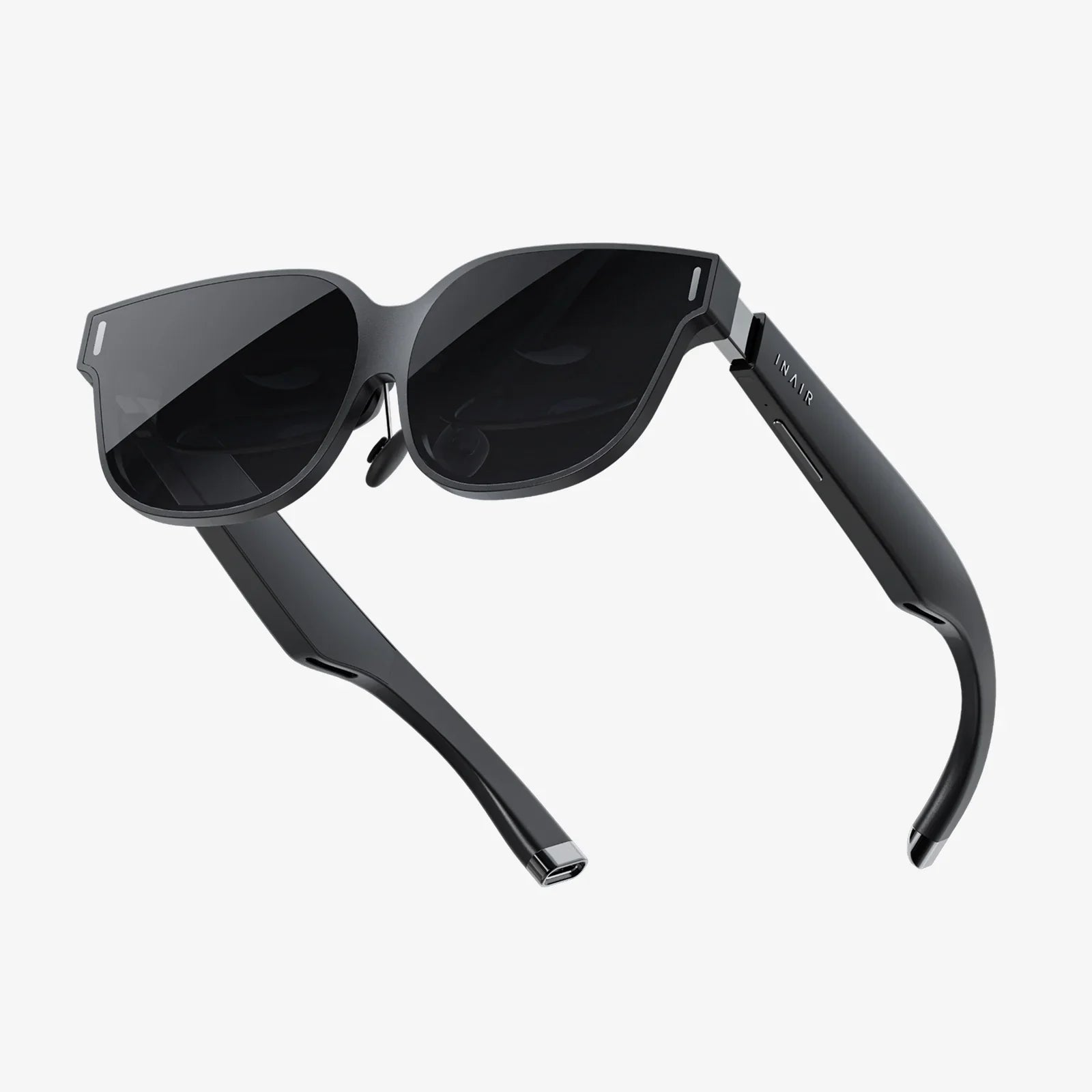
Imagine holding a portal to another dimension in your pocket. With the power of your Android smartphone and a simple, often affordable, headset, that's precisely what VR glasses for Android offer. This isn't a distant sci-fi fantasy; it's accessible technology available right now, ready to transform how you play, learn, and connect. The journey into mobile virtual reality is more intuitive and packed with potential than you might think, and it all starts with understanding the incredible synergy between your phone and a VR headset.
The Magic Behind the Lenses: How Android VR Works
At its core, the concept is elegantly simple yet technologically profound. VR glasses for Android, often referred to as mobile VR headsets, are not standalone computing devices. Instead, they are sophisticated peripherals that harness the existing hardware of your Android smartphone. The headset itself acts as a housing, providing the structure, lenses, and often some basic input controls.
The real magic happens when you slot your phone into the headset. The high-resolution screen of your Android device becomes the display for the virtual world. It is split into two identical images, one for each eye. The specially designed lenses in the VR glasses then warp and focus these images, creating a stereoscopic 3D effect that gives the illusion of depth and scale. This transforms the flat, rectangular screen into an immersive, 360-degree environment that you can look around in simply by moving your head.
Your phone's internal sensors—the gyroscope, accelerometer, and magnetometer—are the unsung heroes. They track the precise orientation and movement of your head in real-time, updating the view accordingly. This creates the critical link between your physical movements and the virtual world, making it feel responsive and real. More advanced headsets may include additional sensors or a wireless controller to track your hand movements, allowing for interaction within the virtual space.
A Spectrum of Experiences: What Can You Actually Do?
The beauty of the Android ecosystem is its vastness and diversity, and this is fully reflected in the VR content available. The possibilities extend far beyond simple novelty apps.
Gaming and Entertainment
This is often the primary draw for many users. The Google Play Store and dedicated VR platforms host a huge library of games built from the ground up for virtual reality. You can find yourself on the edge of your seat in a horror adventure, pilot a starfighter in a sprawling space battle, solve intricate puzzles in a mysterious room, or step into a hyper-realistic sports simulation. The immersion factor in VR gaming is unparalleled; you don't just play the game, you inhabit it.
Beyond gaming, VR is revolutionizing media consumption. Imagine sitting in the best seat of a massive virtual cinema to watch your favorite films or having a front-row view at a concert recorded with 360-degree cameras. You can travel to the depths of the ocean or the surface of Mars through breathtaking documentary experiences that place you right in the action.
Education and Training
VR has emerged as a powerful educational tool. Students can take virtual field trips to historical landmarks like the Roman Colosseum or the Great Wall of China, walking through them as they were in their prime. Medical students can practice complex procedures on virtual patients, and mechanics can learn the intricacies of a new engine model by taking it apart virtually. This hands-on, experiential learning leads to significantly higher retention rates and engagement.
Social Connection and Travel
Virtual reality is becoming increasingly social. Platforms exist where you can meet friends or make new ones in virtual spaces, attending events, playing games, or simply chatting as if you were in the same room. For those with a wanderlust spirit, VR offers a tantalizing taste of travel. You can explore cities, hike mountains, and visit museums from across the globe, all from your living room. It's a powerful way to preview destinations or experience places that might otherwise be inaccessible.
Choosing Your Portal: Key Features to Consider
Not all VR glasses for Android are created equal. The market offers a wide range, from simple cardboard viewers to advanced headsets with integrated tracking. Knowing what to look for will ensure you get the best experience for your needs and budget.
Field of View (FOV)
Measured in degrees, the Field of View is how much of the virtual world you can see at any given moment without turning your head. A wider FOV (90-110 degrees is considered good for mobile VR) increases the feeling of immersion, making the virtual environment feel more natural and less like you're looking through a pair of binoculars.
Lens Quality and Adjustments
The lenses are your window into VR. High-quality, precision-ground lenses are crucial for a clear, sharp image with minimal distortion, especially around the edges. Look for headsets that offer IPD (Interpupillary Distance) adjustment. This allows you to physically move the lenses closer or further apart to match the distance between your eyes, which is vital for visual comfort and preventing eye strain. Many also include a focus dial to accommodate users who wear glasses.
Comfort and Build Quality
You'll likely be wearing the headset for extended periods, so comfort is non-negotiable. Consider the weight distribution, the quality of the padding (foam vs. leather-like materials that are easier to clean), and the strap system. A sturdy, well-built headset with a triple-strap design (over the head and sides) will feel more secure and balanced than a simple strap that only goes around your head.
Input and Interaction
Basic headsets rely on your phone's screen or a simple magnetic button for input. More advanced models come bundled with a dedicated wireless controller that features its own sensors for tracking. This allows for much more intuitive and engaging interaction, such as pointing, grabbing, and throwing objects within the virtual world. Some premium headsets even feature hand-tracking technology, eliminating the need for a controller altogether.
Phone Compatibility and Cooling
Ensure the headset you choose can physically accommodate your specific Android phone model. Pushing high-resolution graphics at a high frame rate can cause your phone to heat up. Some high-end headsets address this with built-in cooling fans or passive ventilation systems to prevent thermal throttling, which can cause the experience to stutter or shut down.
Optimizing Your Android Phone for a Flawless VR Experience
To get the most out of your VR glasses, your Android phone needs to be up to the task. Not every phone is a perfect fit for VR.
Display and Performance
A high-resolution display is paramount. Since the screen is magnified by the lenses, a lower resolution can result in a visible "screen door effect," where you can see the gaps between pixels. An AMOLED screen is generally preferred for its deep blacks and high contrast ratio, which enhances the sense of depth. Under the hood, a powerful processor (CPU) and graphics chip (GPU) are essential for rendering complex, smooth VR environments without lag or judder, which can lead to discomfort.
Sensors and Software
A high-fidelity gyroscope and accelerometer are critical for accurate head tracking. Jittery or delayed tracking is a primary cause of simulator sickness. Ensure your phone's operating system is up to date, as VR performance and compatibility improvements are often included in software updates.
Battery Life and Storage
VR is a power-intensive application. Expect your battery to drain significantly faster than during normal use. It's advisable to start your VR sessions with a full charge or have a power bank nearby. Furthermore, high-quality VR apps and 360-degree videos can be very large files, so ample storage space is a must.
Navigating the Potential Challenges
While incredible, mobile VR is not without its limitations. Being aware of them helps set realistic expectations.
The primary challenge is the limited processing power of a mobile phone compared to a dedicated gaming console or PC. This means the graphical fidelity of Android VR experiences, while impressive, generally won't match that of high-end systems. Furthermore, because the headset itself lacks external cameras or sensors, your movement is typically limited to rotational tracking (looking around). You cannot, in most cases, walk around a room physically; your movement within the virtual world is usually handled via a controller.
Some users may also experience simulator sickness, a feeling of nausea or dizziness similar to motion sickness. This is often caused by a disconnect between what your eyes see (movement) and what your body feels (standing still). It's advisable to start with shorter sessions and take breaks immediately if you feel unwell. Choosing experiences with comfortable, smooth locomotion settings can also help mitigate this.
The Future is in Your Pocket
The trajectory of VR glasses for Android is one of relentless innovation. We are moving towards headsets with wider fields of view, higher resolutions, and better inside-out tracking that will allow for limited room-scale movement without external sensors. The integration of augmented reality (AR) features will blend digital objects with your real-world environment, creating even more compelling mixed-reality experiences. As 5G connectivity becomes ubiquitous, the potential for cloud-based VR streaming services will grow, offloading the intense processing from the phone itself and making high-end VR experiences more accessible than ever before.
Your Android phone is already a camera, a map, a communication device, and an entertainment center. With the addition of a simple headset, it transforms into something even more profound: a gateway. It becomes a tool for unparalleled immersion, a means to explore the farthest reaches of human creativity and the farthest corners of our universe. The world of virtual reality is no longer locked away in expensive labs; it's sitting in your hand, waiting for you to take a look. The next adventure doesn't require a ticket or a download; it just requires you to be curious enough to see what happens when you look through a new lens.
Share:
What Is Augmented Reality Examples Transforming Our World
How AR and VR Works: A Deep Dive into Digital Realities