


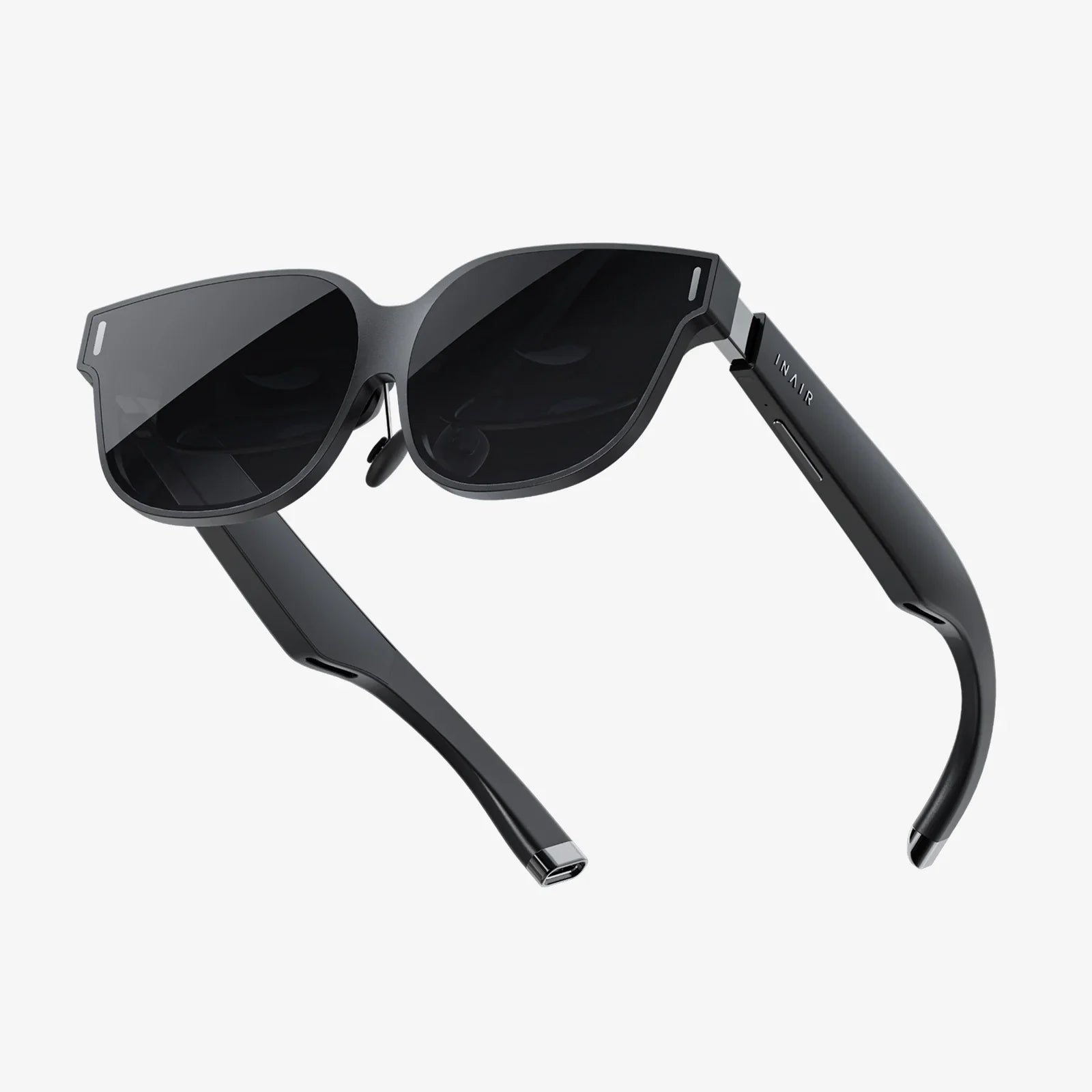
- by wangfred
VR Headset as Monitor: The Ultimate Guide to Immersive Computing
- by wangfred
Imagine a workspace that defies the physical limitations of your desk, an entertainment center that transports you inside the action, and a digital environment that stretches infinitely in every direction. This isn't a glimpse into a distant sci-fi future; it's the reality available today by using a VR headset as a monitor. The concept is simple yet revolutionary: replace your physical screens with high-resolution, virtual displays that exist within a customizable, immersive environment. Whether you're a developer craving screen real estate, a gamer seeking unparalleled immersion, or a remote worker wanting to escape the clutter, the virtual desktop is a frontier of computing waiting to be explored. This comprehensive guide will walk you through everything you need to know to step into this new dimension of digital interaction.
The primary driver behind adopting a virtual monitor setup is the promise of boundless screen space. Traditional multi-monitor setups are constrained by desk size, hardware costs, and a tangle of cables. A virtual environment obliterates these constraints. You can spawn multiple large displays, arrange them in a curved arc, place them high or low, or even have them float in a serene virtual landscape. This is a game-changer for professionals like software engineers, video editors, and data analysts who thrive on multitasking and visual context switching. The ability to have documentation, communication tools, and primary work applications all visible simultaneously, without turning your head, can significantly enhance focus and workflow efficiency.
Embarking on this journey requires some essential gear and software. First and foremost, you'll need a capable VR headset. Key specifications to prioritize are display resolution and lens quality. A higher per-eye resolution is critical for text clarity, reducing the screen-door effect and making long reading sessions comfortable. Modern headsets offer resolutions that make virtual text sharp and readable. Secondly, your computer needs robust graphical power. Rendering a complex virtual environment alongside your computer's desktop is a demanding task. A powerful dedicated graphics card is non-negotiable for a smooth, stutter-free experience.
On the software side, several dedicated applications have emerged as the standard for this use case. These programs are designed to create a virtual representation of your computer's desktop within the headset. They typically offer features like:
The experience of working inside a headset is unique and comes with a distinct set of advantages and challenges.
Unmatched Immersion and Focus: By donning the headset, you effectively create a personal IMAX theater for your computer use. This visual isolation is powerful for deep work, eliminating peripheral distractions from your physical environment. For gaming and media consumption, it's transformative, placing you directly inside the game world or at the center of a cinematic experience.
Portability and Flexibility: Your entire multi-monitor setup becomes entirely portable. All you need is the headset and a laptop. This allows for a consistent, expansive workspace whether you're at home, in a coffee shop, or traveling—a true dream for digital nomads.
Ergonomic Potential: With virtual screens, you are no longer tied to looking straight ahead. You can place reference materials slightly above or to the side, encouraging subtle neck movements and potentially better posture than hunching over a single laptop screen.
Visual Fidelity and Comfort: Despite advancements, current technology is not perfect. Text sharpness, while good, may not yet match a high-quality 4K physical monitor for extremely long coding or writing marathons. Furthermore, headset comfort and ergonomics are paramount. The device's weight on your face and the potential for eye strain, often called VR fatigue, are real factors that require acclimatization. Starting with shorter sessions is highly recommended.
The Input Hurdle: Typing on a physical keyboard you can't see is a learned skill. While some software solutions provide a passthrough camera or a virtual representation of your keyboard, it's not as seamless as glancing down on a traditional setup. This can be a significant initial barrier for heavy typists.
Social and Practical Isolation: Being fully immersed in a virtual world cuts you off from your immediate surroundings. This makes it difficult to quickly interact with someone in the room, take a sip of coffee, or glance at your phone without taking the headset off or using a passthrough mode, which can be disruptive to the workflow.
To overcome these challenges and create a sustainable virtual desktop environment, a few optimizations are crucial:
The trajectory of this technology is incredibly exciting. We are standing on the brink of several advancements that will further blur the line between physical and virtual displays. The next generation of headsets promises even higher resolutions, making virtual pixels indistinguishable from real ones. The adoption of Micro-OLED displays will enhance color accuracy and contrast ratios, rivaling the best traditional monitors.
Perhaps the most significant leap will come with advanced varifocal lenses and eye-tracking. This technology will allow the headset to simulate depth of field and focus, dynamically adjusting the image based on where you are looking. This could eliminate the vergence-accommodation conflict, a primary source of eye strain in current VR systems, making long-term use as comfortable as looking at a physical object.
Furthermore, the integration of mixed reality (MR) will be transformative. Instead of being completely closed off, future workspaces might seamlessly blend high-quality virtual screens with your real-world environment, allowing you to place a browser window next to your physical coffee mug or have a video call overlay your real desk. This hybrid approach could solve the isolation problem while retaining all the benefits of infinite screen space.
The dream of a perfect, weightless pair of augmented reality glasses that can project flawless, high-resolution virtual screens anywhere you look is the ultimate endgame. While we aren't there yet, the rapid pace of innovation suggests it's a question of 'when,' not 'if.' Using a VR headset as a monitor today is not just a novel trick; it's an early adoption of the fundamental way we will interact with computers in the decades to come.
The boundary between our digital and physical realities is dissolving, and the humble computer monitor is at the forefront of this revolution. While the path of the early adopter has its bumps, the view from the virtual edge offers a breathtaking preview of a world without screens—a world where your workspace is limited only by your imagination. The question is no longer if you can work from anywhere, but from which reality you will choose to do it.
Share:
Extended Reality Technology: The Seamless Fusion of Our Physical and Digital Worlds
Is Buying a VR Headset Worth It? An In-Depth Look at Virtual Reality's Value