


Imagine standing on the surface of Mars, looking out over the rust-colored horizon, or sitting courtside at a championship game, feeling the energy of the crowd. This is the promise of virtual reality—a complete sensory immersion into digital worlds that feel tangibly real. But before you can take that first step into the metaverse or scale fantastical mountains, you need to understand the ecosystem required to bring these experiences to life. The journey begins not with the headset itself, but with the foundation that supports it.
The Core Component: Understanding the VR Headset Itself
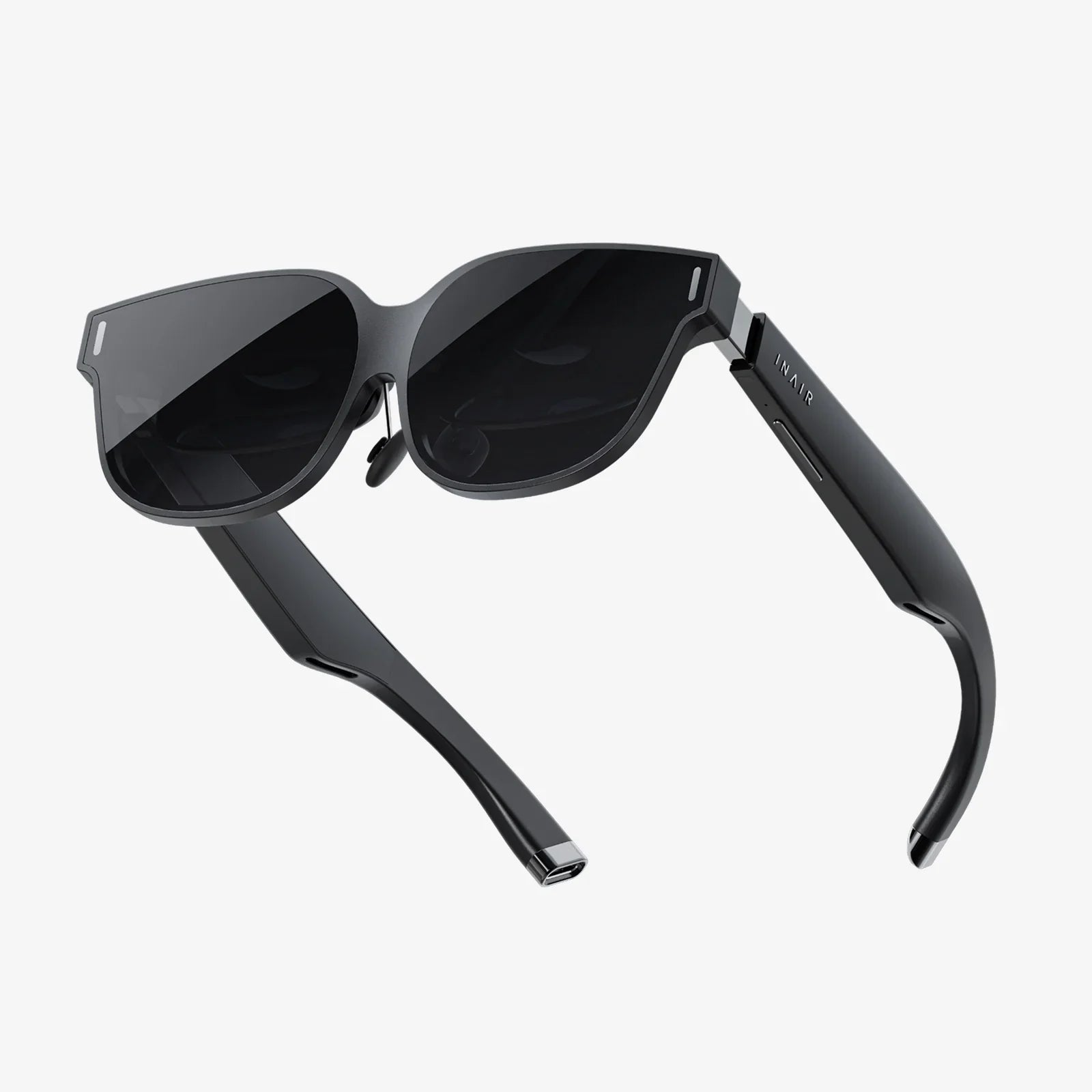
At the heart of every virtual reality experience is the headset, your window into another world. This device is far more than a simple screen strapped to your face; it's a sophisticated piece of technology designed to trick your senses into believing you're somewhere else. The core function of any headset is to track your head movements with incredible precision and update the view accordingly, creating a natural and responsive connection between your physical self and the digital environment.
When considering a headset, you'll primarily encounter two distinct categories, each with its own set of requirements:
Standalone VR Headsets
These are all-in-one devices that require no external computer or console to operate. Everything needed to power the experience—the processor, memory, and battery—is built directly into the headset. This makes them incredibly convenient and user-friendly, often described as the easiest way to get into VR. They are typically wireless, offering complete freedom of movement, and are perfect for users who value simplicity and portability above all else. Their setup is often as simple as putting on the headset, defining your play area, and jumping into an experience.
PC-Connected or Console VR Headsets
These headsets act as a display and input device, but they offload the heavy computational work to an external source—a powerful gaming computer or a specific video game console. They are connected via a high-speed cable or, in some advanced setups, through a robust wireless streaming connection. This external processing power allows for vastly superior graphics, more complex simulations, and deeply detailed worlds that are currently beyond the reach of standalone hardware. The trade-off is a more complex setup and a higher overall cost, as you must already own or be willing to invest in the external hardware.
The Hardware Foundation: Powering the Experience
Your choice of headset directly dictates the next layer of requirements: the hardware needed to make it run. This is the engine room of your VR operation.
For Standalone VR: The Built-In Brain
The beauty of a standalone system is its self-contained nature. The essential computing components are integrated. However, you will need to consider accessories. A reliable charging cable and power adapter are non-negotiable, as VR is a power-intensive activity. Many users also invest in additional external battery packs to extend play sessions beyond the built-in battery's life, which can often be comfortably stored in a pocket.
For PC-Connected VR: The Gaming Rig
This is where requirements become more stringent. Virtual reality is one of the most demanding applications for a computer. It must render two high-resolution displays (one for each eye) at a very high frame rate (typically 90Hz or higher) to prevent motion sickness and maintain immersion.
The key components of a VR-ready computer are:
- Graphics Processing Unit (GPU): This is the single most important component. You will need a powerful, modern dedicated graphics card that meets or exceeds the specifications provided by the headset manufacturer. Integrated graphics found in standard laptops are not sufficient.
- Central Processing Unit (CPU): A capable multi-core processor is needed to handle the physics, audio, and logic of the virtual world without bottlenecking the GPU.
- Memory (RAM): A minimum of 8GB is often the absolute baseline, but 16GB or more is highly recommended for a smooth experience, especially in more complex titles.
- Ports: Check your computer for the correct video ports. Most modern PCVR headsets require a DisplayPort or a specific version of HDMI. USB ports are also critical for data and power.
- Operating System: Ensure your OS is up to date and compatible with your chosen headset's software.
The Software Ecosystem: Your Gateway to Worlds
Hardware is useless without the software to bring it to life. This digital layer is what truly unlocks the potential of your headset.
The Platform/Store
Every headset operates within a specific digital ecosystem—an online storefront where you browse, purchase, and download games, apps, and experiences. You will need to create an account for this platform. This account is your identity in VR, often used to friend other users, track achievements, and manage your library of software.
The Desktop Companion Application
For PCVR headsets, a crucial piece of software must be installed on your computer. This application acts as the bridge between your hardware and the VR platform. It handles critical functions like:
- Initial setup and calibration of your headset and controllers.
- Driver installation to ensure your PC communicates correctly with the VR equipment.
- Firmware updates for the headset and controllers.
- Defining and managing your play space.
The Physical Space: Your Portal Room
Unlike traditional gaming, VR is a physical medium. You will be moving, ducking, and swinging your arms. Therefore, preparing your environment is a critical safety and practicality step.
Play Area Requirements
You need a clear, open space free of obstacles like coffee tables, chairs, low-hanging light fixtures, or walls. There are generally two types of play spaces:
- Seated/Stationary Experience: Perfect for flight simulators, racing games, or cinematic viewing. This requires enough room to sit in a chair and extend your arms without hitting anything.
- Room-Scale Experience: This is the gold standard for immersion, allowing you to physically walk around within the virtual world. Each platform has a recommended minimum area for room-scale, but the more space you can safely dedicate, the better.
Lighting and Environment
Headsets that use external sensors or inside-out tracking rely on clear visual cues from your environment. Very dim or extremely bright, direct light can interfere with the headset's ability to track its own position in space. Aim for consistent, moderate lighting. Also, be mindful of sunlight; direct sunlight shining into the headset's lenses can act like a magnifying glass and permanently damage the internal screens.
The Human Element: You Are the Controller
Finally, the most important component in the entire VR setup is you. Your physical and mental preparedness is key to a comfortable experience.
Motion Sickness "VR Legs"
It's common for new users to experience some form of simulation sickness. This occurs when your eyes tell your brain you're moving, but your inner ear reports that you're standing still. To build your "VR legs," start slowly. Begin with short sessions of 15-20 minutes in comfortable experiences rated for beginners (often stationary or teleport-movement based). Stop immediately at the first sign of discomfort—never try to "power through" it. Over time, most users adapt significantly.
Physical Comfort and Hygiene
Headsets have adjustable straps for a reason. Take the time to fit the device properly to your head. A well-balanced, snug fit is far more comfortable for extended use than a loose one. If you wear glasses, check if your headset has enough space or offers custom lens inserts. Furthermore, hygiene is important, especially if multiple people will be using the device. Consider purchasing removable silicone interface covers that are easy to clean.
Pulling It All Together: The Setup Journey
The process of going from a box of components to your first "wow" moment is a journey itself. It involves charging all devices, installing necessary software on your computer or phone, pairing controllers, and meticulously defining your guardian or boundary system—the digital walls that appear in VR to keep you from bumping into real ones. While it may seem like a lot of steps, modern systems have streamlined this process immensely, with on-screen tutorials guiding you every step of the way. This initial investment of time is what ensures every subsequent journey into VR is both magical and safe.
The path to unparalleled virtual adventures is built on a foundation of the right technology, a prepared space, and a willing explorer. By securing a headset that matches your ambition, ensuring you have the hardware muscle to run it, curating your digital library, and carving out a safe physical zone, you are not just buying a gadget—you are constructing a portal. This portal doesn't just display a new world; it allows you to step directly into it, to feel its scale, and to interact with its reality. The question is no longer what you need to use a VR headset, but what incredible experiences you will have once you do.
Share:
When Was the VR Headset Invented? The Complete History of Virtual Reality
Glasses Mr Price: A Visionary Guide to Affordable Eyewear