


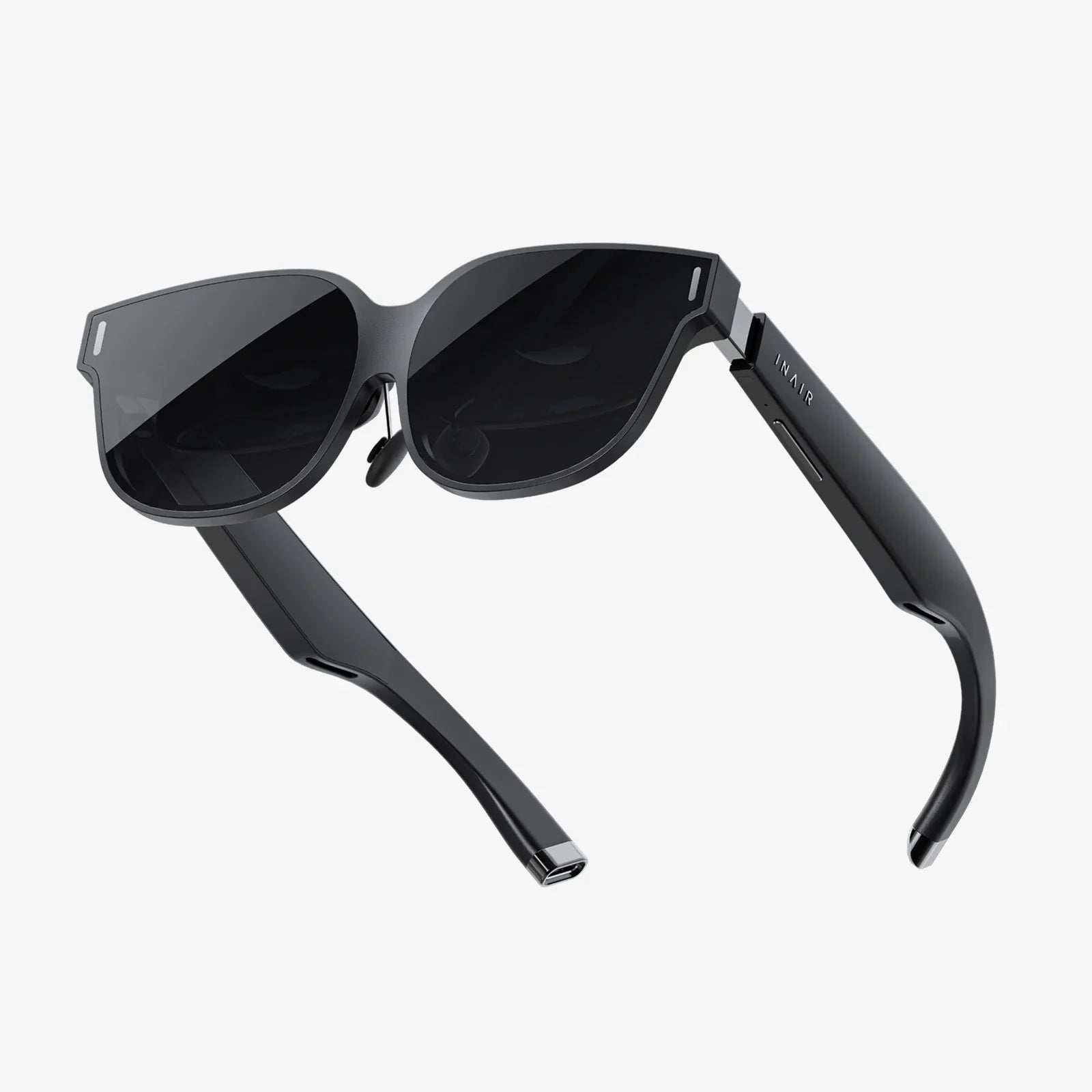
Imagine standing on the surface of Mars, the red dust swirling around your boots, or sitting courtside at the championship finals, feeling the energy of the crowd vibrate through you. This isn't a dream; it's the power of virtual reality video, a portal to experiences that transcend the flat screen. But the question remains for many: how do you actually step into these worlds? The journey from curious observer to immersed participant is simpler than you might think, and it begins with understanding the gateway: the hardware.
The Gateway to Other Worlds: Choosing Your Hardware
The first and most crucial step in your virtual reality journey is selecting the device that will transport you. The market offers a spectrum of options, broadly categorized into three main types, each with its own advantages and considerations.
1. Smartphone-Based Headsets
These are often the most accessible entry point into VR. This category consists of a head-mounted holder, complete with lenses, into which you slide your smartphone. The phone's screen becomes the display, its gyroscope and accelerometer track your head movements, and its processor powers the experience.
How it works: You download VR video apps or play videos from a library on your phone. You then place the phone into the headset holder, strap the device to your head, and look around. The lenses warp and stretch the image from your phone to create a stereoscopic 3D effect that fills your field of view.
Pros: Extremely affordable, widely available, and leverages technology you already own. It's a fantastic, low-cost way to dip your toes into the VR waters and consume a vast amount of readily available 360-degree video content.
Cons: The experience is limited by your phone's capabilities. Lower-resolution screens can result in a "screen door effect" (seeing the gaps between pixels), and the processing power is not on par with dedicated systems, leading to less complex experiences and potential lag. Interaction is typically limited to head movement or a simple button on the headset.
2. Standalone All-in-One Headsets
This category represents the sweet spot for the modern consumer and has become the dominant force in the market. These devices require no wires, no external sensors, and most importantly, no powerful computer or console. Everything you need—processor, display, sensors, battery—is built directly into the headset.
How it works: You charge the headset, put it on, and you're inside a custom VR operating system. From there, you can access a curated store to download apps, games, and video platforms. Inside these apps, you can stream or download high-quality VR videos. These headsets use inside-out tracking, meaning cameras on the device itself track your movement in the real world, allowing for room-scale experiences where you can physically walk around within a virtual space.
Pros: Offers a superb, untethered experience with excellent convenience and freedom of movement. The graphical quality and processing power are significantly higher than smartphone-based options, providing a much more immersive and comfortable experience. They often come with sophisticated motion controllers that allow for intuitive interaction within the virtual space.
Cons: More expensive than mobile options, but far less than PC-powered systems. Battery life is a consideration, with most offering 2-3 hours of continuous use.
3. Tethered (PC/Console-Powered) Headsets
At the pinnacle of visual fidelity and performance are tethered headsets. These devices are essentially high-end displays and sensors that must be connected via a cable to a powerful gaming computer or a next-generation console.
How it works: The headset is plugged into the external source, which acts as the engine, rendering the incredibly detailed and complex virtual environments. This setup often requires external base stations or sensors placed in your room to provide ultra-precise, millimeter-accurate tracking of your head and controller movements.
Pros: Unmatched graphical quality, refresh rates, and overall performance. This results in the most immersive, realistic, and visually stunning experiences available, with virtually no latency. It's the preferred choice for hardcore gaming and for professional applications requiring the highest precision.
Cons: The most expensive option by far, requiring a significant investment in both the headset and the high-end computer to run it. The cable tether can limit freedom and present a tripping hazard, breaking immersion.
Finding the Content: Where to Watch VR Videos
Once you have your hardware, the next step is finding something to watch. The ecosystem of VR video content is vast and growing rapidly, spanning several key formats and platforms.
Understanding Video Formats: 360 vs. 1803D
Not all VR videos are created equal. The two primary formats offer different experiences:
- 360-Degree Video: Filmed with a special omnidirectional camera, these videos capture everything in a full sphere around the camera. You can look up, down, and all around you. Most of this content is monoscopic (flat 3D), meaning it feels like you're inside a spherical movie. It's great for documentaries, travelogues, and event recordings.
- 180-Degree 3D Video: This format is often considered the premium experience for narrative content. Filmed with a stereoscopic camera, it captures depth—just like how our two eyes see the world—but only in a 180-degree field in front of you. This allows filmmakers to focus on higher resolution and a more intimate, cinema-like experience since they don't have to waste data on the area behind you that you're unlikely to look at.
Major Content Platforms and Apps
Your headset's app store is your gateway to content. Key destinations include:
- Dedicated VR Video Platforms: These are the Netflix and YouTube of the VR world. They host massive libraries of free and paid content, including professional productions, user-generated videos, live events, and immersive short films. You can typically browse a virtual cinema lobby before selecting a video to watch.
- Mainstream Video Giants: The largest video-sharing platform in the world has a enormous dedicated VR app. It hosts millions of 360-degree videos, from music videos and travel vlogs to news reports and educational content. The quality varies wildly, but the quantity is unmatched.
- Network and Studio Apps: Major media companies have launched their own VR apps, offering curated content like behind-the-scenes footage from movie sets, animated shorts, and nature documentaries shot specifically for VR.
The Step-by-Step Viewing Experience
So, you've chosen your headset, downloaded an app, and found a video. What happens next?
- Launch and Browse: Put on your headset and launch your chosen video app. You'll find yourself in a virtual environment—perhaps a sleek modern home theater or a futuristic lobby. Use your head gaze or controllers to navigate the menus and select a video.
- Environment Selection: Many apps allow you to choose your viewing environment. Do you want to watch on a giant screen in a virtual cinema, feeling like you have the best seat in the house? Or would you prefer a void-like space where the video is the only thing that exists? Some even simulate a cozy living room.
- Playback and Control: Play your video. Standard playback controls (play, pause, rewind) will usually appear in your virtual field of view or be accessible via the controller. Crucially, you control the perspective simply by moving your head. Look left to see what's happening to your left; look up to see the sky.
- Interaction and Social Features: More advanced platforms are incorporating social VR. You can meet up with friends in a virtual space as avatars and watch a video together, chatting and reacting as if you were in the same physical room, even if you're continents apart.
Mastering the Experience: Tips for Comfort and Enjoyment
A bad first experience can turn someone off VR forever. Follow these tips to ensure your journey is comfortable and thrilling.
- Start Slow: If you're new to VR, begin with short, static experiences. Watch a 5-minute 360-degree video where you remain seated. Do not jump straight into an intense game with full locomotion. Allow your brain to acclimatize to the new sensory input.
- Ensure a Proper Fit: A poorly fitted headset is uncomfortable and can break immersion. Adjust the straps so the headset is snug but not crushing your face. The image should be clear and not blurry (this is called finding the "sweet spot"). Most headsets have an interpupillary distance (IPD) adjustment to match the lens spacing to your eyes.
- Manage VR Motion Sickness: This is a real phenomenon caused by a disconnect between what your eyes see (movement) and what your inner ear feels ( stillness). If you feel queasy, stop immediately. Don't try to "power through." Over time, your "VR legs" will develop. Using a fan blowing on you, having a ginger candy beforehand, and using teleportation movement in interactive experiences can all help.
- Clear Your Play Space: Especially for standalone and tethered headsets that allow room-scale movement, ensure your area is clear of obstacles, pets, and trip hazards. Always use a guardian or boundary system if available—this virtual wall will alert you if you're about to step into a real-world object.
The Future of VR Video Consumption
The technology is advancing at a breakneck pace. We are moving towards headsets that are lighter, more comfortable, and have incredibly high-resolution displays that eliminate the screen door effect entirely. The future points to more interactive narratives where you are not just a passive observer but can influence the story. Furthermore, the line between live events and VR is blurring, with concerts, sports, and conferences being broadcast live in VR, offering a front-row seat to anyone, anywhere in the world. The act of watching is evolving into the act of being present.
The worlds you've only dreamed of exploring are now waiting for you, contained within a simple headset and a library of incredible videos. The barrier to entry has never been lower, and the reward—the sheer awe of standing somewhere impossible, of feeling a genuine connection to a digital story, of sharing a laugh with a friend in a virtual cinema—has never been more profound. Your journey into the immersive frontier starts with a single question, and now you have the answer and the map to begin your adventure.
Share:
Unity AR Glasses: Merging Our Digital and Physical Worlds Into One Seamless Reality
Brands Using Virtual Reality: The New Frontier in Immersive Customer Engagement