


Imagine pointing your device at a quiet city street and suddenly seeing it come alive with historical figures, directional arrows for your next meeting, and reviews hovering over a café. This isn't science fiction; it’s the immediate, tangible magic of augmented reality (AR). But for a technology that feels so seamless and almost magical to the user, a sophisticated symphony of hardware and software is working at breakneck speed behind the scenes. The journey from a blank physical space to an interactive digital overlay is a fascinating tale of engineering, computer vision, and human-computer interaction. Understanding how this digital alchemy works not only satisfies curiosity but opens a window into a future where our realities are deeply intertwined with the digital realm.
The Core Principle: Blending Two Realities
At its most fundamental level, augmented reality works by superimposing computer-generated perceptual information onto the real world. Unlike Virtual Reality (VR), which creates a completely artificial environment, AR uses the existing environment and simply adds new layers of digital information on top of it. The ultimate goal is to create a system where the digital content is not just overlaid but is contextually aware, interactive, and anchored to the real world in a believable way. This process hinges on three core technical pillars: scene capture, scene processing, and content visualization.
The Hardware: Your Window into the Augmented World
Before any digital creation can appear, the system must first perceive and understand the physical world. This is achieved through a suite of sensors that act as the eyes and ears of the AR device.
Cameras and Sensors: The Data Gatherers
The primary sensor is a camera, which continuously captures the live feed of the user's environment. However, a standard camera alone is not enough. Most sophisticated AR systems employ a combination of additional sensors to gather rich data:
- Depth Sensors (LiDAR/ToF): These sensors project thousands of invisible points of light into the environment and measure the time it takes for each point to return. This creates a precise depth map, understanding the exact distance and contours of every surface in view. This is crucial for placing digital objects behind or in front of real-world objects accurately.
- Inertial Measurement Units (IMUs): These include accelerometers and gyroscopes that track the device's movement, orientation, and velocity. They provide high-frequency data on how the device is rotating and translating through space, which is essential for maintaining the stability of digital overlays as the user moves.
- GPS and Compass: For outdoor, large-scale AR experiences, GPS provides coarse location data (which city, street, or park you are in), while a compass determines the direction the device is facing.
- Microphones and Light Sensors: These can provide additional context. A microphone could pick up a sound to trigger an AR effect, while a light sensor can adjust the brightness of the digital content to match the ambient lighting, making it appear more realistic.
The Brain: Processing the World in Real-Time
Once the raw sensor data is captured, the real computational heavy lifting begins. This is where the device's processor and sophisticated algorithms transform data into understanding.
Simultaneous Localization and Mapping (SLAM)
SLAM is the revolutionary technology that is the true engine of most modern AR. It answers two critical questions simultaneously: "Where am I?" and "What does my environment look like?" As the device moves, SLAM algorithms analyze the incoming camera feed and sensor data to create a 3D map of the unknown environment while simultaneously tracking the device's position within that newly created map. It identifies unique feature points—distinct corners, edges, or textures on a table, wall, or floor—and tracks how these points move from frame to frame to deduce the camera's own movement and refine the environment's geometry.
Scene Understanding and Object Recognition
Mapping the geometry is one thing; understanding what things *are* is another. This is where machine learning and computer vision come into play. Advanced AR systems can analyze the SLAM-generated map to identify flat surfaces like floors, walls, and tables—a process called plane detection. Beyond that, they can recognize specific objects: Is this a chair? A car engine? A human face? This allows the AR content to interact intelligently with the environment. For instance, a virtual character can be programmed to sit on a real-world chair that the system has identified, rather than floating in mid-air or clipping through it.
The Art of Tracking: Anchoring Digital Content
For the illusion to hold, the digital content must stay locked in place. If you place a virtual vase on a real table, it must stay on that table as you walk around it. This persistence is achieved through various tracking methods.
Marker-Based Tracking
One of the earliest methods, marker-based (or image-target) tracking, uses a predefined, high-contrast visual pattern (like a QR code or a specific image) as an anchor point. The camera scans for this specific pattern. Once recognized, the system knows its exact position and orientation relative to the marker and renders the digital content accordingly. This is highly reliable but limited to the presence of the marker.
Markerless Tracking (The Power of SLAM)
This is the more advanced and flexible method dominant today. Using the environmental map created by SLAM, the system can anchor digital content to specific 3D feature points or detected planes in the environment without needing a special marker. You can place a virtual lamp on your real floor, and the device will remember that exact spot based on the unique spatial fingerprint of your room, even if you leave and come back later.
Surface and Plane Detection
A subset of markerless tracking, this involves the algorithm identifying horizontal, vertical, and angled surfaces. When you use an AR app and it prompts you to "find a flat surface," it's using plane detection. The digital object is then projected onto this detected plane, with its virtual physics engine ensuring it doesn't slide off or behave unrealistically.
Rendering: Painting the Digital Layer
Once the environment is understood and the anchor point is set, the final step is to generate and display the digital content. The graphics engine renders the 3D model, video, or text. But it doesn't just plop it into the feed; it must composite it with artistic and technical precision.
Occlusion: The Key to Believability
A critical factor for realism is occlusion—ensuring real objects can pass in front of digital ones. Using the depth map from the sensors, the system can determine the precise distance of every real-world pixel. If your hand moves in front of the virtual vase, the system knows your hand is closer to the camera and correctly renders the vase behind it, breaking it where your hand occludes it. This is what sells the illusion that the object is truly present in your space.
Lighting and Shadow Estimation
To make a digital object look like it belongs, its lighting must match the room. Advanced AR systems analyze the ambient light, color temperature, and direction of light sources in the real world. It then applies similar lighting and casts appropriate shadows from the digital object onto the real environment, and vice-versa, so the virtual object doesn't look like a brightly lit, out-of-place cartoon.
Display: The Final Presentation
The processed and augmented view finally needs to be presented to the user. This happens primarily through two types of displays:
Video See-Through (Smartphones and Tablets)
This is the most common method. The device's camera captures the real world, the processor augments it with digital content in real-time, and the screen displays the combined image. You are looking at a screen, not directly at the world.
Optical See-Through (Smart Glasses and Headsets)
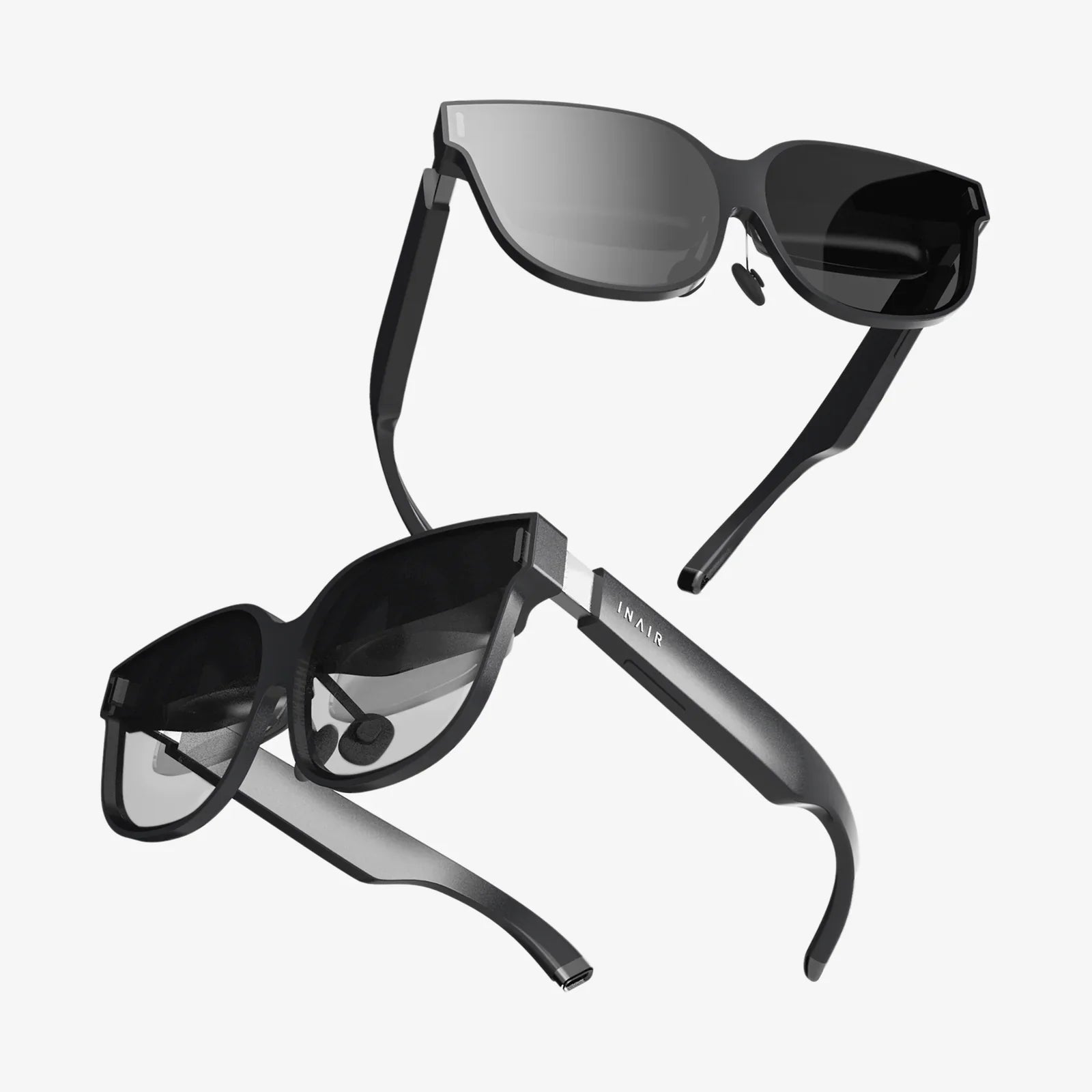
This more advanced method uses transparent lenses or waveguides. You look directly through the lenses at the real world. miniature projectors or LEDs then beam the digital imagery onto the lenses, which reflect it into your eyes, optically combining the real and virtual worlds without a camera intermediary. This creates a more natural and comfortable experience, as you are using your own eyesight.
Bridging the Digital and Physical Divide
The true power of AR is unlocked when the digital content can interact with the user and the environment. This is managed by a software environment or AR platform that handles the lifecycle of the experience—from triggering the content (e.g., scanning a marker, arriving at a GPS location, or detecting a face) to managing user interaction through touch, voice commands, or gesture controls. These platforms provide the crucial tools for developers to build experiences that are not just visually impressive but are truly responsive and immersive.
From the moment you open an AR app, a staggering sequence of events occurs in milliseconds: sensors capture data, SLAM constructs a map, algorithms identify surfaces, track movement, and render perfectly lit, occluded digital objects that respond to your every move. This intricate dance between hardware and software is what transforms the ordinary world around us into an infinite canvas for information, storytelling, and utility. The next time a dinosaur stomps across your living room or a new piece of furniture appears in your empty corner, you'll appreciate the invisible, complex orchestra of technology conducting the show, bringing a layer of digital dreamscape into our waking reality.
Share:
VR Screen Glasses: The Ultimate Guide to the Future of Personal Computing
AI Glasses Benefits: Transforming Daily Life Through Augmented Intelligence